@likewater4 …i think if you loose your remote, you tell the box to find your remote, and it starts beeping…

You press the button on the top of the 4k pro (you might be able to just say “Hey Google, find my remote” - haven’t tried that yet).
We just need to tweek the GPS signal a little then i think we got it…

Do you know if the V2 can use the 64 bit apps or is it still only using 32 bit apps?

I grabbed 2 of the Omn 4K Pros for my garage and deck TVs. They will power up using the USB port on the TV.
That said, I got them both set up, but when I go into Tivimate, to watch TV, the screen resolution keeps switching and the picture will not fit the screen. I try to get into settings to adjust but it will switch too quickly. I have tried on multiple TVs and multiple versions of Tivimate and am having the same issue. My main TV is a NVIDIA shield and has no issues so I am guessing it is something with the Omn 4K+ because it does it with both. Any ideas?
@snellman …i am no expert here but my thought is…while the Onns may power up thru the USB ports on the TV, i don’t think that USB ports supply enough power to operate the Onns…you should use the supplied power adapter that comes with them and plug into a power strip or directly into a wall outlet…
Not an expert in ports/power sources etc… by any means but when I read this I thought the same thing as @itzme try using the power adapter and see if that makes a difference
I am somewhat of an expert regarding power. What you’re describing regarding your video settings indicates that it’s being underpowered.
Historically, people have had problems powering low-end Firesticks and other devices that don’t require as much current as your Pro.
Thank you, I will give that a try and report back. If that is the case, it messes up my plans. I have limited outlets on my deck and in my garage where the TV is so I was hoping to be able to power it with the usb port in the TV like I did with my firesticks.
I tried the wall outlet that came with the box and it does the same thing. I don’t think it is a TV issue either because it does it on multiple TVs. Not sure what the next step is.
Edit to add:
Every time I go into Tivimate it is instructing me to go in to settings and allow Tivimate to display over other apps. The setting does not stay. Is this a new Android TV thing? I have never had this before and I have a NVIDIA shield with Android TV and a TCL TV with android TV that I have installed Tivimate on.
@snellman , maybe time for a quick return,/exchange if you still have time…
I got it fixed! I cleared all data and the cache and started over. I had to go into settings/playback and change the Auto Frame Rate to off. Reloaded my playlist and everything is working.
Just a heads up for anyone else that has this issue.
The box is working with being plugged into the TV. One downfall because is doesn’t have power to the box at all time is that I can’t turn on the TV with the Omn remote because there is not constant power to it, so I may have to try to figure something out or just suck it up and have 2 remotes.
@snellman , glad you got it working for, but " I " would still incorperate a powerstrip/surge protector into the mix, bucause your are still runnignyour Onn on less power than it needs, and in the long run scheme of things will become problematic…BYGDY…
I am probably going to get a couple of these:
It says it is for firestick, but they do make a USB C version as well, so I am thinking it will work. I had one for my firestick, but it was a USB B plug, So I will have to get a different one.
Please let us know how that works out for you.
A simple and done deal will be a powerstrip/surge protector combo that plugs into the wall outlet, then use the power block/adapter that came with your Onn device to deliver the power that it requires…and i’ll say no more…
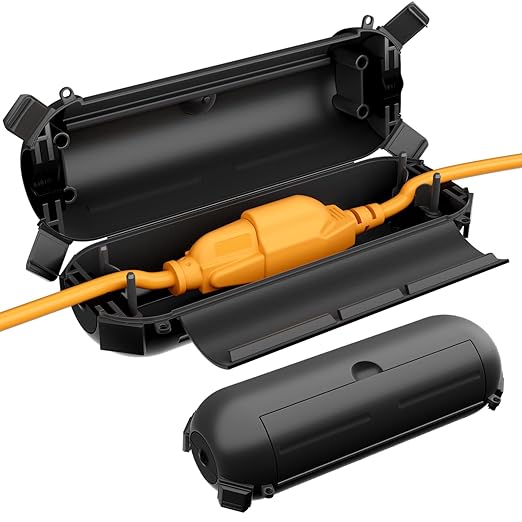
I agree, but one of my TVs is on my deck. It is under the overhang, but we still get storms. I have a water proof cover for the TV that has worked very well, it withstood 75 mph winds last summer so I am trying to keep as much as possible under that cover.