Just ordered this box from Amazon.ca, 1 day delivery, $233.00 total. Going to be nice getting this box setup, will have to come back to this post and reread all to the comments again and watch Troypoint First Impressions video again. I have looked for the complete review video that he said he was going to post in the next couple of weeks from his first video but cannot find, I s it out yet @TROYPOINT or still coming. Nice Christmas present to myself 
This AM9 does almost twice the speeds of the Formuler boxes, & has true 64 bit processing. Combined with the newer H.266 among other codecs it has it really can’t be beat for it’s price point. Once I got Projectivy loaded up in this & got things lined up to boot to it & organize the apps, it’s a solid device. I have had some Droid 14 conflict issues with some minor apps, but have found suitable replacements mostly. Send to TV app won’t fly on this box as it sees the VPN & pukes. I found another called TV File Transfer & it’s solid, & a little better as I can long press to checkmark many apk’s to load in to the box all at once. Only the oldest version (1.40) of Defsquid works, & has a few mental issues, but is functional. All other versions of Defsquid was DOA. If anyone knows of something that has the similar tasks it does that works well in newer Droid please let me know & thanks in advance. I haven’t dug very hard on that one. I also discovered that Tizen Tube won’t work, at least with Google play disabled. It will run until you select something to play, then it is dead. Welcome to Google hell I guess. I am still setting this thing up on my antique 2016 bargain basement Hong Kong Phooey Sceptre tv in what I call my computer room. It is 4K but nothing else, no Dolby nothing! Still have to try this puppy out on my Sony to see what it can really produce for picture/sound. Most all else runs well for me though, except for a few hiccups on one of the IPTV services I have. It will run on Smarters Pro (64 bit) but won’t work on TiviMate/Wave/iM Player. Something weird going on for that service that is unexplainable at this point. It works perfectly fine in ALL my Formuler devices in all apps so it’s 14 related somehow.
It is a bit of a challenge to get used to from the older Android operating systems I have been running, but it’s not bad really. The weird conflicts with some apps though is somewhat of a problem. Troy’s video was super helpful to see what we are in to from the get go especially. The 2 launchers it comes with aren’t much to speak of, so the Projectivy launcher will heal that problem. You will love it’s responsiveness for sure. Very smooth and quick indeed!
Thanks @informant for your prospective on the Ugoos AM9, Looking forward to trying this box out, I have an NVIDIA TV Pro, and 2 Onn 4K Max running now and want to get a jump start to the NON Google boxes, Sad to hear your IOTV service will not work, I hope that I have better success with the one I am running, fingers crossed.
Status update, for some reason my Amazon .ca order for my Ugoos AM9 got canceled from Amazon. got a hold of someone via chat and was told something about the price problem that’s why it got canceled, so I ordered another one and asked if this one will get shipped, they informed me this one should ship no problem, so from DELIVERY Dec 04 of the first order to now Dec 13 on the second order, I did get a $10.00 Amazon automatic credit on my Prime account applied for my next order and was told once the order arrives to contact them again and they will credit the import fees.
So now will have to wait a little longer to set this box up, crossing my finger that this one will not get canceled.
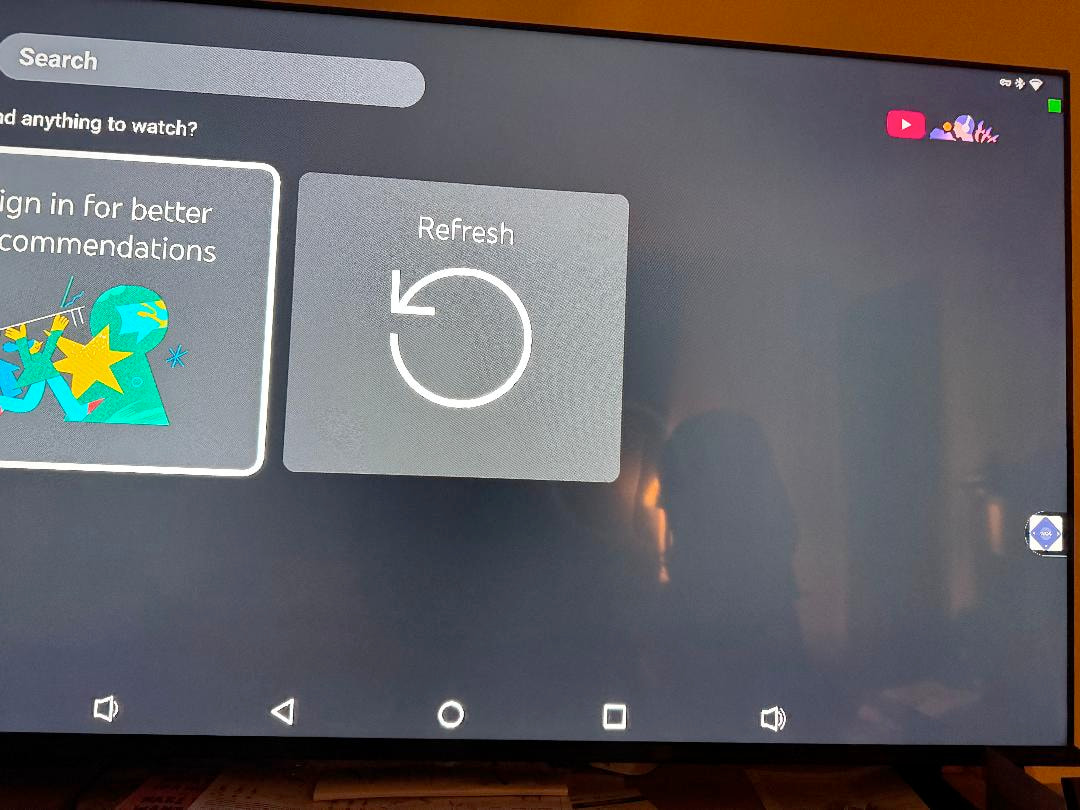
The bottom navigation bar can be turned off by going to:
settings>device preferences>panels & interface> system bars and turn off navigation bar.
I’m not sure about the other logo. I’ll poke around later when I get the chance.
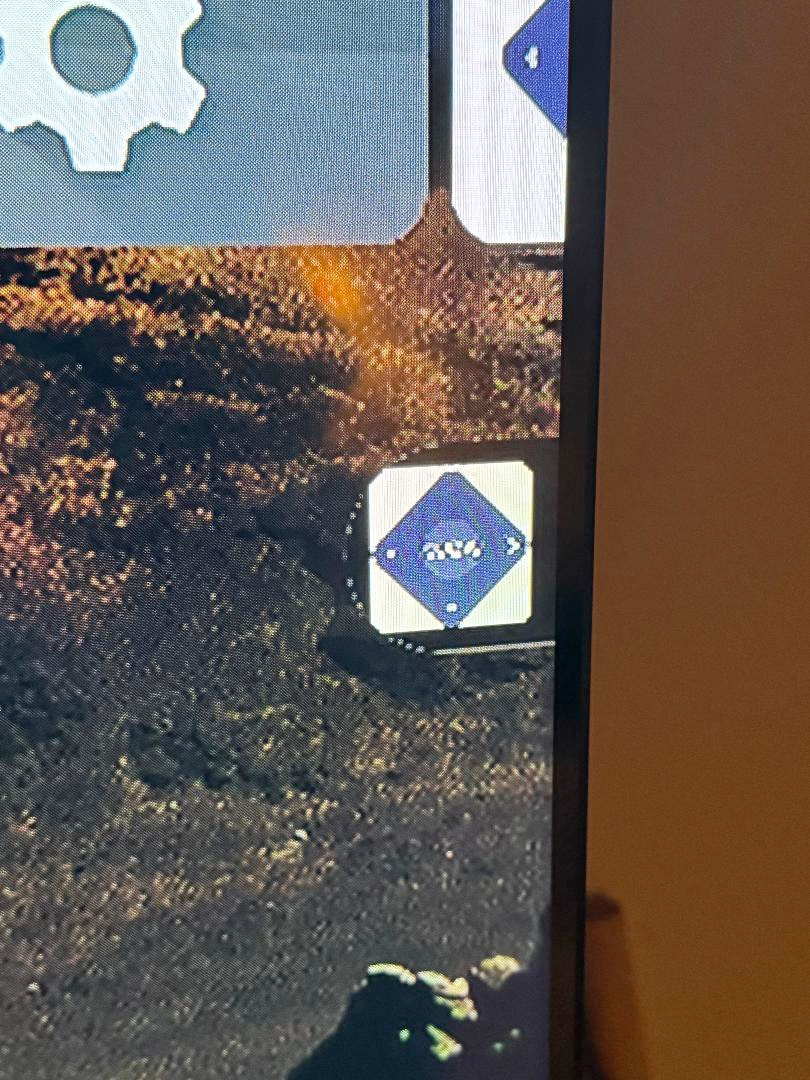
ETA: Can you post a close up of the icon? I have never seen it. Can you click on it to make it do anything?
Employ the air mouse. Drag the bottom panel down and that should get rid of it unless that is a default image in the app you are using.
@ScoobyDoosSpots Thank you so much for the road map to get rid of the Nav bar! I appreciate it.
I can’t really make out what the little image is on my TV. I’m wondering if it has something to do with Projectivy. This is on the home screen but I’ve found it on Tizen also. I haven’t had a chance to check if it’s anywhere else. Later tonight I will try sim_bill’s suggestion and use the mouse on it.
Sorry to hear this happened to you, but it seems like Amazon had their cost go up for the AM9 & ended up screwing you over while they kept from them coughing up the extra cash to cover your order. Amazon is good at pulling stunts like this at times. I ordered some furniture last year during prime days & they shafted me on it selling me something they didn’t even have. After fighting them I finally did get some results, but ended up with less of what I was supposed to receive. Buyer beware! I bought 2 AM9’s & already have one of them pretty well done & set up. Still have to crack in to the other one. Feel free to reach out if you need help. With all of us here surely somebody will have an answer.
Hey @JerryJ , i copied that image and did a search on googely goo and this came up
AI Overview
The object in the image is a Favero electronic fencing target.
-
It is a programmable target designed to challenge and encourage fencers.
-
The system typically features five target areas and multiple different exercises for improving accuracy and timing.
-
It is designed for training with epees, foils, and sabers.
-
The target is often used in fencing classes and clubs.
so i doubt that is correct  , but i’m gonna take a guess and say it may have something to do with screen calibration….”and that is my final answer”
also tried this image search site, and no results came up, but it’s kind of a cool site–(Label scanning
Computer vision-based wine label scanning API used to identify wine, beer, whisky and all spirit labels.)–and it’s free for non commercial use
Sounds like you got a used box?
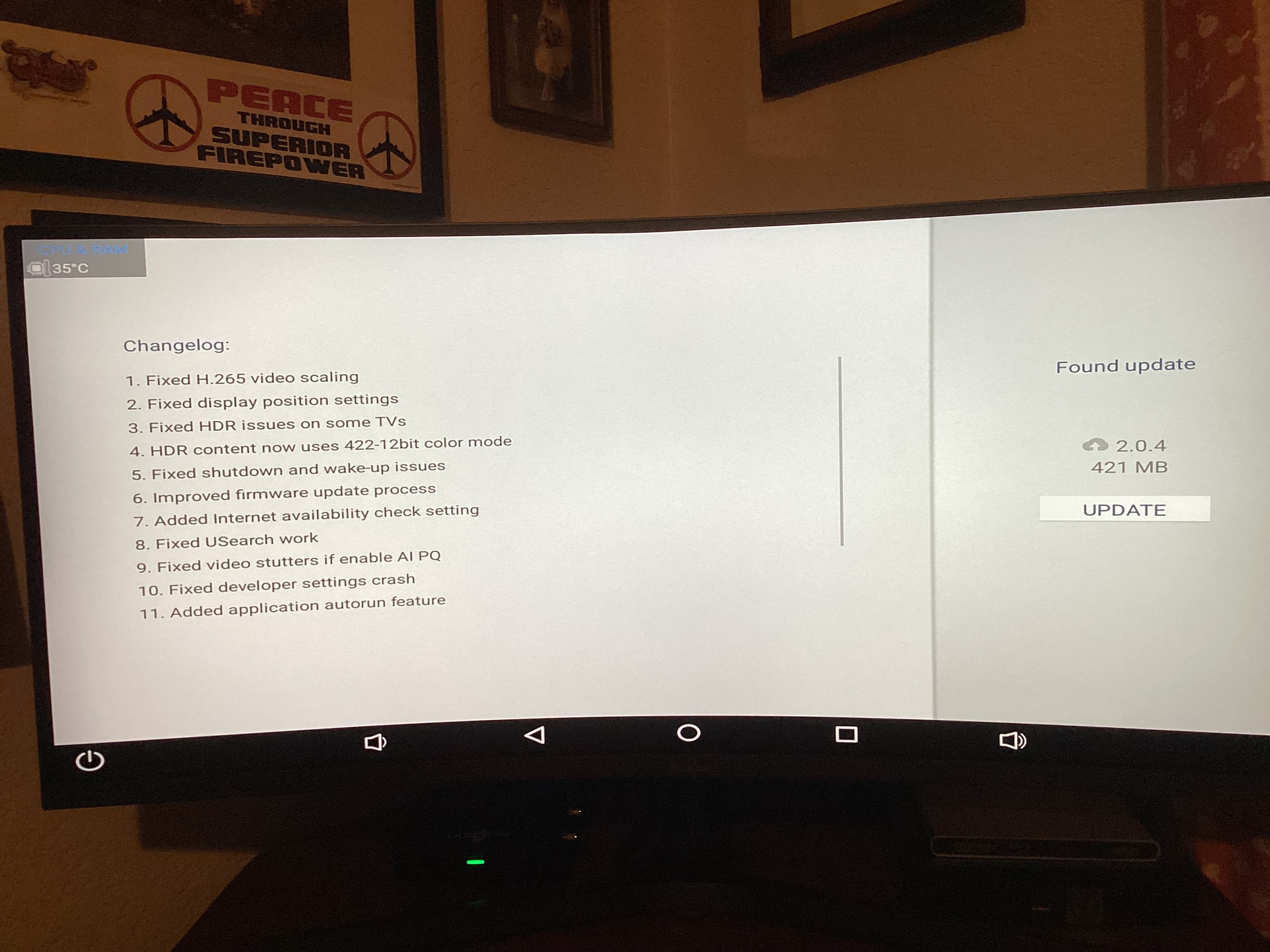
Ugoos has released 2 new firmware updates for the AM9, including V. 2.0.4, which is available for download. Release notes are available on the Ugoos website.
Installing now.
A side note. My AM9 went from the last update at the end of August until today without a reboot, force closing an app or clearing any caches. Just putting it to sleep and waking it up. That is pretty stable.
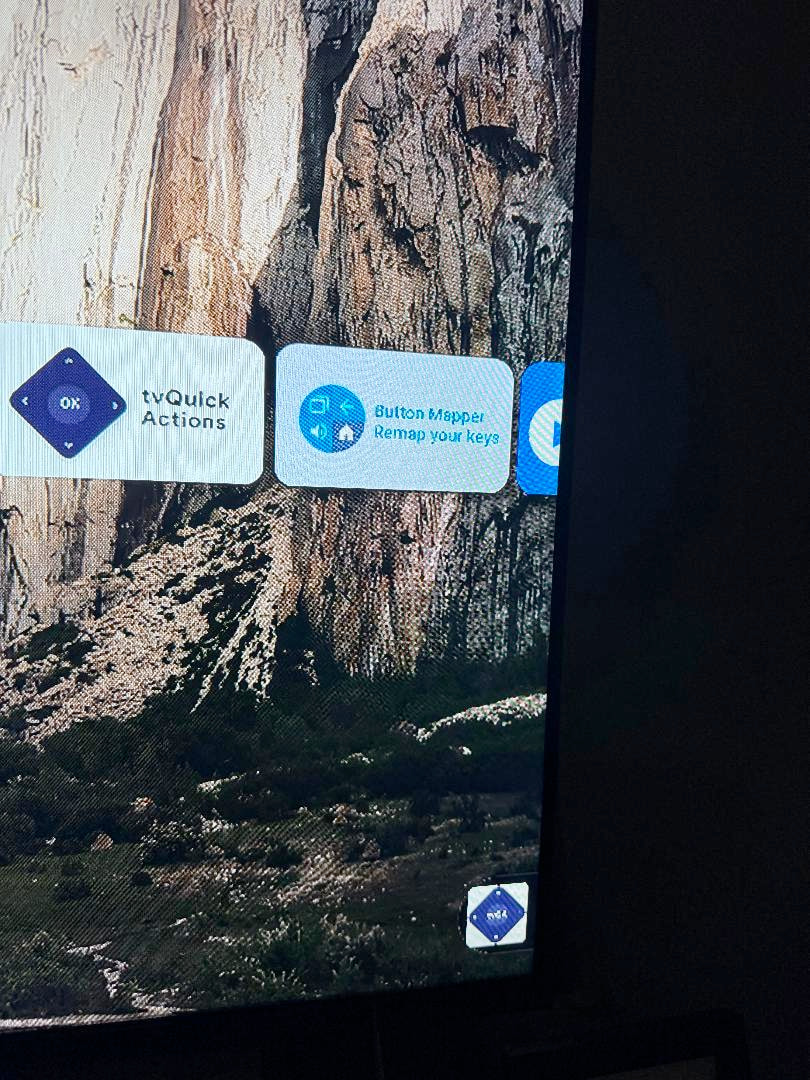
I’ve finally solved what the mystery artifact is on my AM9 home page. I was looking at my photo that I posted earlier and thought, why does the look so familiar. Silly me! It’s the TvQuick Actions app in miniature.

Here are the release notes for update 2.0.4 on the AM9. Ugoos is very good about firmware updates when they get bug reports.
Thanks. Is there a need to tweak any of our settings (with this update) if all is working well?
I haven’t changed anything. If it ain’t broke don’t fix it.
I don’t think so. Just get access to developer options, which this update fixes and make sure the settings are where you want them. This update should also fix picture quality setting conflicts.