What device are you using Stremio on?
The version numbers don’t look like any Stremio version I recognize. Looks like some other app/OS message(?)
Troy’s toolbox  has the latest versions. Although there are other ones.
 Download link.
I’m with @sktn77a Stremio versions are a triplet not quad. So 3 numbers like v 0.0.0 not 4 numbers v 0.0.0.0 So maybe a hacked version from some site.
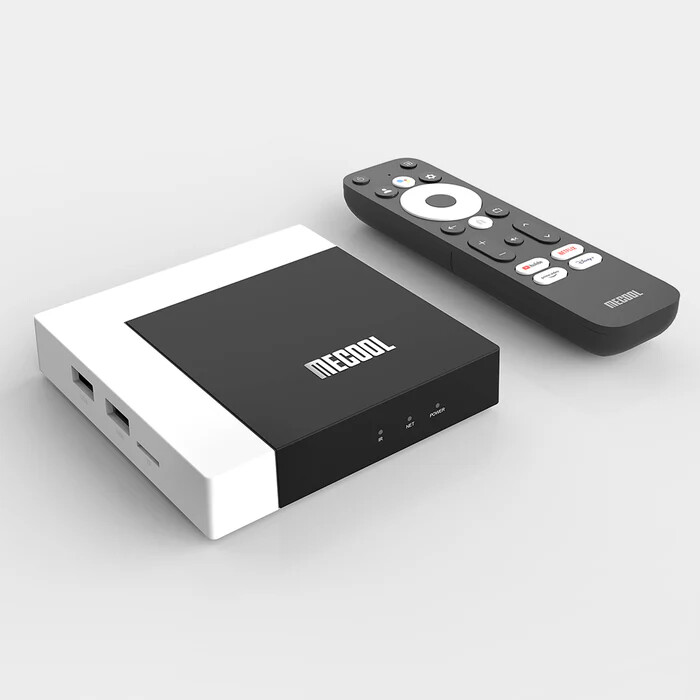
It6s a KM7 Plus model.
Well that should be the v1.9.4 . Link to Troy’s toolbox. click to download the version you need.
https://dl.strem.io/android/v1.9.4-androidTV/com.stremio.one-1.9.4-11049216-armeabi-v7a.apk
This looks like a notification for a firmware or OS update for your streaming device, and not a Stremio update.
Looks like you are correct. Reading the fine print it does say device is ready to update. Nice catch and tx.
yeah @hittingthree , i thot that to, but those numbers don’t mesh with anything on the mecool site, or for the techwood TV, soooo…..
…..soooo, @itzme , do you think this might be some sort of malicious software trying to install itself? After reading your post, I would be reluctant to interact with that screen. Maybe hit the home button and try to run a Malwarebytes scan? What do you think?
@hittingthree, by a long shot I am no expert on matters like this, but what you say is probably what I would do, it definitely can’t hurt….
I’ve noticed with version 1.9.4 that it is now auto booting on my Formuler and Buzz devices and I can’t seem to find an option to disable. I realize that with these devices it’s probably not affecting performance at all, but it’s a pet peeve of mine to have apps running that aren’t in use. Anyone know a way to disable so they won’t auto boot? I already have Background Apps and DefSquid, but would prefer it didn’t start at all.
Thanks
I have that version and there isn’t an autostart in the Stremio settings, just autoplay next episode which I turn off. Do you have something like Projectivy installed with a “select app” to start when booting up? Just guessing here.
No I don’t, but I’ll check it out. It’s not a big deal I can Force stop with BackGround Apps or DefSquid but was wondering if anyone else had found a way.
Thanks
ONN 4k Plus. VPN on. Results of a Stremio “speak to search” tv series search - brings up options to watch like Freeplay, xumo, pluto, etc. Typing in title then hitting enter - something flashes in bottom half of screen then disappears. Back to search screen. Please help. Thank you.
Since this original post, I have pared add-ons down to Cinemeta,Torrentio/PM,Opensubtitles Pro, and USA TV. Stremio search still comes back with nothing on ONN Plus or PC. VPN on or off makes no difference. So the question is how can I get stremio to search? Thank you.
Last edit - deleted Stremio account, created new account, followed Troy’s excellent directions to add Torrentio, and voila - all is working perfectly.
Have you uninstalled the Watch Hub?
When you do the Search make sure you select the Magnify Glass in Stremio and select the Speak to Search and make sure keyboard comes up on screen , now you can use keyboard on screen or Microphone on remote to search within Stremio. If you don’t do it that way it will search outside the Stremio app.
Thank you Miki. Addons include Cinemeta, AIOLists, Torrentio/PM,Comet/PM, MediaFusion/PM,Opensubtitles Pro, and USA UV. There is no Watch Hub. Removed WebStreamr/Hayduk - did not help. Updated to Stremio v 1.9.6. No help.
I haven’t a clue. I just updated to 1.9.6 and no problems. As a last result do a complete power cycle. Unplug everything from power. TV, Streamer, etc. and power down the modem/router. Wait for several minutes, maybe 5 and then fire up the modem. Once it has cycled and ready, then plug in the TV, plug in the HDMI to the tv, plug in the streamer and file everything back up and try again. GL2U.
Thank you, Dogg. Whether I speak/type inside/outside the box, it doesn’t help. Will try a from-scratch reinstall with bootstrap tomorrow and let you know.