Thanks for the update but still not showing seasons or episodes for about 30% of series.
Yes, that continues to be their achilles heel. The ‘Continue Watching’ row as well as marking/unmarking movies / series as watched has been unstable for quite a while. They keep taking shots at fixing this with every update. We’ll keep hoping that one of these days they finally figure out the secret recipe 
The odd thing is they did have it fixed. Wish I had kept track of the updates so I could give them better info. About 6 updates back they did one that fixed all the missing seasons and episodes on all the series, then the very next update broke it again.
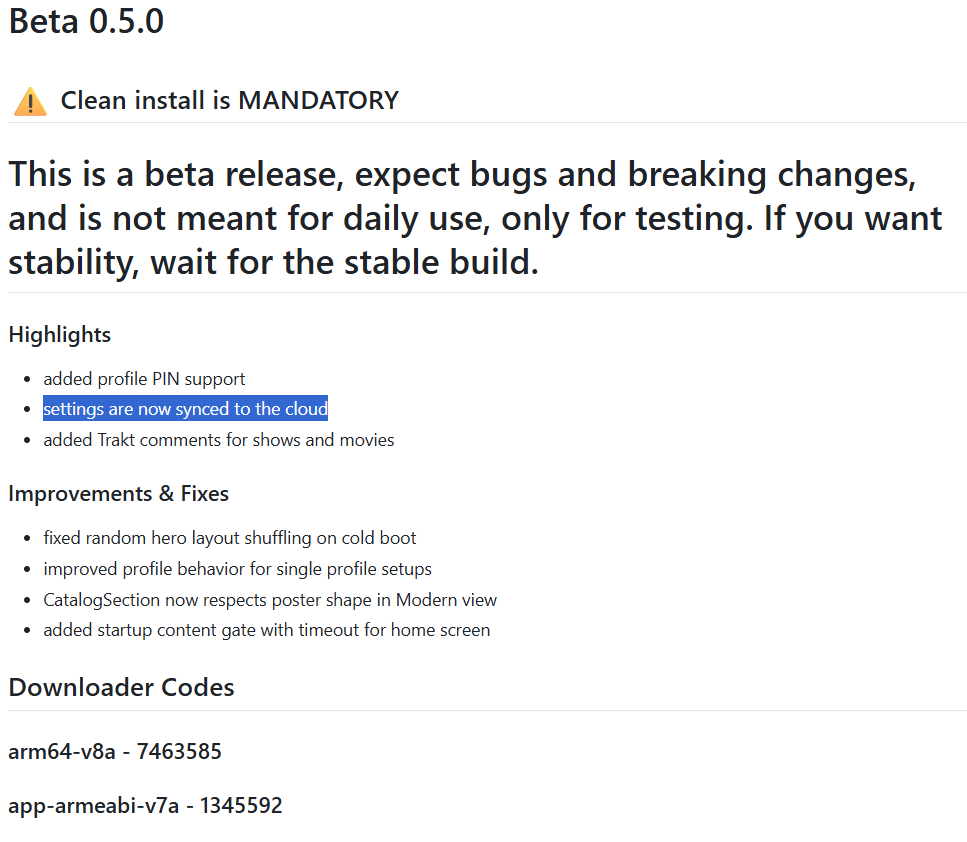
Nuvio has been great about pushing out updates, but yesterday it mentioned something about being a Beta release and having to uninstall and install a stable version. It acts like you can install the latest update or you can skip, but the wording is strange(at least to me). Will you lose all your settings?
I didn’t see where it said it was a stable version. You have to delete your old beta and add this one as a “clean install”. It’s still says it’s Beta immediately below the clean install warning.
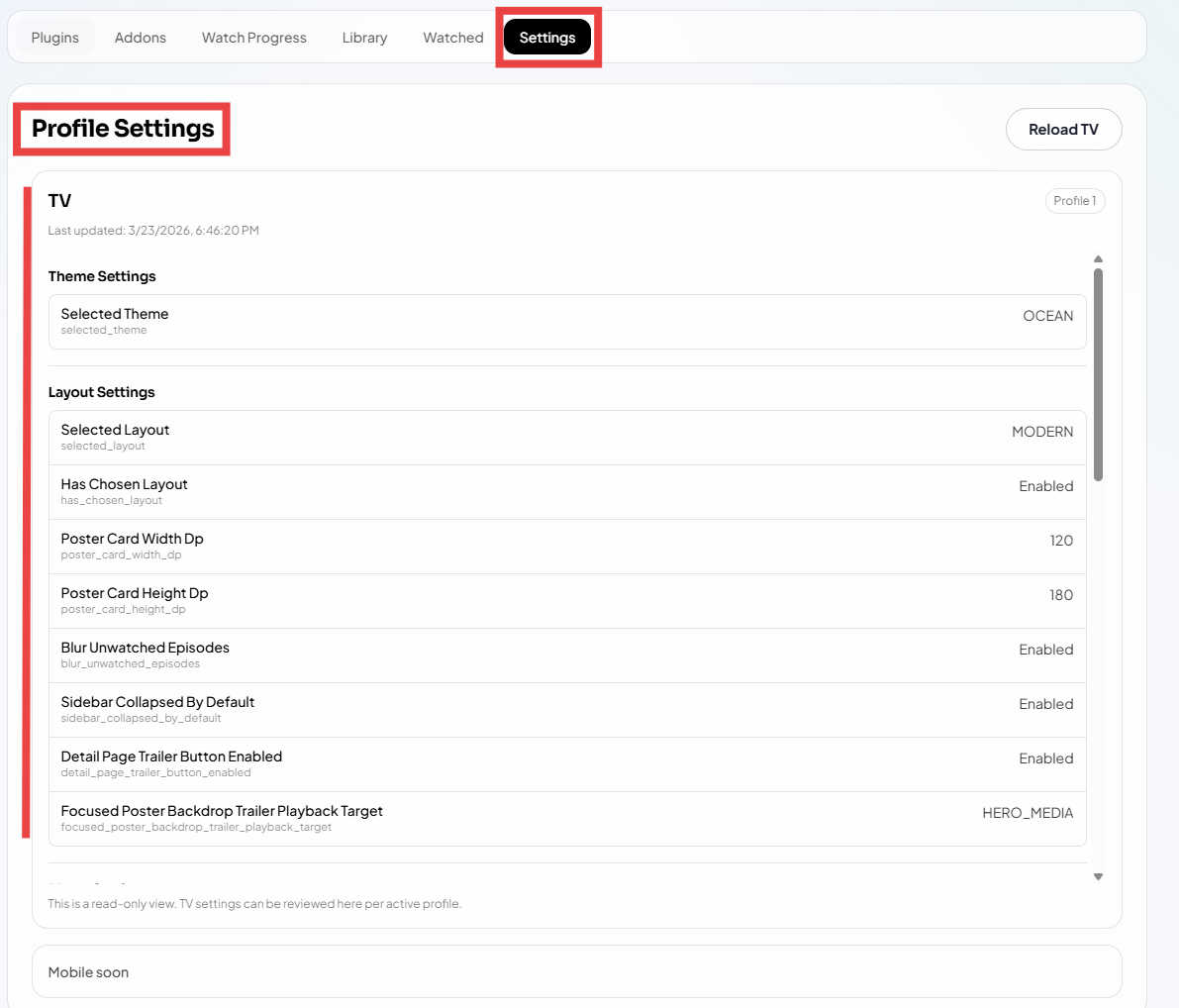
Yes - yesterday’s beta (0.5.0) does require a fresh install. First uninstall your current version as Miki said, and then install the new one. One good thing about 0.5.0 is that it now syncs your settings to the cloud. So, although I did have to go back through and update most of my settings (aside from addons), they’re now visible in the cloud and should auto sync in the future in case you have to do another fresh install down the road when a major version gets released. That’s a positive change.
Side note: I would not update to today’s new 0.5.1 release, as it undid/broke some stuff introduced in 0.5.0. That should be fixed tonight or tomorrow. So, hang on to 0.5.0 until 0.5.2 comes out in another day.
Ooops to late.  It may sync to the cloud but still doesn’t sync to my version on my Tablet that I upload to the cloud otherwise all seasons and episodes would show as they do on my Tablet.
Can you copy the url from steamio for AIOStreams to Nuvio and it will work?
Ahh ok. Got it. Tx
Where is that page located?
Nevermind, I looked harder.
It’s Stremio and yes you can.
That looks like it’s on a computer. Definately not what I see on my tablet or P6L
Nuvio - Media Hub but I didn’t know I could scroll left to see settings.
 It’s ok. You being our Cake Czar we forgive ya.
Yes, URLs for Stremio addons like AIOStreams, AIOMetadata, or other scrapers can be copied and pasted directly into Nuvio’s addons section. That’s the easiest way to add them. 
Nuvio will not sync between my PC and Nvidia Shield. Tried everything.
Which version of Nuvio are you on?
Always the latest one. Always have had problems with syncing.
Apparently that is their Achilles heal and are working hard to resolve the issues. So patience will be needed and especially for the Beta releases which are really just test releases. May be best to wait for the final releases or full release candidate when it comes along. I, for one, appreciate all the hours they must be putting in for very little reward.