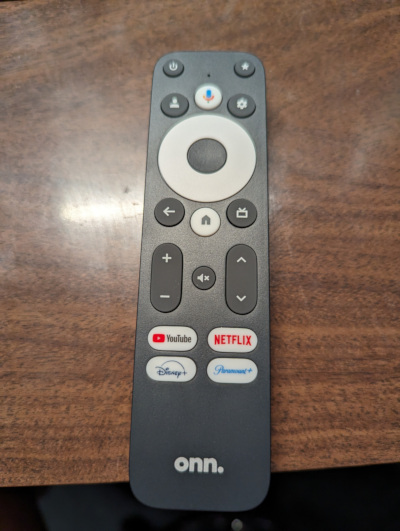
Woke up at zero-dark-thirty this morning, went to the Walmart website, searched for the 4K PRO, lo and behold at my store there were 3 left. Not being greedy, I ordered one, picked it up a few minutes ago.
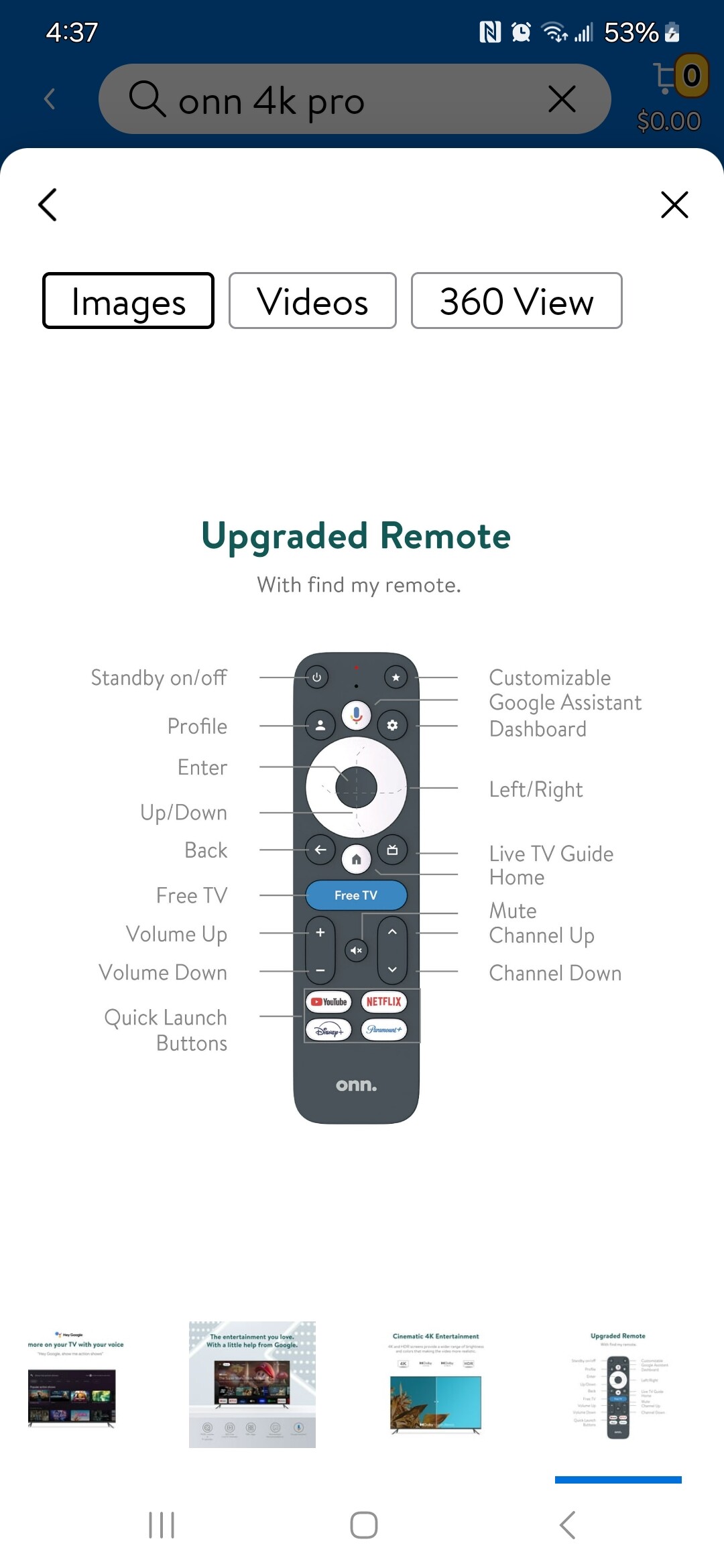
Mine DOES have the “FreeTV” button ;o)
Woke up at zero-dark-thirty this morning, went to the Walmart website, searched for the 4K PRO, lo and behold at my store there were 3 left. Not being greedy, I ordered one, picked it up a few minutes ago.
Mine DOES have the “FreeTV” button ;o)
So do people want or not want the Free TV button? Besides its ugly look how does it differ from the button that looks like a tv? Do they both take you to the free tv/google tv channels?
Just curious if its like finding a prize or a zonk? Lol
They must be referring to the “Live TV” section of the ONN Box. There’s a bunch of Channels in there but I never watch em.
Opening the box must like a Happy Meal hoping what’s inside is the remote you wanted.
I picked up the box today and the remote in that picture is not what I got. Its a standard issue onn remote like on previous boxes.
Yeah i know its a crap shoot but is it something people would rather have or not? Is it in the way like the Netflix button on the Nvidia?
@sbepko got it with the Free TV button today.
Not really sure of its purpose if it does the same as the tv button.
Yeah I got the standard remote too. I imagine that is just a shortcut to the Live TV so not really a big deal not too have it
Yeah If it adds no value to the remote its not needed. 2 buttons doing the same thing.
My guess is they were hoping to get extra $ from someone to have their dedicated (prime,max etc) button in the middle. After no one bought it they decided to make it a tv button until they could produce remotes without it. Just a guess by me…and im usually wrong…lol
The TV icon button with the rabbit ears is for the EPG and the live tv should being up a channel guide. Now that’s the way I understand it, but then I’m still missing my marbles from 60 yrs ago. So never truly sure 
Isn’t that the same thing? Electronic Program Guide and Channel Guide? Or are you playing tricks on me…lol
You may be missing marbles but you probably forgot more than I’ll ever know. Lol
I realized AFTVnews covered this in one of their articles. I may have read it and forgotten about it.
It seems it is an unnecessary button and they dont know why its there. BUT you can remap it with the remapper app (not mapper app) if i read it correctly.
I’ll look for it again. Its probably posted here somewhere I’m sure.
Here it is…
https://www.aftvnews.com/walmarts-onn-4k-pro-remote-has-a-giant-stupid-free-tv-button-on-it/
Thanks, Troy, nice video as usual. I am really amazed at all of this at this price point.
I am currently checking out the MeCool KM2 + Deluxe. Seems to be working fine, except I had trouble connecting two different mini keyboards via Bluetooth that I had been using with a Shield.
I purchased a new Bluetooth five keyboard and it connected successfully and works fine.
Correct I just pressed on that button and it takes you to the EPG of the Free Channels that I never watch
No channel guide lists the channels, EPG supplies the info of what is playing on those channels. Close though 
So if you got the messed up remote with the Big Blue Free TV Button you have 2 buttons that basically do the same thing right next to each other! LOL
Yes. Which makes me think that real estate in the middle of the remote was meant for something else…$$ lol
I guess remote button real estate isn’t as sought after as they thought. I know that annoying Netflix button on Nvidia didnt help them convert me.
I’m in Boston.
Which Walmart has these in stock?
Thanks for the video, Im having problems with the USB port…is not working, is not recognizing any pendrive or external keyboard… it has power though, any thoughts?
Did you follow the instructions in Troy’s vid? He does show attaching an USB drive and formatting it.