As mentioned I did play with Colour video pictures setting and the Ai features but did notice any major improvements tbh.
I think it’s more a marketing gimmick because people love extra features.
They are not perfect devices and they do have their niggles but you can always switch back to your shield if need be.
Thanks @Avid08 . I’m one that buys the latest vehicle and then actually spends the time getting to know exactly what all the buttons, knobs, sliders and settings do, and how. Don’t worry I’m definately going back to the Shield Pro as it’s available settings actually do something and finding instructions and details is easy. IMHO for virtually the same money the Shield is still better. I just hate to call it quits until I know what and where I went wrong or got it right.
Your explanations gave me insight that really helped and I thank you for that. Now to carry on testing. Have a good day.
2 Likes
Was not sure where to ask this but thought this would be a good place.
I have an SK1 on its way, probably next week. I found an android box on ebay a few weeks ago and bought it, it is a Rupa android 11 4gb ram 64gb storage.
I have projectivy on it and set up, but I can not get it to be the default launcher, there is Smart Launcher, it must be in the software and I can not delete it, so when I want to go home a box pops up and asks Use projectiy launcher as home I click always and the next time I hit the home button the box pops up again. I tried launcher manager and now I have two choices in the pop up box Smart Launcher and Launcher manager.
It says to enable ADB debugging in settings it takes me to developer options but there is no ADB Debugging, I have USB debugging on, but I still get this pop up box, I have rebooted it several times.
Any ideas on what to change or what have you done to use it? Thank you
@DaveZerf….I can’t explain it to you (without sending you down a rabbit hole with no way out) but if you search here on Troy Point for–Projectivy Setup Video– there is an answer for ya ….
That is the issue it is not on Android or google TV or Fire devices. It is on AOSP, I have it installed and setup and it works but not the way it should.
I remember watching that a while back the problem in not the setup it is getting it to be the default launcher in AOSP system and not google or android TV system.
I tried Projectivy for a short time and it seemed to work just fine for me, but I’ve honestly never seen the need to use a launcher as I use my system mostly for live TV and VOD. So that being said I cleared up my home page to only show the regular apps I use and I boot straight into TiVimate and only ever see my home page briefly. I have never used a wallpaper and certainly not screen saver. So I’m good without it.
1 Like
That is understandable, I on the other hand are a tinkerer. I like to try different apps and tv services, I have probably 6 paid tv services loaded in tivimate, sparkle, Ott Nav, and Tevizio, and a number of others from paste links. Not sure maybe the SK1 will be different tan this box I am currently playing with.My goal was to get a feel for the difference between just Android and Android TV. I will say I really like the Ugoos remote because sometimes I need a mouse and sometimes I don’t.
You and the GF would get along, all the stuff I have on the Onn Pro she uses Tivimate, Movie Box Pro and Plex. Nothing else, not even Netflix, Hulu which was canceled a month ago and she has not notice, Paramount Plus and Peacok because xfinity give me that one.
Ya I’m a long way past my experimentation phase. Been doing this for so many years. In the IPTV world I started with a firestick, powered hub, ethernet, wireless KB, and added storage. Lol. Lots of fun, even tore the stick apart and added fans. So having tried almost everything I have trimmed back to just what I need for my entertainment and only add apps to test to help others. Personally I have never understood the lure of the Onn boxes as I found them lacking in many ways and threw mine in the trash after a week of use. My Main, and only Streamer, is the Buzz P6L Ultimate but got a Formuler Z12 Ultimate to set up this week. So experimentation is focused more on devices for me. The SK1 is in a drawer along with the Shield Pro and may never see the light of day anytime soon. There is just the Wife and I, so our needs aren’t that diverse. I absolutely love the Insiders who enjoy the hobby and the challenges, successes, and the overall experimentation. I’ve seen others, like yourself, who revel in their wins and share them with others, so don’t ever give up and thank you for sharing.
Yeah, I don’t know that I would keep an SK1 in a drawer, LOL. You could hook it up to HDMI2 so you had an alternative to the P6 UL. In my main viewing area, I have a box on each of the TV input sources so I can go back and forth. Of course, I record the games, and you need multiple recordings in case some fail.
I would be interested in hearing your comments about the Formuler box.
1 Like
Well the allure of the Onn box for me was it was recommended by everyone and their brother and even some sisters. The bonus was I could put it on a wally world pick up order.I bought it in March and is my first real step outside of Roku Ultra boxes that I used for close to 15 years maybe.So you can see where my, I need to try this and that and the other thing comes from. Sk1 in a drawer, I should have bought yours and I could be using one now instead of wondering where mine is in the around the world in 80 days journey. Just me and the Gf but as I said she only uses 3 apps, if what she wants to watch she can not find on there I hear can you find this for me? I will have a google or android tv box for her to use so she doesn’t have to deal with the mouse on just an android box.
Even though I have those paid tv services and MBP and Plex, I still find myself using Onstream or flix vision,stremio or some other free app I installed.
1 Like
Hey Miki let us know your thoughts on the formuler box and compare it to all the others you have tried, which is probably all of them lol.
Happy streaming bud.
1 Like
Sounds a bit like my hookup. Here is my AM9 and PS6 Unlimited in my cabinet. I have both hooked up to my LG 65 Oled.
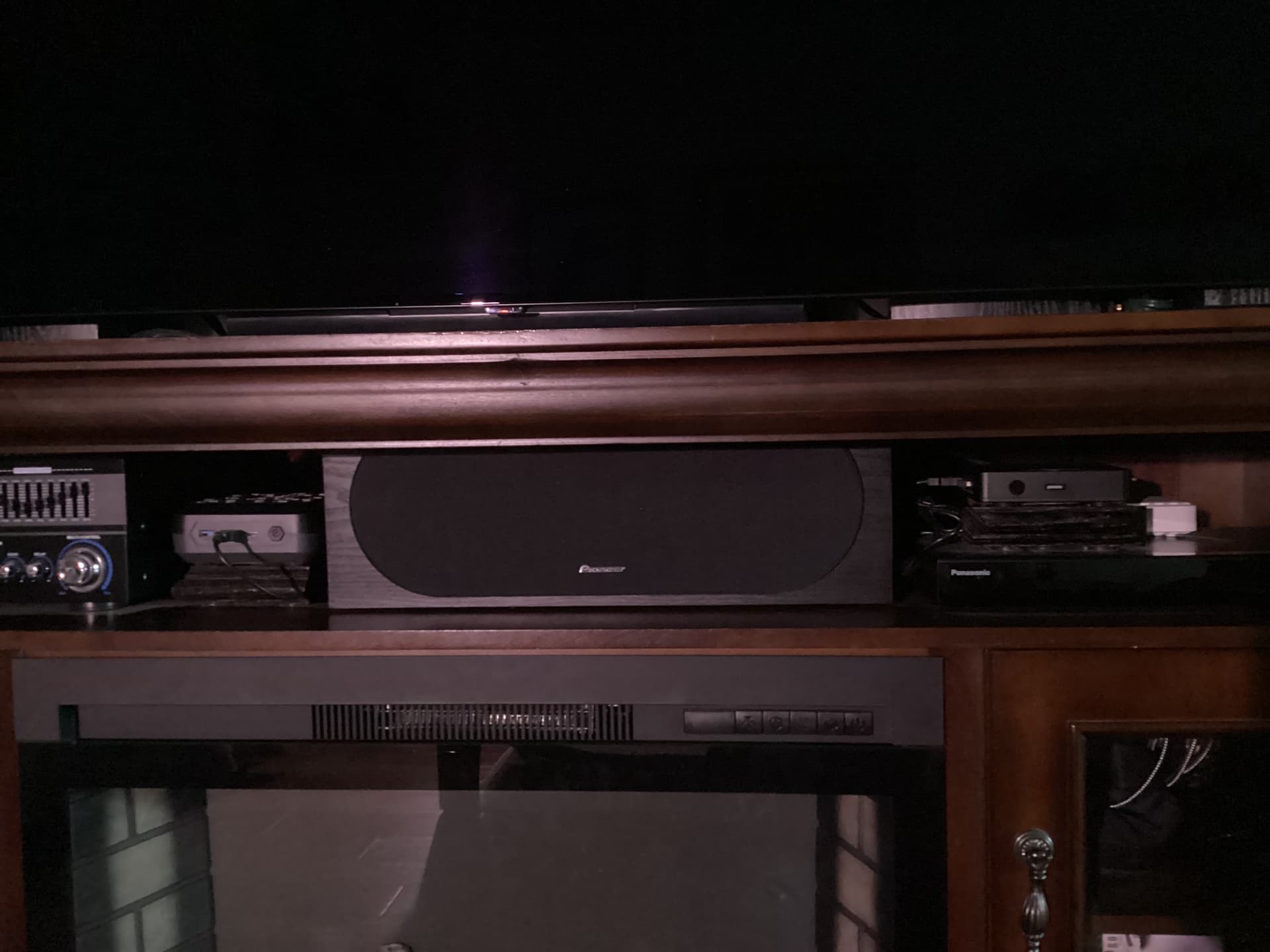
1 Like
Make sure you go to Panels &Interface in the AOSP Android settings. Select Home Screen and make sure Projectivy is selected as your Home Screen launcher. That should do it.
Dave, I have the 8/128 version of the Rupa. You can set the launcher on mine in Settings/Device Preferences/Advanced Settings/Launcher. For $70, that Rupa has been a good box and it is rooted.
1 Like
Thank you
I saw Bill’s ,message and went searching didn’t find the the Home Screen but did find projectivy launcher and I enabled it and now one step closer.
Paid I think $50 for it on Ebay delivered, came with a little hand held keyboard also.
Only down side is I thought it has a 1000m ethernet port but it must only be 100m. I am liking it so far, I had bought a Ugoos remote and it paired right to the Rupa, I like it better than the one that came with it, I actually ordered 4 more remotes, since I have an SK1 and SK2 on the way some place. Had I had this set up, I may not have dropped the money on the SK1 and 2 right now.
Thank you
Mine is a gigabit ethernet. I just did a speed test on the port and got 559 down and 39 up in Analiti.
This box is a big disappointment to me. I was able to flash slimboxtv to the x88 prox5m and to the tanix tx5 but not this box. Its too difficult. The main disappointment however is the picture quality. The x88 prox5m with slimboxtv has way better picture quality than this. Not to mention this box is 4x the cost. The sk1 is just not worth it imho.
1 Like