I never have issues with Auto frame rate (AFR) with video decoder set to Hardware. FYI no way I’m turning on change screen resolution. I just tried it and the pic is fuzzy as all get out. Turn it off in TiViMate, SK1 and leave AFR on and I get a top quality clear and sharp pic.
1 Like
i was thinking about buying one because of the nice updated hardware?
but you guy’s dont really seem impressed w it vs the shield? just an observation
I’m not at all impressed. Ugoos CS is not helpful at all. No manual and the UR02 remote does not have a proper key/function map. Is as if they don’t want you to know how to use it or the remote. This is definately not a shield pro killer or even a replacement IMHO. Ugoos needs to step up their game if they intend on being a top player in the streaming world. The updated hardware does nothing for anyone if you don’t know how to set it up or use it to the fullest. This is like having a V12 car but you can only use 6 cylinders until such time as the manufacturer releases an update to fix it.
2 Likes
I think you have to realise is that Ugoos is a small Chinese company.
They will never be a multi trillion dollar company like Nvidia or Amazon.
You have to test and play with the settings on their devices.
Find a workaround until it fits your needs.
AOSP is not for everyone but I only run a handful of apps that work great on that OS.
Their devices are not perfect and that’s the same with all the other companies that produce these types of devices.
They all have pros and cons as do the Shield and Amazon devices.
No device will be perfect for everyone.
You’re right. I’ve come to the conclusion it isn’t for me, and mostly because of lack of info, CS, and support. My bad for getting a device from a company that is only after sales and I find it deplorable, small company or not, that they don’t even know how to use it and can’t answer questions. Like you say, not for everyone. Back to the shield tomorrow. Not enough time left in this world for me to de-engineer an AOSP device and I think you’re right, that is where my mistake happened.
2 Likes
Sorry for your pain. Thanks for taking the spear for many as a real world beta tester. Curious. Do these issues come down to stock android is just not as tight and tested for itv as android tv systems?
I can’t honestly say. All I know is my experience with Android TV, compared to AOSP, is far superior.
1 Like
Thanks. For that reason I’m holding out for the buzztv powerstation 6-runs android tv-whenever the glitch issues are resolved and it gets some street testing. IPTV should still follow the rules “you get what you pay for.”
1 Like
If you use Dolby vision the CPU doesn’t support it.
Thanks at @Avid08 , @Miki and @Anth for this discussion. As you guys were discussing all these settings, I was here following along and tinkering with settings I don’t think I’ve even played with before. After trying a bunch of different things and then trying to remember what the heck I’ve done to revert something back that I didn’t personally like.
Lots of fun and panic! But I did discover how to correct something I’ve just learned to live with for months now. I’ve become a frequent user of Weyd now and since I had this box when I would press the okay button while watching something to view the info and play bar, the info part was totally cut in half so the top half was missing making it impossible to decipher the season and episode number. This one small change fixed it 100%
So happy  Thanks for getting me curious.
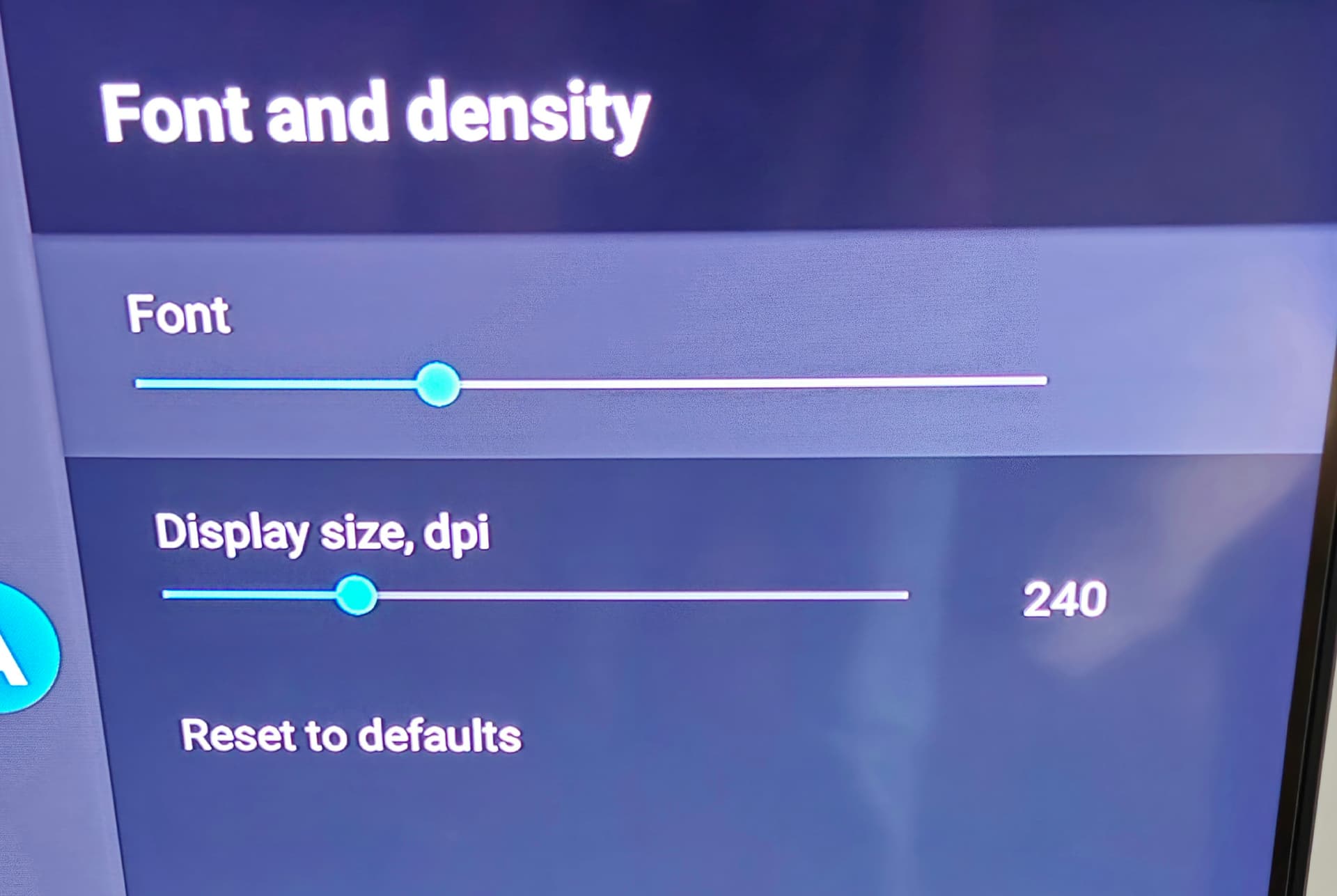
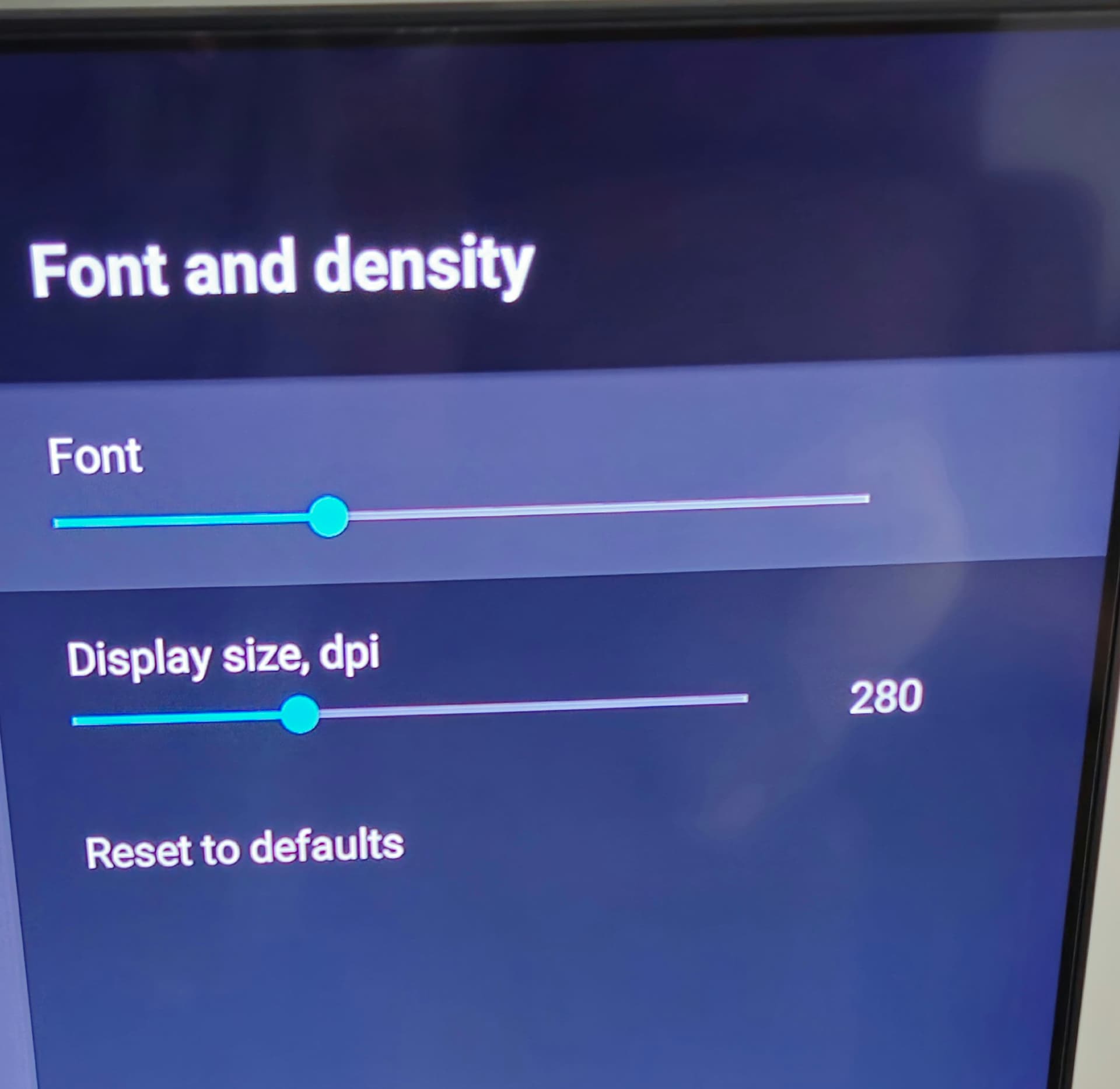
3 Likes
I had to adjust those settings as well when I used Weyd to correct a similar issue.
I have played and tinkered with all the settings since having the device and it is definitely a learning curve lol
2 Likes
That’s for sure and I have to echo @Miki on the fact it’s a real shame that Ugoos doesn’t have some intensive guides and manuals on exactly what all these settings are supposed to do and what are the supposed optimum settings when used in combination with specific TVS and Audio equipment. So many questions and it seems nobody gives a  . I sent a few emails weeks ago and quickly received a reply about Chinese holidays and haven’t heard a beep since.
2 Likes
I think as well all my previous devices ran on AOSP and those devices never came with instruction either.
So it’s nothing new to me and I do actually enjoy the process of working it all out.
I still like answering questions in the Ugoos telegram when users ask questions about the settings.
But I am not planning on writing a guide anytime soon lol.
I can also see it being frustrating for some though and it’s not a great selling point for a fairly expensive device.
2 Likes
I admire your tenacity. I have no idea how anyone can learn how AOSP settings affect a specific device when those same settings change from each new release of Android to the next. Android 11, then 12/13/14 and soon 15. A classic example of that is the effort everyone had to go to to figure out how to deal with scoped storage, as an example, and the vast majority still haven’t figured it out, and that’s just one small change. Uniformity, for me, is a must when dealing with an app and an OS. Then add the fact that a manufacturer can’t even provide info about the product they themselves released. Oh well, I have it working well now and have crawled my way through all the devices settings. Anyone wanting a good picture, a strong connection, very stable recording and all for a high price, the SK1 will fill that niche, just don’t expect to simply plug it in, add apps, and get a good experience without much effort. If you’re someone who enjoys the challenges then this is for you, or get an ONN for about %25 the SK1 price.
3 Likes
And we admire your tenacity Miki, for seeing it through!
You only have to look at an app like Tivimate because I don’t think there has always been an instruction manual for that.
The extensive one that’s available is compiled by a user and not even the dev.
To be able to edit and configure a full playlist and epg take some figuring out.
IPTVeditor is faster and has more features with great video tutorials and can be used on pc makes it easier.
But you have to pay a yearly subscription.
As for scoped storage it’s just a new security feature that limits an apps access to external storage.
It basically means it can only read data that is assigned to that app and can’t read data that is assigned to another app.
The thing is Tivimate is just one aspect of using a device and the vast majority of settings are purely for the app itself and doesn’t alter the device settings or alter the device functions. So that’s pretty easy. As for scoped storage it was pretty easy to figure out for me but the point is it doesn’t work the same on every device as there are literally thousands and you have to not only learn how the OS works, on the ones you have, but how that OS interacts with each device. So the lesson I’ve learned is simple, stick to known brands that support their sevices and actually know how to use them as well as providing info to customers. On to the next project for me.
1 Like
It is an app with many settings that initially didn’t come with any instructions
A user who wasn’t linked to the development of the app just thought they would write an instruction manual and credit to them.
I have no real issues with my Ugoos device and when there was issues raised in the Ugoos telegraph they addressed them with firmware updates.
Which did give me confidence in knowing that they knew exactly how their devices worked and how to fix those issues.
The beauty about AOSP is that it’s open source and can be adapted to work with developers firmware’s and their particular devices.
The same with any open source software because it’s adaptable.
Not restrained and locked down by licenses and big global tech companies.
No device is perfect and they all have pros and cons it’s just if you can live with the cons.
I’m glad you have had a good experience with Ugoos customer service. My experience was very different. Perhaps with your older Ugoos device they’ve finally figured it out and have ppl that can answer those questions. As for the TiViMate settings it’s pretty easy to go through the settings from the first release to now, and it’s evolution and know what those settings did or do. I never had to worry about how the app interacted with the hardware. But we’re wandering way off course. Still have to figure out why certain apps initiate a rotating black screen. On/off . Tried to add another movie app but the on off black screen was annoying. Oh well, took me a long time to learn the FireOS and how the Firesticks could be used and improved. I do know more about the AOSP than I did and I prefer AndroidTV. I’m sure the SK1 will get updates to fix some things, just time.
I never used customer service and just used their English language Telegram.
SK1 has only add some hardware upgrades and uses the same OS and firmware so it work in the same way as the AM8 and Pro version.
They will probably also receive the same firmware updates as they have so far.
The black screen is normal when using AFR with refresh rate matching if the app has it because the screen has to adjust. Kodi, Smarttube, Tivimate, Stremio and Syncler all have it.
Weyd doesn’t have it.
If the you don’t enable Switch screen refresh rate in Tivimate the black screen will not be seen but the refresh rate will not alter and stay at 60hz best match or if you have set a custom resolution and refresh rate in display mode settings on the device it will stay at that.
Btw fireOS is based on AOSP and not ATV.
If you have found issues with your device you would be better asking in the Ugoos Telegram than trying to speak to CS imo.