I have 3.32.0 on my onn 4k pro.
I have 4 TV’s 3 with Firestick 4k max and 1 is TLC Fire TV 1 firestick prompted me this morning now has 3.34.0 I have had issues in the past where been prompted from SS to update and it would just keep looping back for the update ahhh but the trusted Troypoint Toolbox I would just go there and update from there since it is always updated and has always worked doing that Thanks Troy and all that keep this site in top shape!!! 
Mine updated and one item was added, to me, the stay connected feature. It was never there before. My question is will the vpn stay on ALL the time even when the TV is turned off? I use the android on my TCl instead of a stand alone box
Perhaps you can manage your power settings and have the TV “sleep” and not “Power Off” when using the power button on the remote. Then start will “Wake from sleep”.
I’ll see if that is an option. Thanks
You should be able to check how long your SS VPN has been active on the SS home screen. In the new home page, at the top you should see a listing of your current VPN IP address and how much time you’ve been on the VPN.
@Remy Surfshark seems to stay connected ALL THE TIME on my laptop even when I disconnect it when I logoff. I assume it’s not hurting anything by running but it thought it was odd nonetheless.
When I first boot up, the first thing that I do is stop SS and start it again. This way I can get the current fastest server location.
See,lol I am not crazy, It was a fancier version right? Seemed simpler. Voila they pulled it and I am back to the older interface. I wonder what happened? I know I wasn’t seeing things.
Nothing changed for me, but I’ve only had it for a couple of weeks.
I never trusted SS’s pick for the fastest server location, running speed test on their choice, then trying different locations, almost every time it was not…
I think somehow you are getting the interface for Android mobile phones and tablets. The Fire TV /Android TV interface has been the same since we first reviewed it 4 years ago.
Try uninstalling and then reinstall app. Install either through Google Play or TROYPOINT Toolbox to ensure you are getting proper release.
What I like about the update is I can now use my dedicated IP on all my devices not just my phone.
But I absolutely detest the new interface.
I kinda like it. It’s a lot cleaner than the original.
When I first fire up my device, the first thing that I do is disconnect then reconnect to the fastest city to allow for the system to find the best choice. I just wish that it would indicate what city/servers it has connected to.
I have had SS for a couple of weeks now and the only question/issue I have is this “clean web”. Interface is easy to figure out and it isn’t as if I sit there staring at it waiting for the LSD to kick in. Just check it and move on. Now as for the clean web. It doesn’t seem to do a darn thing. Surfing I still get ads and popups galore.
@Miki Have you tried to use the Surfshark extension in your browser to see if that helps the ad blocking?
Nope. Didn’t know that was a thing. Have to research how to do that. Just thought as it was part of the VPN it would work no matter what I was doing.
Wow this is not easy. Says the Chrome browser extension can be gotten by downloading from the SS site. Ummmmm no it can’t and the directions take you around in circles and goes absolutely nowhere
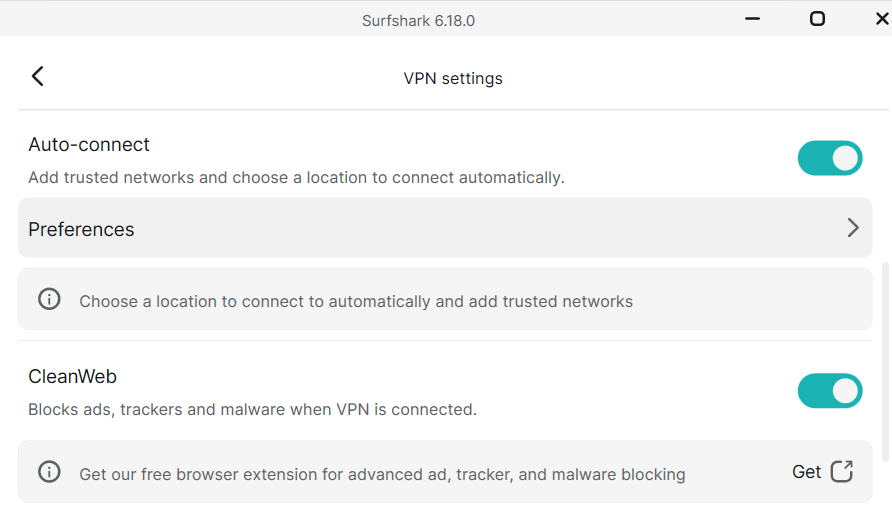
Lol. Been turned on since day 1. As stated, does absolutely nothing. No ads blocked or popups etc.