Good Morning @Miki Not this post the half dozen others where people have had constant issues with Stremio the past few weeks and when I say “crapping on KODI here” I mean this Forum in general. This post is brand new and I wasn’t referencing Troy crapping on anything. Great Hockey game. Have a good day
But so what @SoloWarrior you often take shots at Stremio and VPNs and it gets very boring. You take every opportunity to take umbridge to certain posts by others. Why bother? Be like me get a thick skin, move on, and let ppl have their opinions. You aren’t going to change anyone’s mind.
The biggest problem I’m seeing is that people don’t understand there is a setup process for Stremio. Lots of people coming over from Cinema HD which was shut down. They expect Stremio to be the same as Cinema where you open the app and everything is there.
Or, many don’t want to put in the necessary time to learn the setup, then they come directly here and start asking questions instead of watching a video or reading an article.
No doubt stremio and the add ons, plus debrid accounts can be a steep learning curve. But once you get it figured out it’s great. The same could be said for kodi, it’s a huge learning curve for anyone that is new to it.
I have completed the process of installing and using Stremio. As of early this week though, I am unable to add any new shows or movies to my library. I have cleared my cache and data, uninstalled and reinstalled with zero results. Do you have any further ideas I can try?
What device are you using. On say a Tablet or “mobile” android install which is V 2.1.15 you long press on say a movie and then in the popup you click add to library, on your Android TV which is now 1.9.7. you can open discover, then you have to click up once to “
“ : Movies : Your Media : Default “
to highlight it, then click ok, then right once to change your movie category to “Popular” by clicking down once and then hit your return arrow. Now you will see a whole row of movies. Find one and hold your OK button down until a popup appears and then click down once to highlight “Add to Library” and click ok. Now this is just one way to do it, but give that a try.
IMHO, the first solution is to dump Amazon Fire TV devices. Considering there are better alternatives that are comparable, cheaper, and aren’t locked down by Amazon, there’s really no reason to be troubleshooting your Fire TV device everytime you want to change something on it! Streaming boxes have come a long way and so have the cheaper prices. Only if you’re into some serious gaming, will you have to look at the higher end boxes.
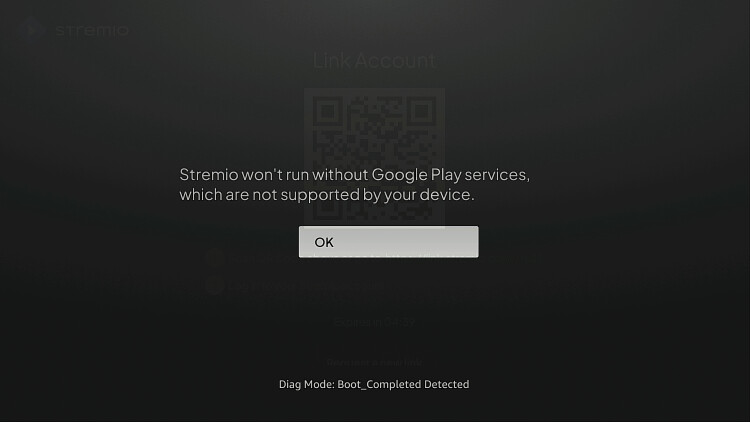
I know I should ditch Amazon firestick and fire cube. I did a long time ago before Amazon started this blocking and locking apps campaign and got 2 NVIDIA shields. However, I still have a fire cube left in one of my TVs and Stremio was working fine until this past Sunday. Now I get the google play services note in my screen. I clic on, but I don’t get any links. I have uncleared the cache, uninstalled it and reinstalled and still don’t get the links as before. However, Stremio is working perfectly fine on my NVIDIA shields boxes.
I’ve been a follower of the Troypoint website for years and I am not a beginner. I also have kodi and I have ample knowledge of almost everything. Any advices?
The Google Play Services popup is a bug with 1.97 version. The app still works fine and all the links work fine. Not sure why your links aren’t working for you. I am using a Fire Stick 4k.

 go.
go.