Has anyone realised old sticks not effected by Amazon blocks
Which ones? My first gen 4k (OS6)was blocked, as was my firestick lite (OS7).
Tried it on os 5295 very early system blocks no effect not 4k
Sportsfire all working so is sportstream
Ah, so first and second gen sticks. Both were so slow for me that I got rid of them! 
Yea either way it’s only a matter of time until Amazon rolls out ‘Vega OS’ across all of their Fire TV devices with a system update. That’s why your best bet as a cord-cutter long term is with Android TV/Google TV - Best Android TV/Google TV Boxes in 2026 (Goodbye Fire TV)
my 3rd generation is still up and running
I doubt very much that Amazon will force update their old hardware to Vega - I think they’ll just let the old stuff fade away with all the various blocks they seem to be implementing.
If I wanted a Roku, I’d buy a Roku, definitely not an Amazon “Select” device!!!
Vega is Linux based, fire OS is Android based, they can’t just update the old Firesticks to Vega.
That’s a good point. You would think regardless that Amazon could roll out system updates across any of their older devices if they really wanted to?
Unfortunately that isn’t so going from Android to linux. Yes the equipment may be the same but the process to instal Linux as well as all the modules for the loaders etc. is entirely different. They would have to teach ppl how to wipe an entire device and install a loader just to get it to turn on and be accessible. Cost more than a single device. Not worth it for them. You should witness a rack of firesticks, hundreds at a time, plugged in and being programmed, virtually without any human input. Kinda like the old DVD days. Oh and they will still roll out updates to the Fire OS. Amazon is pretty good that way and usually does at least 5 yrs of updates and often more.
Im about to set up a new 4k pro max firestick and I’m worried that it will update
as soon as I connect online and I will be blocked from all side loading. Anyone know if there is a work around for this.
Does anyone know if it is best to use App Virtualizer on Firestick or is Projectivity launcher better to block amazon updates.
Also, can I load all side loaded apps before installing App Virtualizer or Projectivity launcher, or do
I load all apps first then install App Virtualizer or Projectivity launcher ?
As long as it’s not the new is system you will still be able to load apps some will be blocked but if you search on here there’s are ways to overcome most of the blocks as for stick updating it will automatically do that on set up I don’t think you can stop it there are lots of posts on here about this problem
If you’re still within the return window, then return it and get an Onn device.
just an update 3rd generation sticks and lower not effected by amazon blocks so far
Hmmm…….. my Firestick 3rd gen has had all its apps blocked (Streamfire, Sportsfire, Onstream, Flixvision, BeeTV, FilmPlus, NovaTV, etc, etc). MobiFlix, Flixnest and Netfly haven’t been blocked yet but I’m assuming its just a matter of time. I primarily use Stremio and Kodi, neither of which have been blocked on any Amazon devices yet.
Just checking
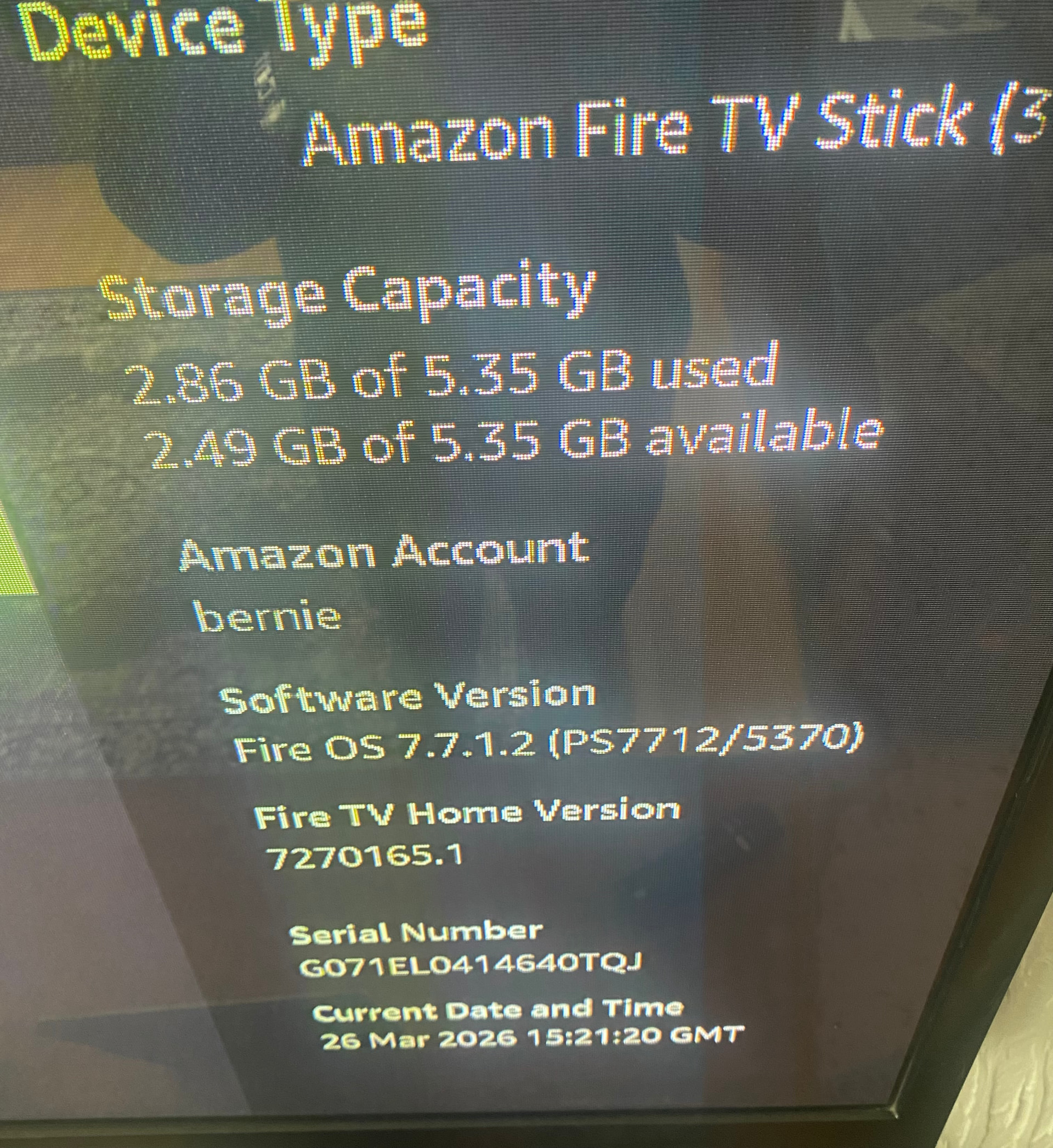
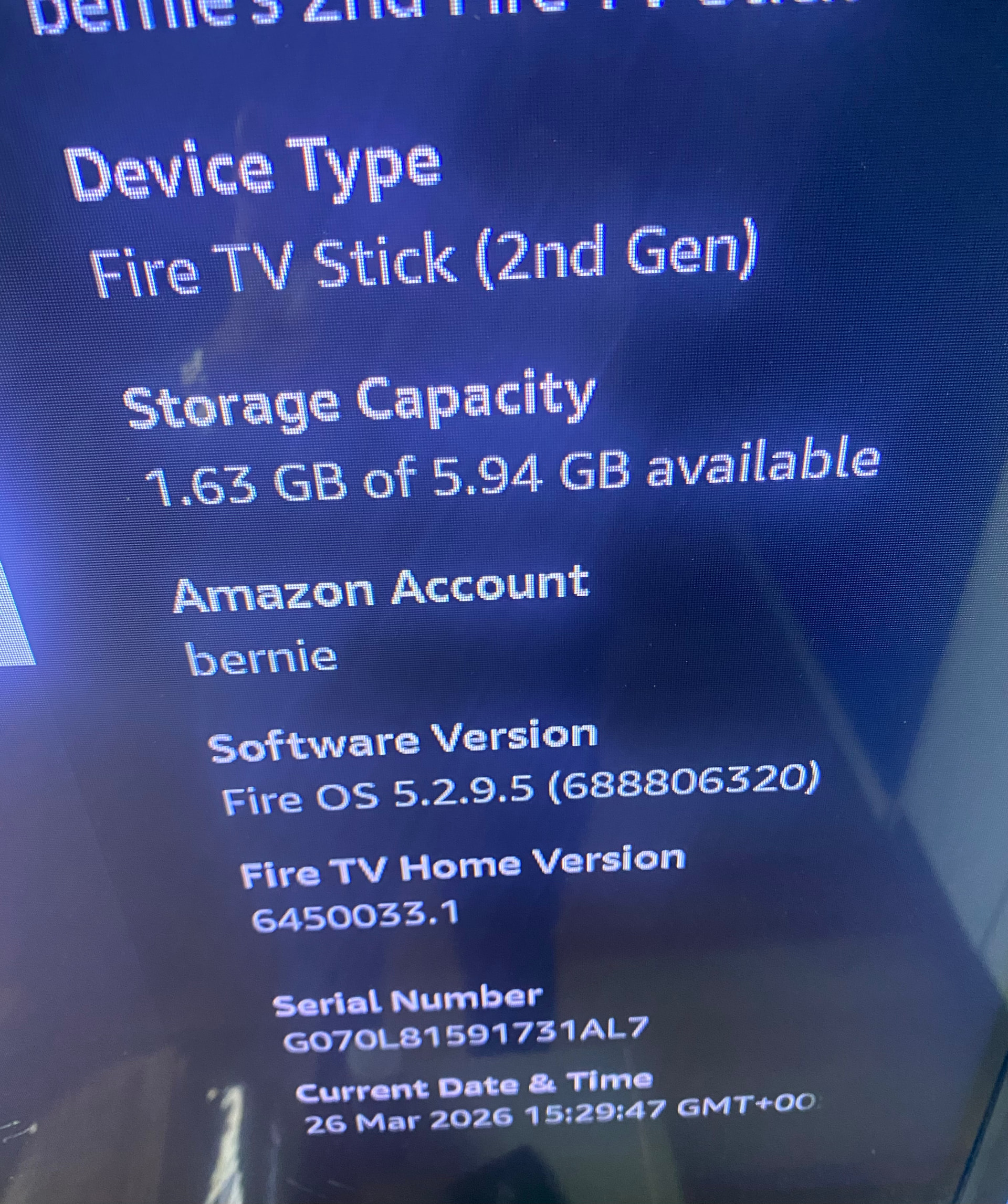
So looks like it’s now 2nd gen sticks only now