I hooked mine up Via Ethernet and haven’t looked back. Actually left more WiFi for my phones and tabs.
This is what I got from Analiti last night. From what I’m seeing is that the wifi strength and quality is ok
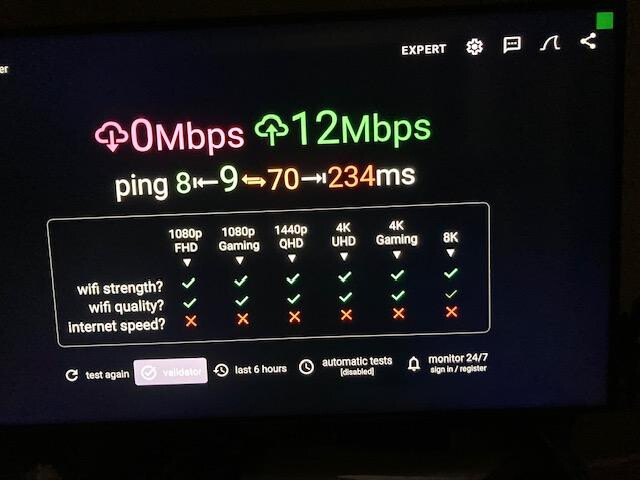
that internet speed is killer 
No internet speed. Damn.
is that with vpn?
See if this helps…
Very sorry for the delayed responses.
That was the same whether the VPN was on or off.
Thank you for the tip! I actually had tried that with no success.
The strange thing is that this is so intermittent. I have the Shield right next to my 2nd Gen Cube which had absolutely no issues. I’m baffled. I have gig speed fiber into the house and the router is about 18 feet away, but in another room.
Sorry it didn’t help.
Have you tried to contact Nvidia?
Is this on both the 2.4GHz and 5GHz bands? Have you checked if the WiFi channel you are on has interference or is poor quality?
This is the one I use. Pretty simple but gives the info you need.
WiFi Analyzer
version 3.1.2
com.vrem.wifianalyzer
No worries, it is such a transient problem, I’m certain that Nvidia tech support likely won’t have any idea.
Miki, I’m lost on figuring out whether I am using 2.4GHz or 5GHz. I’m running off a very old router so I’m assuming that it 2.4GHz.
I loaded Wifi Analyzer from the Playstore and here is what I got. Of course everything is working great now. This is with the VPN on.
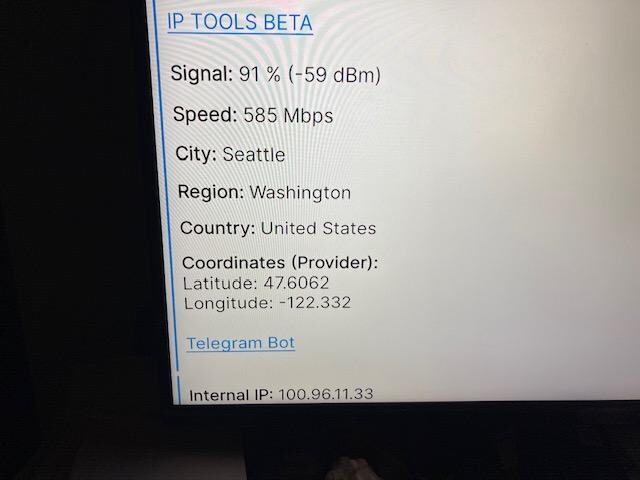
So the odd thing is that it hasn’t affected the Cube.
Hey Jerry that’s definately not what My WiFi Analyzer looks like Mine is graphical showing channel quality, number of ppl on the same channel WiFi 2.4 and WiFi 6 and so on. But that’s ok. Mine came from the playstore. Now in your device settings you should have a “Network & Internet” section which will list available WiFi connection and sometimes says the band you’re on. But usually if a WiFi connection has just an SSID like “boyyouwishiwasfast” then it will be 2.4 GHz but there should also be boyyouwishiwasfast_5 Which will be your 5GHz on that router and uses the same password unless you go into the admin panel and change it. In the admin panel you can turn the various bands on or off as needed.
Well i remeber other threads saying that their Customer Service helped them. Even replaced the unit for free (or so they said).
It seems like a Nvidea issue to me. I cant see the harm in asking them. You havent altered their device right?
Ah! once I got into the “Networks & Internet” setting I remembered seeing the option for different bands. I selected the “auto” setting. As far as the Wifi Analyzer, it’s called “IP WIFI analyzer”. I just checked and the Playstore doesn’t list any other wifi analyzers that I could find.
JPM69, I will play with the Shield a bit more before talking to Nvidia tech support. No, no altering of the box. I haven’t even opened it up to see if it needs housekeeping. But thank you so much for the suggestion and info.
BTW Miki, I got the duster that you recommended. It’s pretty nice with the blower and vacuum setup. $18 US on Amazon.
The one I got from the playstore is simply WIFI Analyzer. Ya that vacuum/blower is sweat for all electronics.