Well said Troy! As an excellent option to block all of Google’s spying on us the Formuler is a great option so personally I love being able to shut them down. I have nothing but Formuler devices I run here at home (2-Z11 Max, 2-Z11 Pro) & I’m very happy with them. It is very easy to shut Google off in these devices by disabling all their apps & eliminates them trying to block me from installing apps. Is it worth the price? For me it’s a yes. Formulerstore.com is a very reputable source to buy at a good price. I have always bought the open box on all of mine & you can get the Z11 Max (with IR remote) for 140.00. Best price I have found.
So I know amazon has been blocking apps but what apps is Google blocking that you know of? I mean yeah they could do it in the future but I’ve had zero issues installing apps on my ONN 4K Pro
They haven’t started yet as far as I know. Not until next year. Cheers🍺
If you have Google logged in for example, try to download the sportsfire app and watch what happens. For me it warned me about not installing it wrongfully stating it was a fake app, then after install it blocked it! It came up clean on virus scan also, so google was simply blocking it. On all my Formuler devices I disabled everything google and no more problems.
On the boxes I setup, I don’t sign in to google playstore.
The box owners sign in to Youtube accounts on SmartTube
Just received mine. Going through the setup. The video should be a great help! Thanks
I have sports fire works fine other than the buffering issues.
I don’t use apps like SportsFire, Streamfire, BuzzTV , Flix, etc…..Never liked any of the crappy APK’s but when I did try Sportsfire and Streamfire on my ONN Box there was never any blocking or virus messages - Just lots of buffering!!!, I use KODI and a few IPTV services to get all I need Live and VOD. But again IMO and from my personal experience Google is not blocking anything like Amazon is………Yet!
Hey Troy. First, I love your site and the ongoing advice and news updates. Thanks for doing this. I switched from a Buzz TV X5 to the Formuler Z11 pro when my buzz box HDMI port started failing and I am still using the Formuler box. Is it just me or do others find the interface to MyTVOnline 3 way too complicated and fussy? Help videos are also, well, not very helpful. What are your thoughts?
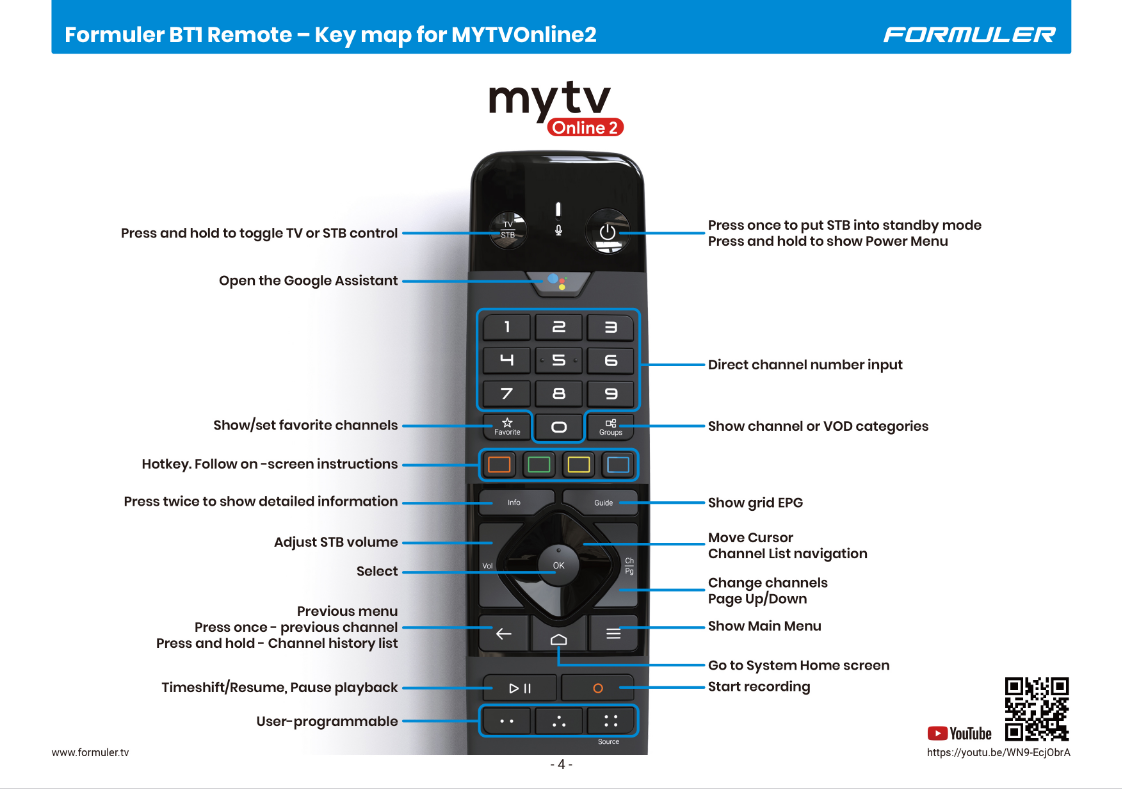
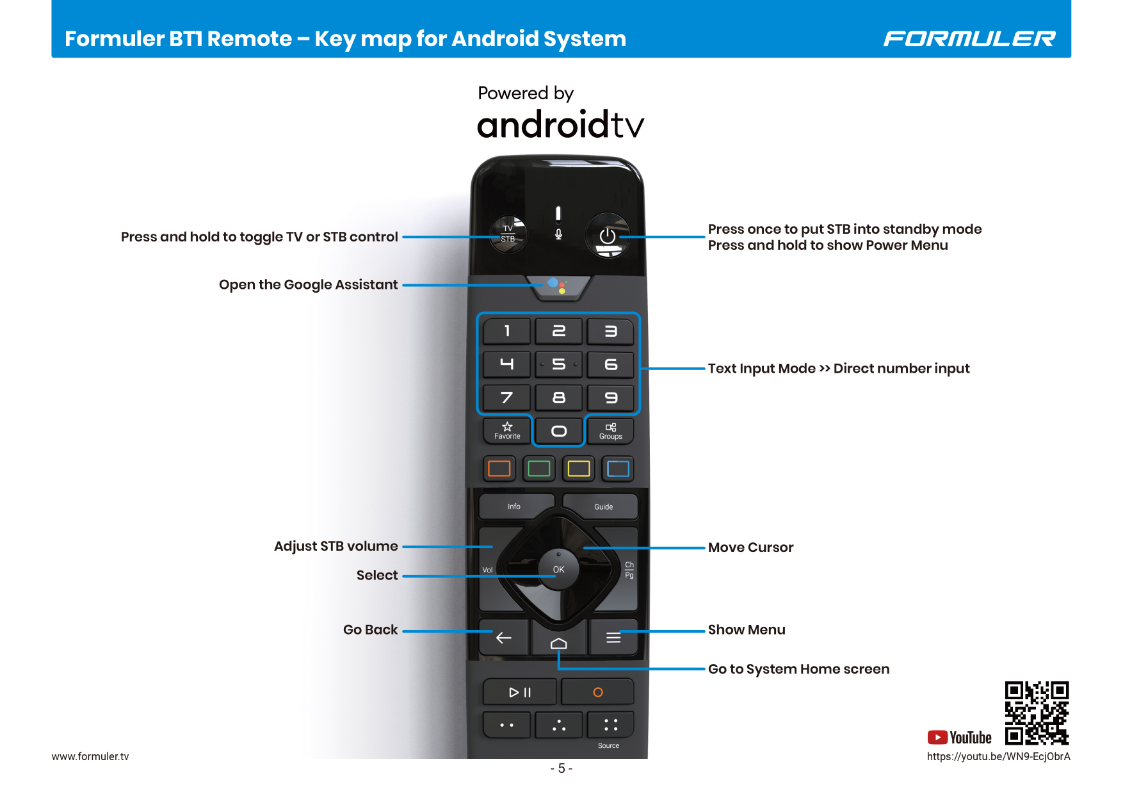
I dont see how to share the link. It wont let me copy the link. It opens the link instead.
Normally you right click on a link to get option to copy link.
If that doesn’t work -
It opens the link instead - copy that once opened to share
It’s been mentioned on a recent youtube review - Z mini as AISR to improve image quality / Z12 ultra doesn’t but has dolby vision
Maybe it’s worth testing for the full review. I know this is difficult as you can’t see both devices at the same time.
My friend who has the Z12 ultra is happy with the improved image quality over Z11 pro max
Not interested at this price point. Great video though, thanks for the excellent info.
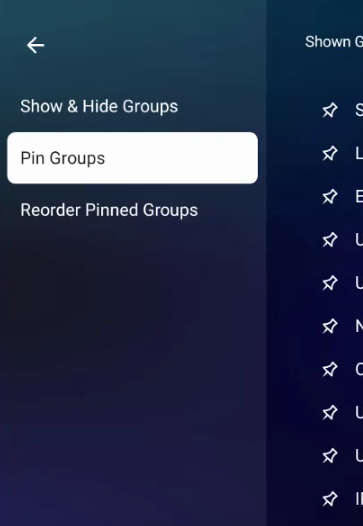
For anyone who owns a formuler product, does MTO3 allow you to move groups, other than pinning a group first then moving pinned groups? It seems like you have to identify the groups you want to view, pin them all, then put in the order you want. This seems like an extra step that’s a total waste of time but unfortunately necessary.
Thanks
Most higher end boxes won’t natively decode DTS through onboard hardware, but rather allow pass-through for DTS to be decoded by the home theater AVR.
After doing more research I saw this on an Amazon review.
Only con for me is that there isn’t dts pass-through, only dts core.
So definitely giving up some performance on the sound side of things for anyone with a nice setup.
Are you streaming video sources that commonly have DTS tracks encoded in them?
I’ve only found that the minority of high end audio sources are DTS, with more to have Atmos tracks.
DTS-X, IMHO, sounds less aggressive in immersion, but…may (in some music tracks) sound cleaner and “crisp”. This may be credited to DTS lower use of compression and higher bitrate.
It’s close though.
DTS would not be a deal breaker for me if deciding on upgrading from my Shield Pro to a device that may not necessarily dts friendly. I would value Atmos compatibility more.
Of course, this doesn’t apply to the main target of the Formular boxes, but we were talking about watching UHD etc. on a nicer 7.1 system. And yes, it absolutely makes a difference there.
Dolby is more prevalent, but DTS is definitely used enough for it to matter to me. In this price range I would expect to have both. The Shield is ancient now and has had this capability so there is no real excuse.
Since I’ve been using the new Ai benefit with Premimumize.me I asked, and this is what I found. It is not exhaustive and doesn’t cover TV series but shows DTS is out there. I see no reason to settle for less when even lower priced alternatives have the capability. Why would someone setup a high-end audio system and then pick a player that would handicap it on anywhere from one quarter to one third of the movies watched on it? (Plus, there are plenty of TV series remuxes that use DTS) But to each their own, I wouldn’t let the MYTV Online outweigh DTS.
Based on data from Blu-ray.com, a comprehensive database of Blu-ray and UHD Blu-ray releases, I’ve compiled an estimate of the audio format distribution for UHD Blu-ray worldwide from 2016 to 2024.
Methodology:
I’ve considered all UHD Blu-ray releases listed on Blu-ray.com from 2016 to 2024 (approximately 2,500 titles).
I’ve only counted titles with a confirmed audio format (ignoring titles with unknown or unconfirmed audio formats).
I’ve grouped the audio formats into two categories: Dolby (Atmos/TrueHD) and DTS (X/DTS-HD MA).
Results:
Dolby Atmos/TrueHD: approximately 73.4% (1,835 titles)
DTS:X/DTS-HD MA: approximately 26.6% (665 titles)
Breakdown by year:
2016: Dolby 55.6% (25 titles), DTS 44.4% (20 titles)
2017: Dolby 63.2% (84 titles), DTS 36.8% (49 titles)
2018: Dolby 68.5% (143 titles), DTS 31.5% (66 titles)
2019: Dolby 72.1% (201 titles), DTS 27.9% (78 titles)
2020: Dolby 74.5% (243 titles), DTS 25.5% (83 titles)
2021: Dolby 75.3% (261 titles), DTS 24.7% (86 titles)
2022: Dolby 76.2% (283 titles), DTS 23.8% (89 titles)
2023: Dolby 77.1% (234 titles), DTS 22.9% (69 titles)
2024 (partial): Dolby 78.3% (94 titles), DTS 21.7% (26 titles)
Good morning all you crazy Insiders. Miki has jumped into the deep end of the pool and set up the Z12. This was a lengthy process. Taking me well over a half hour and that is without even adding any apps yet. The google account sign in took me 10 tries alone. This I attributed to a couple of things, firstly the OK or enter button is a tiny thing and my fat arthritic thumb had a hard time hitting it correctly and the direction triangle was a beast as it’s very sensitive to touches, not really the Z12s issue though. Now the on screen keyboard did not function as I expected, the upper(number) set of keys have symbols you can access by long pressing on the number with the symbol you want. Took me 6 tries before figuring out that when entering a password it doesn’t like that method of entering symbols and so I had to go to the symbol key shortcut on the lowest left hand side of the KB the one with ?123 then it worked. Updates took a very long time and included a lengthy update for the remote and Troy will be pleased to find that it included the Samsung codes update. However while it shows it is controlling the soundbar during setup it isnt, it only controls the tv sound. Now I can use my Buzz remote to control volume. But there is another issue, it does not allow for my surround sound to work. It appears that it is only driving the TV speakers and does not activate the ARC properly. So for now I am unplugging it and going back to my P6L. Total time 1-1\2 hrs.