Yes , trying that now. Will that indicate why the recordings are so bad? Thanks
Hi, can I get a Tiviglass Discord invite. All the other links are expired. Thanks
Hi i will leave this for Miki to rather send or approve don’t want to self promo without approval
Honestly, i don’t know. right now i don’t have another data or evidence, so many people swear it’s the best out there and others say no end of issue’s, but the issue users have not really given me much to work with
I think your speeds are the issue here. I had problems with my ISP last week and could barely watch anything let alone record.
@Remy , are you saying your trying to record using the TCL TV? or am I misunderstanding?
No, TCL doesn’t have that feature. Trying to record with TiviGlass since everyone was saying it was very good. Tivimate has it’s flaws. I’m beginning to feel that it is my erratic speeds. You can watch most anything with slow speeds but maybe there is an issue when it comes to recordings because if it senses a drop in speed then buffers more and recordings are flakey
I have a suggestion to make. Go into settings > TV sources > Your TV Sources > Manage > Edit Connections > Live Output Format change it from Auto to MPEG-TS. This should cut down on latency and reduce buffering.
Yet another update adding more options. Way more options than TiVimate now. Yowsa what amazing work. Tx Dev you are one dedicated coder. Appreciate a quality IPTV player like this with amazing advanced features the others don’t have.
I am just now getting around to trying this. I am a Tivimate apologist, so nothing I have ever used or tested comes even close to my expectations of an IPTV player. The features built into TiviGlass are really quite amazing. It has a Tivimate guide style, but with a slightly different, refreshing feel.
I’m sure I will have more questions, but here are a couple to start:
-What is SportsHub and what does it do? The kids hub is a cool feature, is the sports one similar?
-Is there a way to bulk edit channel/group names? i.e take off Prefixes (‘US:’ , etc)
-I have always thought it would be cool if a player would have a feature to add specific channels as an icon on the box home page. I think Formuler or Buzz boxes has an environment capable of this.
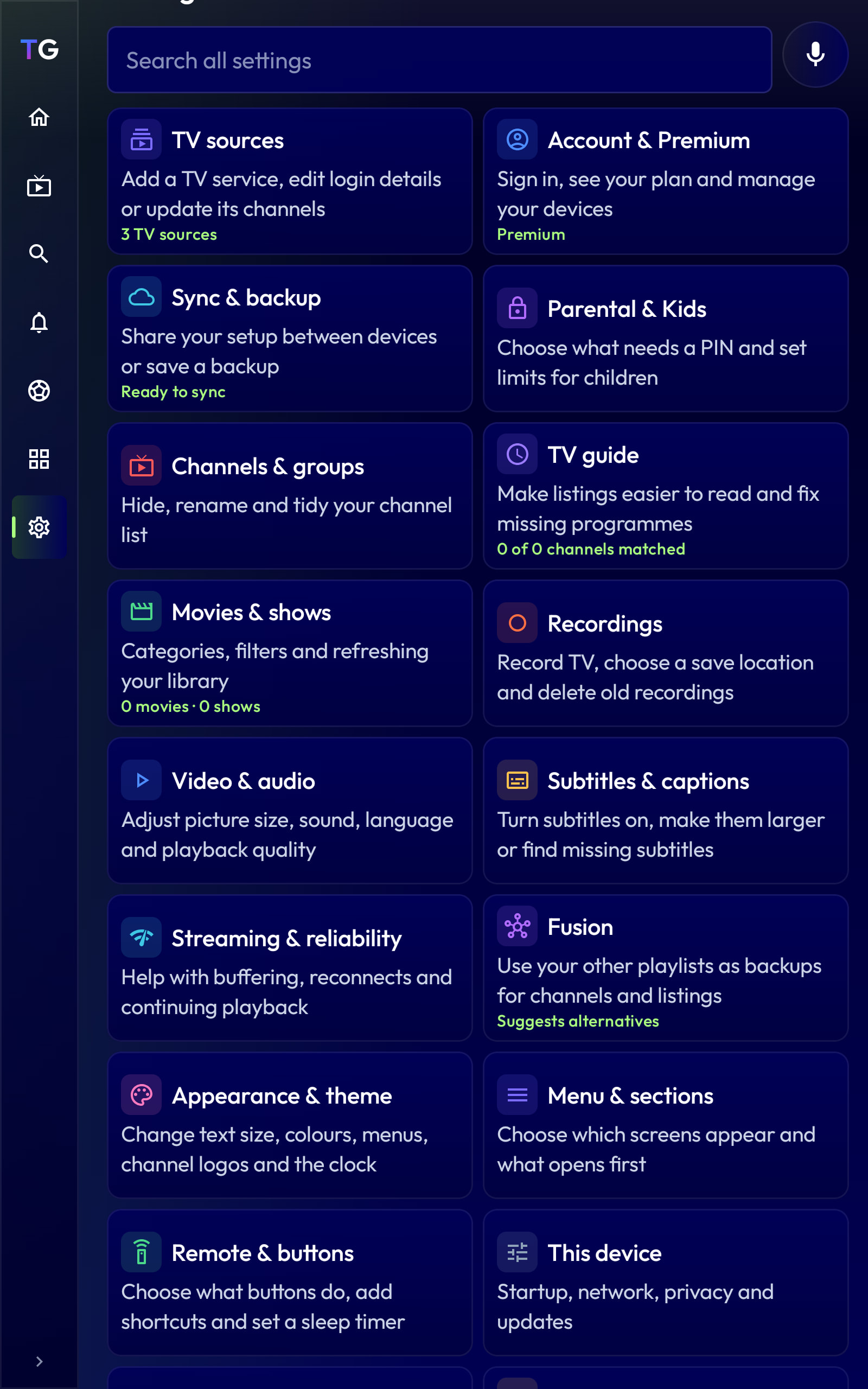
Go online to your account tiviglass.com sign in, and go to menu>support and ask the AI questions or go to the various settings and explore. Yes there is a way to bulk edit. Create your own groups. Add channels. Add epgs. Merge duplicates. Set it up to switch sources if buffering. The list of options and modifications that you can do are absolutely huge. The following screenshot are almost all the categories. Open them one by one and you could spend the next week beginning to understand all that you can do. It’s awesome.
There must be an issue with the website’s Create Account function, as it just spins and errors out when I try to sign up. I tried with and without VPN on multiple devices, so assuming it is on the Dev’s side?
There was an issue yesterday evening. Seems there is a problem logging in again. I will let the Dev know.
I tried again and now it works. Will test out the premium features and give my thoughts.
Premium features I really like and/or are unique:
-Auto correct, bulk edit the channel names to omit prefixes, etc.
-The “Playing Channel” button that takes you back to the current channel playing…although a request, can this be more easily accessible so I dont have to scroll through potentially hundreds of groups to get to it on the left menu.
-Sports hub…cool idea and similar to the kids zone which is equally as convenient. Breaks channels down per sport automatically.
- I like that you can populate multiple groups together in the guide at once…and be able to select which ones.
-Haven’t found a way to sort the group, say alphabetical, etc…maybe I missed this?
…going to keep adding to this post as I test it…