Miki, on the other thread at https://troypointinsider.com/t/how-to-install-setup-stremio-on-firestick-android/ there have been a few others who have very recently posted about not seeing any Addons displayed in their Stremio. Not sure if any of them are using a Firestick, but it’s certainly been mentioned a lot and I’ve seen that you have responded to some with your suggested “Clear cache, reboot..” solution, but it has apparently not solved it for others too.
Anyway, I am using a Standard Fire TV Stick (3rd Generation) with Fire OS software version 7.7.0.4 (PS7704/5024) and Fire TV Home version: 7231001.1
> dogg5150** said**:
On Fire Tv device you will not see your addons. When you select addons you see this message 'Use Stremio on your phone or PC to install or configure addons and press ‘Sync Addons’ . Did you select ‘Sync Addons’?
Yes, I have selected that ‘Sync Addons’ option within Stremio on my Firestick, and every time it confirms to me that addons have been synced - but it does not display any. So just to be clear, when you say “On Fire Tv device you will not see your addons” are you saying that’s a feature of Stremio on a Firestick and that it simply will not display/list your installed Addons on a Firestick even though they are probably installed?
I use to use the Firesticks up until about 2 yrs ago and when I lived in Mexico for 4 yrs I programmed hundreds of them, all with Stremio on them. The addons showed without any problems . This may be part of the Amazon attack on unverified apps, or apps they consider illegal now, I simply don’t know for sure and haven’t found any reason why that is, or anyone who can give me a direct answer. I haven’t been into any Stremio forums to see if others have this issue and or a solution. I’ve been focused on studying the Duck Streams addon and learning the advanced setup. I no longer use Firesticks or program them and so they aren’t really something I focus on any more. I now recommend Android devices and especially AOSP.
The thread on the topic “How to install setup Stremio on Firestick Android” has multiple posts just recently from various people reporting that no addons are displaying on Stremio on their Firestick or FireTV devices:
..which makes me think this might just be a recent issue. But, on the other hand dogg5150’s comment above saying “On Fire Tv device you will not see your addons” makes me wonder if this is normal for Firesticks and Fire TV devicess. It would be good if someone could clarify this for sure.
I wish I could but I gave up on Firesticks about 2 yrs ago. When I was programming them, and did so with hundreds, there was absolutely no issues with addons showing or installing. I have spent a few hours now digging deep and trying to find others who may have this issue with jo success. I will spend a little more time this morning but honestly don’t think this is a priority with all the draconian efforts Amazon is going through to control your viewing. Simple fix is to get another non Amazon stick or other device.
I forgot to ask, did you try the latest update to 1.9.1 see if that does anything. Also when you go into stremio on the firestick are you going to “community addons, my addons” and if so do you see “Bootstrapper” as you won’t see all the “scrapers” listed as bootstrapper is the addon? If you have a VPN, ad blocker, malware scanners etc. have you turned them off and then checked. You should know that you don’t actually install any additional software on your computer. Add-ons are similar to the search engines they are web sites that Stremio uses to search for the content.
I have setup multiple Stremio accounts using AIOStreams for around 15 people. Everyone working fine except one had an issue with links. I ended up using Bootstapper and added various addons to it for that account. I wouldn’t get caught up with not seeing the addons on Fire TV device as long as you see the addons in PC or phone app. I have 4 Fire Tv devices running Stremio and all of them do not show the addons, just the message about ‘Use Stremio on PC or Phone to configure’. Everyone I setup has Fire Sticks. All use various app versions up to latest. I’m not sure what’s going on on your end.
Hi. Today I updated to Stremio 1.9.4 which is latest version for FireTV devices. Checked and still no addons displaying within teh Addons section. And to answer your other questions, in Stremio on the Firestick there is no option to select “community addons, my addons” etc. It just has a single addons page containing the message ‘Use Stremio on PC or Phone to configure’.
However, as dogg5150 has said above, the fact that Stremio does not show the Addons on ANY Firesticks which he he has set up, reassures me that this is by design with Fire TV devices. I do also note that when I’ve tried to view movies etc in Stremio on the Firstsick I can see it’s offering streams from sources which appear to be from Addons I installed, so again it looks like it HAS indeed synced my addons, but just does not display them in the Android/FireTV version of the Stremio app. So all is good
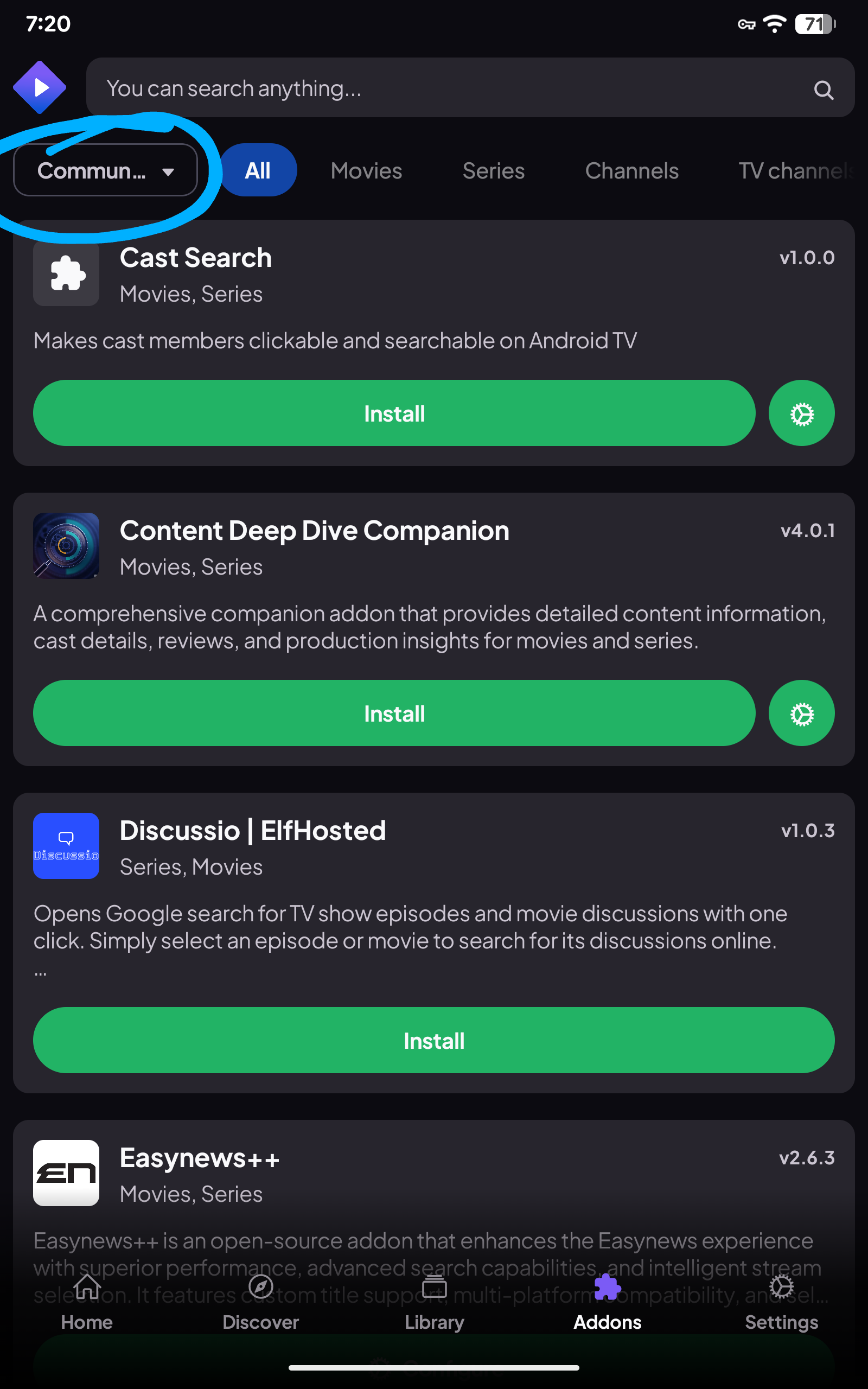
So you don’t see where I circled, or the purple puzzle piece down the bottom? Then Amazon has done something because they use to have the options available. Oh well I tried but don’t want to spend the time programming a stick to test.
So, as dogg5150 has reiterated, the Stremio app on the Firestick never actually displays a list of the actual Addons installed, even though it appears to have synced them.
So your puzzle piece is there, just in a different spot. It’s on the left in your pics along with all your settings etc. click that to see your addons. Also search, library, discover, settings and home all there on the left. Click on home to start.
On the 4 Fire Tv devices I have, I am unable to see the addons in the Stremio app. All addons need to be managed on PC/tablet/phone. Only option on Fire Tv device is to Sync the addons. Running Stremio’s latest version on all devices.
You don’t seem to be gettin this Miki Myself and others have now confirmed several times that the page I screenshotted is ALL you see on a Fire TV device when you click the jigsaw icon for Addons. And dogg5150 has also repeated several times that this is what he has found when installing Stremio on several Firesticks. That, and the fact that it’s a totally unique screen that only seems to appear on the Addons page for Fire TV devices, suggests to me that this is by design, and not a bug. Don’t know why Stremio would have made it different for Fire devices but I assume there’s a good reason. If you have any contacts at Stremio perhaps you could ask them?
Oh I do get it entirely. I am just trying to figure it out and until I asked, no mention was made of seeing or clicking on the puzzle piece. But I’ve wasted enough time on this and with the firestick and Amazon control this will only get worse. So good luck to you. I also would like to make a point, this is not a stremio issue, this is due to something Amazon has done and what you see may be the only solution the Stremio devs have been able to figure out to get around the Amazon issue. It may be entirely due to the fact that Amazon has determined that the community addons allow access to what they call illegal content and have initiated some coding to block the “seeing” of the addons as they cannot directly access your setup to block them as your setup is kept in the cloud and not actually on the firestick. Just a guess at this point.
@Guitareth ….different devices have different Operating Systems, and each handles different operations in its own way, amazon is whatever hairbrained system they are using now(to exert MORE control over what YOU do on their device), Samsung products have their own system, android is android, etc. etc. etc….so for developers spend time and $$ to produce OS specific code for every device out there*,* the cost to us probably wouldn’t be anything we would want to pay for that software….hope that makes sense….
sorry in advance for what is probably a stupid question, but will it wipe the library that I have built as well? In the last two days I am getting very few links and sometimes only shows comet options. But when mediafusion or webstreamer comes up, it is showing no link filtered by your configuration preferences or webstreamer says no sources found please reconfigure the plugin. I haven’t changed any configurations or setting since I installed a few months ago following the ultimate stremio install video. Cinema was my go to so now I am hoping that stremio can fill in and am also hoping it will work with Trakt, still reading trying to figure that out. With my recent neuro issues, I am really hoping I won’t lose the history and favorites built there and have to start over. I did just update to the latest version of stremio and it hasn’t fixed the links


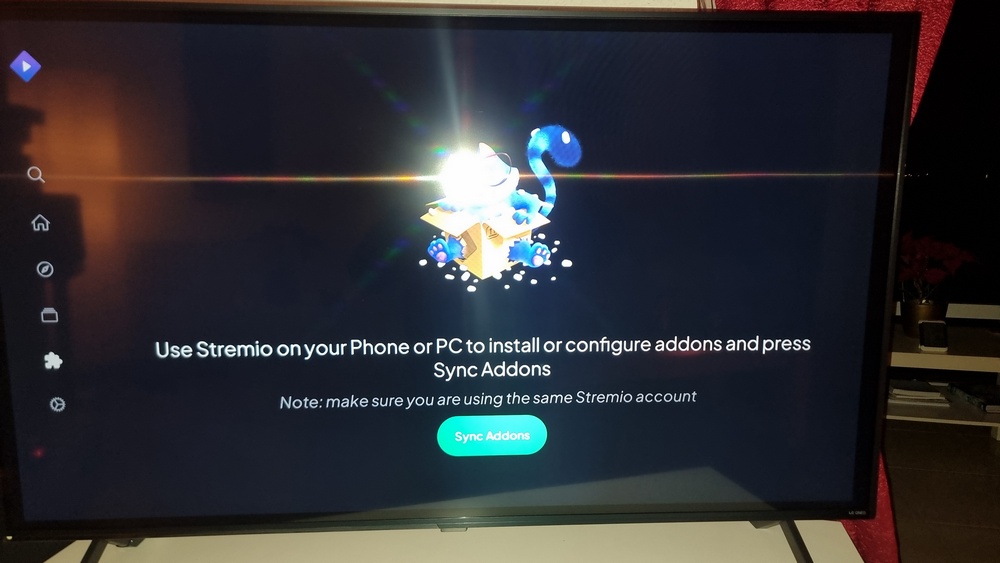
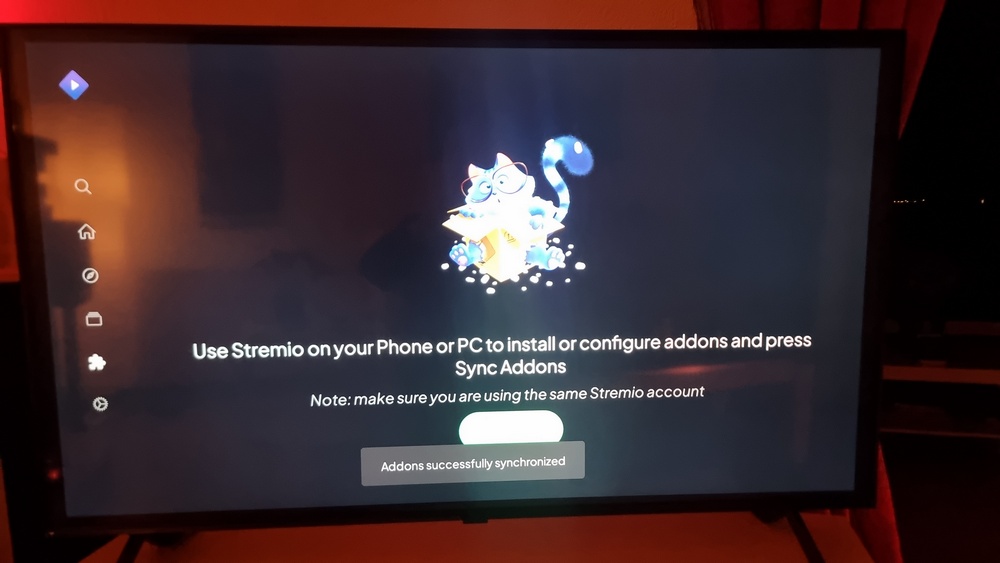
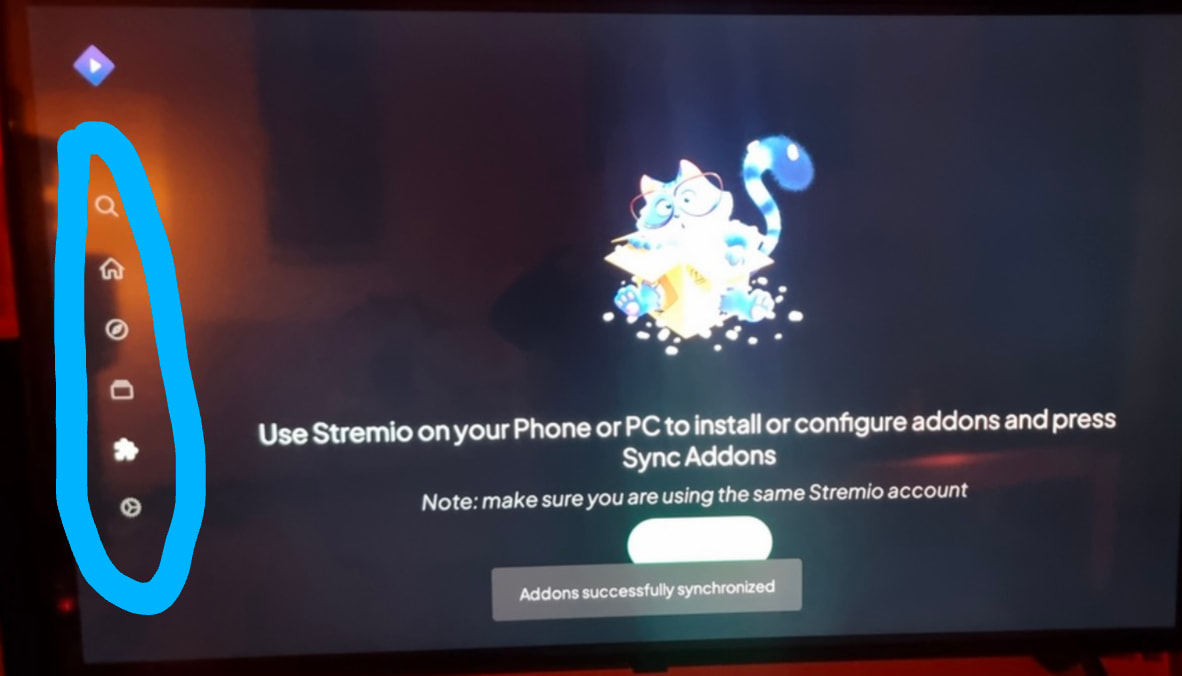
 Myself and others have now confirmed several times that the page I screenshotted is ALL you see on a Fire TV device when you click the jigsaw icon for Addons. And dogg5150 has also repeated several times that this is what he has found when installing Stremio on several Firesticks. That, and the fact that it’s a totally unique screen that only seems to appear on the Addons page for Fire TV devices, suggests to me that this is by design, and not a bug. Don’t know why Stremio would have made it different for Fire devices but I assume there’s a good reason. If you have any contacts at Stremio perhaps you could ask them?