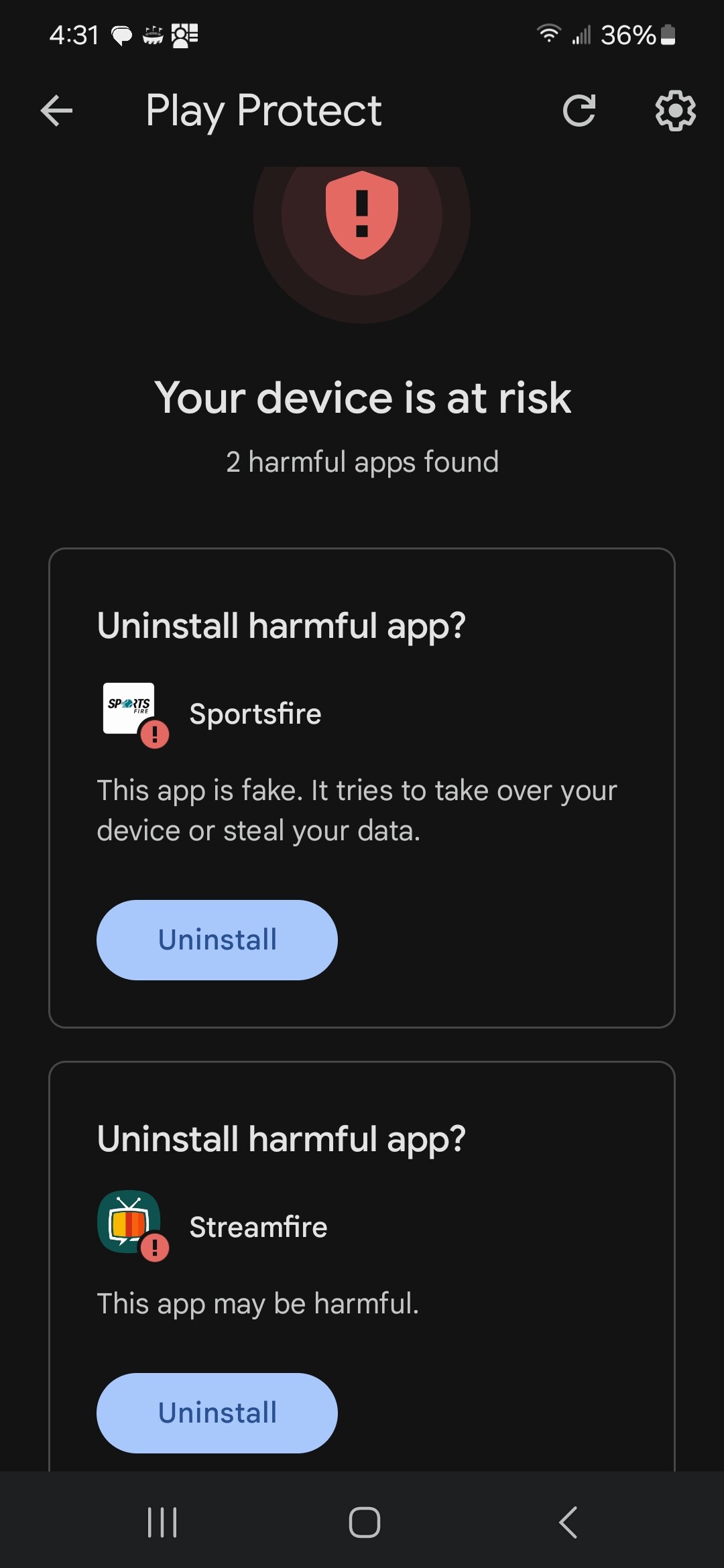
It looks like this might be why…
May not be compatible with phones…
I have installed some movie and tv apps on my Samsung phone, streamfire or sportsfire are not compatible…
I recently installed Sportsfire on one of my many firesticks. No problem. I dug out my old Samsung Galaxy Tab A and tried to do the same. When I downloaded the app via downloader it would not install. I then went on FileHippo and downloaded it again. Tis time it attempted to install but gave a “failed to install” notice. I checked in settings and made sure that under install unknow apps it was allowed. Same thing. I am running Norton 360 but it has not generated any error messages. any advice?
The app is only compatible in FS and Android TV devices. That is directly from their Telegram page.
I know it says Streamfire but it is taken from the Sportsfire Telegram. My assumption it they both have the same compatibility.
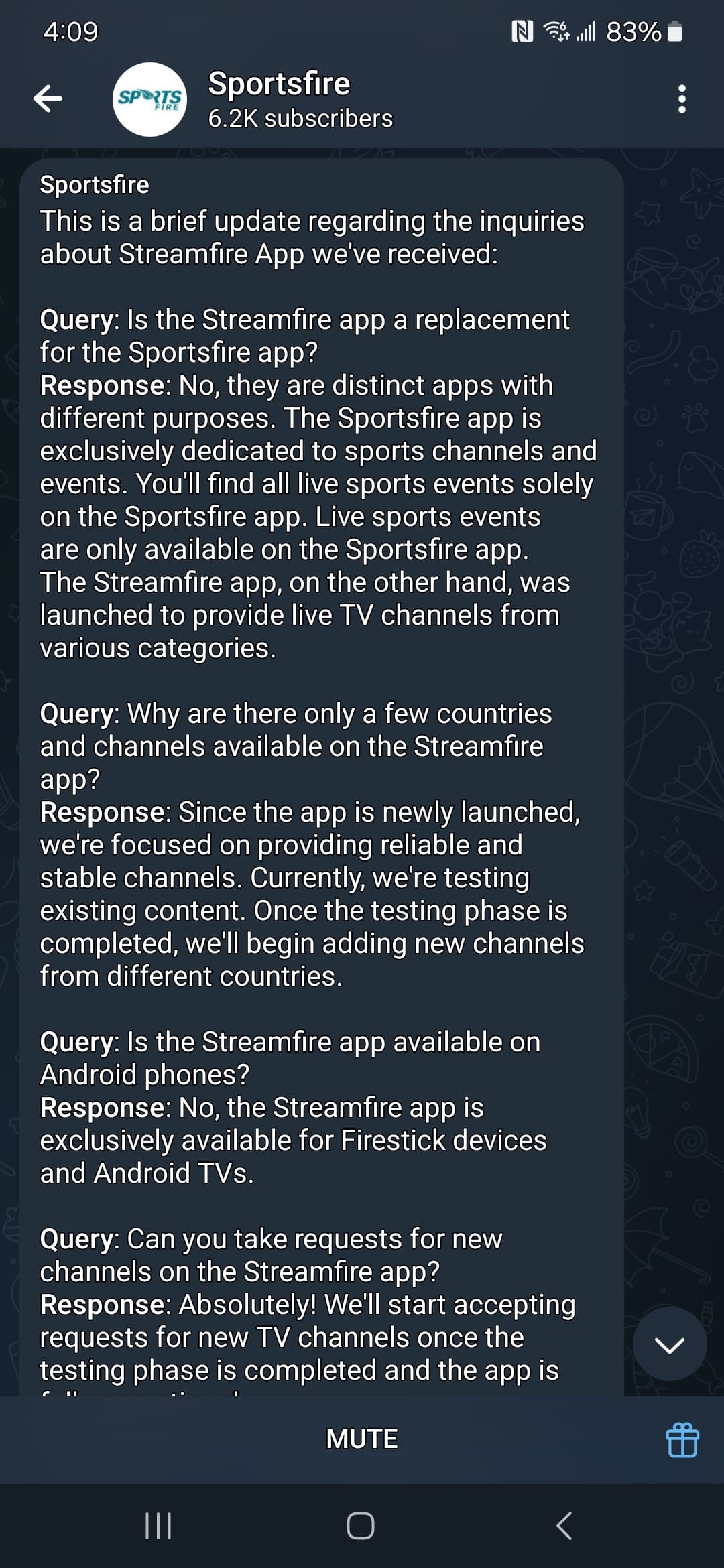
Thank you for the quick response. I have never tried installing it on anything other than a fire stick or cube. And I agree. Akums razor would suggest that your assumption is correct.
1 Like
The Sportsfire code 4585605 is not working. Is there another workaround?
1 Like
Working fine on my end as I just tried testing it again. If using VPN try disabling that temporarily.
1 Like
try 119368
Unfortunately, that code is pointing to the old version and that’s why I updated our guides this morning with their new codes. Those new codes are provided directly by the dev of the apps. New codes are still working fine for me.
SportsFire: 4585605
StreamFire: 3514876
3 Likes
Turn off your vpn, then go to downloader, put in the new code and it will work. I did it yesterday. Then once it’s downloaded you can turn your vpn back on
1 Like
Mine says there is an update. When I click update, it just buffers and does nothing else. Should I turn off my VPN for this? Then see if the update works?
1 Like
I would try that then if it loads turn on again
1 Like
Just insert the Downloader code into Downloader and it will update. The Update button didn’t work on any of my devices either.
I deleted the old Sportfire app, turned off my vpn, went to downloader, put in the new code, downloaded the app, then turned my vpn back on and it worked as normal
1 Like
Tried all of these suggestions. Still did not work. Keeps buffering, message stating could not load due to not parsing, unable to load…. It works on 2 TVs, does not work on 2 other TVs.
What devices is it not working on? Same as the others that worked?
When i got the parsing error i deleted and reinstalled with Downloader without issue on my onn 4k Pro.
1 Like
It seems that VirusTotal is detecting more issues than I remember. Google Play is removing them with PlayProtect on now, (I know that I can turn it off and install/keep anyways). Just curious if the apps are worse now than they were before? Thank you.
Good question  thinking the same thing .I personally removed it it’s not worth a chance when there’s other IPT v available
1 Like
@JLW yes, I found sportsfire to be full of bugs now, even if you get it from the source website. I got rid of mine totally. It used to be completely clean, but not now. Google even blocked it when it was totally clean. You may be able to find a clean APK from a library somewhere. so far I have came up empty trying many library accesses, but if I find a good clean file I will pass it along. Some RBTV APK’s are corrupt now, but mine is clean updating from their app internally. If you happen to need to install from scratch & get clean version update internally from app on this one, you can use DL code 634970, download the old but newest one (ends in 38) that they have & the internal update in app keeps it clean. I tried 3 out of the 4 sportsfire apks they have and all are corrupt.
2 Likes
Thanks you try TV app if u use kodi