Not sure you can do that because the operating system is Google TV
I’ve always had this issue but I was hoping someday to resolve it on my own. But, after 2 years, I officially give up and I’m looking for help! I have a Flatscreen TV with two inputs. HDMI #1 is my DirecTV box and HDMI #2 is my Nvidia Shield Pro I use for streaming only (No Gaming). No matter if I turn on the Shield Pro and go directly to streaming or change inputs from 1 to 2, the screen ALWAYS ends up at the Nvidia Shield Pro screen. I want it to land on my Projectivy Launcher. (I used others the past few years and it didn’t matter. It never landed on them either) Therefore, I have to navigate to the Projectivy Launcher app icon and choose it manually. What’s even stranger is, from that point, if I go to, let’s say Prime and watch a show then leave, it goes back to the Projectivy Launcher.
I thought the addition of the Launch on Boot app would resolve this issue but it does nothing. When I click on the TEST button, it opens the Projectivy Launch app.
Any ideas? Anyone experience the same issues?
This video from TechDoctorUK shows how to setup Projectivy. Its short and it works on both my androi boxes.
I love ProjectIvy and have even donated. I do have one question that I cannot seem to solve. From within Projectivy how do I restart my device? I can go to the Android settings and find Restart but for those that are not tech savvy I was hoping to enable a Restart Device option on the settings page. Is this possible??
That can be device specific, for instance on a Ugoos box and others if you press and hold the power button a menu will open with options to shut down or restart along with other options. If your box doesn’t have this, you could use TVQuickActions Pro or something similar to program a long press of a button to reboot.
Thanks, does donating get an advanced version?
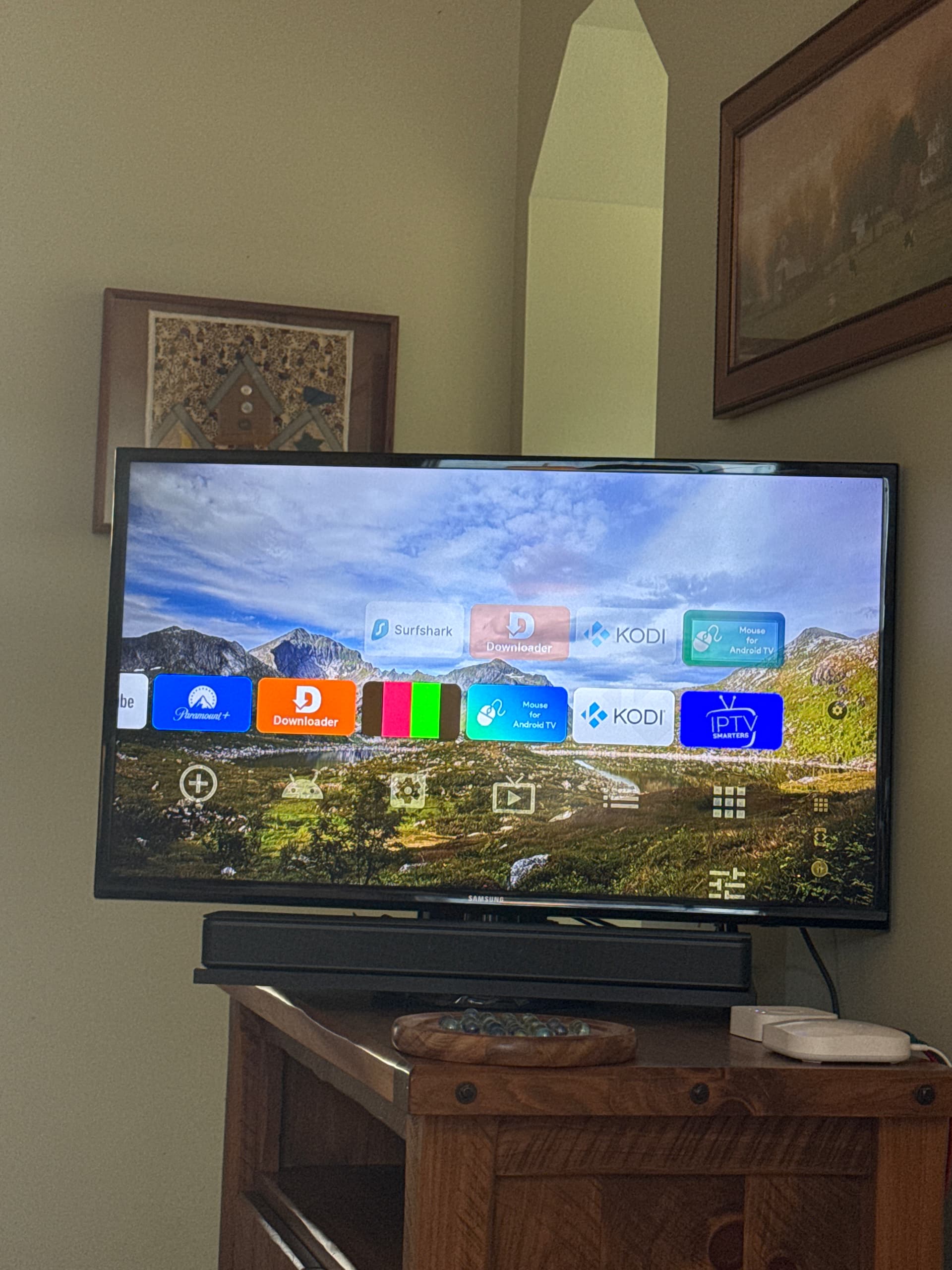
I think I read another post where you had to go into developer options and there was a setting to rotate 180 degrees. I forget what it’s called. I’ll see if I can find it. Aha. It’s called “Force RTL layout direction”
It was @girlwithanumbrella that helped someone….
Thank you @ Itzme. I had forgotten where I had read it. Hope it helps.
I installed Launcher Manager and Projectivy Launcher as per Troy’s video on (2) Fire TVs. The installation went well on both TVs. One slight issue. On one TV it shows a category named “Inputs” as the top category with inputs HDMI 1, HDMI 2, HDMI 3, AV as icons. On the other TV there is no category named “Inputs.” On the one TV under Settings → Edit Categories it shows an “Inputs” category, on the other TV it does not. I created an “Inputs” category in hopes that the inputs icons would appear but they did not. Also, there is no “Input” under Projectivy Launcher Settings like on the working TV. I tried a TV hard restart and tried reinstalled Launcher Manager and Projectivy Launcher. Any ideas?
TV with Inputs working: Fire OS 7.7.0.4 (PS7704/5024), Fire TV Home Version 7231001.1
TV with Inputs not working: Fire OS 7.7.0.2 (PS7702/4967), Fire TV Home Version 7220184.
Just added Projectivy on my google tv and 4k pro. Love it, but my 4k pro will not let me enable accessibility. So if I hit the home button on my remote it goes back to the google homepage. Thoughts? Cheers!!
Start video at 7:00. Explains launcher override.
Man I did all that, but when I hit enable in accessibility it won’t enable. I’m also using launch on boot app from Troy’s toolbox. My tv works perfectly. My 4k pro not so much. Cheers!
Start video at 8:20
So I uninstalled it then got it back. For some reason I had to enable accessibility before anything else. Working now. Thanks Steve! Cheers🍺
Projectivy doesn’t need a launcher. Also, I looked up Launch on Boot app on Troypoint.
After you have installed the Launch on Boot application it’s important to mention a few items.
First, if you click the home button on your remote you will see it takes us back to the original Fire TV interface.
Therefore, if you want to keep using the Wolf Launcher do not hit the home button.
I didn’t use that this time works great! Thanks for your help!!Cheers!
@Powerfader…. haven’t seen ya in a bit but still want to wish ya “Happy Anniversary” 


Hello @KLK the accessibility thing is an Android 14 problem…go figure. I don’t see any problems with accessibility not working.
I go through setup on the Onn 4K Plus which should be very similar to any Android TV device running Android 14.