Here’s my new Nuvio setup video and screenshot guide.
The video includes important details not found in the screenshot guide and I strongly suggest watching the entire video. Click pause button between each step.
Thanks for the video Troy going through it now and setting up Nuvio on my PC before logging into Nuvio on my ONN Box.
@Miki not familiar with Stremio addons. I’ve installed Torrentio and the USA Channels on Nuvio as Troy shows in the video
What 2-3 other Stremio addons would you recommend for Nuvio? Also I am finding the addons but for the life of me cannot find the Json URL’s that you copy/paste into Nuvio when adding the addon?
One of my faves is Comet. I prefer it to Torrentio for Nuvio as I can easily add all 3 of my debrid services in it. Whereas Torrentio I would have to add 3 instances to use all 3 debrid. But even if you only have 1 debrid services it will scrape it fast and effectively
Now when you get there you click the install button, and then click the configure. Configure it to your specs and down the bottom is a copy link. That’s the one that provides the .json url.
I personally only use 2 add-ons as that’s all that are really needed. Any more than that and I find they just scrape the same sources anyway.
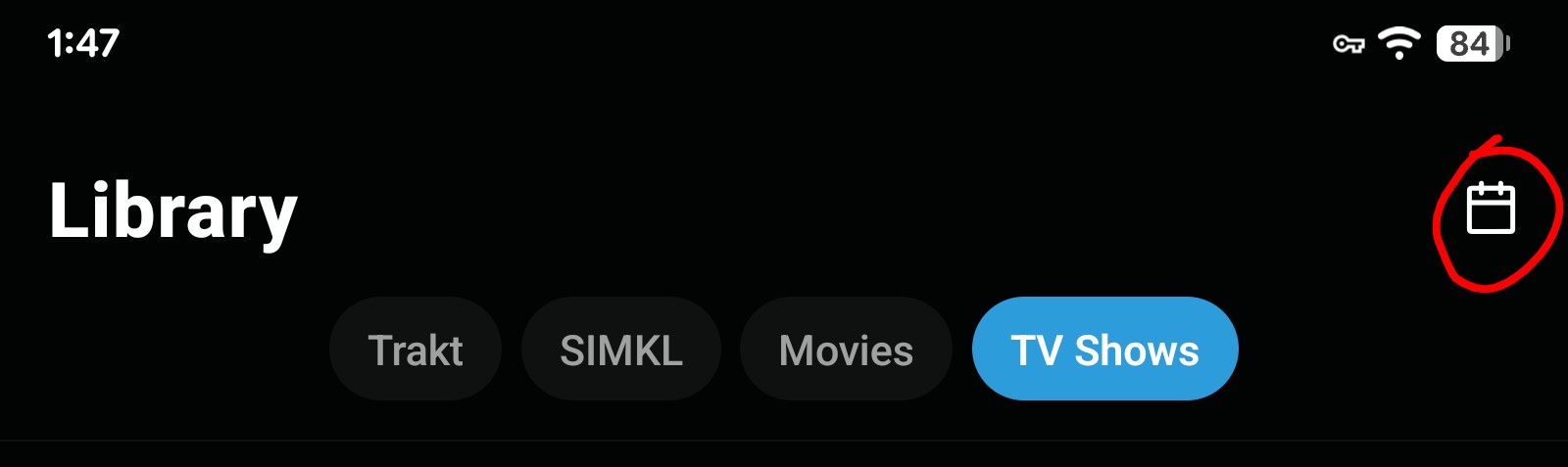
Also something cool in the app on an android phone or tablet is the “Calendar” open your library after adding the series you want and in the top right corner is the Calendar Icon, click on it and it opens a complete calendar where you can look at specific days or week or month and it shows what is released for that day by clicking on the day.
Also I get a popup telling me of new releases for today.
Thanks @Miki all set with Torrentio and Comet. Gotta say with your help and Troy’s video the install was very smooth and easy especially for the first time. Doing everything on a PC/Tablet is for sure the way to go then just go into Downloader then Troy’s Toolbox, install Nuvio on your streaming device, log into Nuvio on your phone then just scan the QR code to log into your Account on your box.
Still need to Authorize Trakt and take a look at some of the many features and tweaks. Thanks again!
You are always welcome @SoloWarrior . Any more questions you know where to find me. 
I wanted to delete my original install I registered since i messed it up by following the initial bogus info. Just to start over clean with Troy’s guide. There is nowhere to delete an account that I can find. I really wanted to use the same email, but I guess i’m forced to use another email now and just abandon the original. I’m off on the wrong foot here, and already aggravated by it. I may just not fool with it now and wait until its out of beta. I’ll continue using what I have now in Kodi with Umbrella & Coco Scrapers along with Luc_Kodi.
To me, its bad when a developer does not include an option to delete an account. Once they grab that email, then they sell the crap out of it. Glad I used a burner at least.
I know you can change your email under Nuvio sync, as well as log out of account.
Hey Troy
This looks like it could be great however I have a weird issue. My add-ons are showing on my PC installation but not on my TV app. When I look at the stat line above add-ons it shows if have 4 add-ons which would be correct if they were there. I obviously missed doing something.
I realize this is still Beta. Is there a central place to leave fixes/bugs and/or contact the Dev. I see tons of Trakt integración issues. Currently only Trakt watchlist is a sync option. A number of us use Trakt Library (formerly Collection) and that is not available so after authenticating my Trakt account none of my shows/movies are synced.
Under about in Nuvio settings is a report issue form.
Under the settings is Nuvio Sync. Down the bottom is push from device. Click that and you should be G2G
I couldn’t get it to work. Every movie and tv show said no stream found and to add more ad on’s. If anyone experienced something on onn box let me know if you had same error
For shows that usually means a new episode has not been released yet.
The Trakt issues are still somewhat ongoing, but definitely improved with the recent 0.4.6 Beta release. They do know that there’s still additional Trakt work to do, as a number of bug reports on this have already been made in the past day since the new Beta release came out. If you want to report additional bugs or suggestions, this can be done through the Nuvio Streams Discord Channel.
You can also monitor what they’re actively working on through their Github page. This particular change (link) was just entered 13 hours ago and is intended to close a lot of the remaining Trakt issues.
From your computer / phone:
On your TV:
That has fixed the same issue for me when an addon from the web wasn’t syncing to the TV app. Hope this helps
Now that My Streaming Heros have accepted this, I’ll endeavor slowly but surely to wade into the deep end with Nuvio. Thank you all.
It is slightly different, in the setup method, but the @TROYPOINT video is excellent in explaining how to do it all. You just need to go slow, pause and rewind the video bit by bit, and you will be successful. I personally think you should read through the step by step typed instructions first to get a general idea of what to expect. Don’t try and understand it all the first time but once you read it from start to finish, then go through the video as a picture truly is worth a thousand words. Don’t get frustrated and if you truly get stuck then PM me and I should be able to help.
Great advice Miki. Thanks for all the hard work. I’m with Grace on this and ready to jump in!
@GraceWilson do as @Miki says. I must have paused Troy’s video at least 2 dozen times but that’s the way to do it. There’s a lot going on but if you go 1 step at a time it’s pretty easy. Main takeaways
Setup your login and add all your addons on a PC/Tablet first. Then you install the Nuvio App on your streaming device. Then log into Nuvio on your phone and scan the QR code in the app on your steaming device and you are all set.
This app still unusable to me as it does not have Trakt Collection/Library integration only Trakt Watchliist integration but it is BETA and the Dev seems very responsive. I’ve submitted a bug fix ticket on their Discord so hopefully it gets worked out
They released a statement saying they are working hard to get the Trakt integration done, but as you know I don’t think it’s needed as they have their own integration and calendar in the app but of course if using multiple apps to watch the same series I suppose it could help some. . Not on the Streaming boxes yet but it is on the tablet as I have shown above. The Streaming device app is Beta but already three updates for Trakt integration. Seems one put out every other day.
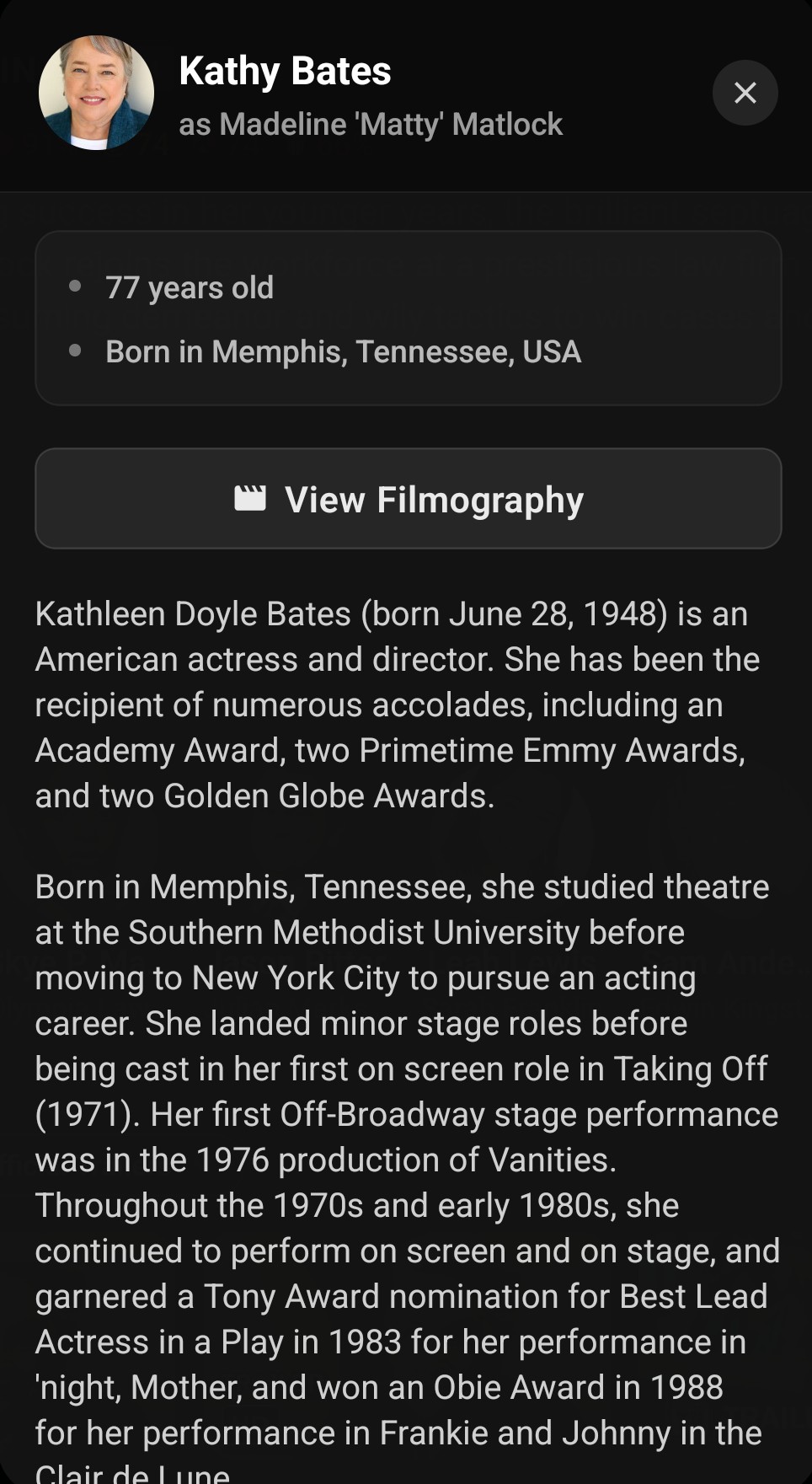
OMG I just got the free API key for MDBLists and enabled all options. Now I am getting all sorts of information in my library about the actors etc. when I click on a specific series to open all it’s info. This is on my Tablet. I am loving this Media center more and more as I learn how to access and enable all the features and damn there are so many. WOW. As an example