I’m use the Just Player in Stremio (it’s the only player I get sound on) Is there a setting to get closed caption all the time? Right now, I have to click on the settings for each program I watch.
Yes. When you open a movie to play and scroll to the bottom you can click on what looks like a book page and that opens the subs. A lot depends on the source and if they have them coded. I often look for a source that will have English(forced) so that only the foreign parts in a movie show the subs. Also if you have Just installed open ot and long press on the gear icon to open the advanced config panel.
Thank you …clicking on the options only give me one option in English. It has worked well, but if I can set it up to automatically add cc, that would be great. I’ll try the long press om the gear icon.
Yes I believe that option is there. I’ll look for you. Yes it’s there under “Captioning preferences” and clicking that you open a panel and can turn on captioning.
That did work, thank you ….. I just found out you can’t download Nuvio to Windows. I don’t want to get an emulator etc, so I when to the Shield, Stremio, Addons and tried to share it with Nuvio. There is no option to share your addons from Stremio. Is there any other way of transferring them, or, do I have to find the urls and manually type them in?
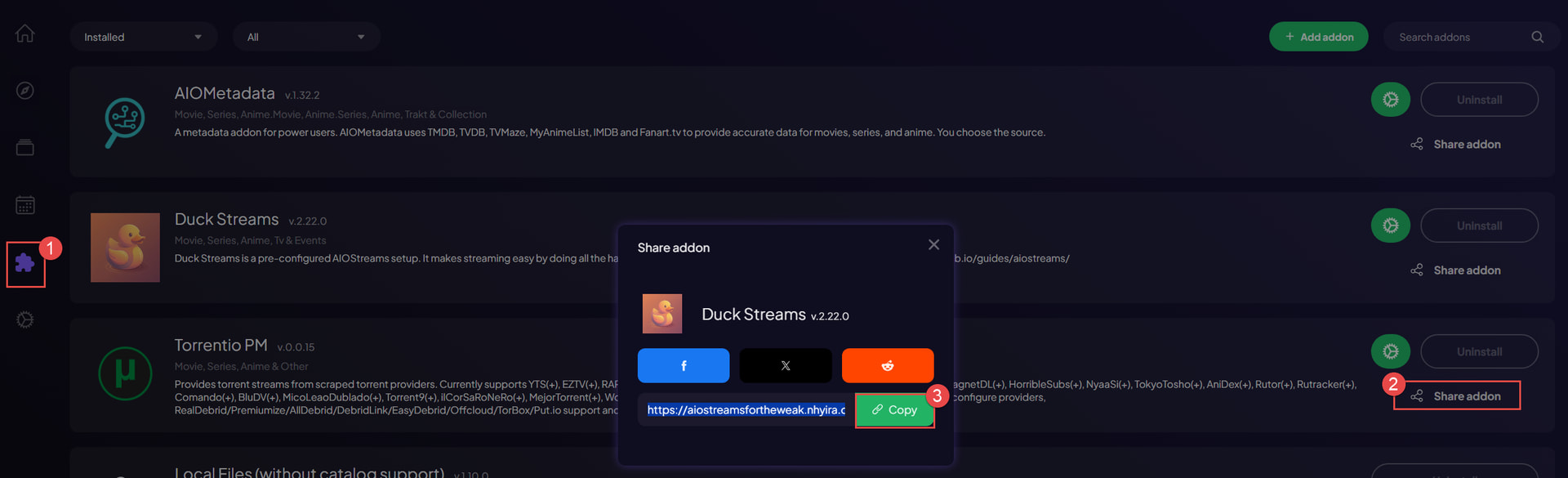
Here’s how to get your addon install link from Stremio.
Go to https://web.stremio.com/
- Click on Addons
- Click on the “Share Addon” link next to the item you want to get the URL to
- Copy the URL
- Paste the URL into the Addons section of Nuvio web
Thank you…will try today. Well, I haven’t found a way to copy and paste using the Shield remote. I tried to connect my keyboard and mouse via Bluetooth, but it didn’t work. So I manually typed in the torretio addon website. Now, when I try to play a movie in Nuvio, the links show up, but clicking on them doesn’t do anything. Maybe Nuvio will add a download for Windows in the future…..

You don’t need to type the URLs in manually on the TV. There are workarounds:
Nuvio Web Dashboard:
On a computer, tablet, or mobile phone, you can visit the Nuvio web dashboard ( Nuvio - Media Hub ) and copy/paste your addons in there. They’ll then sync with your TV app.
Using the Google TV App:
-From your phone, connect to your Shield (or other streaming device). You can then copy a link from your phone and paste it directly into the addons text box on the TV. The Google TV App will allow you to input directly to that text box.
I’ve used both of these processes, and they’re fast/efficient ways to copy & paste your addon install URLs into Nuvio.
You can also sync to your phone or tablet by scanning a QR code generated by your streamer or upload the changes to the cloud from your tablet and then sync your streamer. Way easier to configure on a tablet IMHO as then it’s just screen gestures like swiping and long pressing to copy things like addons. @wcr5jop1 has posted pics showing how easy it is.
Going to try this tonight, thank you and you as well Miki.
Well, I guess I’m doing something wrong. I’m going not sure I can post the link, but it’s Torrentio. I have the option of downloading, but I don’t want to because it’s already on my Stremio on my PC. Where do I have the url for pasting into Nuvio?
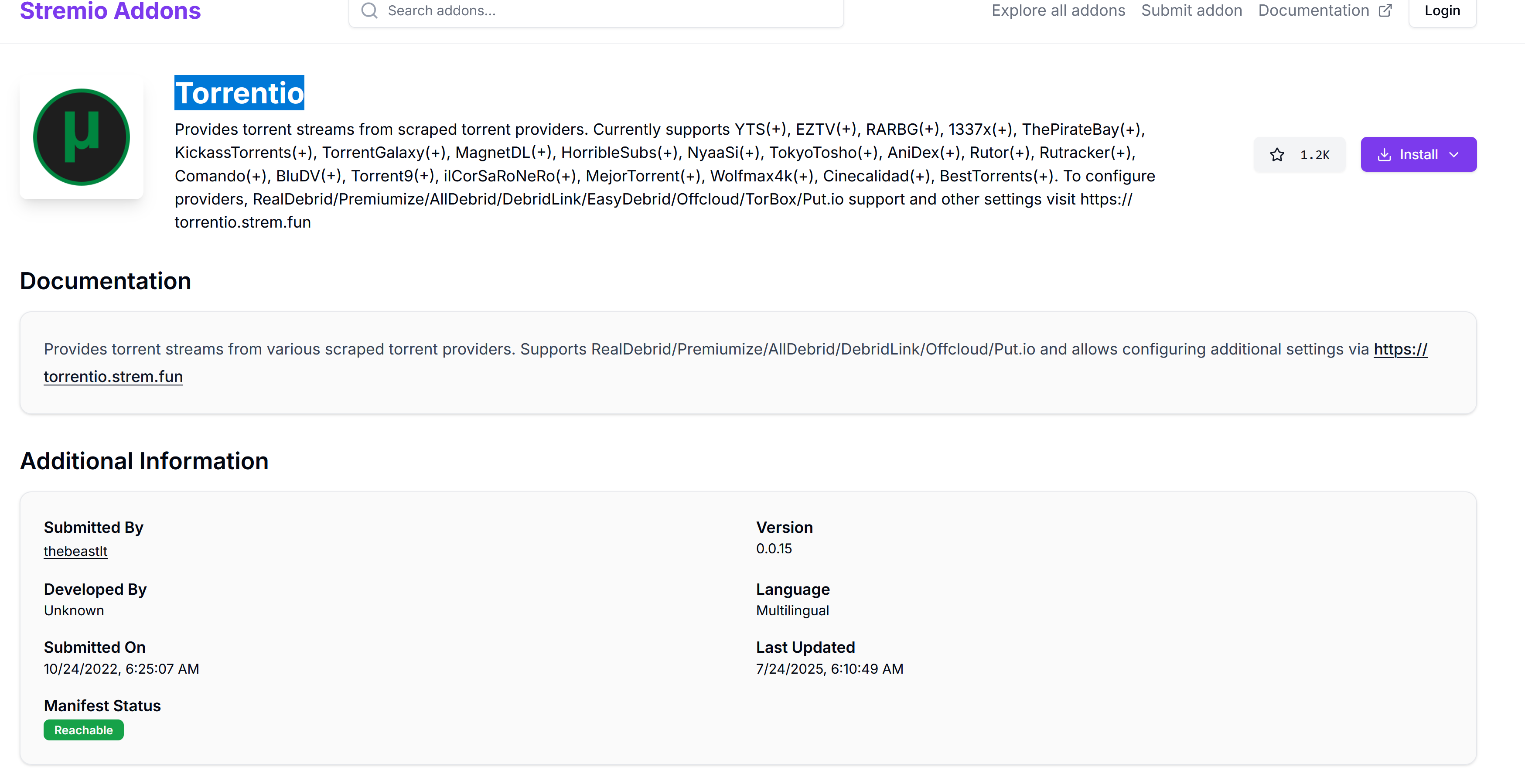
Well, I found a share addons in Stremio….I copied the links and pasted them into Nuvio. I added 6-7 links. When I open Nuvio on my Shield and click a movie, one addon is listed and doesn’t work. I rebooted the shield and still no luck …. any suggestions?
Something must be off with Trakt integration on Nuvio with the latest update. On my AM9 Pro, I get “Failed to stat Trakt authorization (403)” error when trying to connect my account. This is a permission error. Uninstalled/reinstalled Nuvio with same result. I have it also installed on my Formuler Z11 Pro Max. While it was already linked, the Trakt “continued watching” for past 60 days only displays 2 shows where as before all 60 days worth appeared. Stremio and STRMR are also installed on both boxes and working fine.
Ya on my “Mobile” Nuvio It’s good. On my Buzz P6L it’s still a beta release and glitchy. I noticed many issues. They have a discord group, but they don’t respond in a timely fashion even though I was told they would.
Yes - these Trakt bugs have been broadly reported. There are some Trakt integration errors right now that they’re actively working on. It was mentioned in a recent comment from the developer on Discord that a fix is planned for the next update.
Trakt updating on the ‘continue watching’ row has been broken, and within the details screen there are also some things with the current season/episode vs. the watched status down in the episodes list that are not aligning.
There were also some issues with logging in / authenticating Trakt on both the TV & mobile versions. Some of these have been fixed with the latest github release, but broader fixes will be coming in the next release (hopefully today/tomorrow) 
The app is very much in a beta stage right now. For anyone using it, the goal right now is to provide feedback on bugs & features/enhancements. There needs to be an acknowledgement that any app in a beta stage is going to be unstable while things are worked out. Part of the benefit of using it during this beta stage is that we have a lot of input into helping shape the direction of development and to make it better as the app evolves.
I joined the discord and in the proper section reported a number of issues and received absolutely no response and no help. Even sent to another discord for addon integration and other issues, again zero help or response. I will wait for a non beta release and return to Stremio until it’s out.
Thanks for the input on the current Trakt glitches. As it had previously worked fine, thought there was something I was dong wrong and not a more universal issue. Everything else including add-ons looks good. This could become my go to app vs Stremio at some point. Watching STRMR development as well as both apps look promising.
They just released a new beta version (0.4.6). This fixed the Trakt issues for me. Things in general are working much better now and fixed all the quirks introduced through the prior beta (0.4.5)!
Nuvio TV Beta 0.4.6
Improvements & Changes
-
Better app inital load handling @skoruppaskoruppaskoruppaskoruppa
-
improved Trakt reliability with retry logic and rate-limit handling fixes
-
fixed duplicate catalog type rendering issue
-
improved Continue Watching and playback behavior:
-
progress now correctly matches Meta screen progress
-
improved pause overlay timing and interaction handling
-
pause overlay now appears after inactivity and supports proper navigation
-
-
improved Home and navigation performance:
-
refactored HomeViewModel into modular components
-
improved long-press handling reliability
-
improved focus return behavior and navigation consistency
-
-
improved AniSkip integration with proper season handling
-
UI and visual improvements:
-
added rounded UI refinements across the app
-
improved theme settings screen
-
-
improved login and authentication handling:
- fixed device code reuse scenario handling
-
improved localization and translations:
-
added Spanish translation
-
added Hungarian translation
-
added Portuguese (Brazil) translation
-
added and fixed multiple missing and updated translation strings
-
-
general performance improvements, bug fixes, and internal refactors
Ok tx. I’ll give it a go. Much appreciated. One thing I notice right off the bat is much snappier response from remote input. I just wish they would show directly on the posters, in my library, for series, that a new release is available. The beta version does a real poor job of letting me know there is a new release. It doesn’t even have a calendar, unlike the mobile version. I also wish the layout I choose for the home page would also be the same for series, i hate the having to scroll to the right to see my series and find the one I want. Should be a “grid” choice. Last thing is there should be a way to reduce the overall size of the displayed posters, just shrinking the width doesn’t cut it.
The new update did fix my Trakt issues completely. Allowed me to connect my Trakt account, and all shows appeared in continue watching row.