I just updated to most recent release of Nuvio and I only have this connected to my TV. Here is video of me doing this.
Thanks, I did see that in the video, on my P6L the yellow print is not highlighted and I cannot open that section to make the change, your video works on my ONN and my Z11 PRO, I will try and post a video of my situation tomorrow, thanks for taking the time to do that. I did use updated version also.
It might have something to do with the TV that its connected to. If your TV doesn’t support the setting it might not allow for changing it.
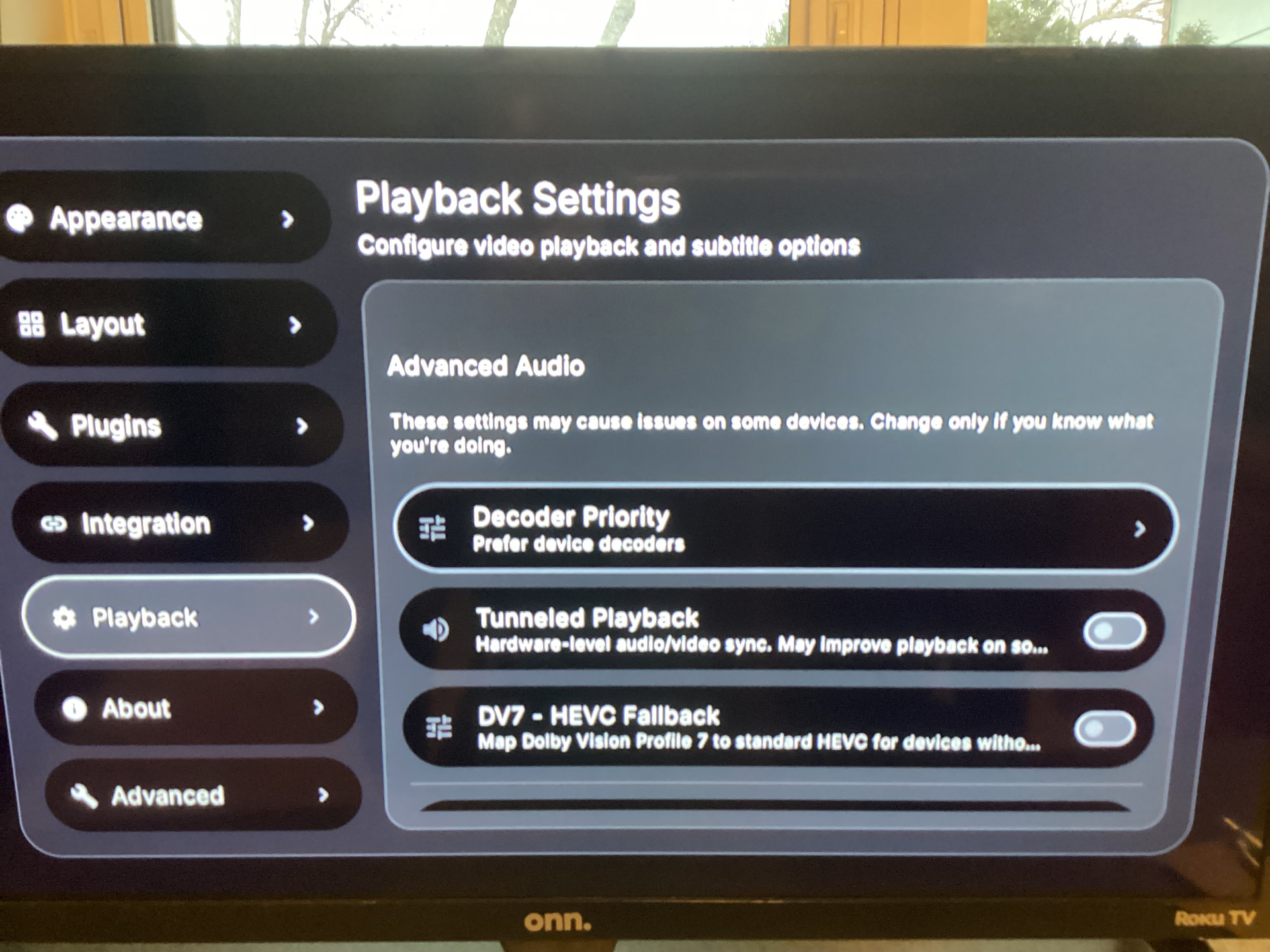
I switched tv to see if it made a difference, which it doesn’t, maybe issue with P6L.
I don’t have those settings active either but it says I don’t need them. I forget it’s exact wording.
Much appreciated for the help.
Wasn’t much help. Absolutely no idea how to fix it for you and the P6L.
There hasn’t been much talk about Nuvio lately, but I try it every now and again to see how its doing. I must say it has improved greatly for me. I have used it all week to watch my shows. The latest release, 0.6.0 I think, has been really stable. I found that enabling the TMDB plugin and all of its sub-options has really added a lot to the app. It will improve a lot of the visuals and information within a show or movies page. Looking forward to what else they will be bringing.
It is still complete garbage for me. Many series I watch never show seasons or episodes to choose. I have tried everything. Wiping the entire app from my Buzz P6L and wiping my entire library from my supposed stable app on my tablet. Uninstall, reinstall. Clearing my cloud and about everything else one could think of. Submitted reports and on and on and on. I am going to delete everything and rely on Stremio as it just works. Taking way to long for issues to be resolved. It showed promise and worked much better with the early beta releases, now it’s just eye candy fixes or additions which should only be addressed after major issues are fixed. For me this is dead.
Wow its weird that we can have the same device but two completely opposite experiences.
I know and I’ve tried everything and I’m a big step away from a beginner. So when you give it as much as I have and are at the level of frustration I am at, you call it a day, have a couple of cold ones and relax, clear out and move on. Done.

6 Likes
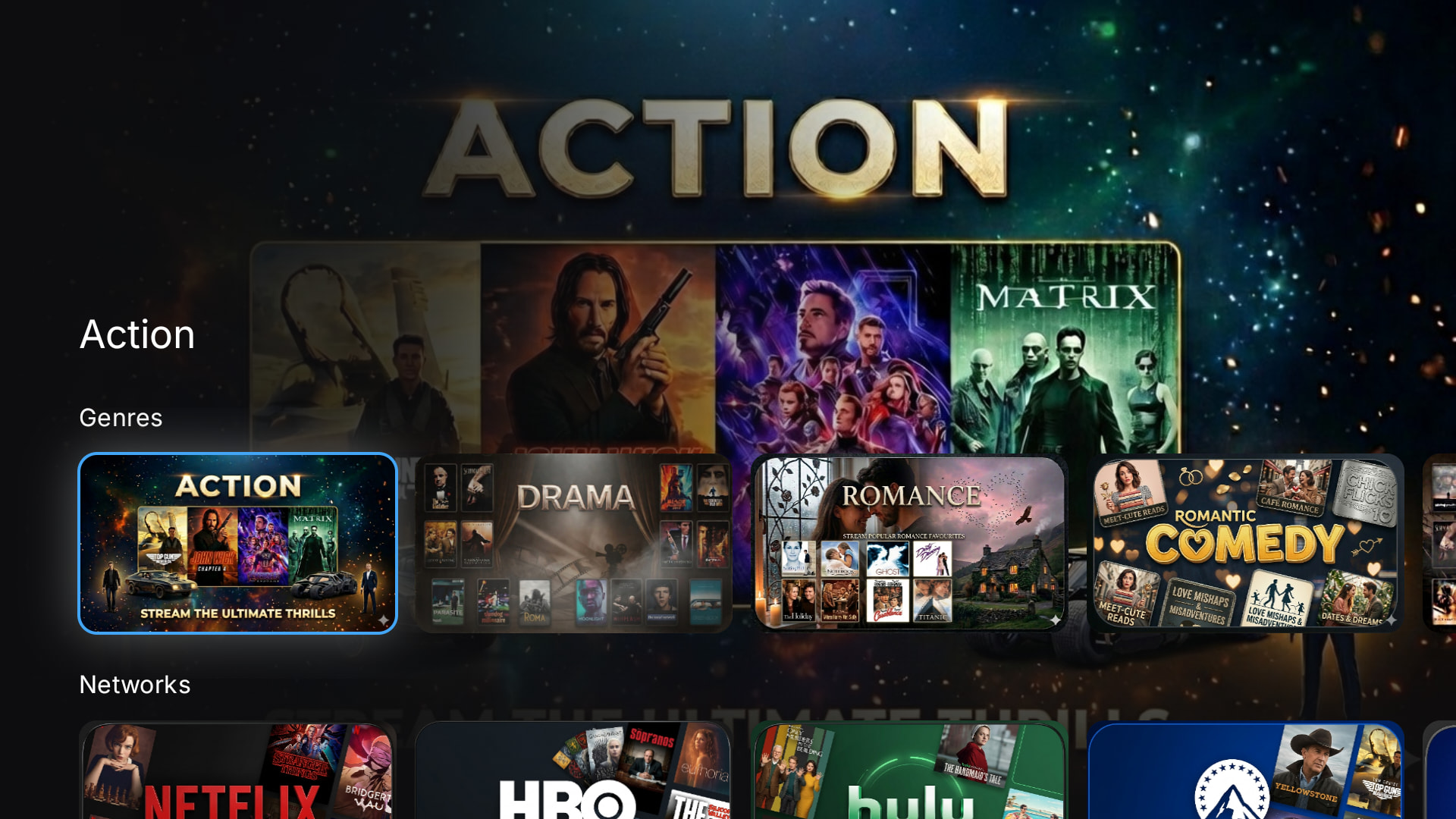
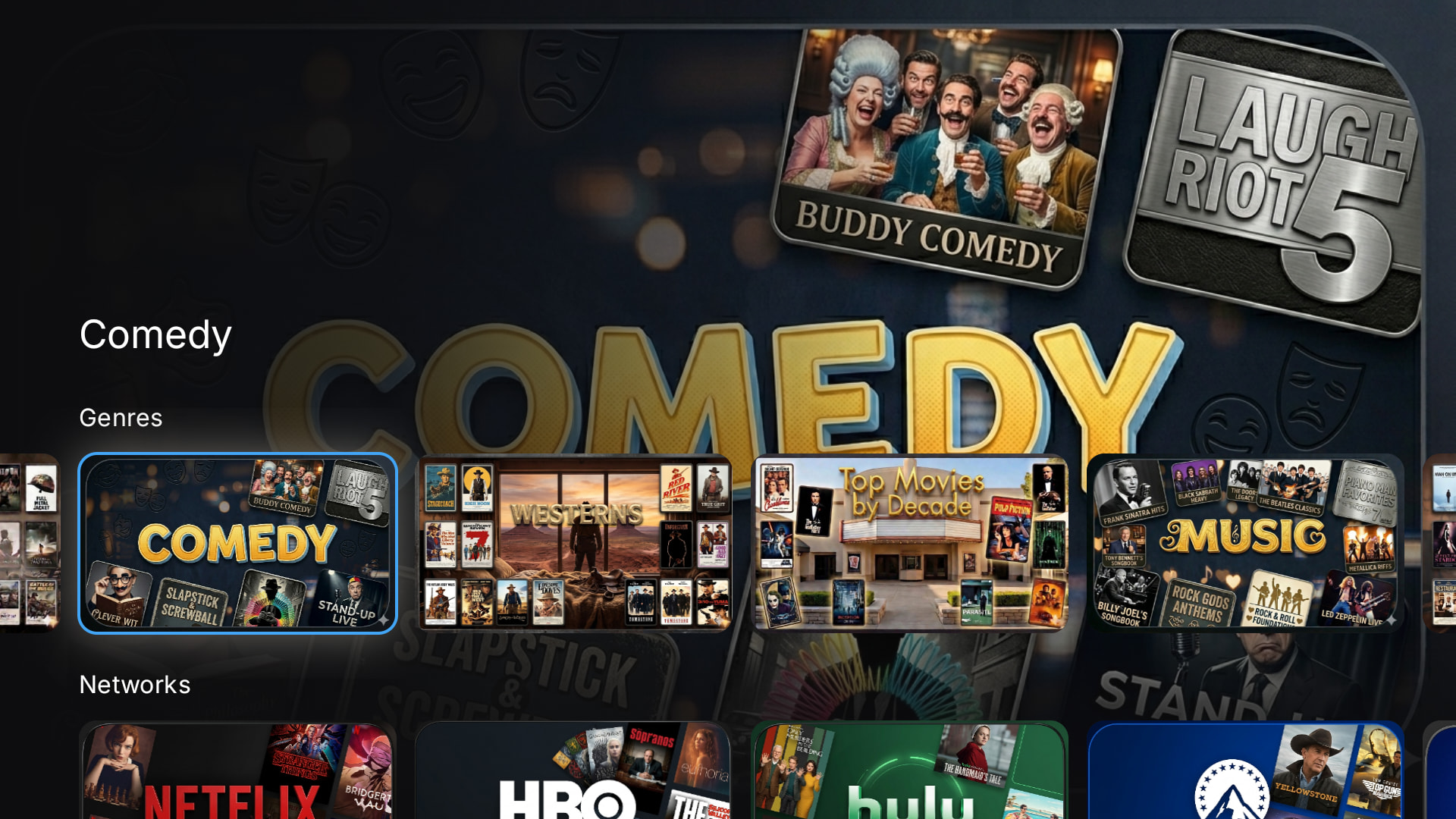
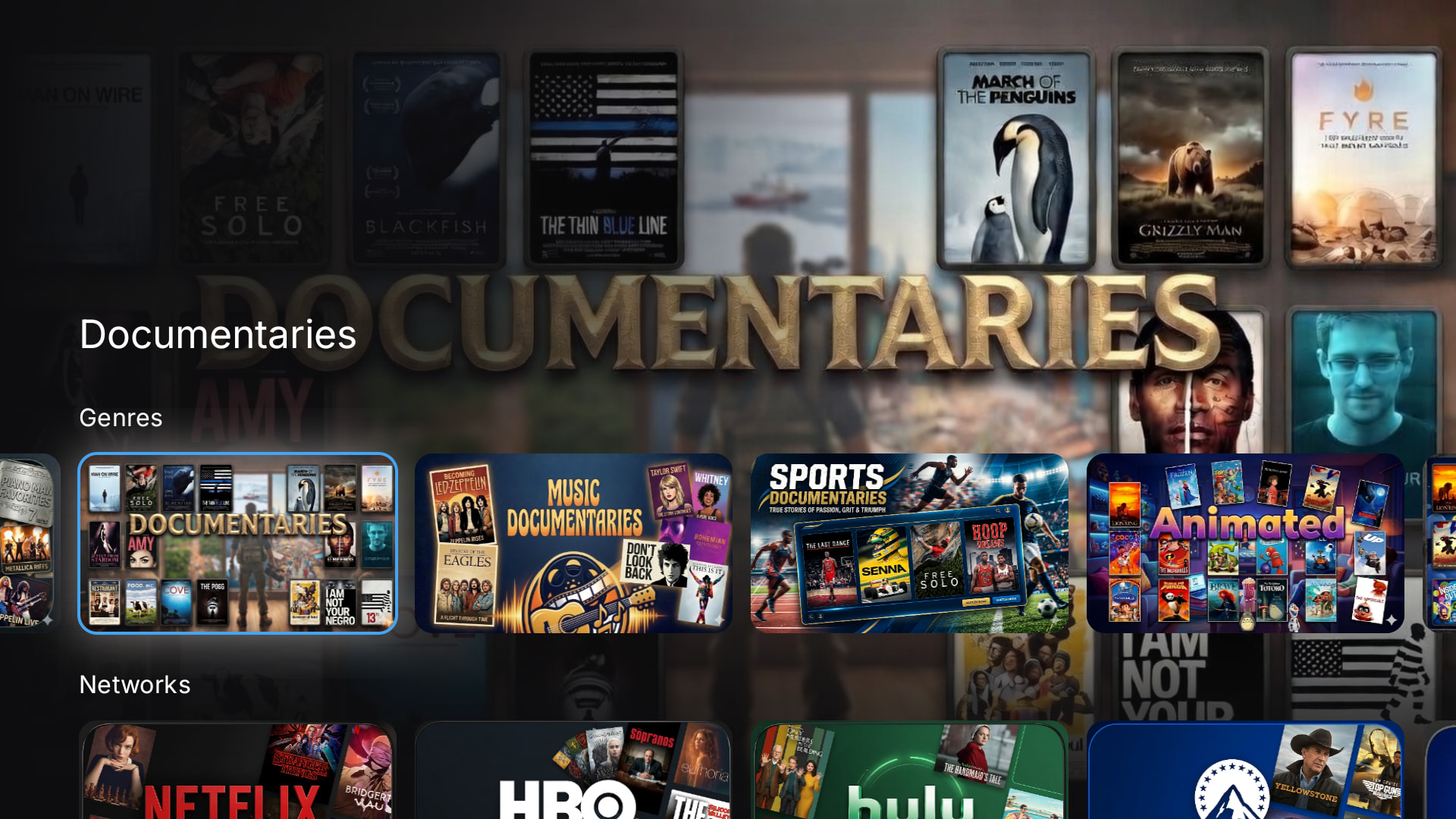
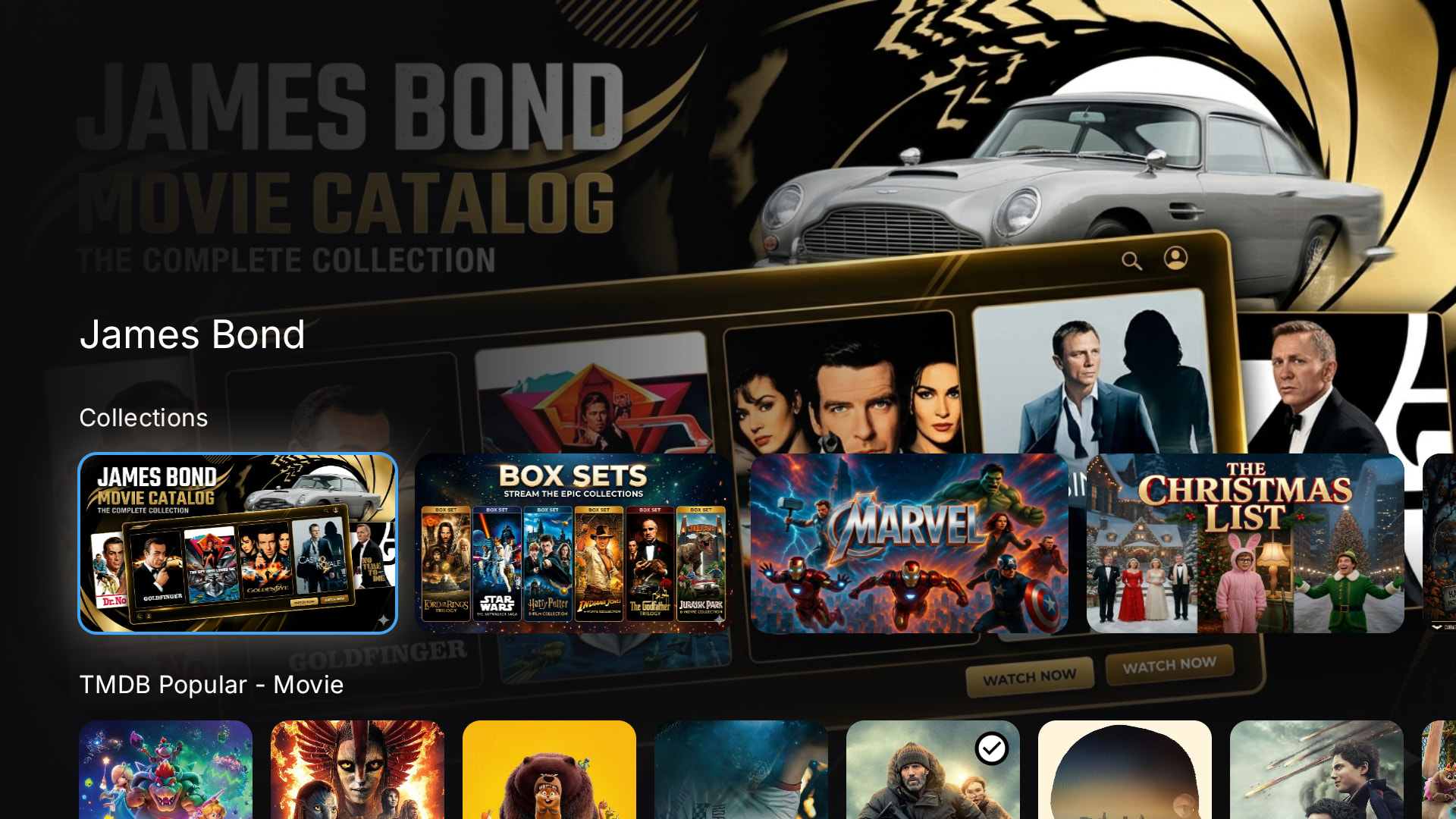
I must say, that the recent Nuvio release that added the new ‘Collections’ feature has been an absolute game changer. You can now design your own collections by Genre, Streaming Networks, or other categories. Within each collection folder, you can add multiple catalogs.
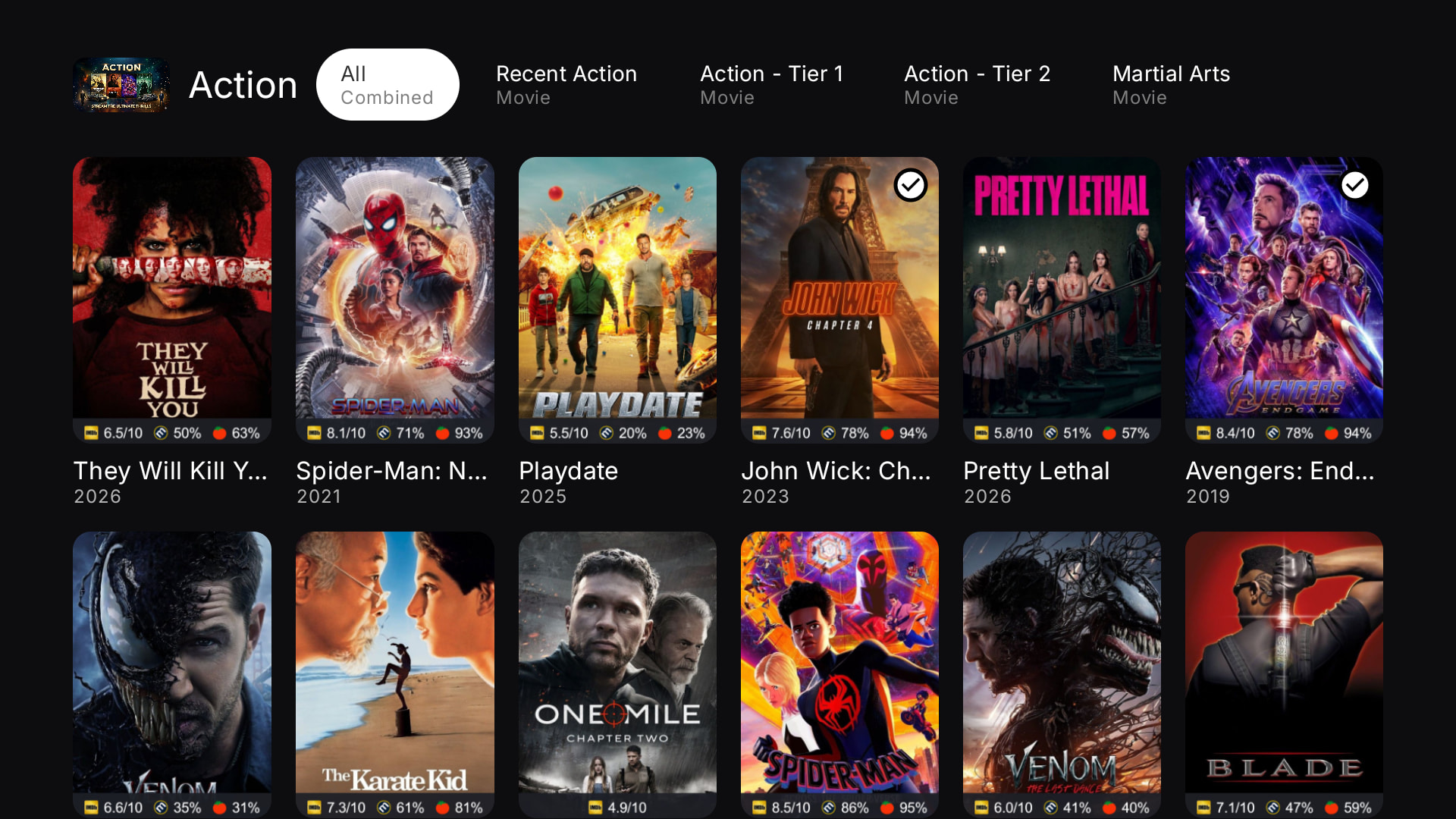
Ex: My Action genre points to 4 different catalogs:
- Recent Action: action movies from the past year
- Action Tier 1: action movies with a score of 7.0 - 10.0
- Action Tier 2: action movies with a score of 5.0 - 6.9
- Martial Arts: action movies with a martial arts sub-genre and a score of 5.5+
In addition to the genres, I’ve also created catalogs for all the major networks (Netflix, Hulu, HBO, etc..), and within each have a catalog for top movies and top series.
The application for this new feature is really extensive. Instead of endless scrolling on your homepage, you can now have many catalogs neatly arranged on one-to-several rows, and then keep a couple choice catalogs exposed (ex: Recent Movies) on the home screen to scroll through. I’ve spent countless hours now customizing my cover images for these catalogs (still a work in progress), and curating my lists. My wife is less than thrilled! 
Here’s a few example screenshots of the cover images and arrangement of my genres:
Here is my Networks row:
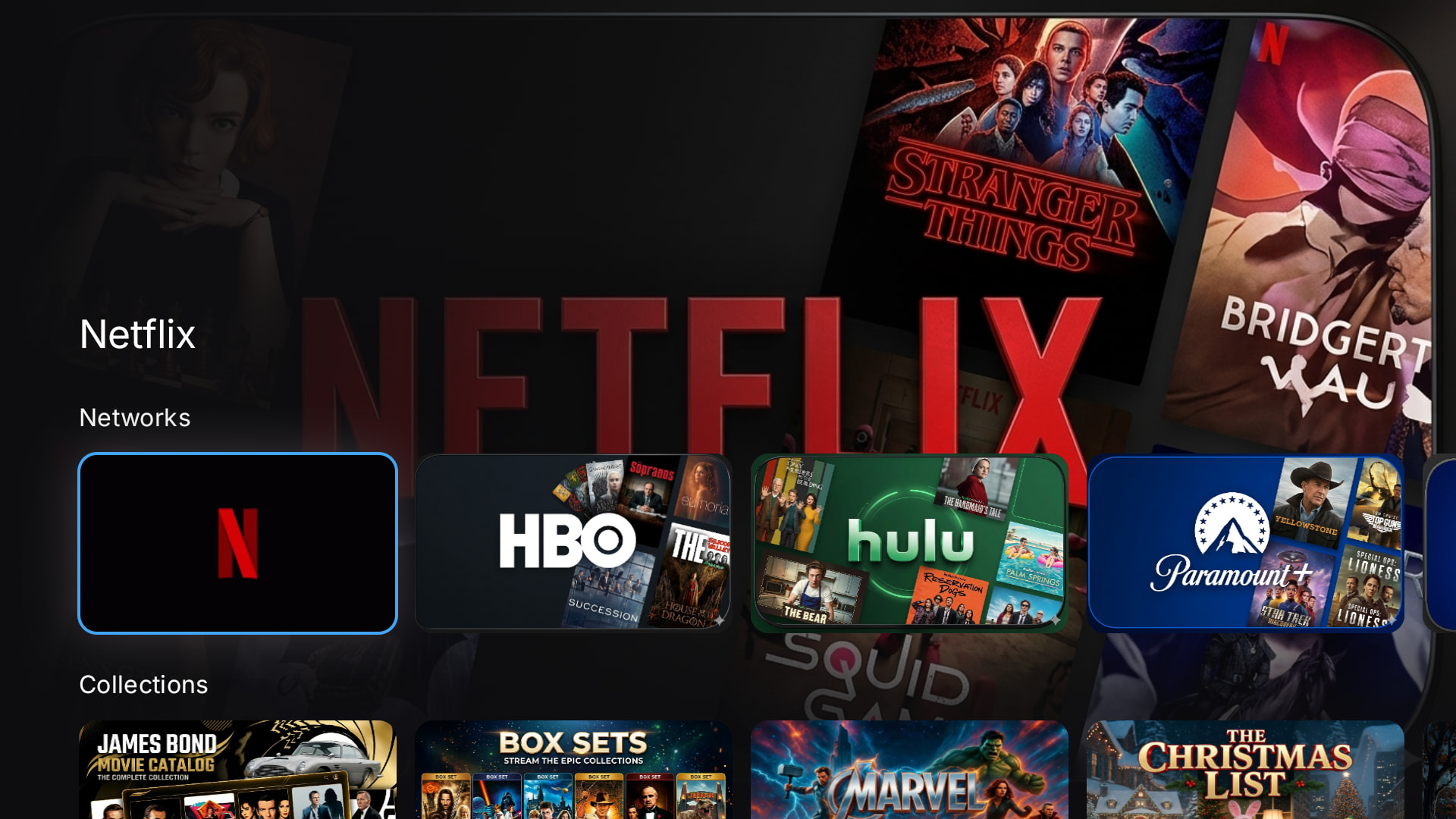
Collections:
This shows the metadata for my Action movie catalog, and the several lists (see tabs at the top) that I have within it:
You can use Trakt lists, MDBLists, TMDB Discover+ lists, or other sources, that you’ll add within your AIOMetadata instance. I’ve historically mostly used other people’s Trakt lists, but then you’re limited to their filter criteria (on a free account). MDBList, like Trakt is great but limited on the free account option. I’ve recently started playing around with TMDB Discover+ catalogs. You can build your own catalogs, and then install them into your AIOMetadata instance (or directly to your app via json url). I recommend giving it a try if you haven’t used that previously.
You can build your collections here: Nuvio Collections Editor
There’s lots of places you can download cover images, including (Nuvio Covers), or you can AI-generate your own, as I have (link).
Collections Setup Process:
- On your computer, go to the https://yaarpatandaraa.github.io/nuvio-collections-editor/, and link your AIOMetadata instance. This will allow you to pull your lists/catalogs in
- Build your various collections
- Once done, click the ‘export’ button in the upper right corner of the screen to download your json file
- Go to your TV > Addons > manage with phone
- Back on your computer, go to http://192.168.50.10:8080/
- Go to the Collections tab, click import, and then upload the file from step 3
- Click Save
- Go back to the TV, and click OK to accept the imported collection
Now if they could just fix the missing seasons and episodes. My one complaint for weeks. Then I could actually use it.
@Miki If they could fix the constant crashing out to home screen on many things maybe I could use it. I check it on every update & never fixes the problem.
@troypoint Can you please advise how to properly set up another profile ? I want to add my friend in another state. Can you do that? Do they need their own login? What about the addons? QR code? Tor box setup? Do they get my Addon setup? They don’t have a clue how to do this lol. I would to put bootstrapper setup for them. They like anime. I don’t. They won’t know how to fiddle with this.
You can set up a new profile for your friend here:
Once the profile is created, and you log-in, you can add in your addons (AIOMetadata / AIOStreams / etc..), or export/copy versions of your addons so that they have their own with personal API keys, etc….
Everything in Nuvio cloud will sync to their device when they download the app and log-in on their end. When they log-in for the first time on their TV, it’ll show them a QR code to sign-in to their Nuvio account with. On that screen, it’ll also display a 32 digit alpha numeric code. If they’re unable to do the sign-in on their end due to technical (or other) limitations, you can help them.
If you go to “nuvioapp.space.tv-login?code=” on your phone or computer and input that 32 digit code after the “=” sign in the [nuvioapp.space.tv-login?code=] URL, it’ll allow you to log-in and sync the account to their TV.
I just went through this process with my parents over the phone several days ago, and it worked fine.
I have 3 ONN 4K+’s and installed Nuvio on #1 with no problem. Went to #2 and installed it again, and all my shows and movies came along with it. But when I went #3 and downloaded Nuvio from Troy’s Downloader site (as usual), I got a pop-up “There was a problem parsing the package”. Jerry suggested going to “installing apps from unknown sources” in your device’s security settings”, but I could not find that option on the ONN.
I’m lost, any help would be greatly appreciated!
How about it you try installing Nuvio from the official Github page? Any different?