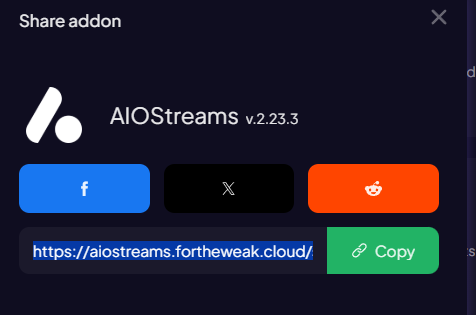
Easier to copy by clicking ‘Share addon’ then ‘Copy’ in Stremio

On The beta the update yesterday for my Buzz box it removed Seasons on every series in my Library, as well as episodes. So now I can’t use Nuvio except to play the first season first episode. I had to go back to Stremio last night I tried everything including push to cloud from my Tablet which shows all seasons and episodes, resyncing even going to my panel to update everything. Same thing today. Unable to use Nuvio without season showing or episodes to choose. Inam also inable to remove any series I added to Nuvio, from my library. Ok I found a work around. Ya have to go to home, find your series in the library, delete it there and then re-add it to the library to bring back the Seasons and episodes.
Want this to work but has some problems on my end. Subtitles are terrible. They work however they are from a different episode. Also the only streams I get are from Comet even though I have many addons. What are the best people are using?
The nuvio has the OpenSubtitles v3 and I use an external player, Just Player and the subs are perfect. I would try removing some addons. To many of the same sources seem to slow it sown sending multiple queries to the same place. So try just using Comet with your debrid services installed. Simplify things a bit may help.
Sorry to hear you’re having sync issues. I’m definitely still seeing reports of people in Discord having sync-related problems. This has been an ongoing issue that they’re continuing to try and improve with each release.
I use Trakt as my sync mechanism, and since 2 updates ago, everything is working perfectly for me ( ) . Trakt is great because I can log-in to Nuvio, STRMR, or other apps with Trakt integration and pick up exactly where I left off. It might be worth you giving the Trakt sync another try.
The other thing you could do, is roll back to the previous release and see if that fixes it. If so, stay there until the next update comes out (today/tomorrow), and then re-evaluate if it got fixed.
In Downloader, I have a favorite set up that points to the Nuvio Releases page on Github. That way, I can access the current release or previous ones and update forward/backwards as needed. That’s something you may also want to favorite.
@wcr5jop1 if I use the downloader code do I first have to delete my present setup? Do I have to do the scan all over again? Will I have to re-add all my addons and API keys?
Happy Cake day @rcavanagh1


Yeah Nuvio is unusable to me mostly because of no Trakt Library/Collection syncing (Only watchlist). Submitted a ticket and others saying it’s an issue too. Maybe the Dev will address maybe not. No big deal never planned on using this as my go to anyway. Hope all the bugs get straightened out for all who like this app
Hmm, with the new beta update, I can’t seem to turn on trailers option in settings. Greyed out.
Anyone else?


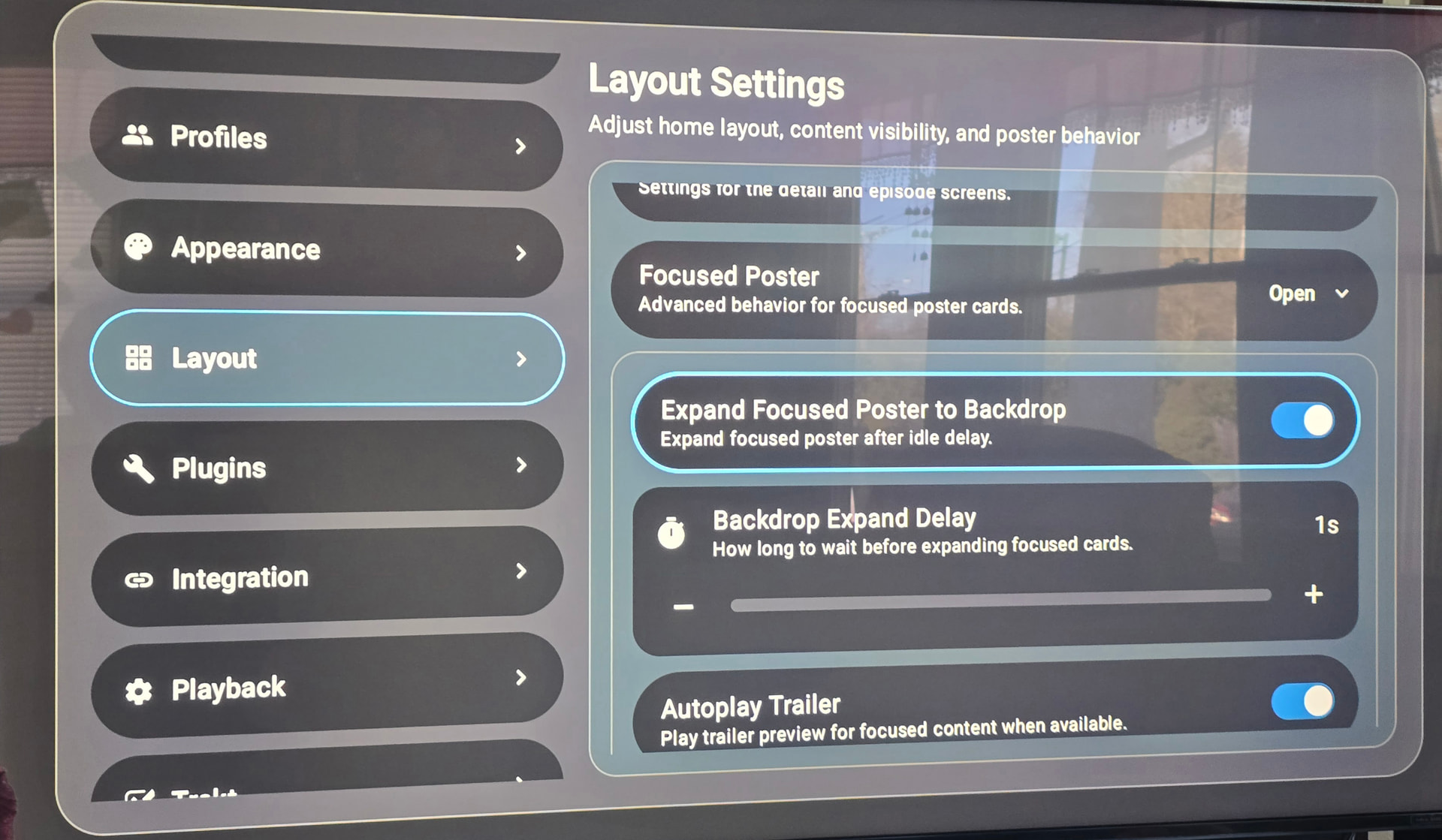
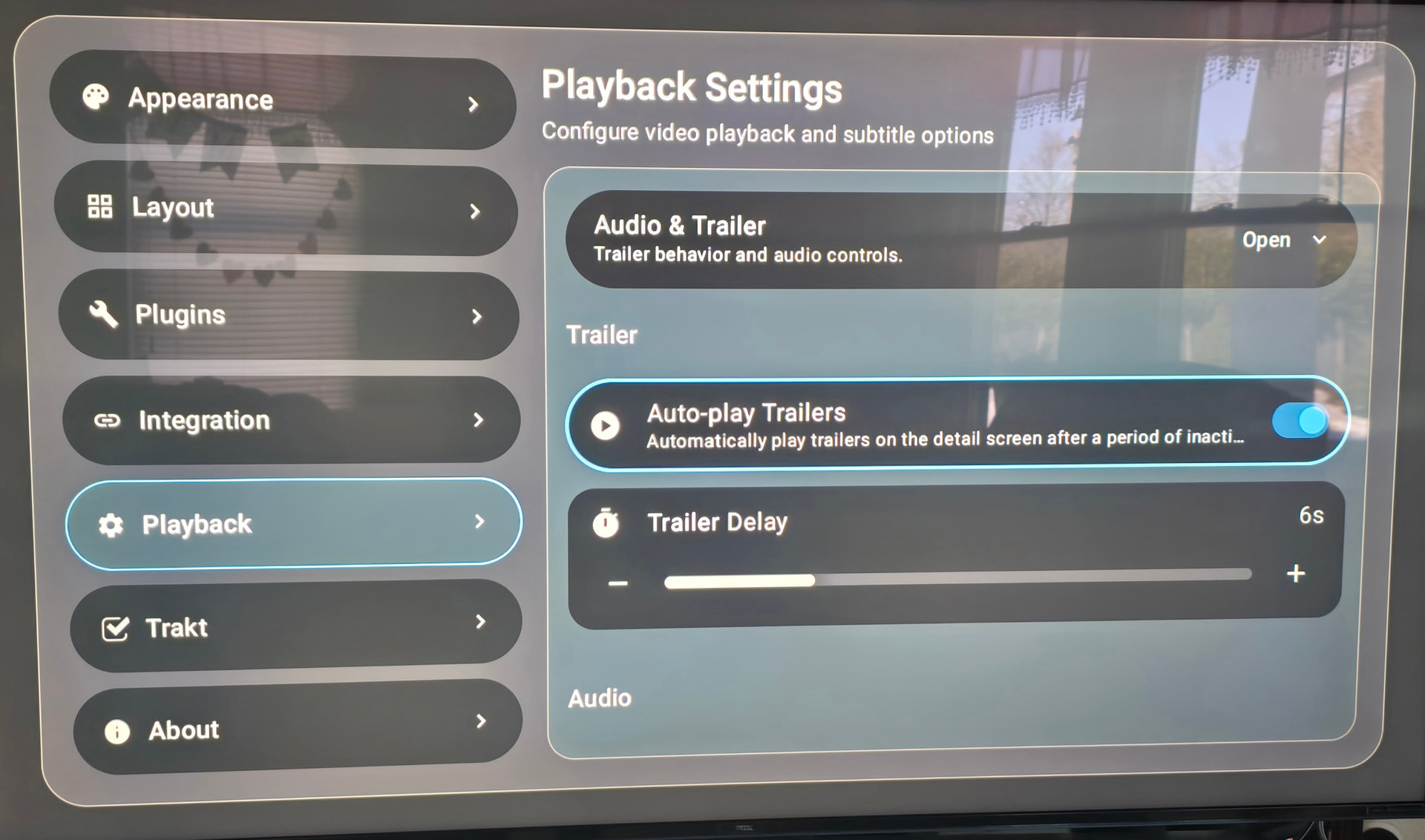
I’m on the newest Beta version and can see the trailers. Trailer auto-play can be enabled in two sections of the Settings menu:
- Trailers on the Home screen:
- Settings > Layout > Focused Poster > Autoplay Trailer
- Trailers on the Detail screen:
- Settings > Playback > Auto-play trailers
Which section are you trying to enable them in?
Going to go back to Stremio for the stability. This beta updating is a disaster. I have tried everything to get my Seasons and episodes back, including 2 hrs reconfiguring my mobile Nuvio by removing all my series in the library, and then having to force close, clear cache and restart on the Buzz Beta so that the series that could not be removed were, then re-add everything to the mobile version and redo all my seasons and watched episodes, then do a restart of the buzz, open it back up and all my series were back but not one is pulling the seasons or the episodes. Arrrrreghhhhh. Worked better when it was first released. I don’t want to revert if I have to redo everything including scanning, logging back in, loading all the addons etc. to many wasted hours.
This is why, in my opinion, Trakt is the superior option vs. depending on an application’s local library. All your shows/movies are saved externally on Trakt and sync to Nuvio and other Trakt-integrated apps. If a specific Nuvio release has a sync issue, you don’t lose all your Trakt data since it lives outside of the app. Once the bug is fixed, all your data will sync back to the app, and there’s no need to ever re-built your library manually.
Installed per instructions including torrentio and Media fusion. But I can’t get the search function to work. Guidance please. Otherwise all working ok.
I absolutely hate Trakt and wouldn’t use it if you paid me to. I’ll go back to Stremio which keeps track of everything just fine. I have a Trakt account but IMHO, Trakt is a hot mess and takes way to many hours of experimenting to get it anywhere near useable, and nobody has a proper instruction manual or such. I see no need to have an app then have to add another app just to make the first one useable.
Can you provide more details?
Device Type, Nuvio version, & steps to reproduce?
I’m using an Onn 4K Pro running Nuvio 0.4.8, and just re-tested the voice search and manual remote control-based text input, and both are working without issue.
ONN 4K plus. Latest version of Nuvio from Troy’s toolbox. Trying manual search it just spins without results. Voice search I get Google assistant saying it can’t understand me
Hi Miki,
I can only imagine the trouble I would have ran into trying to set it up. I get frustrated very easily during app setup. Lol, anything over 6 steps can overwhelm me. So glad I decided to wait. Might just pass on this one.
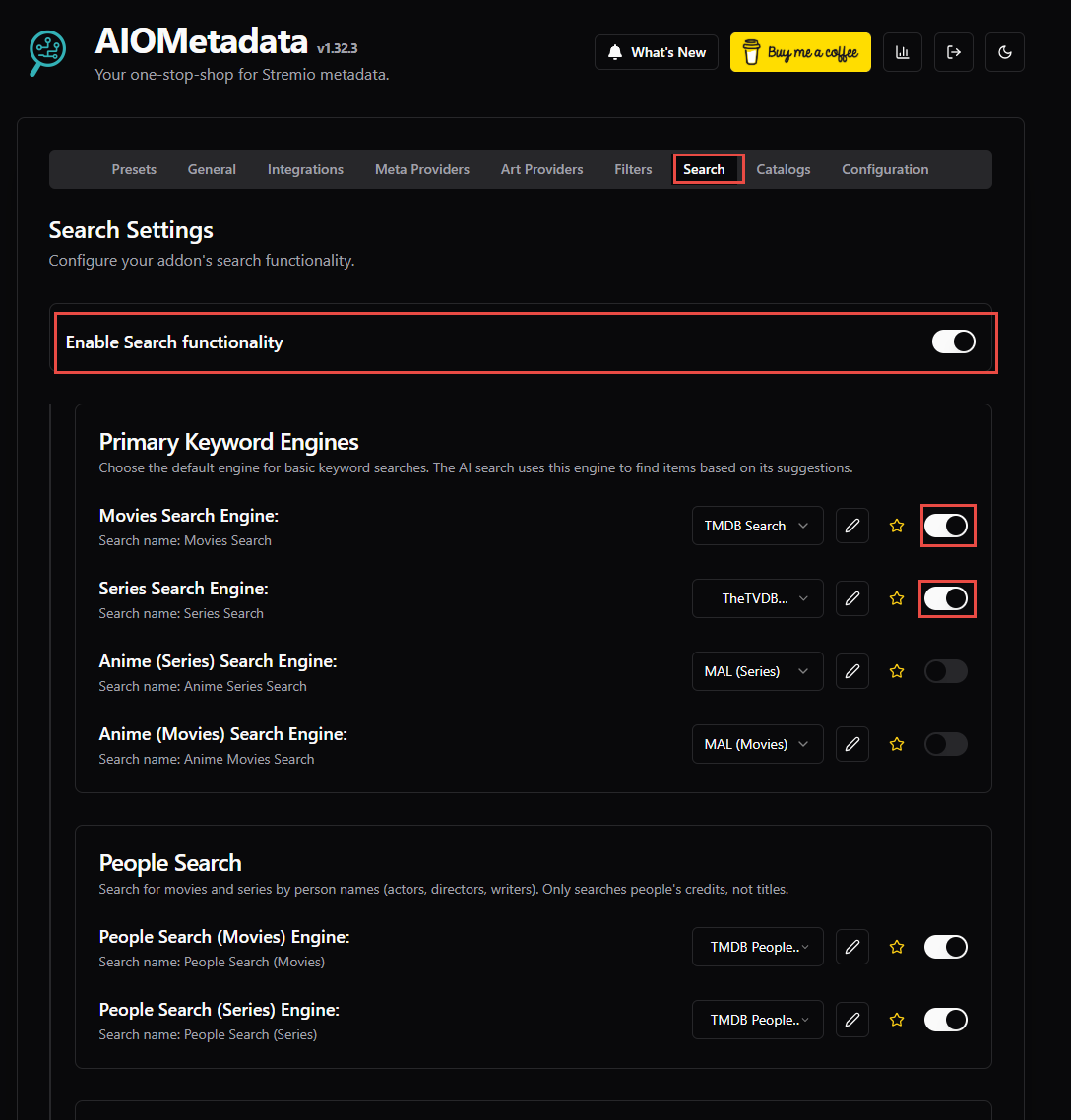
That’s odd. I haven’t seen any other reports of this in the Nuvio Discord group. Are you using AIOMetadata? If so, do you have the search options enabled?
Another thing to try would be go to to your device settings > force stop and then clear Nuvio app cache. Then, restart Nuvio and see if that helped.
If not, there should be a new beta version by later tonight. Try updating to that new version and see if it fixes the issue.
It has some good possibilities but for now I’ll put it on the back burner until it gets out of Beta. Only one provider,Comet, shows up and then it won’t play anything. keeps giving a playback error. need to work on the subtitle issue. Really shouldn’t have to have a different player if it is working correct. ill revisit it at another time