I have tried both. I reset the Downloader cache and data and tried again. I get a page from AFTNews and a captcha prompt to enter the code but it just repeats that one or two times before giving me the 403 Forbidden page. It has a footnote indicating cookies may not be enabled. Again, this has worked and now with a newly purchased fire stick, it doesnt.
Try just the above URL I posted. Just remove all brackets.
troypoint.(Com)/tb
I’ve done that too. It seems related to following the Troypoint Launcher Manager hack with a new (on the shelf at store) FireTV stick. I have another FireTV stick that I hacked from a working regular install (not a new stick). I can still get to the Troypoint toolbox with it…but not from the new FireTV stick. Strange.
I have an issue - it used to work when I loaded it all on. Now for some reason when turning on the stick, it shows the launcher icon, then flips to the movie ticket screen, then back to the launcher icon which takes up the whole screen. It doesn’t load and I can’t use the stick at all now, no other buttons work. Any fixes? Many thanks!!
Last Thursday evening my new system just seemed to lock up and stopped working.I had downloaded all the updates for LM and Launch Manager. Then I had the stoppage. Is there a fix for this or should i use a new type of sstem?
Hey Troy et al…
Looks like the boys have updated LM to v1.1.7 over the weekend. As the Toolbox hasn’t been updated as of yet, I went to the XDA page through the link in the Toolbox to download and install. I was able to download directly from the link through Downloader on my v7.6.9.7 stick, but am unable to download with my v7.7.0.4 stick. when I click on the link w/my v7.7.0.4 stick, nothing happens. I’ve been able to download using the mirror link in Downloader for previous versions of LM, but will have to wait until the Toolbox is updated to v1.1.7.
I’ve confirmed my settings are the same with both sticks, but still am unable to download directly from the XDA page w/my v7.7.0.4 stick. I assumed disabling the 3 main options in LM would not block downloads, but there’s something w/my 7.7.0.4 stick that’s preventing that. Anyone have ideas as to why this is happening?
Anyway, waiting patiently for the Toolbox to be updated with v1.1.7 of LM. Thanks again for all you do!
Thanks for the heads up on the update! I have updated the Toolbox with new version.
Awesome! Downloaded and installed (using the mirror link). Still can’t figure out the above weirdness, but glad you make the files available through the Toolbox. Thanks again!
The main link is pointing to their file hosted on the XDA website and if you’re running a VPN it won’t work because they block VPNs. The other file I am hosting on my server which doesn’t block VPN connections.
Thanks for the explanation Troy… I think I’ve figured it out. My v.7.6.9.7 stick has v1.5.3 of Downloader, the v7.7.0.4 stick has v1.5.1. Don’t know why the v7.7.0.4 stick has an earlier version. I have Auto Updates disabled, but I should have gotten a notification for an update, yes? Don’t know why I didn’t get one, since I’ve received update notifications for other apps…
I uninstalled the earlier version of Downloader on the v7.7.0.4 stick and downloaded the newer v1.5.3 from the app store. Now I am able to download directly from the XDA page (with or without my VPN running), and both the main and mirror links from the Toolbox (with or without my VPN running). Go figure…
Anyway, all good now. Thanks again for all you do!
I found an old Fire TV 2nd Gen. It’s a square box, not a cube. The software version doesn’t correspond to the versions in your video to apply the hack. So can it be hacked? For example I tried to install projective but got a parsing error. Maybe that’s unrelated but I thought I would check with you.
Thanks
I blocked the Amazon update URL
I have managed to use LM Settings to do 4 firestick 4K max’s in the last week. Today I got the following message after connecting to my wifi
“Unable to update your Fire TV Try disconnecting the power cable for a few seconds and then plug it back in. If that does nor work, please try again later or contact us at Amazon Digital Services and Device Support - Amazon Customer Service .
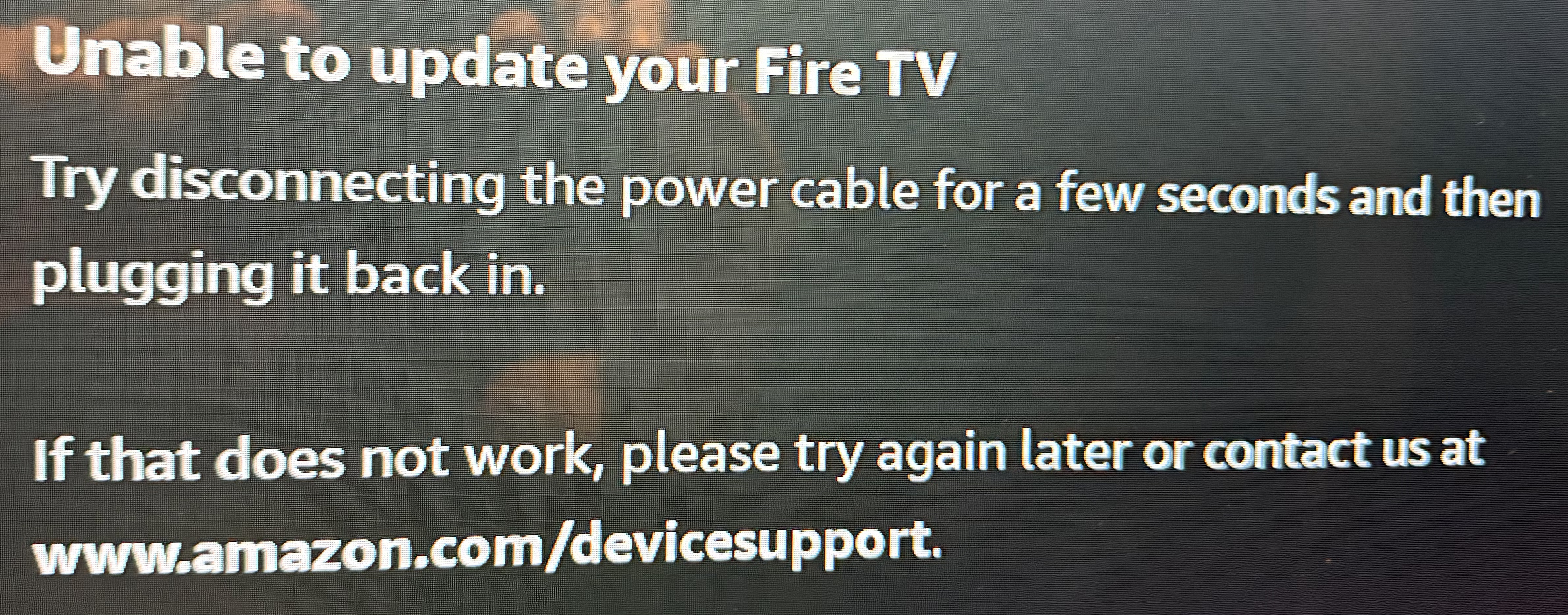
Hello, please watch my video on the following page and it shows how to get around that message.
Hey Troy… just a friendly FYI. Launcher Manager has recently been updated to v1.1.9 on the XDA Page, the Toolbox still shows v1.1.8. Just thought I’d let you know. Thanks again for all you do!
Do 3rd party launchers still work on Firestick 4k?
Yes they should work but you will not be able control the home button on remote unless you have the exploit that came out last summer. The exploit only worked on certain Fire OS versions. I have the exploit on 3 different Amazon devices and when I hit home button on remote, it takes me to the Projectivy Launcher home screen.