ONN 4K plus
Oh ok. Quick question. Did you long press on the active Simple button and try sliding it to the right to highlight the Advanced?
No reaction from the remote at all except back. Long press no go. Thx
Ok if your remote doesn’t have a mouse toggle then you could try adding one. But better yet, why not install stremio on your tablet, a phone or as @dogg5150 pointed out a computer. Tx dogg I keep forgetting to mention computers and laptops as I don’t have either. The configuration is kept in the cloud and configuring the Duck addon is a piece of cake on my tablet and the changes automatically get applied to all your logged in Stremio’s. Also this may help you with additional info. What version of Stremio are you using? Should be 1.9.4 on the ONN, if 2.1.5 then you have the wrong version as that’s for the mobile.
Thx Miki. Yes I have the correct version.
As @Miki mentioned it should be configured on Phone or tablet. I personally always use a PC.
Will use phone. Just was curious why it’s locked up in the app. Why have a configure button and log-in that doesn’t do anything. Thx to all for the assistance.
Duck posted this earlier today in one of the Discords I am in with him.
Apologies for the ping, but Duck Streams has been updated. So what’s new? A lot actually, but also not much. Let me explain.
The release of AIOStreams v2.23.0 brought a new system for ranking and sorting streams. That means Duck Stream is using an entirely new sorting algorithm.
By default the new sorting will prioritize quality releases over higher resolution releases. For the majority of users, this is what you should be using. However, there is a new toggle under Optional Settings that lets you flip that behavior. This will tell it to prioritize higher resolution even at the expense of quality. Huge thanks to @Swan for his amazing work.
To step up to this new version, you simply just need to reinstall it again using QuickStart. If you want to reuse your existing Duck Streams UUID, you should turn on the Clean “Duck Streams” addons option in Optional Settings.
Exclude uncached is explicitly turned off for a good reason. Please do not turn it on as it’ll make the sorting worse.
Some other minor stuff includes a new exit condition that should allow more anime results through, slimmed down list of formatters, and the ability to support using crypto now. Thank you to everyone who has supported me already. (edited)Saturday, February 21, 2026 1:39 PM
I am already confused. My Duck Streams addon is already at 2.23.3 and I didn’t do anything. Sure would be nice if there were more detailed instructions as to precisely where these update methods are. Like “Quickstart” along with the “clean duck streams addons” options, and these “optional settings” neither of which I can find after going page by page in the advanced setup.
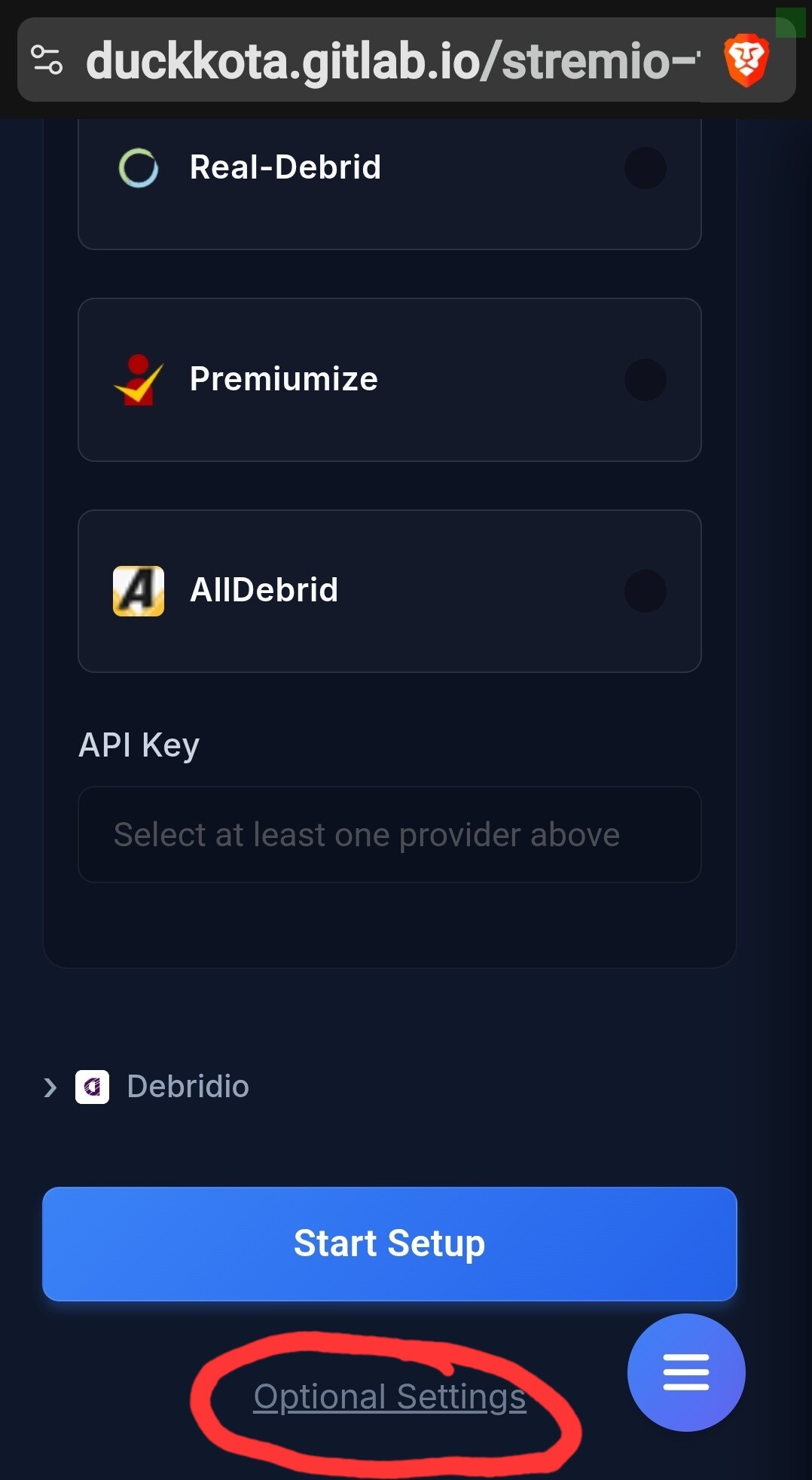
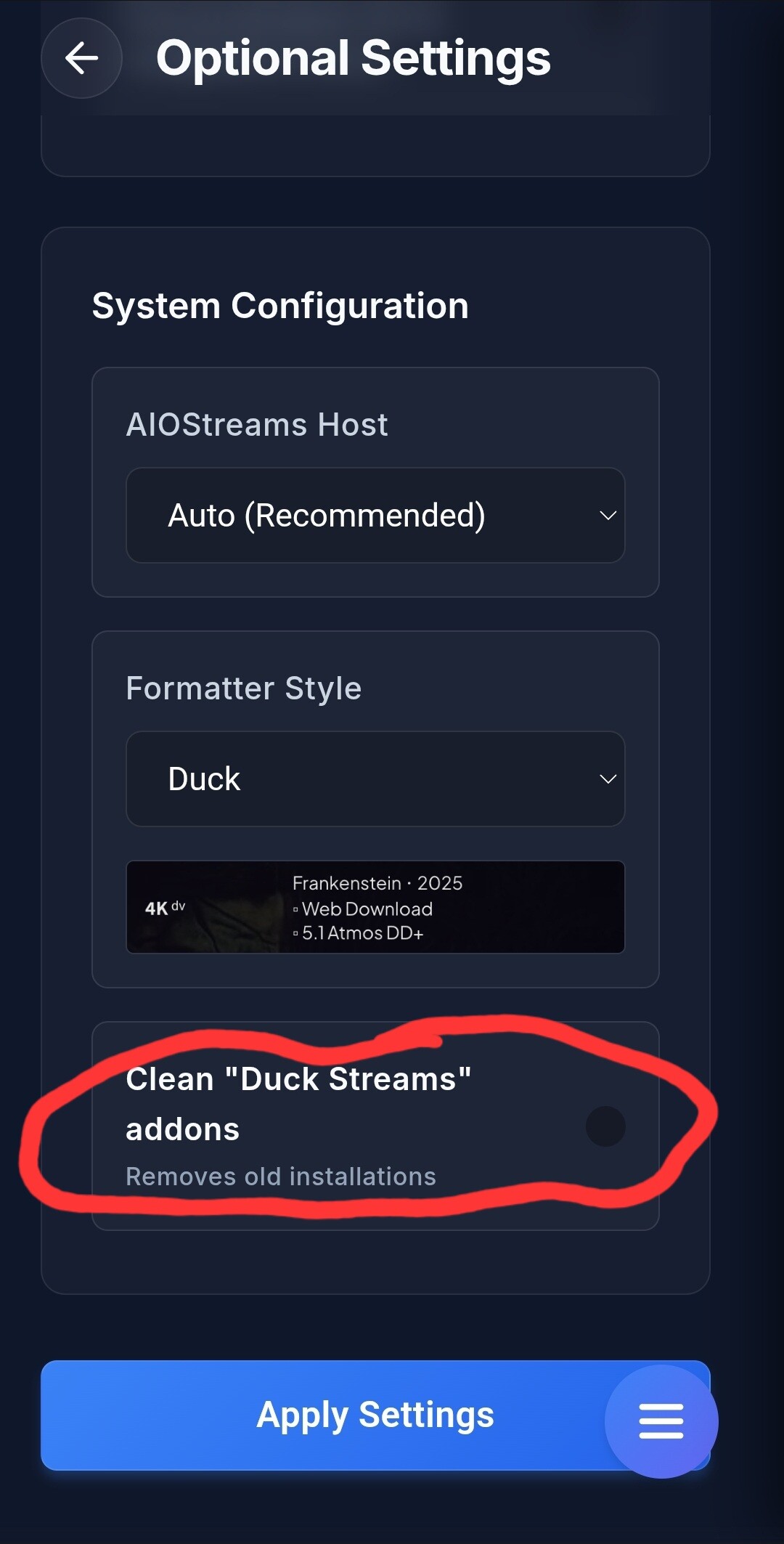
Sorry but I don’t have those settings that I can find. I am using the advanced config.
I clicked your link and it takes me to that page but any clicks do nothing for me. The adventure continues. In advance config I already have it set for quality, then resolution so not sure if that makes a difference and I don’t need the new update. What version do you have in Duck Streams?
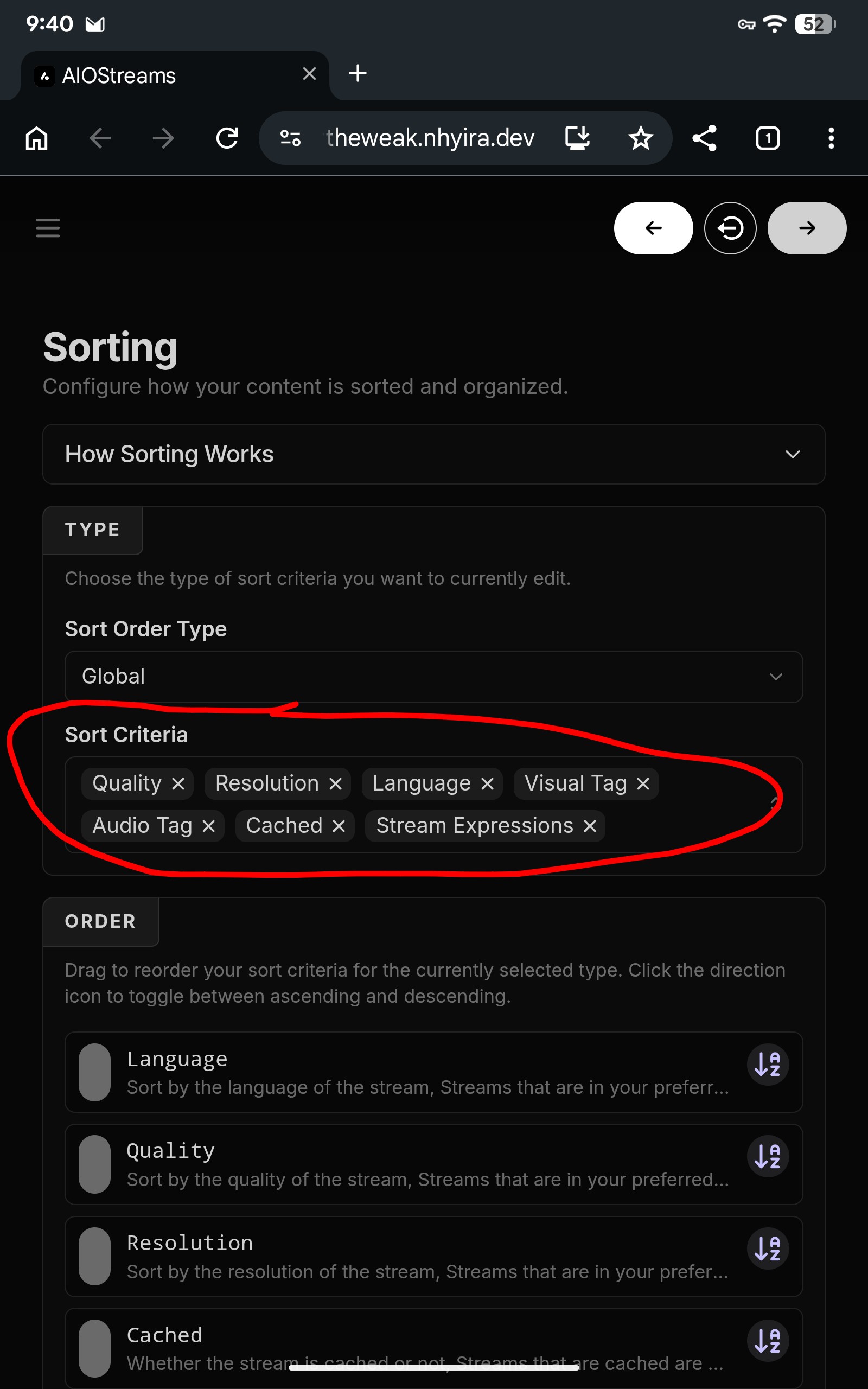
It could have auto updated, I saw one of mine was updated but some others were not,not exactly sure how all that works.
Ahh that makes sense. What is the latest version? Do ya know?
2.23.3 from what I see in mine, it was 2.20.3 if I remember.
So that confirms there must have been an update as that is the same version I have. Tx Dave.
Discovered a bug in the Quick Start configuration page. I unchecked the Priority over resolution and set to 10GB. When my links come up its showing 1080’s first then 4k’s. If set to Unlimited size limit it works correctly. I chatted with the developer in other forum. He will investigate and hopefully fix.
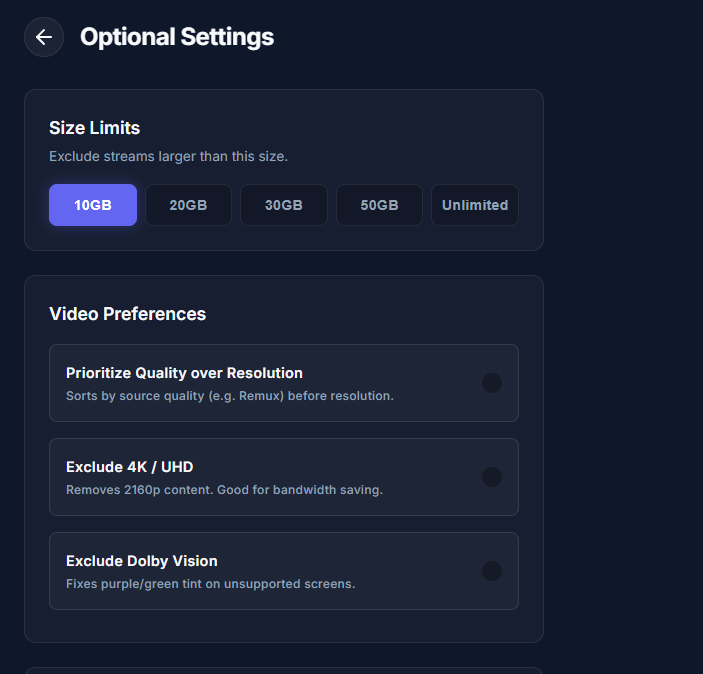
From what I know of him, that bug will drive him crazy until he gets it fixed.
I installed Duck Streams and, …..it may be a coincidence but Torrentio no longer shows any streams. Torrentio has always worked for me. SO, I started messing around getting new API keys etc  for RD & TB. Uninstalling and reinstalling (YIPES) to try and get Torrentio to work. No luck. I did all the above without checking Duck Streams after installing it. Anyway, I remember when installing Duck entering both API keys for RD and TB. How do I identify which stream I am using RD or TB? Maybe I do not need to know but, just curious. Also, I went into the configure for Duck in addons and holy smokes. After all my messing around I thought……NOPE I will just leave all alone for a while. But, can someone tell me what the letters dv mean beside some streams. Also how do I know the size of the link. Getting old and hate change LOL. As of right now …….my gosh the amount of streams is nuts on Duck.
DV is Dolby Video.
Hi Miki, Hope all is well with you. In Duck, Is there a way to identify the size of the file and if it is Torbox or Real-debrid. I entered both API. I will look at the configure area another day.