Miki have you experimented with other open source operating systems like Graphenes OS? Wondering if you would use this on (certain) phones and transfer apk’s to Android box?
Just FYI: You could still buy a Fire TV Stick 4K Plus or Fire TV Stick 4K Max (has 16gb of storage) and install Tivimate or Stremio as those apps aren’t being blocked. I recently recommended someone to buy the ONN 4K stick as to replace an Amazon 4k stick (first gen) since it was available at walmart.com. She had a hell of time getting the Play Store to work (spent like 3 hours or so) she ended up getting the 4kmax on sale yesterday. Got Tivimate loaded up just fine.
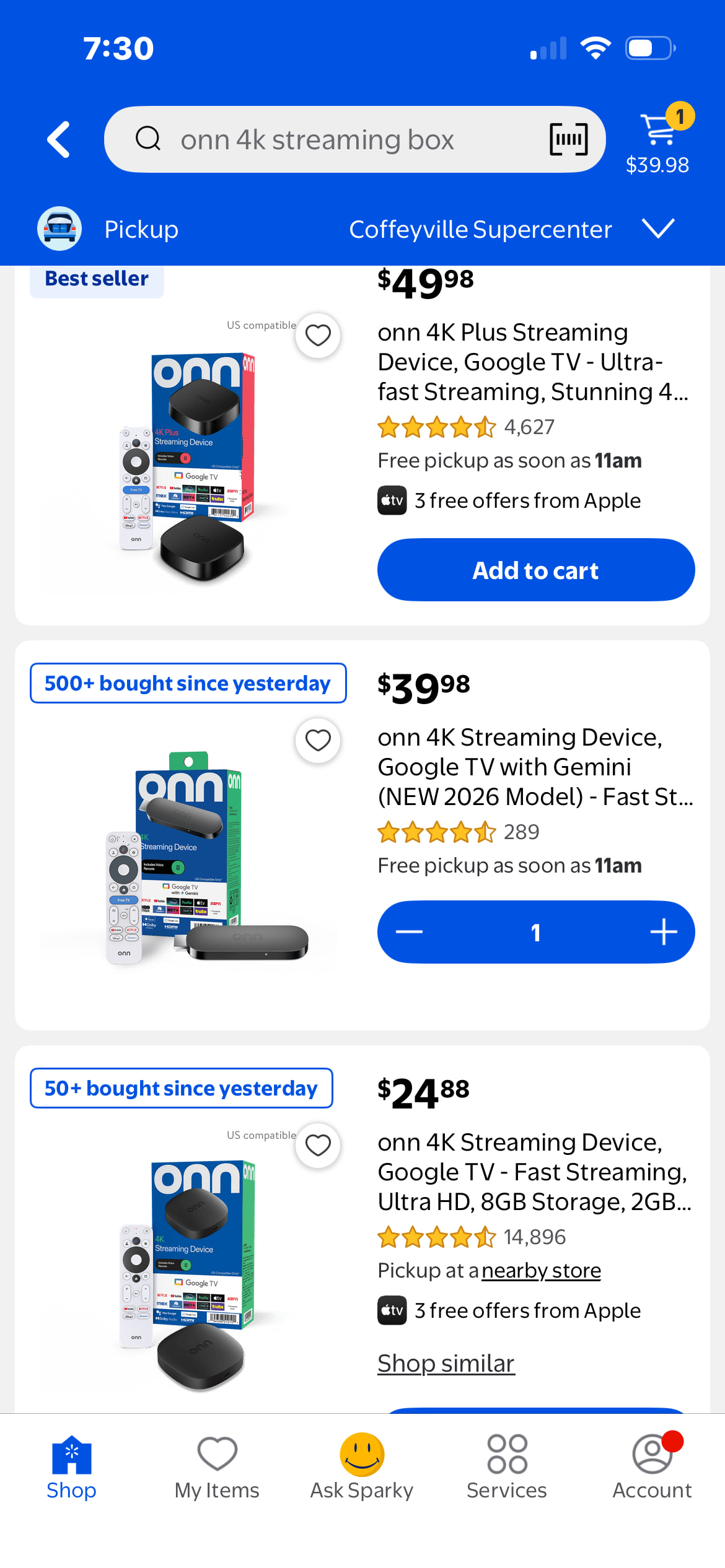
All 3 of them are nearly identical in terms of the difficulty in setting them and in using them. The set up wizards pretty much lead you through the process.
The question is, what are you going to be using it for? If it’s only streaming live TV and using Stremio, then the $25 unit would suffice. It’s what I use for when I travel and another on my wife’s TV.
Again all of the ONN devices are pretty much lthe same as far as getting them ready for use. You’re going to have to live through somewhat of a learning curve regardless of any device that you buy, ONN or something else.
Every time I buy electronics, whether desktop, laptop or streaming device, if I try to save a few bucks I always wish I’d bought up. When it is just a few dollars more, buy up. Better to have it and not need it than to need it and not have it !
You don’t need a video.
First you need developer options enabled. You need to have access to a shell on the Google/Android TV device.
I did the following example from ATVTools, the free version should work, if not it’s something like 2 or 3 dollars, the best 2 or three dollars I ever spent on a Android utility.
ATVTools has a install command but you asked about ADB install so that’s what I’ll show you.
The first step is to connect to the device, in ATVTools you set this up, I’m not doing that tutorial there are some out there and I think Troypoint did one too.
At the bottom of the tools section select “shell”. There will be a prompt box open that has the string “shell command” in it, type the command there.
I used the Send files app to send the file to my 4k pro and put it in the download directory to setup this demo.
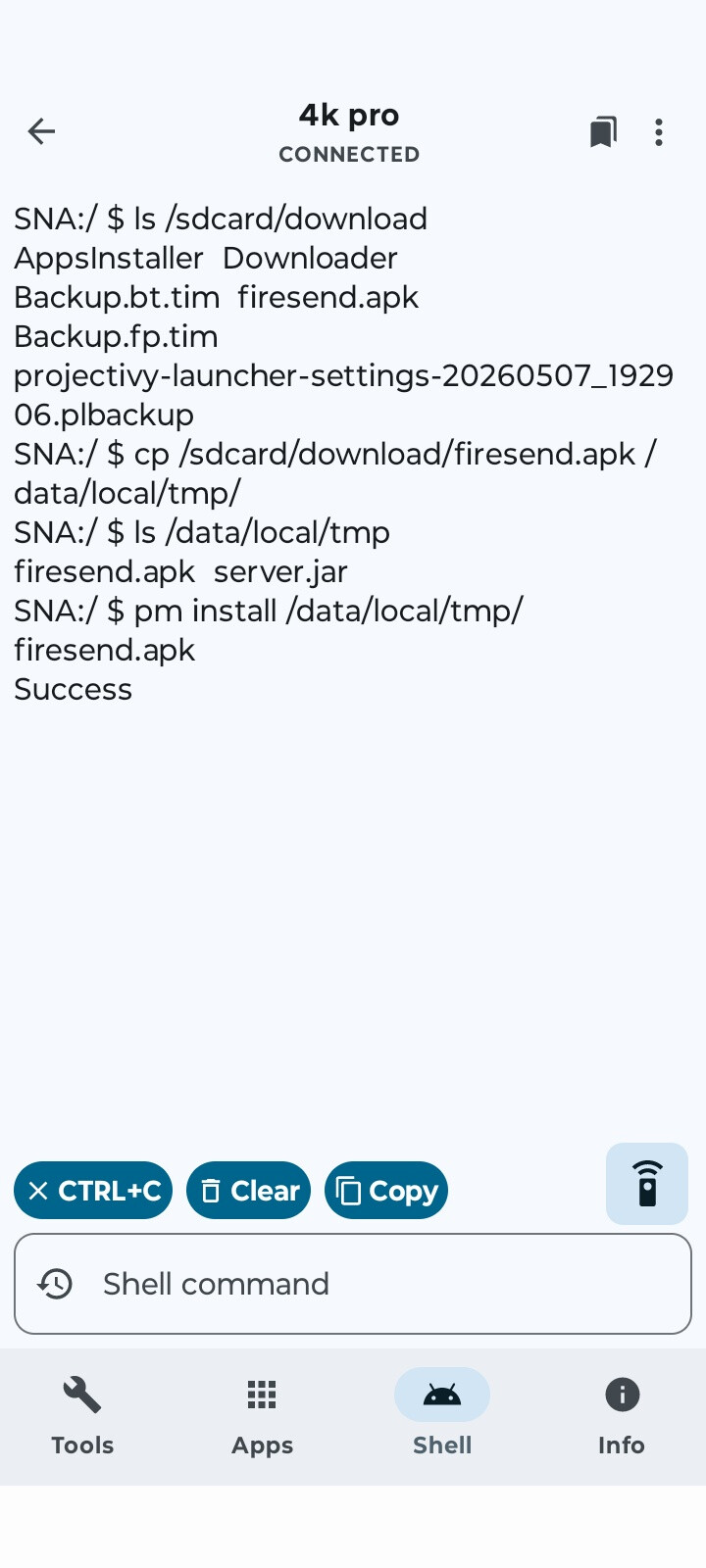
The problem is permissions will not allow you to use ADB on the same device to install from /sdcard… so first I copy the APK file to /data/local/tmp.
(list the dir content)
SNA:/ $ ls /sdcard/download
AppsInstaller Downloader
Backup.bt.tim firesend.apk
Backup.fp.tim projectivy-launcher-settings-20260507_192906.plbackup
SNA:/ $ “cp /sdcard/download/firesend.apk /data/local/tmp/”
(Verify the copy by listing the contents of the dir)
SNA:/ $ ls /data/local/tmp
firesend.apk server.jar
SNA:/ $ “pm install /data/local/tmp/firesend.apk”
Success
I put quotes around the commands that wrapped on the screen, every where you see quotes is typed in (without the quotes) as a single command line.
The ls command is list,
the cp command is copy,
the pm command is package manager.
If you have questions just DM me or reply, please understand I get one post a day so it may take a day or two to get back to you.
I don’t know what your knowledge is as far as computing is concerned so I tried to explain the commands in a little detail, if you were aware of the command, forgive me.
There are other interesting ways to do this and stream the APK file from a different device (nc (netcat) for example) but in the end it’s still going to use package manager and Google may put there delay into package manager in which case it won’t help, still to be seen.
I have been hit with ecms on 6
Just bought a new onn 4k pro 126$IN THE great white north. Tried to set it up,but is too Ai for me and they want you to agree to them seeing everything you steam.that was enough for me.2 hours it was returned make to Walmart.
What do you mean by “too AI”? and nobody cares what you are watching and there is nobody watching. Just standard legal stuff
I have been using the ONN 4K boxes for a few years now they are great.
Sorry .this is a brand new onn box.after trying to set up.it has an AI voice that you have to pick the voice that you have to pick for,all the assistants that it gives.couldn’t find no way around it and you have to agree to there rules.maybe Troy can have a look at this new box
Yeah sounds like you have a problem choosing an AI voice and agreeing to their rules. Not sure why but everyone has their reasons? These ONN boxes are great
Sorry.i have 4 of the old boxes .when I took this new box back I bought one of the old one and programmed it last for a friend. They have increased the price up here in canada on all the onn boxes.this new box must be the first step to stop side loading. Have been doing this since the dish network cards.try a new box and let me know what you think.
Don’t need a new box I’m all set. Forgive me if I’m wrong but from what you posted I was under the impression that you returned the box because you didn’t like that it has AI and didn’t want to agree to their legal stuff.
As far as I know Google/ONN have done nothing to prevent sideloading of Apps. There is talk they may start but even if/when they do they have said you will be able to get around it. Might have to wait a day might have to click through some “This may be malicious proceed at your own risk” legalese crap.