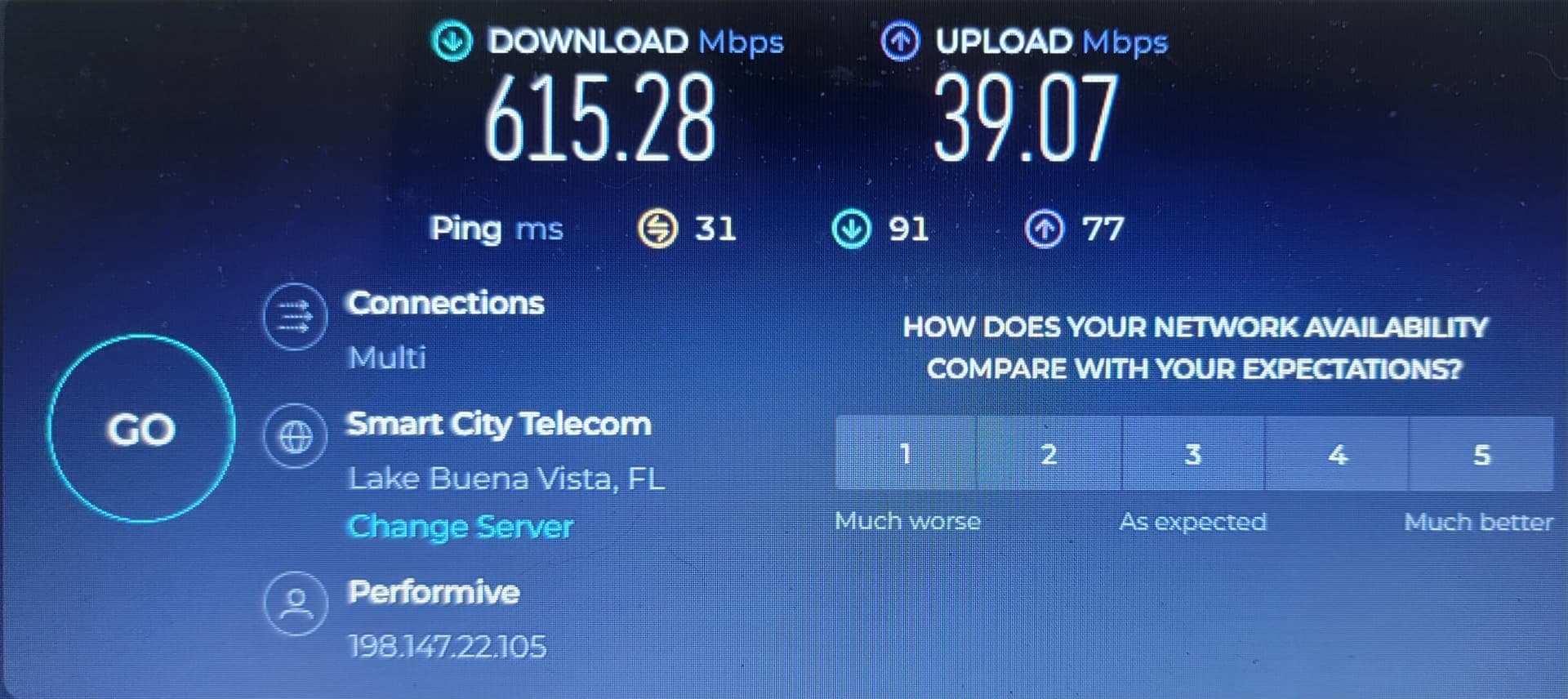
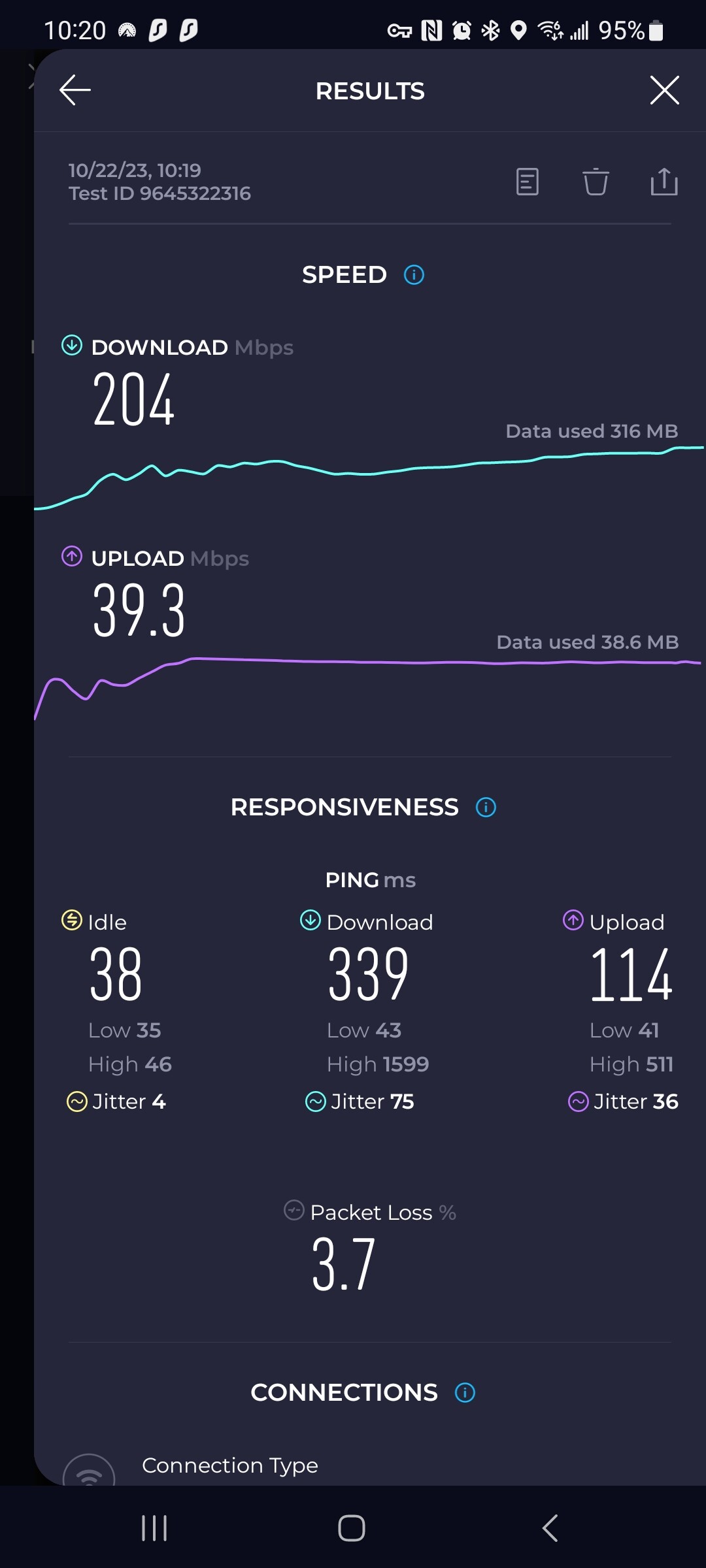
One thing to consider when comparing VPN vs No VPN speeds is how powerful the device being tested is. When a VPN is used, the transmitted information is encrypted before being sent out, and decrypted after receiving it. If you have a powerful device with a fast, multi-core CPU and sufficient memory, the encryption/decryption would have a negligible effect. However, most streaming devices don’t have super fast CPU’s and lots of memory.
The fact that you saw similar results with different VPNs indicates (to me) that the VPN itself isn’t the speed limiter, it’s the hardware that it’s running on.
I appreciate everyone’s replies and opinions but let me say this…
I’ve been dealing with IPTV, VPN’s, FIRESTICKS, KODI and a bunch of other streaming related things for many years.
This situation I’m dealing with is not my norm…
My average Mbps speed is around 350 on all my devices throughout my home w/o VPN, and around 80 while using VPN. Been that way for past 3 years or so.
This drop from 350 to 33 is outside my norm.
Don’t think it’s my streaming hardware because it’s the same hardware I’ve been using to get the numbers I’ve described.
All my devices are now showing these numbers I’ve reported.
This drop in speed is WAYYYYYY off my norm.
Going to swap out my Xfinity router/modem
over the weekend to see if that will return things to my normal.
I’m getting the same terrible dropoff when using Surfshark. 360 down to 35. Surfshard seems to have done something to cripple their service. Probably time to ditch them for another.
I don’t have that issue. Using the Buffalo server, I get around 200Mbps. Try changing some settings, or try different servers. When you find good locations, make note of them
I wouldn’t doubt if the Internet companies have caught on to the VPN usage and will slow down the speeds if the VPN is detected. I use to be a government employee and you can’t imagine all the secret tricks they have to keep control of the population.
I recently experienced an unexplained drop in VPN speeds too. I believe it was the result of a recent install of a casting app. After deleting the app my speeds were back at normal. it was an easy fix but a very hard diagnosis. Good luck.
How interesting (the 35 Mbps speed). I ditched IPVanish because they throttled me at that exact speed. With the old IPVanish you had a running graph of speed, and it was clear/obvious there was throttling (though customer support denied they throttle). So of course IPVanish did away with the graph. Now with ExpressVPN, whereas initially I got 2x the speed, I’m now also seeing 20 to 30Mbps.Getting conspiracy minded here …
I have issues with Atlanta based servers(and others) as well., I’m fairly convinced that Comcast ISPs are part of the problem. I’ve been disconnected multiple times trying to /run a file greater than 10 gig. Andi have a 500 gig download speed. If I select a file in the to 3-8 gig range I don’t ge t booted even from Atlanta based servers. Try a smaller file size and you might be surprised.
I also have Xfinity, and without using SS vpn my speed is 400 - 415. As soon as i start the vpn down to 30 - 35. I have reset everything and tried just about every country and city offered. nothing matters. Using a firestick 4k pro, kodi 2.0 crew, seren and fen, no other apps or games. Plus tivimate.
And although 30 - 35 is fast enough to do decent screening, it’s very frustrating to pay for 400 speed and get 35. Imagine if I could only afford basic internet speed.
Something is off somewhere, I wish I was smart enough to figure it out.
Are you using a WiFi connection or are you hard wired to your modem/router? I use SS and routinely see a 400 mbps delta when comparing a wired vs wireless/WiFi device both on VPN and the same server. Hard wired will always give you the best performance.
I pay for 1 gbps service and routinely see over 600 mbps through my wired devices. With devices on WiFi, running VPN and on the same VPN server, I only see around 200 mbps.
ISP data rates, wired vs wireless and device type are all major factors in performance. And that’s all before you even get into regional issues and VPN servers.
What app is that you are showing your speeds?
Is it available to be installed using downloader on Android devices?
If so, where can it be located please?
I don’t have Xfinity but have Vexus internet. I have some of the same problems using my VPN with the speed dropping. I’m in the center of the country and prefer to use the Dallas server or streamer. My speed w/o VPN runs 280-320ish most of the time but the Dallas server with VPN about 3-4 days ago speed was 35-40 and if I switched to Atlanta or Miami the speed increased barely to 40-45 a negligible increase. All VPN usuage is through Wireguard protocol. I’ve tried several out of country servers and sometimes Mexico City is 50-60 but mostly it’s like the Dallas server. We had a power outage for 2-3 hours 3-4 days ago and I treated that as a reboot of the server since everything went down and I didn’t go outside to start up a generator since power would be restored soon. Still can watch just about most all I’m wanting to watch, sports playoff games as well as other channels but my normal speed through my VPN was 80-120 until just less than a week ago. Thought it was all on me until I read a lot of other people are having some of the same problems. Hope someone figures it out and if I figure something out I’ll do the same sharing info.