I have an ONN Google TV Device the 4k I think it was. After I installed SurfShark VPN, Downloader from AFTV, and Jellyfin apps from the PlayStore I logged out of the Google account because I dont want to share more than I must with them.
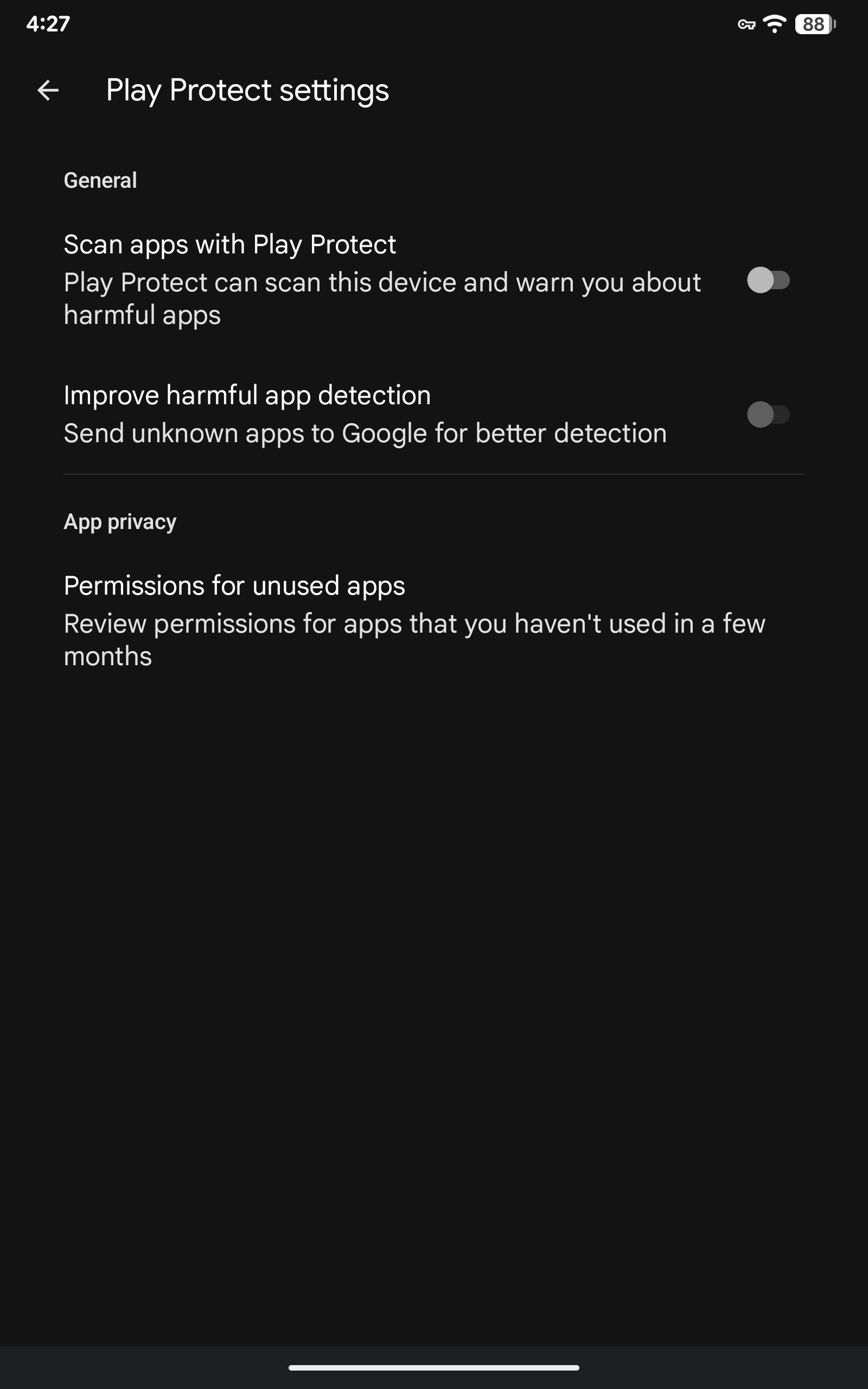
Before I logged out I had gone through a few TroyPoint guide videos and set everything up, but after I logged out it seems that some kind of protection was re-enabled as apps I install via the Downloader app keep getting removed.
Is there a guide or some work around to get things setup properly. I was going to repeat this same setup on a new device as a gift but its pretty embarrassing if I gave someone a gift and then two days later all the apps just wipe themselves.
Appreciate any help. If I am locked in and must use Google Play for apps if I give the device as a gift its going to mess up the apps anyway wont it? Any help is appreciated.
I’m not logged into Google. I turned it off before I logged out. Are you saying I need to go to the website and login and make a change there? I would not expect the play store and my box to have any connection with each other once I logged out
Sorry maybe I’m coming in sideways. I said I turned it off and then logged out and its still doing it. Do I need to disable it again after I log out? I thought the play store only had settings for those who log in.
Just to close the loop. The answer is yes you must disable the play protect setting if you log out of the play store. The play store even when someone is not logged in has a play protect setting and it will scan apps installed.
And did you turn off the play protect? Please we are not trying to give you a rough time. Give it a try as you have nothing to lose and it is very simple to do. Honestly we know what we’re doing. Read the last sentence you posted.
I had no clue that Google Play had any settings when you logged out.
After I read @PapaS ‘s lmgtfy link I went to double check and then marked his answer as solution. I hope thats the expected behavior.
Thanks for your help. I was thinking you were messing with me because I thought you were asking me about something I had already said, and when I asked for more info it was like you were repeating back to me again. I see what you were driving at now that I should go and re-check the setting since this issue is the result of that setting. So if it’s happening go check that setting.
You are welcome. We do know what we are doing and noone here intends on giving you a rough time. We honestly love helping. Glad we could be of help. Have a buffer free day.