When first setting up. You should see something like this. Click continue and follow the prompts.
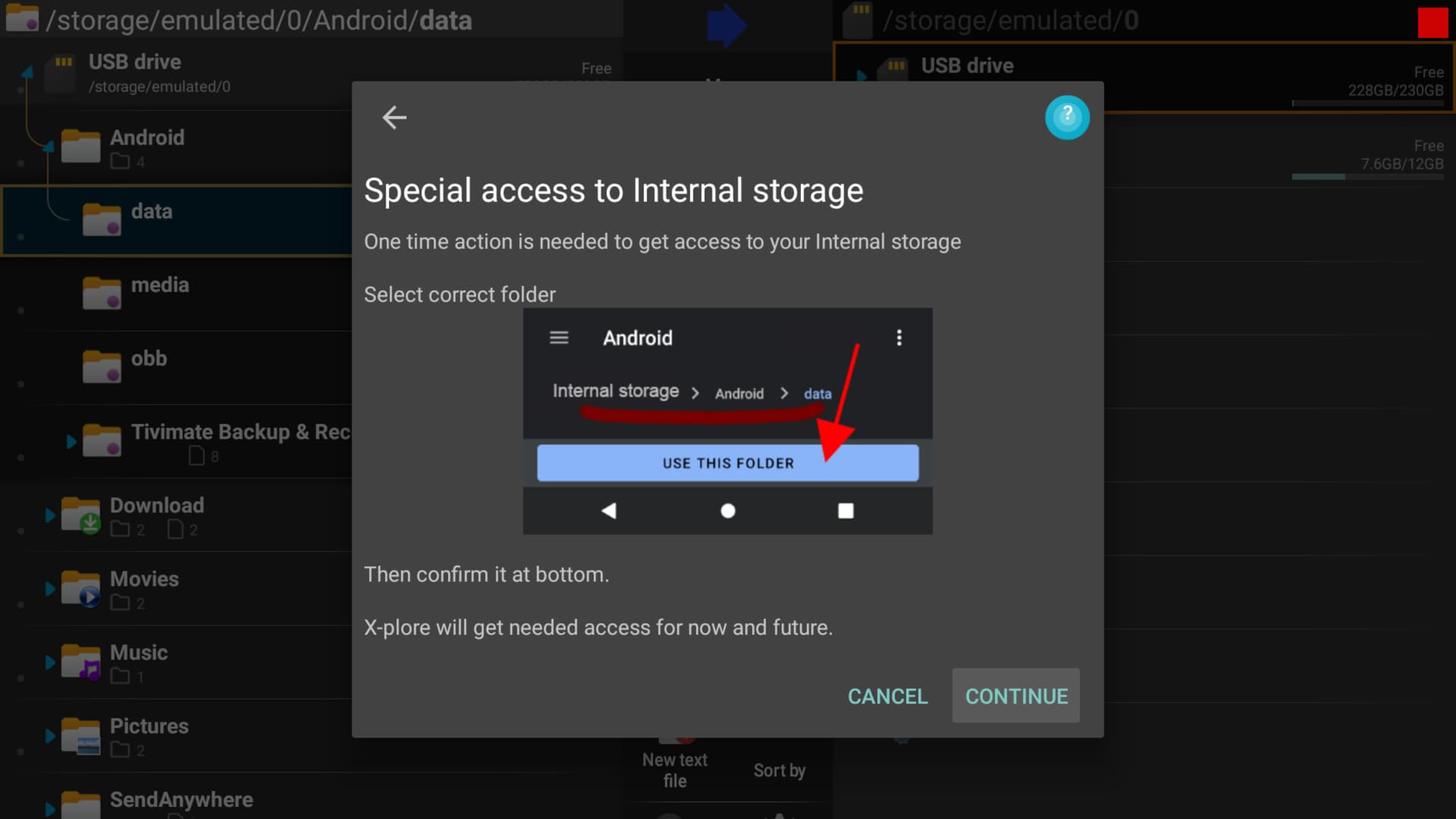
I only see that on my shield not on the mecool, I have checked and double checked all permissions are allowed, even moved xplore to internal storage.
There is no ‘system picker’ option available on the version(s) of Tivimate that I have installed on a stock W2 Android box, a MeCool KM1 nor our ONN Android devices. And I’ve not been successful in getting Tivimate to record to external storage. Fortunately, the expanded (really adopted) storage on the Android devices allow for recordings to be stored on the same thumbdrive as any apps that reside on it.
So what I do if I need to save a recording onto a removable drive, is just use a file manager to cut & paste the file onto the drive. I have a 1TB laptop HD in a case that I use as my media drive. That drive works well with both the MeCool & W2 boxes…haven’t tried that with the ONNs, though.
That’s one way to do it. Nvidia has a setting where you can transfer from internal to external and vice versa.
Yes, I remember going through this before. Mecools, in my case KM1 Deluxe (4,32) do not have system picker in Tivimate. Can’t remember how, but while I was not able to use the usb as external storage, it worked as internal storage and I could set a storage pathway from Tivimate to it.
1 Like