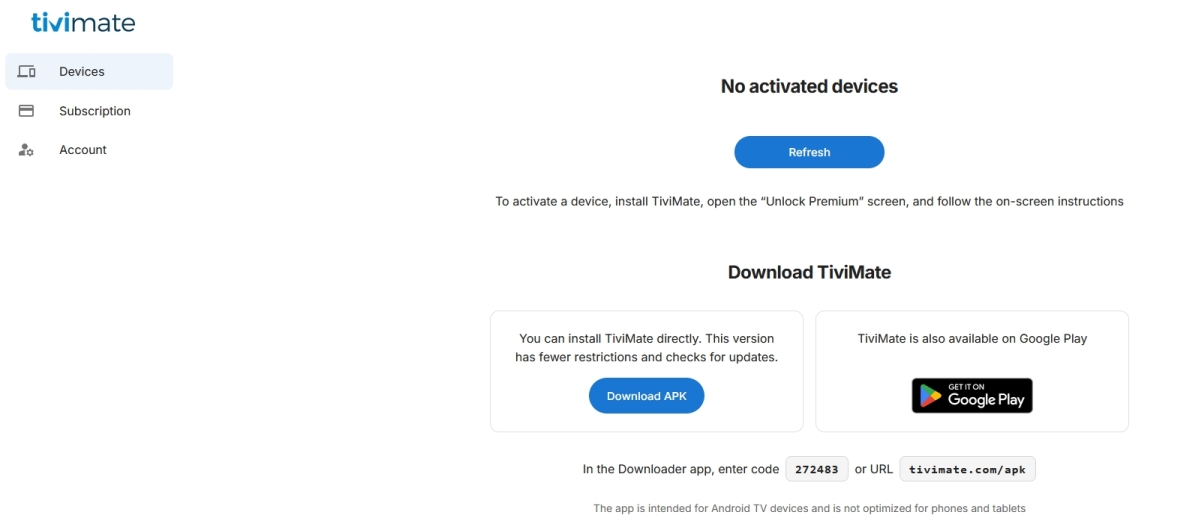
For better or worse, I was able to renew my old service, but I decided to try TiviMate instead of IPTV SmartersPro. Installation went fine, but I am unable to view movies or TV Shows until I upgrade to premium, which I want to do for all the other options, but having a nightmare here. The set-up on the tv screen says you need to upgrade on their website or through the companion app. I got the companion ap from Google play on my phone, but Google Play and/or Wallet are giving me connection issues when I try to purchase. I have tried updating these apps and the payment info, but get the same “try later” “it’s us not you” errormessages, but as is with google no help anywhere. So I tried the Tivimate.com website, once I signed in the dashboard gives me three options - Devices: says none, I refresh, still none. Subscriptions: says I don’t have premium, duh. Account - give me the option to change my passord or delete my account, UGH!
Any ideas? Anyone? Please…sorry for being the needy newbie, but my wife is all over me until she gets her shows bak!
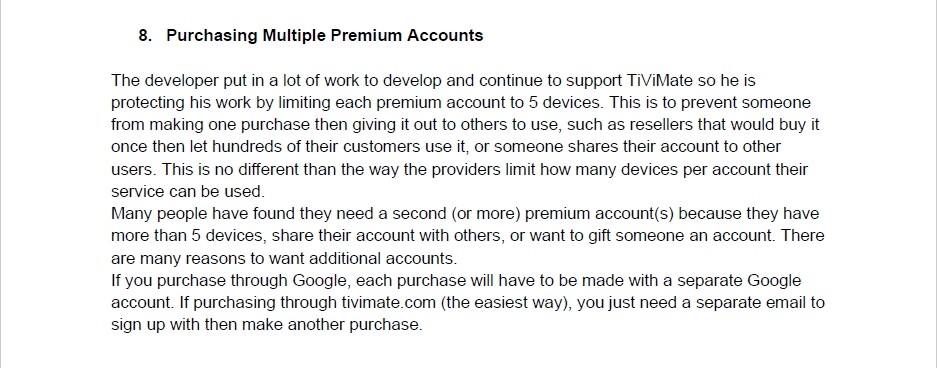
About a month ago I went through a similar level of frustration when I wanted to buy additional TiviMate premium licenses. After several trials and error, I concluded that Google Play puts several road blocks to prevent folks from making multiple TiviMate premium purchases.
The easiest workaround is… find a different family member (or a trusted friend) who has never made a TiviMate purchase to buy the premium using their phone, credit card, and their Gmail account combination.
In my last TiviMate premium purchase, which was my third, I created a new Gmail account from a different phone that I use when I travel. I made sure that (1) I did not link a phone # (for the socalled Gmail account recovery purposes) when I created the account, and (2) I ensured the Gmail account name that I created kinda mirrored the name I have on my credit card that I used for the TiviMate premium purchase. Thus, that CC had just my first initial, middle and last names on it, unlike all my other CCs that had just my first and last name. I’m guessing Play Store could not link the CC that I used to any of the previous TiviMate purchases I made in the past, and so it allowed my last TiviMate purchase to process after, literally, hours of trial and error.
Must be something you’re doing wrong or something you missed in the setup. Tivimate has been a diehard app for over a decade for me. And in my opinion still one of the very best!
Sorry to see you are having these issues. I have just purchased Tivimate thru the companion app about 2 hours ago for the 3rd time (15 users now) without issue using PayPal and it worked fine. I created a new email ID to keep it seperate from the other 2 so if you haven’t already…try again today and best of luck!
Here is where I see differences from the posted information:
You cannot go into settings/about to upgrade. All of the “Unlock Premium” options lead you to a screen that tells you to log into your TiviMate account, AFTER you have purchased the upgrade at either tivimate.com of through the companion app.
The “Continue” button does not appear on the subscriptions page on the website, where it tells you that you currently do not have a premium subscription.
The option to purchase from the website is gone as you stated. After creating an account/logging in you are taken the Devices screen with the instructions to purchase premium through the app. Good catch on your part.
This I cannot confirm. I did easily before purchasing. An Android TV device linked to your Google account opens payment options from tivimate.
Comprehension of payment options has been a challenge in a sea of misunderstanding. Other than the option to pay at the webpage, the in device purchase information makes sense to me.
At this point, what’s important it you having Tivimate premium.
I will forward your information to the guide author. Thank you for bringing it up.
Can also confirm you cannot purchase the premium service any longer on tivimate.com. I was hoping to avoid the bluestacks route as I recall it being a pain many years ago.