TiviDeck: new IPTV player for Android TV, Fire TV and phones (developer here)

Hi everyone,

I’m the developer of TiviDeck, an IPTV player for Android TV, Google TV, Fire TV, Android phones and iPhone. Like any player, it doesn’t come with channels: you add your own playlist or Xtream login.

What it does:

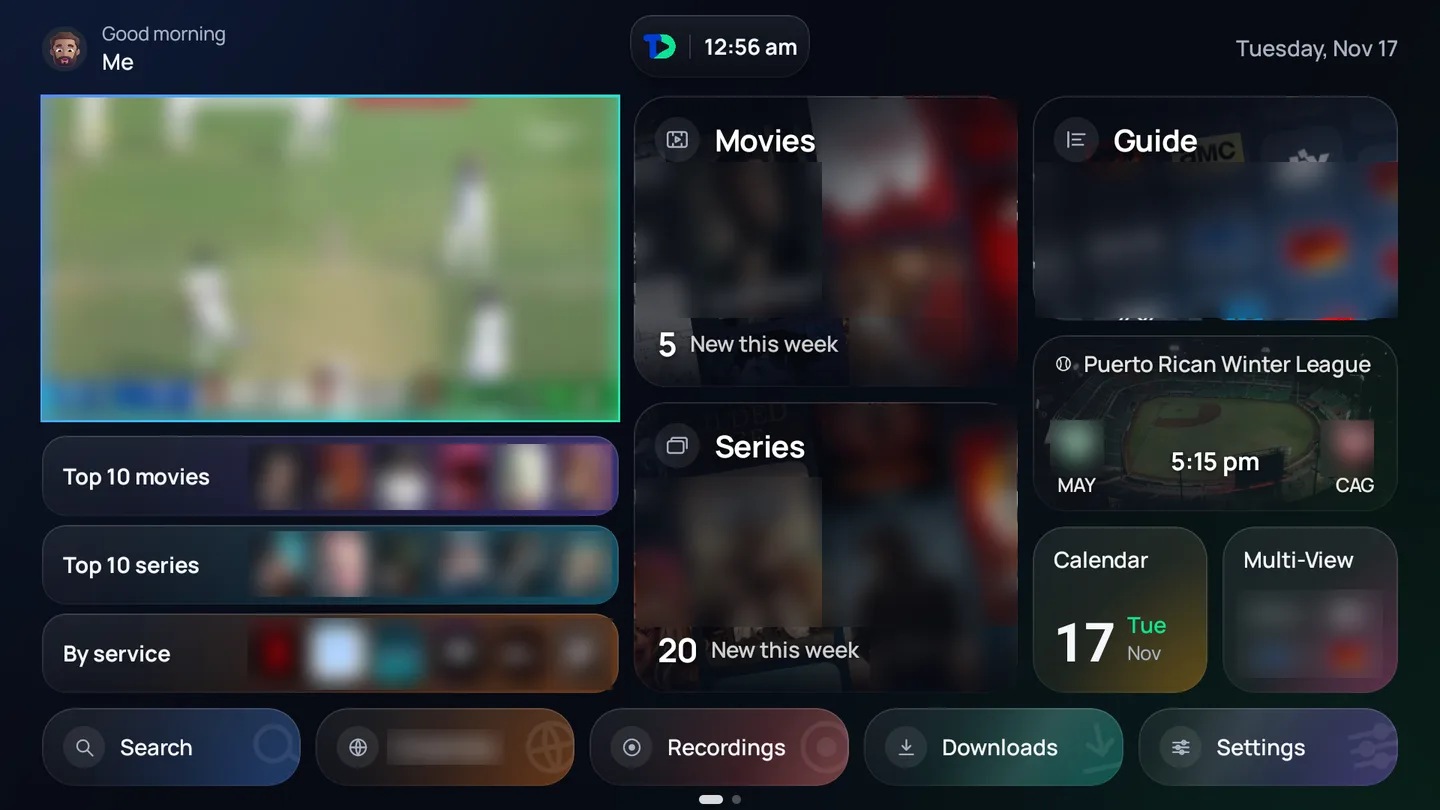
  • TV guide with a live preview, A-Z, day picker and catch-up
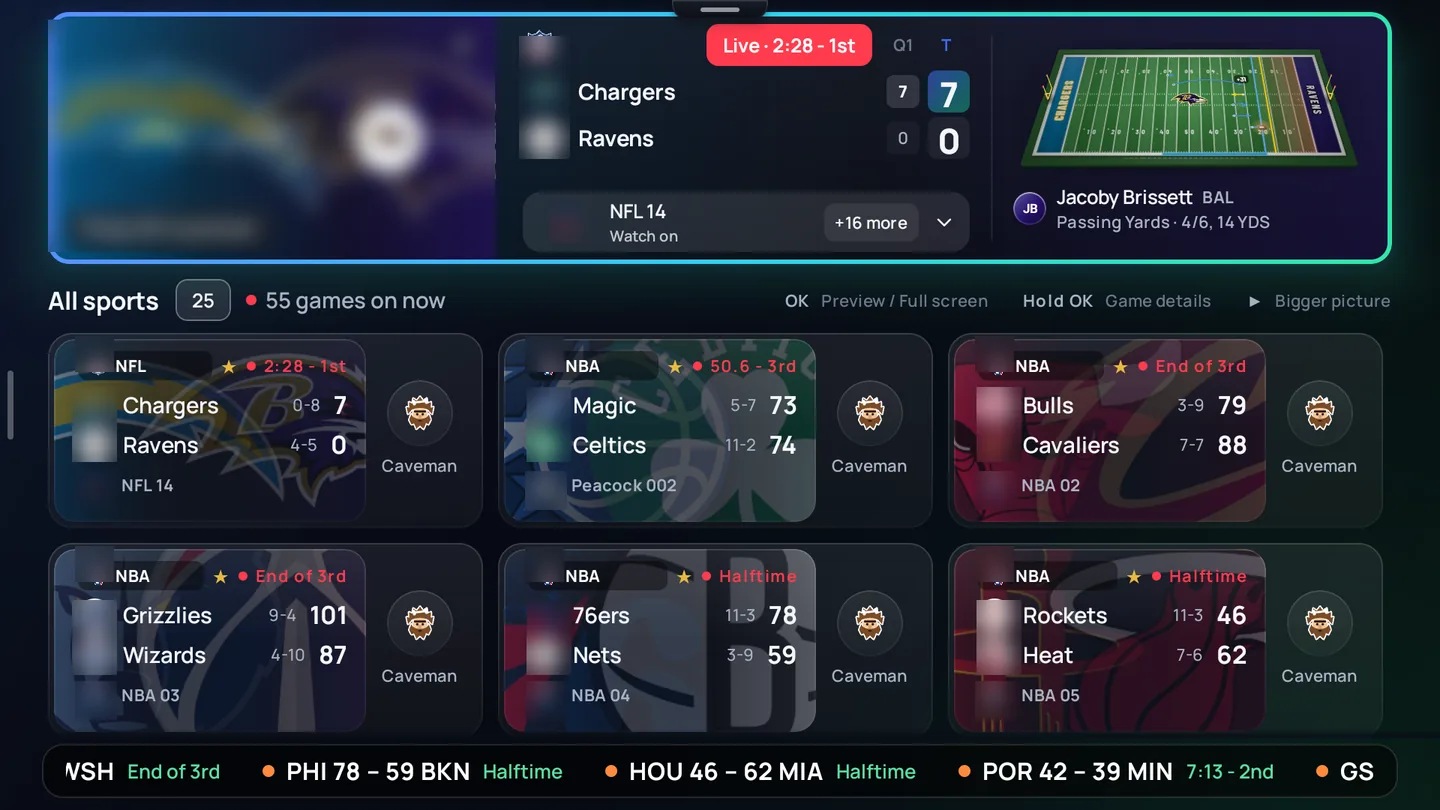
  • Sports hub with live scores that finds which of your channels is showing each game
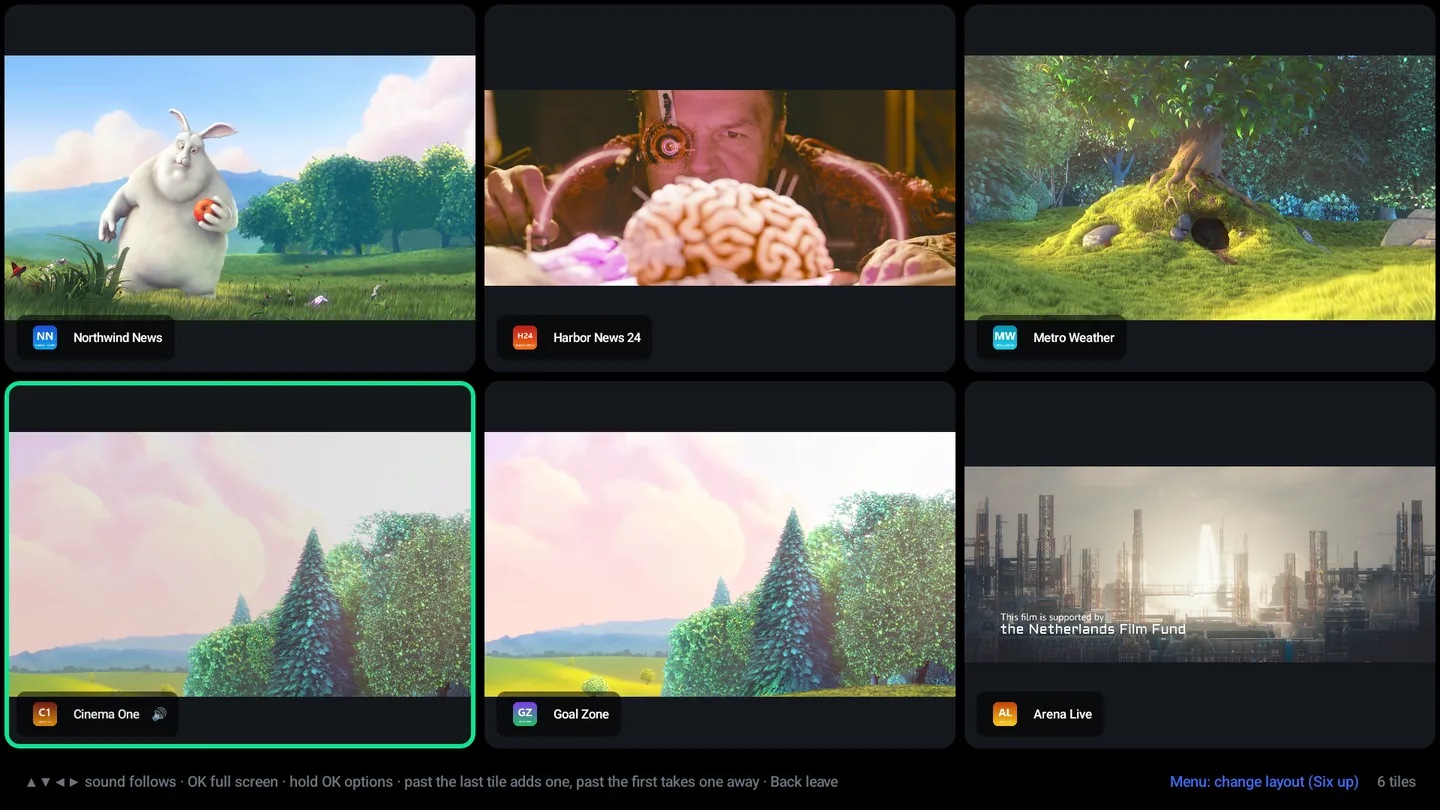
  • Multi-View: several channels on screen at once
  • Movies and series library with artwork, trailers and cast pages
  • Recordings, profiles with a parental PIN, and one account that keeps your TVs and phones in sync

It’s free to try for 7 days, then a one-time purchase (no subscription).

Google Play (TV): https://play.google.com/store/apps/details?id=com.tivideck.app
Google Play (phone): https://play.google.com/store/apps/details?id=com.tivideck.mobile
App Store: ‎TiviDeck App - App Store
Website: https://tivideck.com
Discord (support and suggestions): TiviDeck
X (news and updates): TiviDeck (@tivideck) / X

I’ll be in this thread to answer questions and take suggestions. Bug reports are welcome too.
Assuming all of these new IPTV apps are being written with AI because they all look the same and do the same thing. How is this different than the other 50 that came out this month?

Fair question, there are a lot of new players right now, and most of them are a channel list, a guide and a movie grid. TiviDeck does those too, but here’s where we spent most of our time:

Sports. The Sports hub doesn’t just show scores: for every game it finds which of your channels is carrying it, so you press OK and it plays. Each game gets a live court or field that draws the plays as they happen, with the stats beside it. And the Caveman Room puts the game, the live stats and a chat with other fans watching the same game on one screen. Follow your teams and it tells you when they’re on.

Family. Parents get a family dashboard: what each TV watched today, how much time is left, no-watching days, and a pause button for the TV in the kids’ room. Profiles are PIN-protected, and one account covers the whole house.

Kids. Kid profiles get their own kids’ world: their own home and only what you allow, with no grown-up rows or trailers.

Web dashboard. Setting up categories, channels and profiles with a remote is slow, so once the app is on your TV you can do it from your computer instead: open TiviDeck · Web panel, type the code your TV shows, and every setting of every TV and phone in your account is there with a keyboard and a big screen. Change it there and every TV follows in seconds.

On top of that, one account keeps every TV and phone in sync: favorites, profiles and settings.

To install it:
Android TV / Google TV: https://play.google.com/store/apps/details?id=com.tivideck.app
Fire TV: TiviDeck - App on Amazon Appstore (or search “TiviDeck” in the Appstore on your Fire TV)
Android phone: https://play.google.com/store/apps/details?id=com.tivideck.mobile
iPhone: ‎TiviDeck App - App Store
Everything else, including other ways to install: https://tivideck.com

The best way to judge is to try it: 7 days with everything unlocked, no card needed. If it still feels like one of the 50, tell me here, I’d rather hear it.