C.mon and get on board with us…it’s like fun and stuff. Well worth it just ask anyone thats a patron now!
Hello, I think I’ve asked before but ill ask again anyway, becoming a patron i get access to topics about the tv services that cant be talked about here? Assume that’s quite a list of them
IPTV Services
Discuss both verified (legal) and unverified services. Linking to services is OK but no affiliate links! Spammers will be immediately banned.
only paid members–Patrons– have access to this locked category, so to answer your question, yes
They just set up a website to log in and manage the STRMR app. It is said to work on Fire OS8 also.
IMHO it’s a shame they went the trakt route instead of being able to load your own library and save within the app. TRAKT is a royal pita. So deleting STRMR now. It was a fun ride to start.
I can understand that, I never got in to saving things, but I have the free Trakt account, because I am cheap, and I don’t mind it, but then it is what I know.
I tried it again for a month, the free account. But once again hated it. Why would I ever use such a convoluted app for just one other app. Yes maybe if you had STRMR, Kodi, VOD and Stremio. But I have Stremio with a perfectly good library integrated directly in it without another app needed and I can add and remove series and movies as needed and Stremio marks my watched episodes as well as new episode releases. I much prefer as much simplicity as I can get and that isn’t Trakt.
Has anybody figured out an easy way of inputting an API key into the “Add Custom Scraper”?
I have the account, but app on the streaming device doesn’t generate a code to enter into the account page.
Many Insiders have used Trakt for Years and love it. I’d be lost without it. They have made some terrible changes to the app but if you have a PC or Tablet you can still use the old interface. Trakt is very easy to use IMO
It isn’t though and I’ll try briefly to explain why. I have 24 series I watch, I add them to my own list in Trakt, now I open Stremio, enable Trakt in it and then want to watch one of the series as I know a new episode is available in 6 series I watch. Now that Trakt has taken over I no longer get the indication in stremio that a new episode has released. So I go to Trakt, wade my way through the many links, find my list see another seperate line that tells me 6 episodes are available, now I have to remember all 6 series and the yr/episode number for all 6 series, go back to Stremio, open the library scroll to the exact series/episode, open it and watch it. Now I’m done and want to watch my next series. Damn I forgot which 5 others those are. Ok now back to Trakt to find them, then back again to Stremio. How in blazes is that easier then simply opening my Stremio, go to my library, open my series see my “unwatched” at the beginning, see the exact series marked with a number denoting the number of new episodes, click the one I want to watch and away I go. As I mentioned it may be helpful if using multiple different apps, but I use just one and can’t stand the trakt garbage eye candy, and constant ads, which I never get in Stremio. Nothing simple in this scenario. Sorry but I am afraid, like kodi, we will always disagree so of course anyone can give it a go but I stand by my assertion you don’t need a seperate app to use with one other, when the one you use does everything Trakt does without it.
Sorry @Miki that you are having trouble with Trakt in Stremio. I tried Stremio a few years back but threw it in the garbage can since I hated the GUI so I can’t speak to how Trakt works in Stremio. I do know it works great with KODI and other standalone APK’s.
And as to your reference to Ads I have been using Trakt for at least 7 years and have never seen an Ad. Have a great day Miki!
Stremio is simple, straight forward, Trakt has tons of popups/suggestions for series/movies etc. Those are ads to me. But I really don’t want to go back and forth on this. IMHO Trakt is a waste of time and I prefer not to waste my time, it isn’t easy to use as I pointed out in my above comments. Glad you find it useful and do so because it fulfills your needs. We’re very different and that’s good as we find what works for us. Have a buffer free day.
if you are using and android box, the best thing I have found is to use atvTools app on my phone. I use my computer most of the time for things. Here is how I do it and I am sure there are easier ways.
I have telegram set up on my computer and my phone, in it I have set up groups just for me.
I copy and paste what I want in my group and it shows up on my phone.
Now I have atvTools connected to my box, and now I copy the link I pasted in telegram and the go to atvTools and paste it where it needs to be.

He set it to me in a pdf. It won’t post here so I copied it.
STRMR Installation and Setup Guide
This looks like a lot, but most steps take under a minute. I’ve just been thorough so you
don’t get stuck.
- Create a Trakt account at trakt.tv (free) — needed for Continue Watching and your
library. Skip if you already have one. - Get a debrid account (paid) — I recommend:
o premiumize.me – $80/yr (wait for Black Friday, 50%+ off)
o torbox.app – $3/mo, newer but works well
o real-debrid.com – most popular - Set up two addons (for redundancy):
o Comet - Stremio's fastest torrent/debrid search add-on.
o torrentio.strem.fun/configure
For each: Add your debrid service → enter your API key → click Copy Link (save these
for step 4). - Connect everything at strmr.net:
o Log in with Google
o Go to Accounts → Authorize Trakt
o Go to Addons → Install Addons → paste each link from step 3 - On your Android device: Install “Downloader by AFTV” from the Play Store.
- In Downloader, enter bit.ly/strmrdl and install STRMR. (You may need to enable
install permissions—follow the prompts.) - Open STRMR, visit STRMR - All Your Entertainment in One Place , enter the code, and authorize with the same
Google account.
Pro Tips:
• Customize your home screen rows in Settings → Layout and Rows (or on the
dashboard)
• Enable “Hide Navigation Bar” in Settings → Display for a cleaner look
• Explore the settings—lots of options
• Send me any issues or feature requests. That’s what beta is for!
The other option I use when copying / pasting from my phone or computer to the TV apps is through the Google TV app on my mobile device. On my computer, I put links into a notes app (for me, I often use Google Keep). I can open the notes app on my phone, copy the URL, and then open the Google TV app to connect directly to the TV. Once connected to the TV, I can paste the copied URL directly into whatever field the TV is currently on (ex: add-ons URL field). This all takes a matter of seconds to do, despite it sounding like several longer steps. It really is quick & easy. Just helpful to know there are multiple options to accomplish the same thing.
The other helpful thing now with STRMR is the dashboard ( STRMR - All Your Entertainment in One Place ), which you can use from your phone or PC to add on catalogs, scrapers, and change other settings which will then take effect on your mobile or tv version of the app.
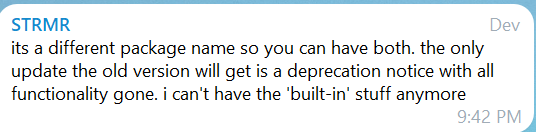
Just to be 100% clear to me, my current STRMR app, that I just side-loaded and set up on my ONN, will be dying soon. Thx
That’s right. STRMR is in Beta version right now, and that’ll eventually go away. When they’re ready to officially launch, the app will be available on the app store as a paid app. The pricing structure isn’t confirmed yet, but I’ve seen them talk about $1-2 per month with the possibility of an annual subscription.
And he isn’t even sure about that, the only way he said he would add a small charge is if the costs to keep it going are overboard.
Thanks for posting this new information.
The STRMR app is also available in our TROYPOINT Toolbox and is always pointing at the current release.
Our guide has also now been updated to reflect new changes to the STRMR app and can be found at the following link.