Yup, on my Buzz TV P6L. my Wifi, provided by a T-mobile gateway is above 60 and I was able to download from tool box, so WiFi is connected. Any thoughts?
I was trying to enter my account in the downloader browser but no luck. I haven’t a clue why it won’t simply start. I assume you are signed into your google account on the P6
it was suggested I reply to you privately. yes ii am signed in with google account. I will email Mike at a Buzz tv to see if he has any suggestions.
I just thought of something! Almost all my accounts are through gmail. When setting up my ONN, Troy recommended a burner google account. I set that up and when I try to open the google store on my computer, it comes up on the burner account. Could that be the problem?
BTW I appreciate Troy’s suggestion of a burner account however it wanted to verify via my cell phone, so much for anonymity. I’m going to see if I can log on to Google Store with my non-burner gmail and then if that solves the problem. I’m so high maintenance Miki, I even exhaust myself.
Well that didn’t help. I’m emailing Mike.
If you are logged into a legitimate account on the P6 then the playstore should open.
Ok here lets try this.
Go to settings on your home page, top right, then click dwn to Edit Style and click that and then click Edit Categories, then click Apps, scroll down and click manage apps, then scroll down to Google Play Store and make sure it is enabled, and enable any others here you’d like to see on your homescreen. Then back all the way out and see if the playstore icon is now visible for you to see.
worked beautifully. Google play store icon now visible. when I try to open it, same screen something went wrong, sigh
What the heck.
What happens when you long press on it? Also go to Settings, Device Preferences, Date & Time and make sure it is correct. I have mine set to Use network-provided time.
Long press I get the following (first screen). If I open App settings on that screen I get second screen. If I click on Open, I get the something went wrong screen.
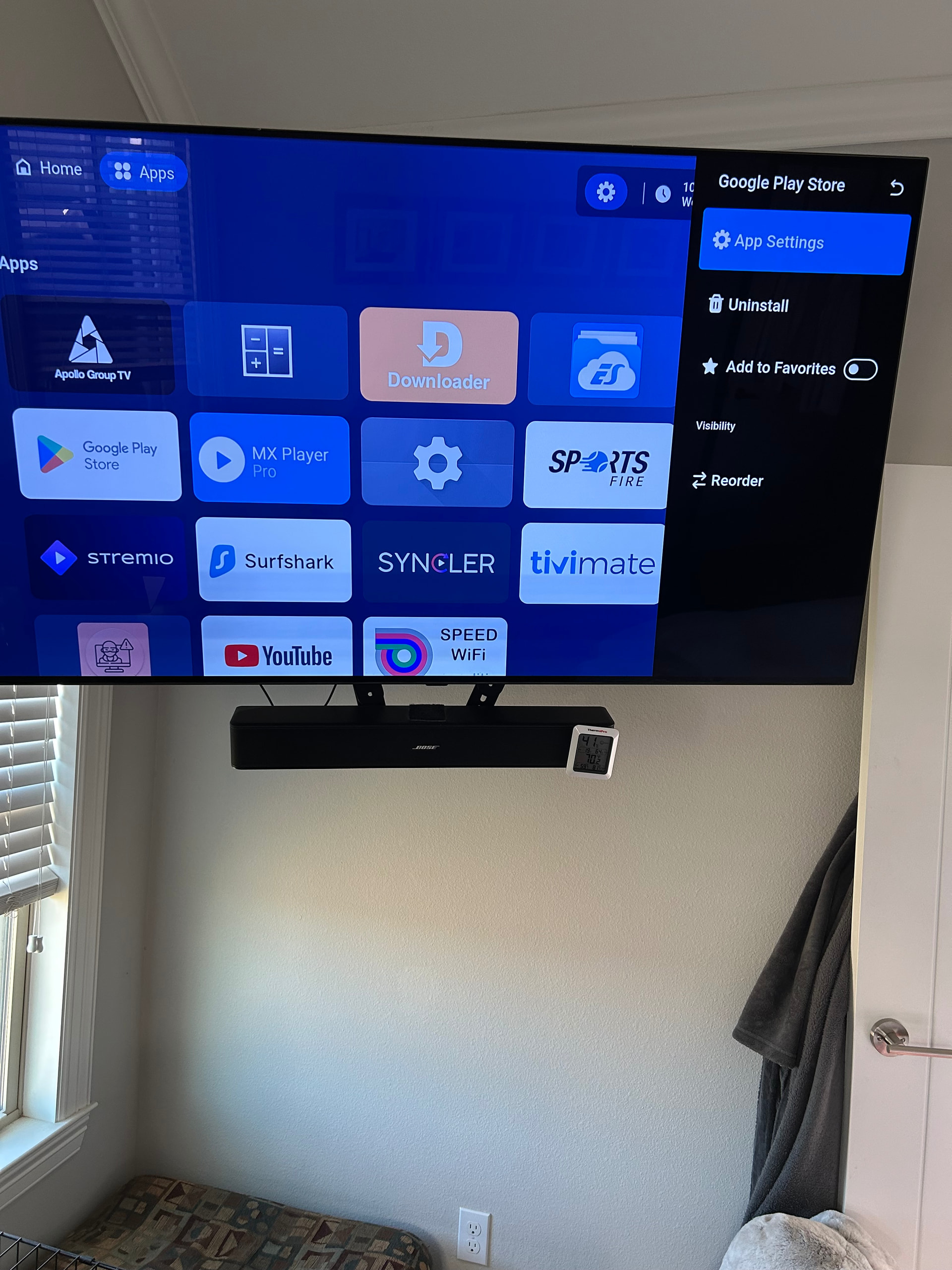
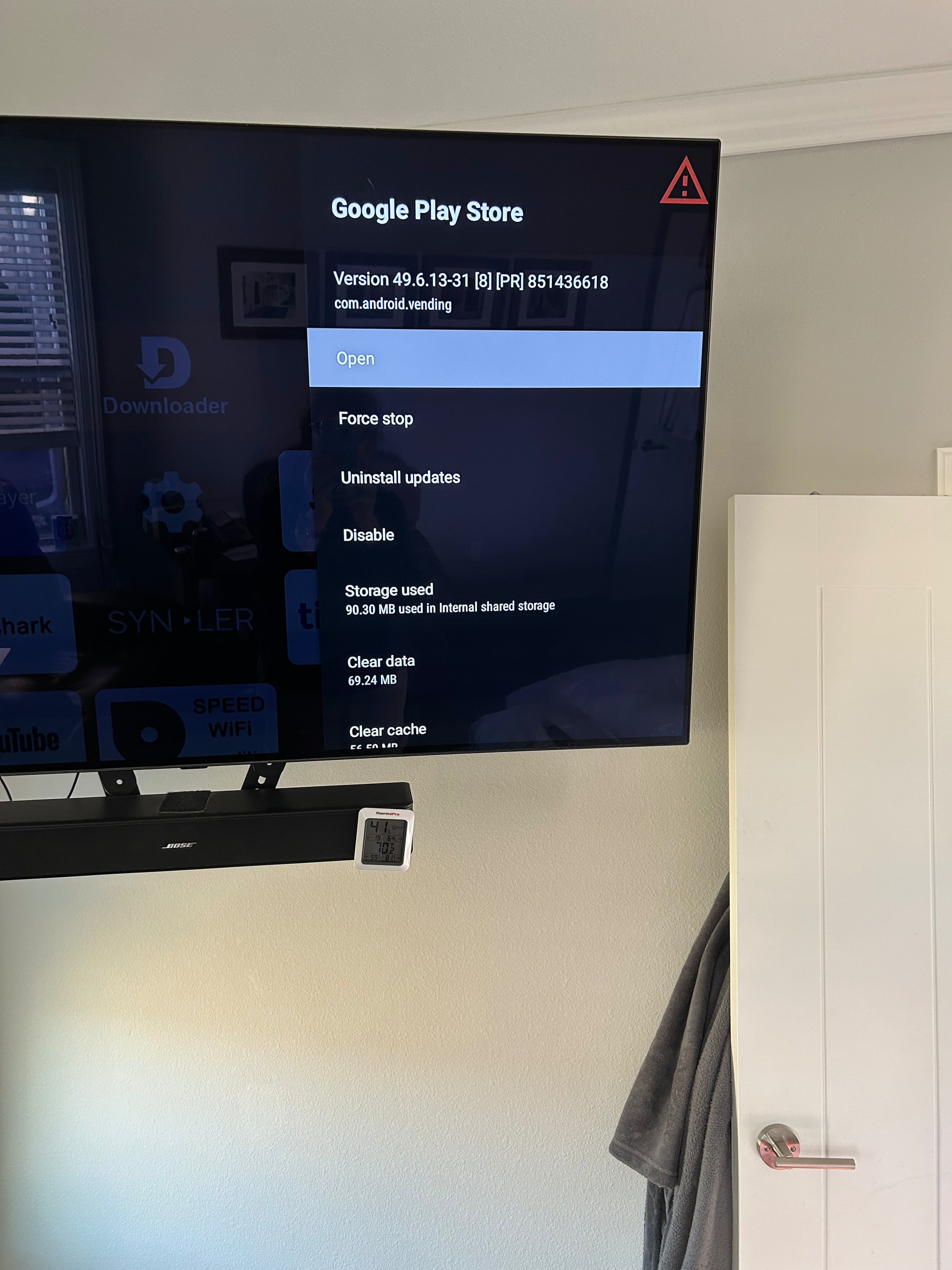
My date and time is correct. I also have it on network provided time.
Looks like it opened the app settings ok. Force stop, clear cache, uninstall updates and see if it opens. Wow this is a first for me.
I feel my purpose in life is helping you become the very best Troypointer via rising to all my challenges!!!
lol. it worked.
I finally was able to open Google Play Store (had me resign in and verify), then I had to go back to remember why I need to do that in the first place! Play protect is now off and harmful app detection. I’m guessing that will put an end to unwanted app snatches. thank you Miki, you rule!
1 Like
Wooo hoooo. Now that’s a successful fix. Damn I love that. Makes my day.
2 Likes
Made my day too!
2 Likes
Where there’s a will there’s a way. What a team. 


2 Likes
At the end of the day I prefer SportzX to SportsFire. More feed choices per event and less buffering, also appears to scan cleaner than SportsFire.
2 Likes
I used SportsFire just last night. Jan13 2026. Make sure you use a VPN (I’m sure you do) I love this APK….
2 Likes
Same trouble with sportfire, I tried a thing called app cloner supposed to work on fire stick but no luck with my android box, clones it ok but then android doesn’t seem to recognise the code.
Just tried that code. Can’t seem to access it.
wifi scanning has nothing to do with playstore….fyi. generally you leave that on.
1 Like
It’s because you have the play store set to monitor apps for malicious behavior. Play store will basically trigger this behavior with all of your side loaded apps. We typically keep that on disabled so it doesn’t remove side loaded apps.
This video will show you how to disable it :
1 Like