@Reece I believe he was replying to the very first post of this thread. Most don’t use the
reply button and many times nobody has any idea who or what someone is replying to. It’s a flawed feature of the platform IMO. But I digress. Enjoy your Death wish Coffee
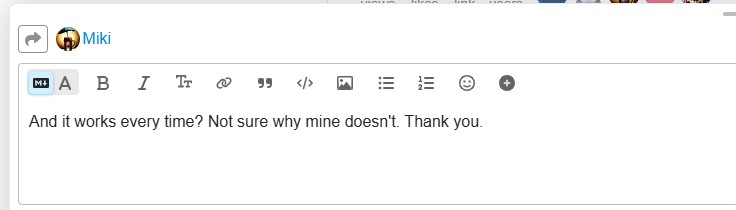
I try and use the “reply” function every time but half the time it doesn’t work properly. Perhaps that’s what you’re referring to. Like on this post to you, flat out doesn’t reply to you.
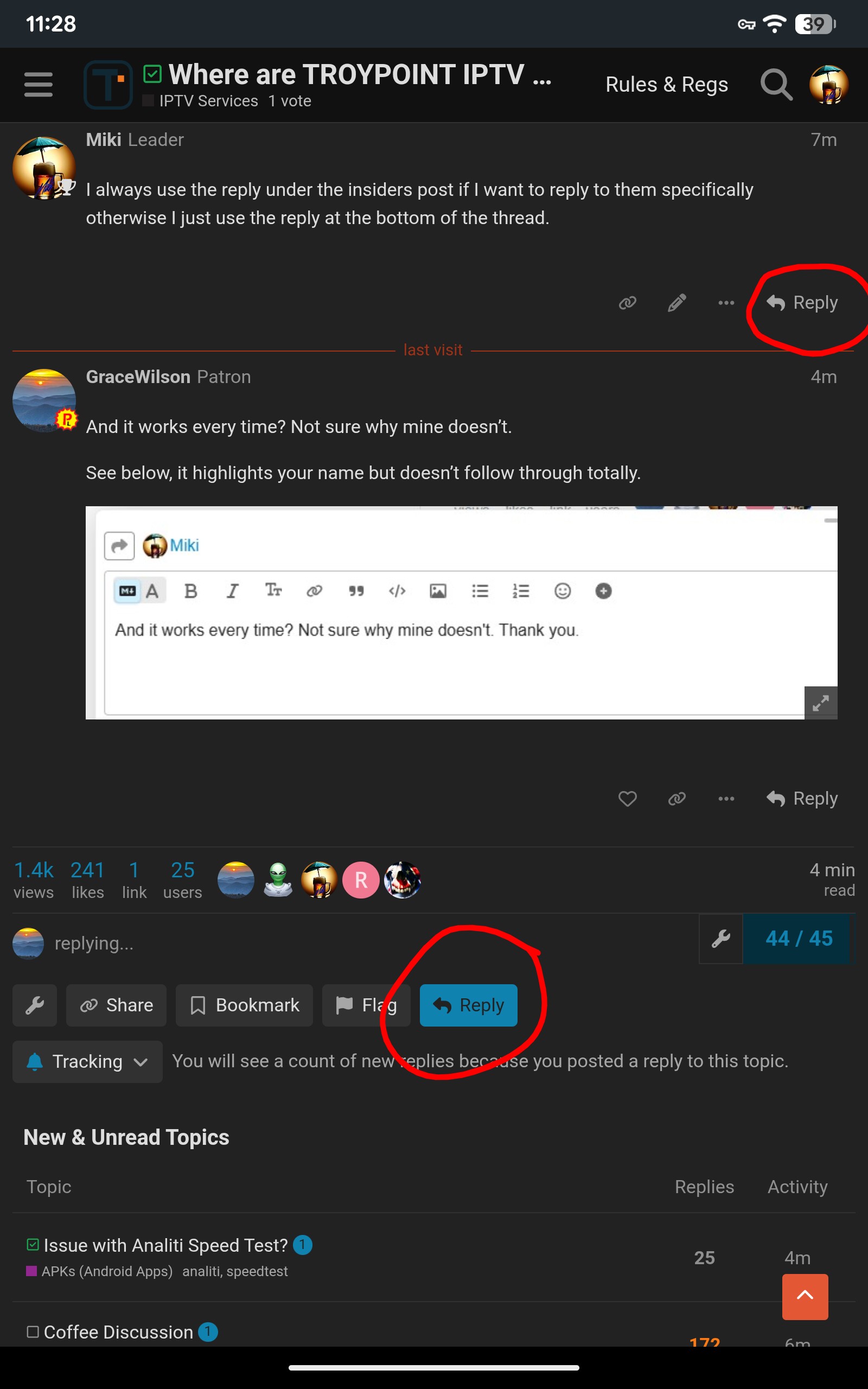
@GraceWilson the way this platform is designed is flawed and not very intuitive. If you want to make a general reply (adding your comment to existing thread ) you use the BLUE reply
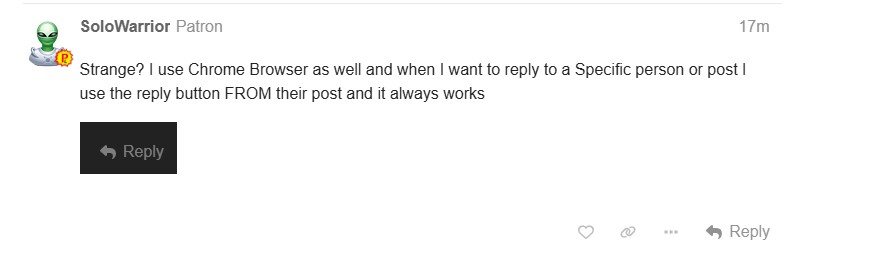
When you want to reply to a specific person’s post you use the reply that is in that person’s post
That’s exactly how I do reply but mine doesn’t work consistently. I’m glad you brought this up as I was gonna ask @Miki if others had similar issues. Maybe it’s a Chrome browser issue.
Me too but for some reason, mine doesn’t not always work. Who knows why. It’s one of those weird electronic “glitch” thing that perhaps has no sound explanation or solution. No biggie, doesn’t bother me a lick! Thank you
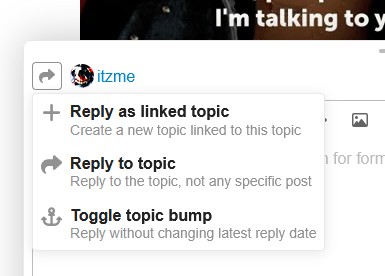
If you click or tap the little right arrow near the person’s name it gives options on how to reply. If you only want to reply to the actual topic and not reply to the person you can choose “Reply to topic”. Or, it defaults to replying to the person who you clicked the reply button under. And as others have mentioned the blue reply button at the bottom defaults to replying to actual topic and not the person.
Agree @Reece , on cell phone with Brave browser no arrow near the name , and never seen it on PC with Brave, but I do like that option reply creating a new topic, that would help us from straying off with our nonsense






 , and never seen it on PC with Brave, but I do like that option reply creating a new topic, that would help us from straying off with our nonsense
