In setting up a new onn 4K Plus, I installed TorBox and Premiumize. When selecting a link to watch a program, TorBox shows up in the link description. None of the links work. How can I switch to Premiumize, which has worked perfectly in the past.
Which app?
Premiumize has worked perfectly for me. Would like that to appear in the link description, not TorBox.
Do you mean Kodi?
I’m trying to figure out which app is causing you problems so maybe I can help.  If it’s Kodi you’re inquiring about then what addon?
In Kodi settings I have Premiumize me and TorBox. When selecting a program to watch, the selections only show TorBox not Premiumize me ( I have paid subscription to Premiumize), not TorBox. Can I change to Premiumize and not Torbox somehow? Hope this explains the problem.
Just delete the TorBox login info - that will leave you with just Premiumize. You can always re-login to Torbox.
If what @sktn77a doesn’t fix it then try re-authorizing your PM.
Thanks sktn77a and PapaS. When I get time, I’ll try your suggestions. Just a question. To delete the TorBox login info, where do I go to do this? Kodi settings?
Depends which addon.
Typically the debid setting are in the addon “settings”. Depending on which addon you are using you should see something like “Premium Services” or something similar.
ALSO! you can run two or more debrid services at the same time. This should give you a lot more stream options.
I just did a simple search and found this.
Quote (ALSO! you can run two or more debrid services at the same time. This should give you a lot more stream options.) I currently am a Premiumize subscriber. In order to run 2 or more debrid services at the same time, I must be a TorBox subscriber also. Correct? And, I believe to delete the TorBox login, go to Kodi-Settings and there you can find the TorBox information. Right?
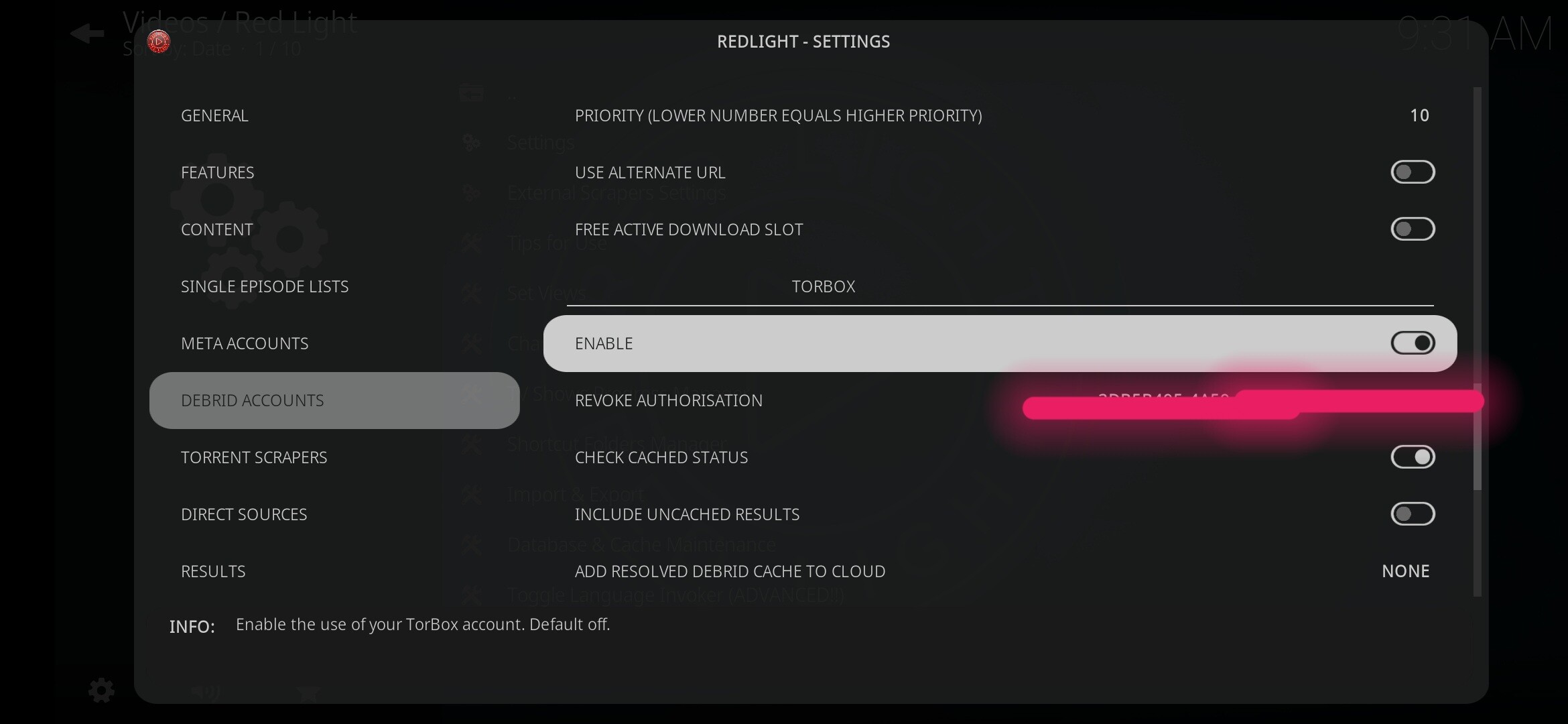
Don’t know if you’re using addons or a build but if you’re using addons, here’s an example if you are using Redlight addon, click on Redlight, then scroll down to bottom and click tools, then settings, scroll down to Debrid accounts on left side, then on right side scroll down to Torbox and click revoke authorisation.
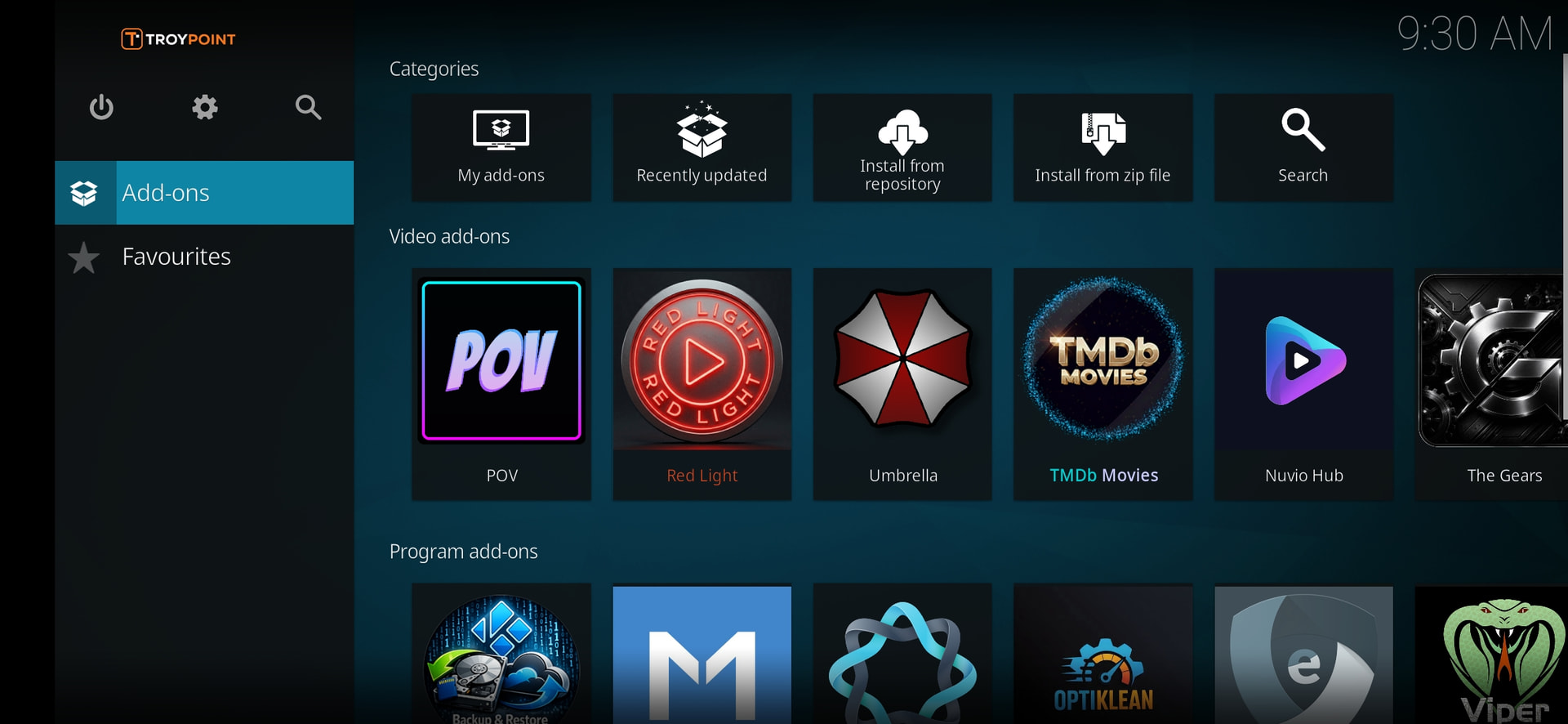
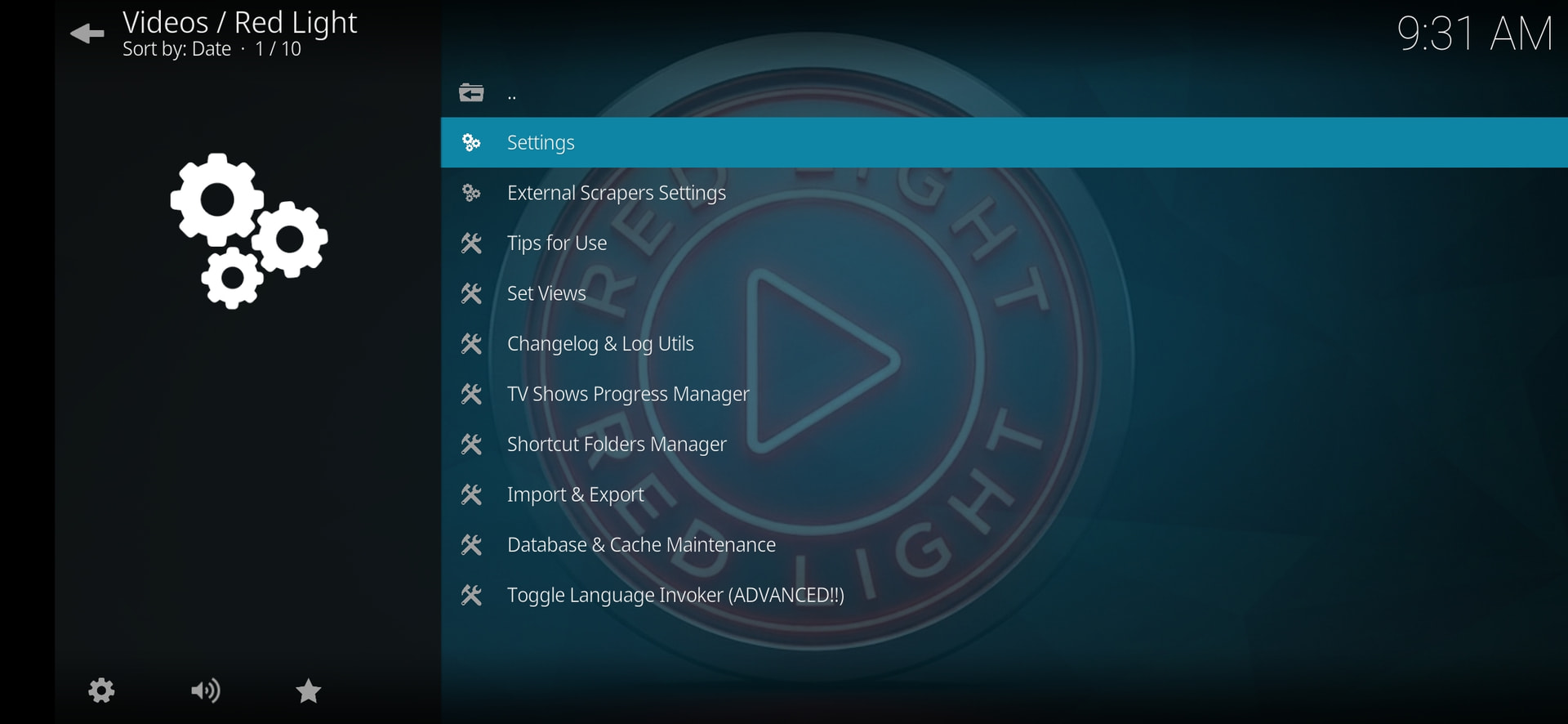
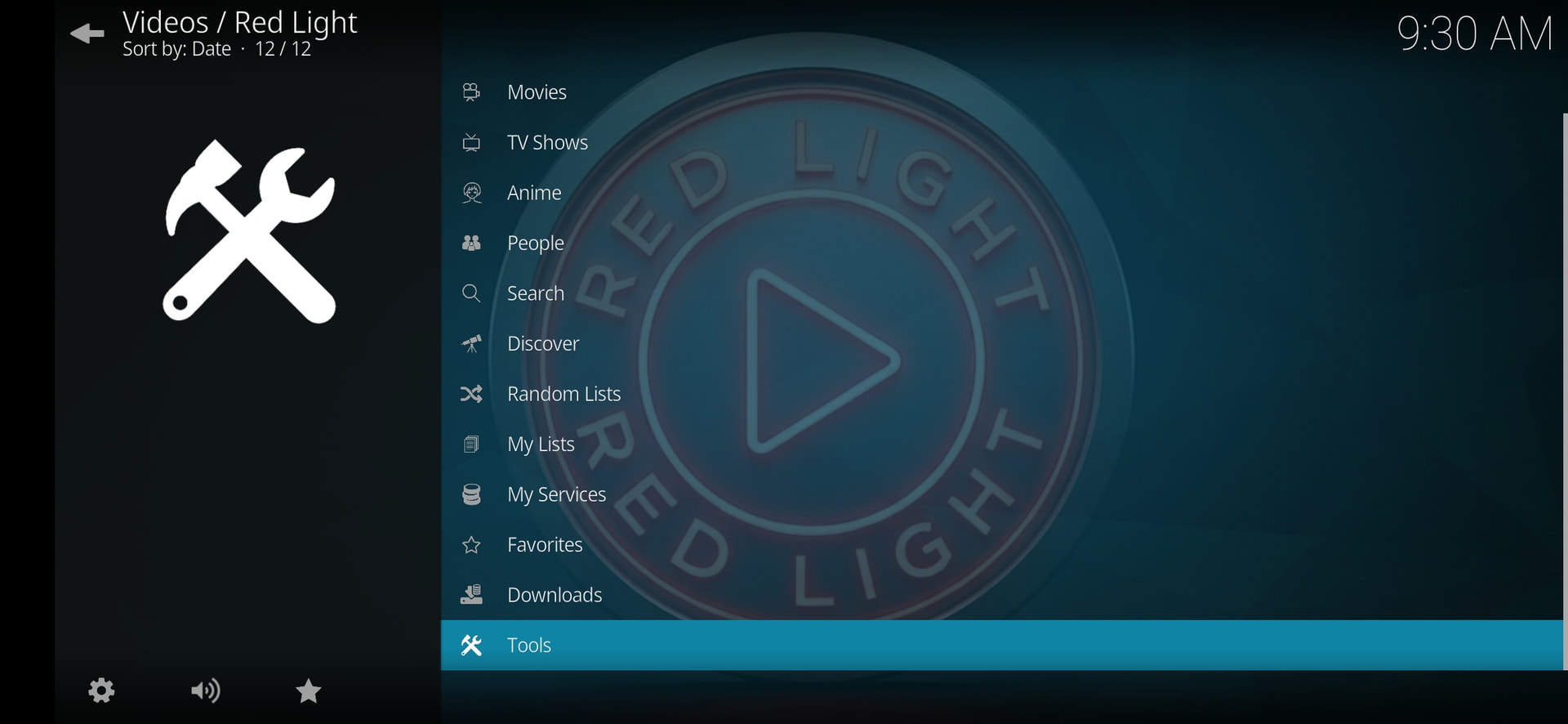
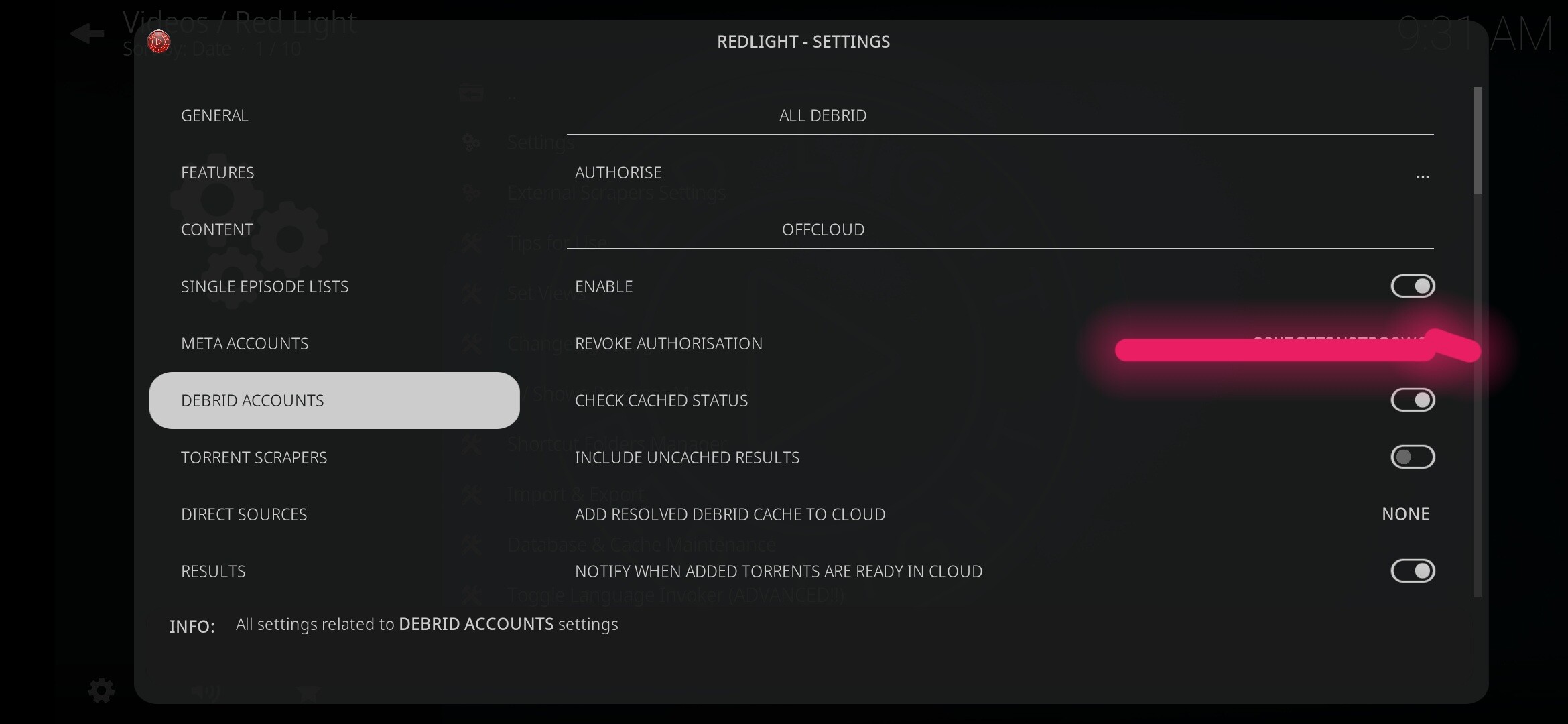
hammer, that is correct. You would absolutely have to be a subscriber to both debrid services. And you would have to set each of them up as PapaS demonstrated above.
I looked at “Add Ons” and could not locate either Premiumize or TorBox. I might have to review Troy’s video to locate where they are in the “build.”
Each Addon will be a bit different. You need to open up the Addon then look for settings/tools. Then look for debrid provider. Just go through all the setting until you see the debrid service you want to remove (premiumize or Torbox). Then go into that and you will probably see “Revoke Authorization” That is where you want to be
That sounds like a stellar idea.
Yes,just go into the settings for the addon and take Torbox out
Thanks everyone. I haven’t had a chance to change these things. Outdoor chores getting ready for winter. Will review this thread and proceed in a few weeks.