I usually sit at my desk. My wife usually sits on the couch & she likes to have a remote for whatever we’re using at the time. So we each have an Xfinity remote for the DVR (I have not gotten her to where she’s willing to dump that yet), remotes for the TV, remotes for the Fire TV Stick.
It’s only in the den but that’s where we usually watch stuff
Ah! I understand. But it’s funny, in my house, having two remotes would probably start a world war. I could just envision I would be watching something that she doesn’t like and…you can take it from there what the outcome would be.
That’s certainly possible. I’ve been tempted to buy one to use the the Fire stcik, thins may be a compelling reason to get one.
I did try, with the original remote paired as teh remote, to add the new remote as a device but it refused to pair that way. I should try the reverse: Pair the new one as a remote & try pairing the original as a device, if for no other reason than to be sure if it works or not
I do have an APK that does that. Don’t watch youtube on the TV so don’t need that. Don’t have a Paramount+ login, don’t need that. I remapped the * to Surfshark, Youtube to Prime Video, Paramount+ to Hulu and Free TV to Cinema HD.
None of this is a big deal but it is a nice convenience
This might not help, but I was reading reviews, on Amazon, for the Buzz TV Classic. One of the reviews stated that they had purchased 2 remotes and that the second wouldn’t pair. So I thought that sure sounds familiar. Here is a copy that part of the review.
One thing - I bought a second remote and couldn’t get the second one to pair. I asked about it in BuzzTV’s support section on their web site. A person from BuzzTV called me the next day and told me how to fix it! Just turn off the bluetooth and use them as infrared remotes.
you know there are some remotes that come with their own dongle. I have a Rii kb/remote that I sometimes use with my shield. I can use it and the OG Shield remote at the same time. Here is a link.
First, I want to thank everyone for their suggestions & help. Knowledgable bunch of people here
Second, how I fixed it:
I asked Grok “can I pair 2 remotes to an ONN 4K Plus”
The answer was yes, with instructions. Seemingly the same thing I’d been doing, to pair it as an accessory. But at the bottom was this:
If pairing fails, try resetting the remote by removing the batteries, pressing a button to discharge it, and then reinserting the batteries to attempt pairing again.
I believe I did quite awhile back but interestingly enough, the google tv app worked the best if my memory serves me correct. I’d have to check again tomorrow. That link is not liked by my virus protection.
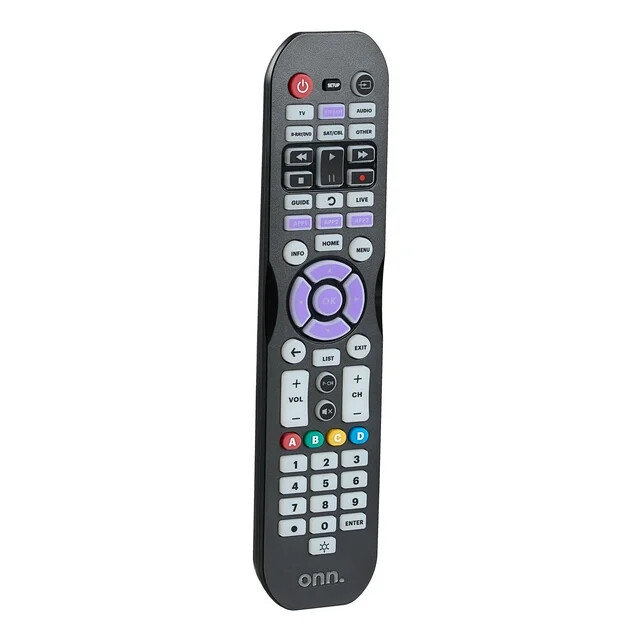
Just bought this ONN remote at walmart and it will handle 6 different devices including the Onn 4k pro. I always liked a remote with the numbers as it’s a lot easier when entering logins .