I just bought the Nvidia Shield portable 4k android TV. I have been using firestick but have had a few issues and I’m hoping the Shield will be more stable. On that note I’m wondering if Troypoint has Nvidia guides on how to sideload apps (IPTV, Downloader, VPN, CinemaHD etc…)?
I’m assuming its the same as Firestick using downloader but have read up a bit and there’s other ways to install apps but it seems to be complicated processes that I’ve never used before.
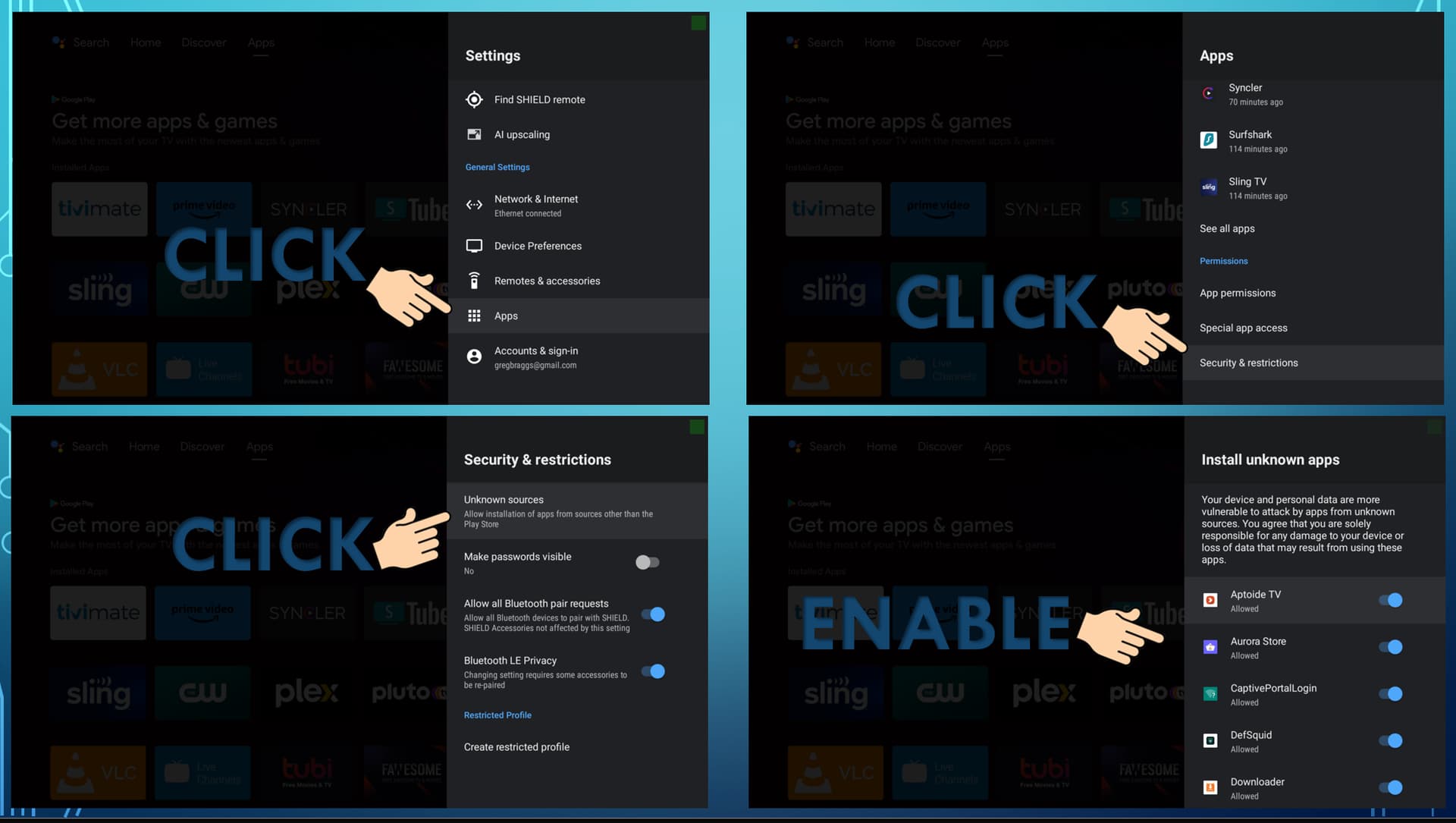
You have to allow apps from unknown sources in the settings and then use the resources we talk about in here. Troy’s Toolbox, Downloader, Google Play and the other App stores, etc. Apkpure is a good site for a few that you cant find. Use Troypoint.com for the guides.