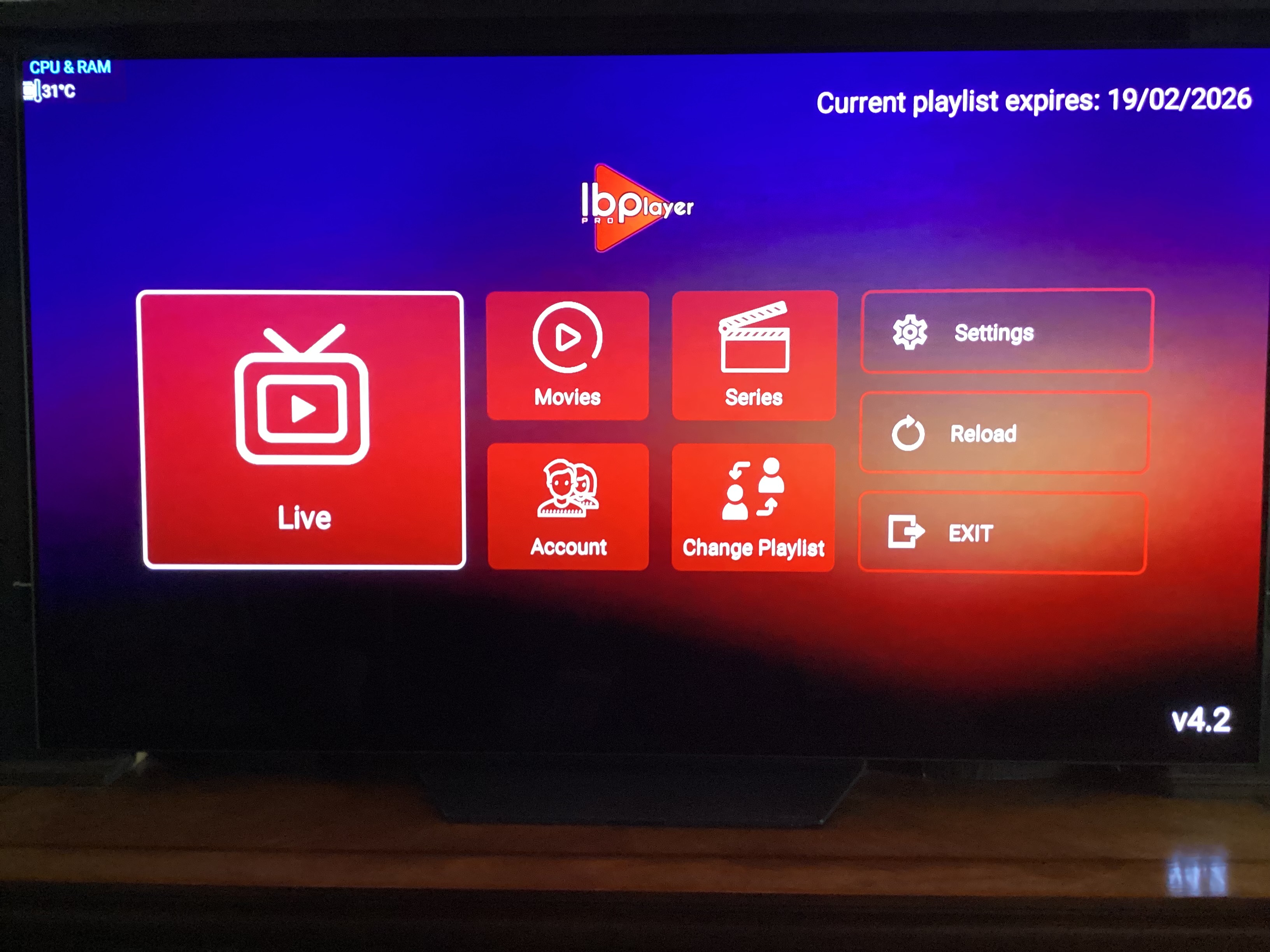
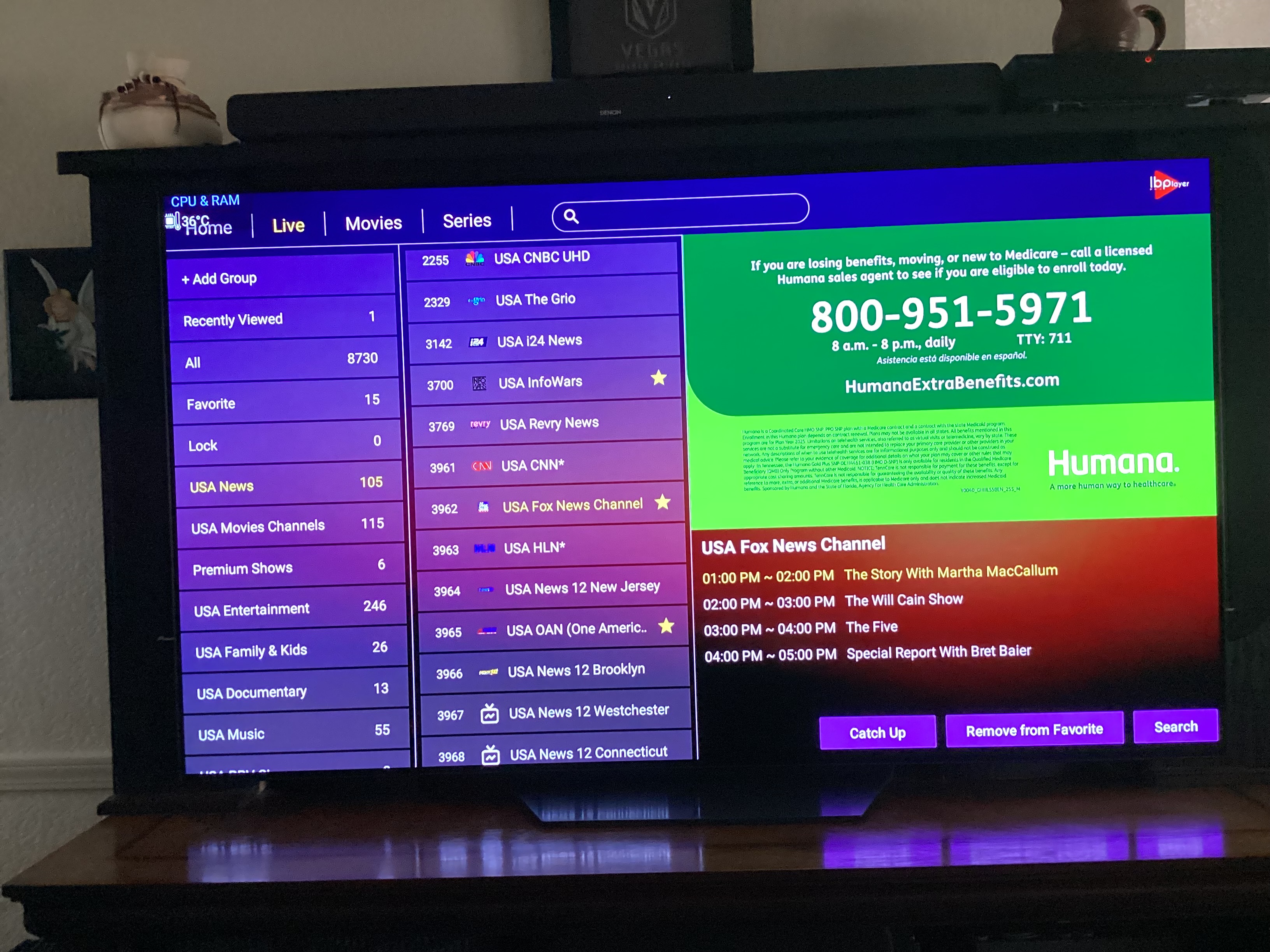
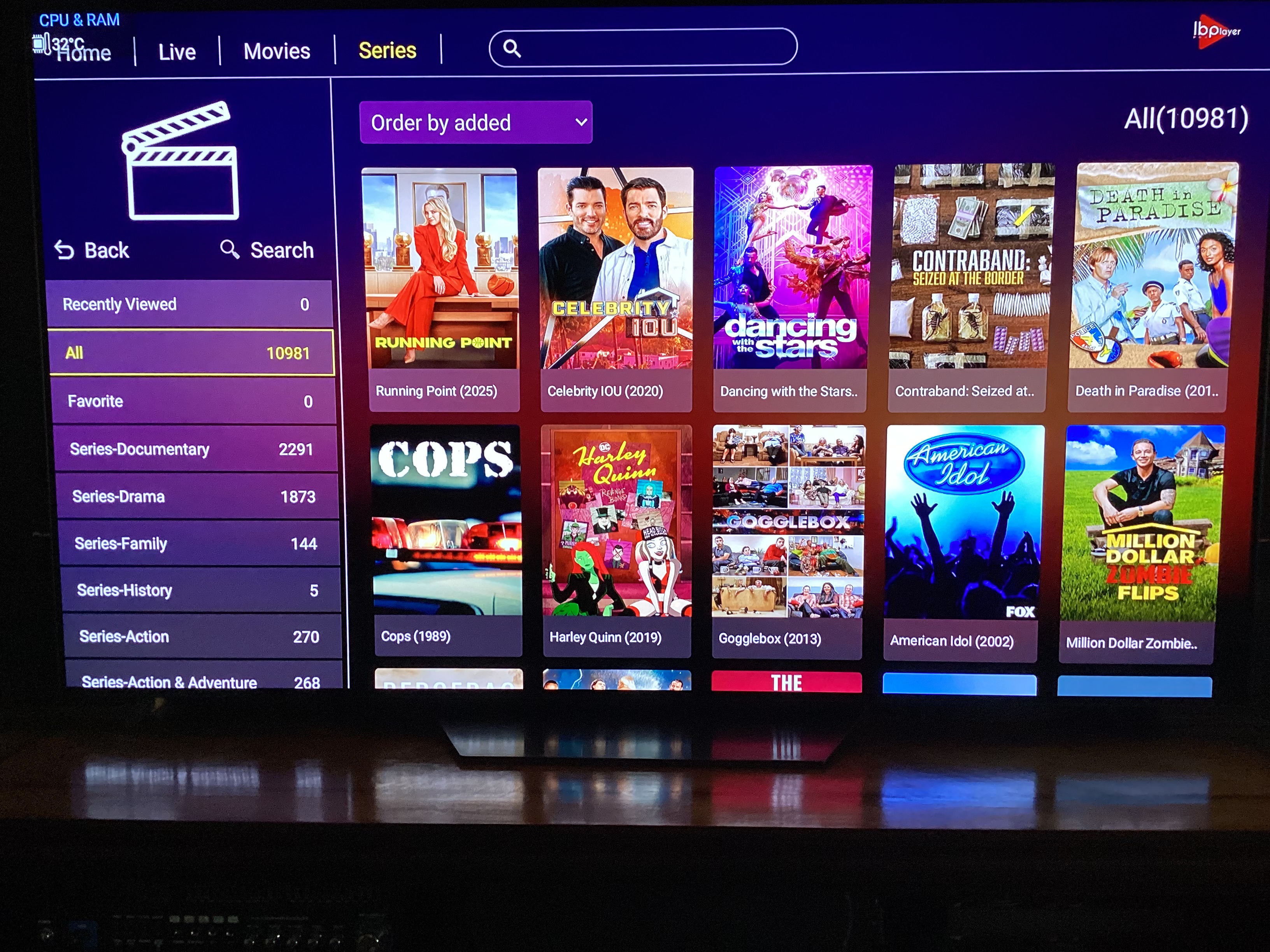
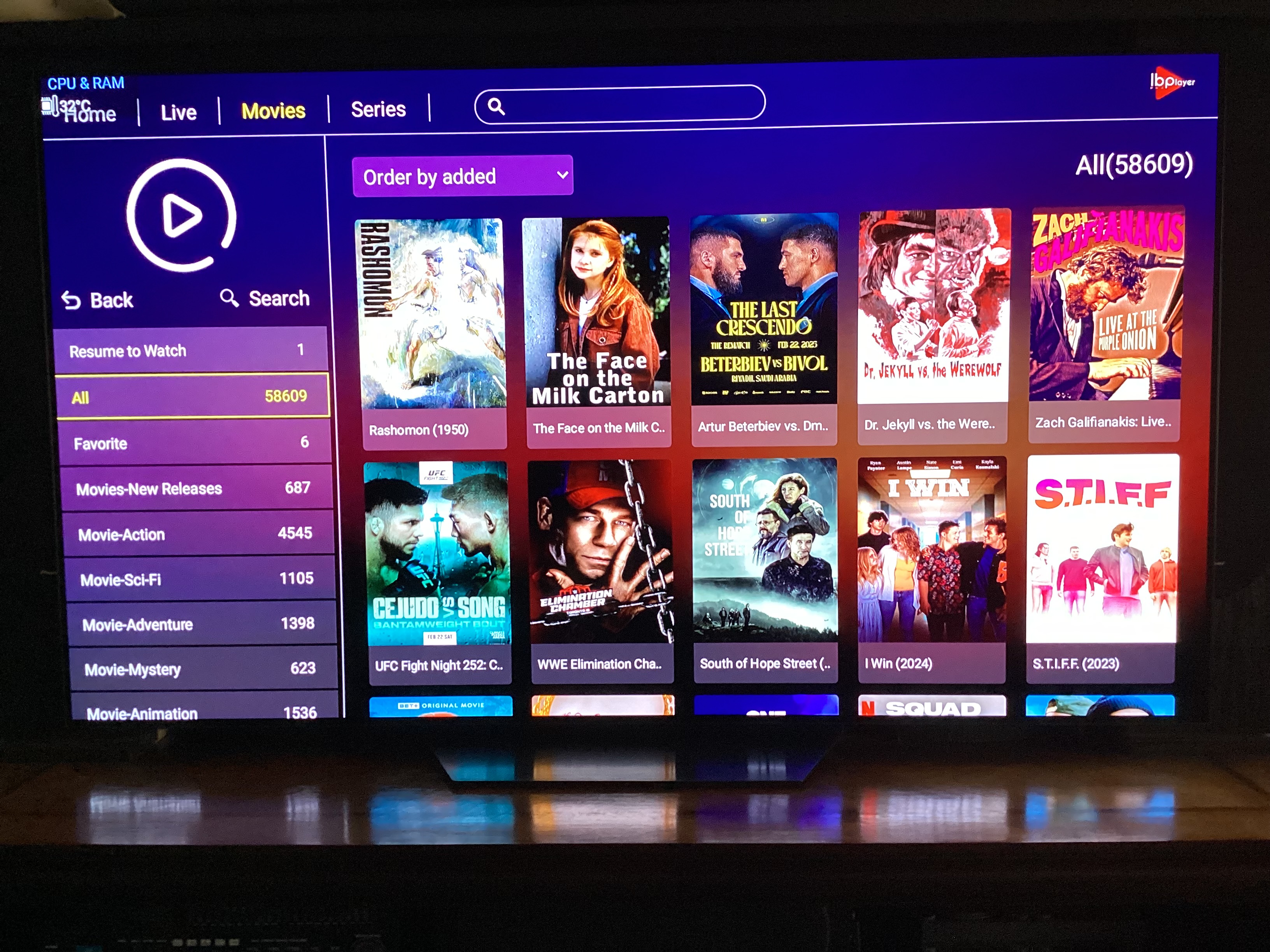
After seeing a few videos on this IPTV player, I installed their player app, which comes with a 7 day free trial. Beyond that you have to pay $8.85 per device for a lifetime subscription. In his recent review of an IPTV service, Troy indicated that this player has been downloaded over 1 million times, so it appears it is pretty popular. I was so impressed by the performance of this player, I ended up purchasing 2 subscriptions for 2 of my devices. This player downloads playlists effortlessly and channel streams start immediately upon channel selection. HD images are very crisp and play well. Per attached screenshots, the homescreen and catagory screens are very straightforward and favorites are very easy to select. For those who wish to try this out and give it a shot, the app is available on the Google PlayStore. Let me know what you think.
Does it have a record feature?
It is a great app. My provider gives you this player to use with their services. Or sparkle or tivimate too!
hey hotwheels
does it record to external hd’s?
Ibo does not record
Does anyone know what the official website is for the ibo pro player apk?
I have paid for the premium apk twice because I can not get updates via the app on my android tv box.
There is a new update available however when I try to update I get the satelitte image from the play store saying not found.
Any ideas, I love the app but continuing to rebuy the premium version is not something I’d like to do. Was hoping to reach out to the company but when I goggle them there 15 different websites.
I sent you a PM.
It’s still available on Playstore I think you just need to Update it from the playstore
I got my IBO app off the Google PlayStore on the 6 day free trial and got the lifetime subscription for $7.99 per device from there. I have no idea about any available update and my app works great.
The IBO site is at https://iboplayer.pro/. The latest version for download is 4.3 For those looking for an easy to use alternative to TiViMate, this is it!
https://ibopYou can download our APK release at:
https://iboplayer.com/app_downloads/ibop.apklayer.com This is the good IBO player. It has updated and is now a launcher also.
can you remove countries and unwanted channels from the list like you can with tivimate?
Yup. Very easy to do.
how? friend got a box with it on it and would like to know how.
then if i like it i might try it.. i amusing tivimate which i can do multi devices.. this seems to be 1 device per
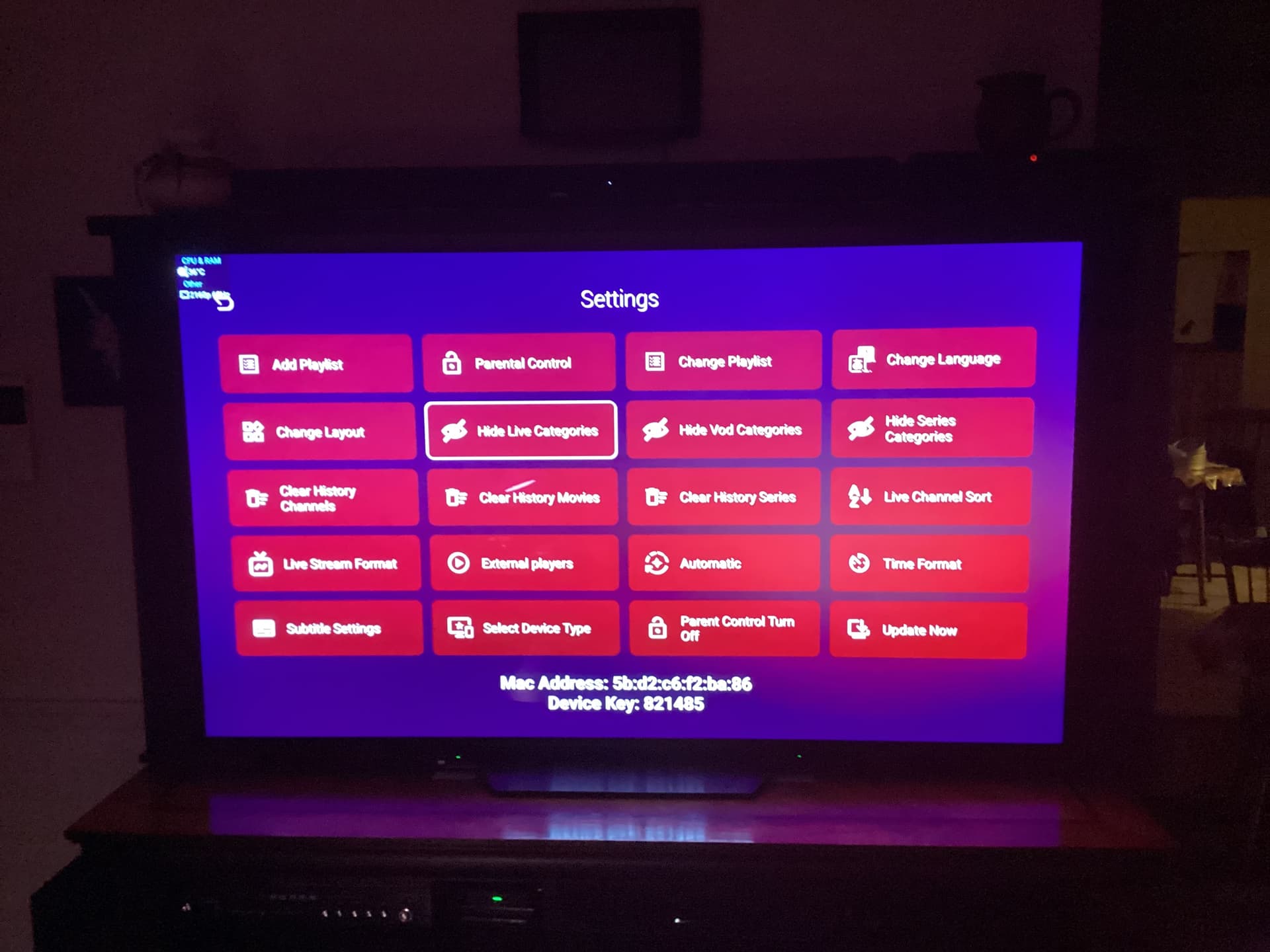

I’m hoping I’ve discovered an experienced IBO Player Pro User. Just installed and created a custom Group (Live TV) but can’t figure out how to copy channels to it? Any ideas? Cheers!
I am not sure if this can be done on IBO or how to do it. I only select favorites and sort them alphabetically. I prefer simplicity, fewer catagories and hide those I never watch. A favorites catagory is all I usually need anyway. IBO is intuitive, very easy to set up and use. This is the reason why I prefer it over other players, even TiViMate. The only thing this player does not have that some would prefer is multiscreen options.
Thank you Sir! I persisted since it didn’t make sense to be able to add a group without the means to poulate it. Don’t really care about multiscreen but being able to order my own ‘Favorite’ Group would be a nice to have option. I wanted to create a separate Group for 24-7 selectiosn apart from my Favorites. What follows is how I did it in case you are interested:
Select ‘+ Add Group’
Create your Group Name
Select ‘DONE’ twice (You will see the new Group Name now in the left column)
Select the New Group Name (The Add Channel box will now be highlighted in the top panel)
Select that ‘Add Channel’ box
The top Group in your non-hidden groups will now be highlighted in the left column
Select that top Group to see a list of all your non-hidden Groups.
Select the first group in the middle column to select channels from. Mark the ones you desire.
Highlight ‘Complete’ in the left column to populate your new Group with your selected channels
Rinse and repeat to select additional channels from other non-hidden Groups.
NOTES:
The top pannel appears organized as follows:
(a) [My Groups] displays ‘Favorite’ plus a list of all ‘added groups’ The current added Group will be highlighted.
(b) [Add Channel] displays a list of all new channels added to the new Group to date
Long Pressing a Newly Added Group Name will allow you to rename or delete the Group. Note - you have to Select the ‘+Add Group’ first in order to select your new Group.
Observation: I did notice that my previously hidden groups reappeared during this process and reloading the portal from the main screen fixed this.
Thanks for the information and for sharing it. I had no idea this could even be done.
I can’t use my iptv service wo IBO player it seems can you direct me to the website to download it to my fs? Thank you