Is there a way to get rid of all the Anime in Stremio? I put Stremio on my Onn box and followed Troypoints direction on what and how to set it up and even installed Duck Streams. I do not understand how to configure the streaming apps to remove content I do not want to see, like Anime or how to go about removing it. If anyone has directions on how to do so please let me know.
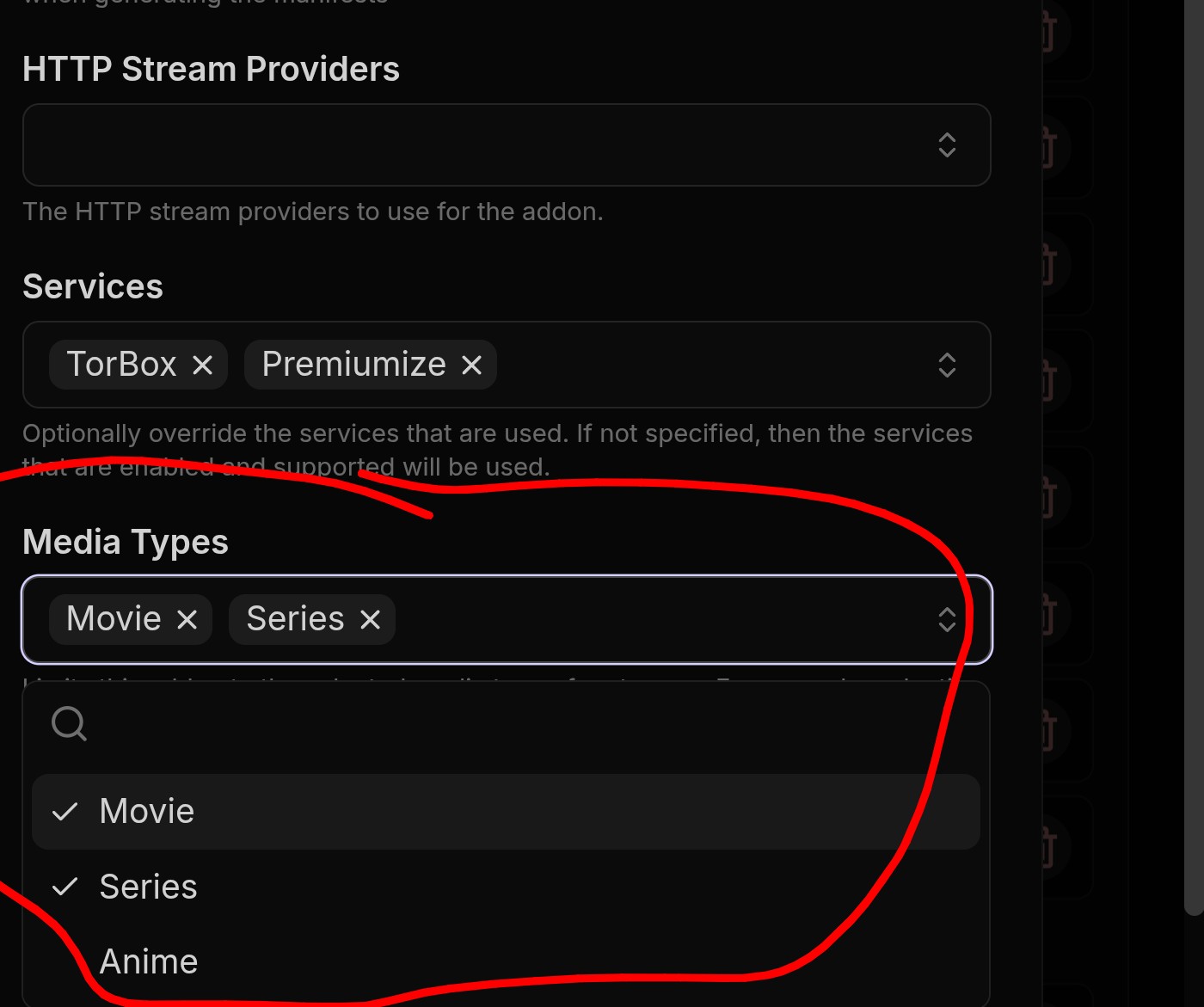
The addons I am using are Cinemeta, AIOMetadata, Comet, Meteor, Torrentio and Duck Streams. I followed Troyoints guide on how to set up Stremio. You may not be seeing Anime but I am and as I stated in my post I do not understand how to configure the addon, just telling me to uncheck Anime is not telling me how to do that.
I mentioned inside DuckStreams. Log into your Duck Streams. Then go into the addons page. Then on every addon you will see a series of icons on the right. One is a box with a pen in it. That is a configuration button for the addon. Click that and I provided a picture of the section to look for. Now on the Stremio addon site when selecting an addon you then click install and the next page provides you with a configuration option which you click and configure it. Now on addons already installed in Stremio when you click the addons you will see your addons and go to any addon, to the right of them is a little gear icon, usually green, click that and once again you will be in the configuration panel and simply go section by section and make your choices. Those are the three different ways to get to the addons configuration in Stremio.
Thank you very much I should be able to figure it out now.
PM me if you get stuck and I’ll send ya screen shots to help with specific addons.