Originally published at: How to Install Ultra Max Stremio Addon (Catalog Collections)
Follow our guide below that presents you with step-by-step installation instructions for the Ultra Max Stremio Addon. Ultra Max is a Catalogs Collection Addon that provides various Catalogs that improve your browsing experience within the Stremio App. There are tons of different Catalogs or Categories to choose from, which currently include the following: Trending/Popular Streaming…
I tried twice but Stremio said Failed to get addon manifest from https://max-streams.gleeze.com/manifest.json.
Copy that URL, open stremio, go to addons, enter it in the search line and hit enter. An install button should appear at the bottom. Click it. I have just tested it and it worked for me.
This is a helpful guide to make sure you and copying the exact URL - How to Copy & Paste on Android TV & Fire TV from Your Phone
In all fairness, The link was not working for me yesterday and it works today. Might have just been a high volume hitting the site at that time.
Just installed it. Easy / Peasy.
I get no streams available on pretty much every thing, maybe it takes a day or so to work right… I followed the simple instructions to the T… maybe I should turn off my vpn and open the app??
This us just a catalogue addon not an addon that scrapes for sources. I think you may not understand the difference.
Not working for me either. I tried 3 times and all I get is that it brings me back to my home page where all my apps are. Maybe I’ll try tomorrow.
I understand that, however how do I know these are different ideas than I already I’m getting? I see know difference.
Catalogues are just like a paper catalogue you would get from a big store. Just info like the posters for you to look at for movies or series, and doesn’t contain any scrapers that would supply a source for you to play. Those are done through add-ons like Comet, DuckStreams and many others found in say the bootstrapper set up. Look at vids like Troy’s ultimate Stremio setup.
I tried visiting the Ultra Max webpage posted on my laptop, but it said I needed to log in, required API keys for MDBList API, and lots of other things. Ultimately it wouldn’t even generate the URL (i tried to customize the list rather than go with the pre-selected ones). It said a password was required to generate the URL. Am I supposed to log into stremio on the Ultra Max Webpage? Thanks for any advice!
Read from the start of this thread and the answers are all there.
https://max-streams.gleeze.com/manifest.json
 That is what you can add in stremio>addons> search line and hit enter and then the green install button down the bottom.
That is exactly the same as I get.
After clicking Build Addon, I do not get the page showing the Install in Stremio “No Anime or Bollywood” Quick Install / Copy URL options.
I get the same page as you described - lots of API Key requests and asks for a Password etc.
No idea how to proceed…
Hey there, please read the guide. Step 2 says you can choose to build your own or use one of the pre-configured options like we do. Don’t click Build Your Addon. If you want to use a pre-configured selection, scroll down and copy the URL of your choice.
I’m getting the same. I am following the guide and screenshot #2 highlights the “Build Your Own” button- there is no other option to click on this page other than the one for Nuvio Collections Builder and Join the Community (2 buttons, see attached image) - there are no other preselected options. When you click it it comes to a configuration page…there is no “Quick Install” on the page that comes up on screenshot #3. There is nowhere that shows how to choose a preselected catalog URL. The only option is to actually build a catalog but it requires keys and passwords. Interesting that Troy’s screenshot #2 shows “140+ curated catalogs for Stremio” yet mine shows 220+. His info may be outdated.
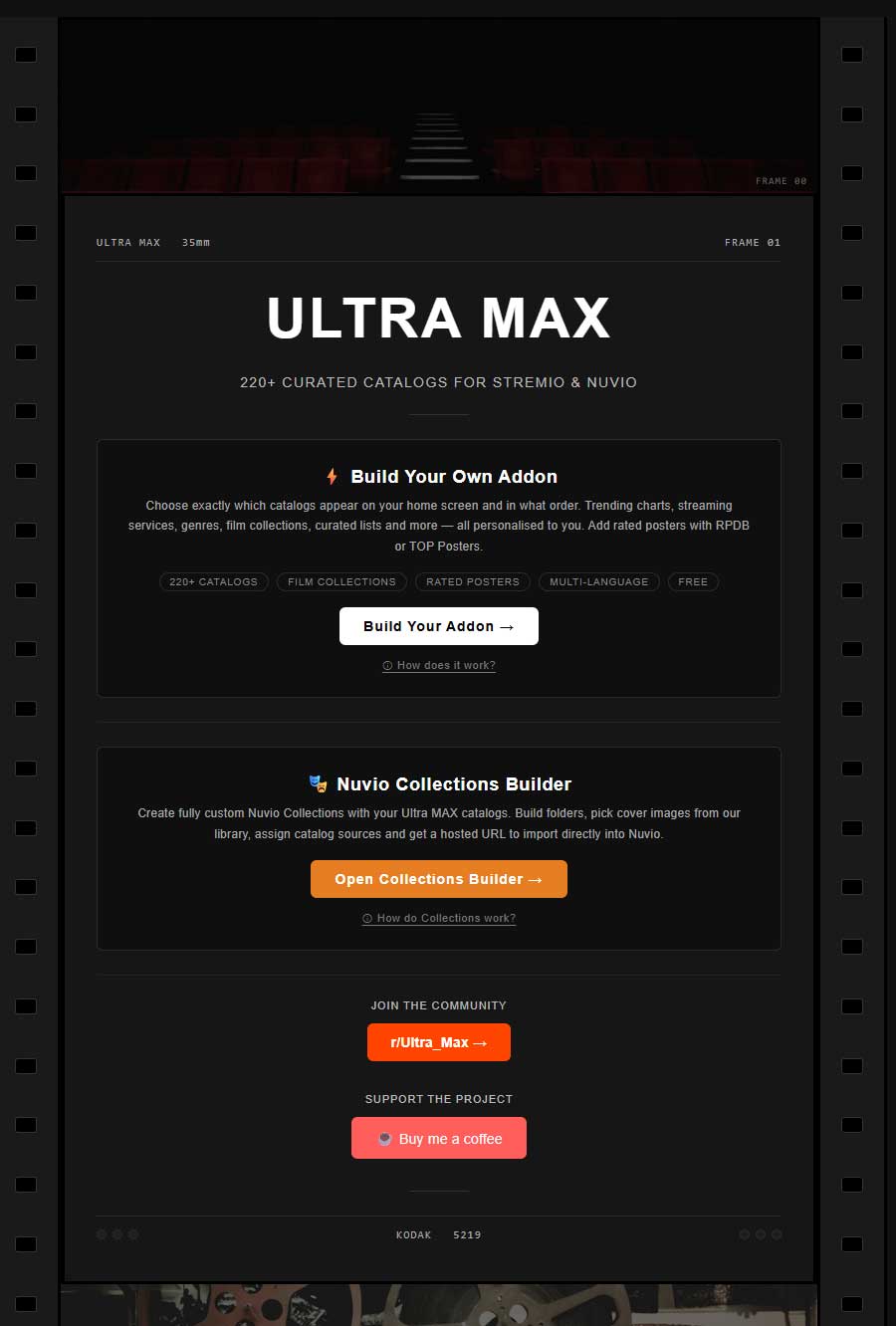
Read my post above please. Just use the .json url and add it. Worked without any problems for me.
It looks like they have updated the configuration website. I have adjusted our guide with new screenshots which should be up to date now.
@troypoint Can you do an updated post about Ultra max addon update? Looks very good but pretty confusing straightaway. You April guide looks nothing like it looks now so it’s hard to follow.