It use to be there. It seems an update took it out as I just went through all the settings and it isn’t there any more. I will let them know on discord. Ok I posted the issue.
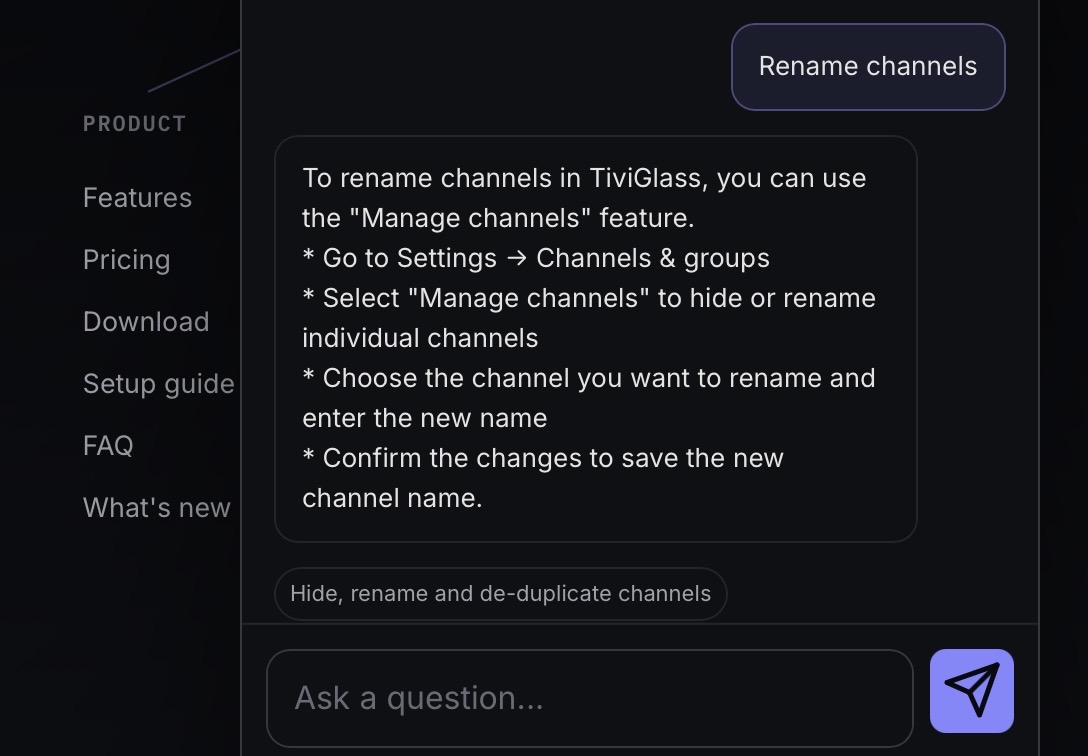
Yup that was it, but it’s not there any more and I told the dev in discord.
How is someone able to post pics of IPTV channels here and it being okay yet we are shutting down the whole IPTV services category. Where is the grey area on this? Need further clarification moving forward.
Thanks
Already taking care of it in a PM. But tx for the assist.
Tiviglass is a game changer for Formuler device. Hated it and rarely turned it on. Installed Tiviglass and it is a completely different device .
In the epg if you hold select on a channel it will bring up the options menu and you can rename from there or use auto rename
I’ll have a look now.
you not a fan mytvonline3? I still prefer tivimate overall, but haven’t even loaded it on the formuler. I mainly use the formuler to record events that don’t have catchup. But I still need to try tiviglass out.

I’m the same a Miki here.
oops i must of broke it!
All good. It’s a lot of work and you are doing a wonderful job. I appreciate you.
Hey @Soulsurfer the dev fixed the renaming channel issue. So make sure you have the beta updates enabled and then open TG, get the beta update installed and then when you want to rename a channel just long press on it in the playlist, and the option is back. 

This Dev is awesome.
I’ve been playing around with this and there are a few things that I’m having a hard time getting used to. I wish categories were on left like Tivimate instead of at top. It also seems that things are kinda hard to see/read even though I’ve adjusted layout settings. Finally, hope we can long press left button on remote to go back in time for catchup channels like TiviMate. I’ve also been testing TVLOK and I’m liking that better so far just my 2 cents. Great work by both devs nonetheless. Thank you all involved.
They are on the left or across the top. Your choice,.
Just a matter of learning how to use it.
Read up under “Watch” section.
You can change category position in the settings. Not sure about catchup as I never use it but I will ask the AI on the TG dashboard.
Go to the channel you want to watch Catch-Up content from and open its hold-OK menu.
* Select the Catch-Up option if available.
* If the channel does not have a direct Catch-Up option, check the provider’s Movies and Shows section for on-demand content, which may include Catch-Up TV.
* Note that Catch-Up availability and functionality depend on your IPTV provider’s support and configuration.
To go back in time for Catch-Up in TiviGlass, you can use the TV guide to select a past programme. Here’s how:
* Open the TV guide by going to the channel you want to watch Catch-Up content from and selecting the guide option.
* Navigate to the desired date and time in the past using the guide’s navigation controls.
* Find the programme you want to watch and select it to start playback.
* Alternatively, you can also use the EPG (Electronic Programme Guide) to browse and select Catch-Up content.
If you’re having trouble finding Catch-Up content, check that your provider supports it for the specific channel you’re trying to watch, as mentioned in the user guide [1] Watch Catch-Up (archive).
Thanks @Miki must have missed that setting I will look again. Many thanks.
TiviGlass just keeps getting better and better. I would like to see say a side panel popout showing all the playlists I have installed so I can open one to look for a channel to add to my groups instead of having to open settings then changing the active playlist to bring up the EPG. I would also like to see a simple button click to return to the previous channel I was watching, something like a click of the right side of the navigation ring while in a channel is in full screen. Also when having all playlists open I would like the opportunity to long press on a channel and then have an option to select a channel or multiple channels and hide them.
I do notice a much better picture while using this player.
A million thank yous. I’ve been tinkering and thought the categories on top was default.