Thanks @girlwithanumbrella I should have caught that as it’s in the screenshot. Good morning and hope you have a buffer free day.
FYI:Looks AIOMetadata is the default for Bootstrapper now.
There is no way to delete Cinemeta, only can hide it using Bootstapper or Cinebye. It still shows in addons when it’s hidden.
1 Like
Sorry got to be a bit more precise in what I say I guess. You can remove the cinemata catalogues, search and so on, and it seems the search is not working so a reset may or may not help
So I was trying to understand if any outside tools had been used to modify Cinemata. Such as here.  Then suggesting to use the reset button.
2 Likes
I had the same problem my setup was originally through the bootstrapper so I just went in and redid the bootstrapper and it updated all my firestick devices and all worked.
1 Like
I have installed Stremio as per the video and added Real Debrid. All I get are constant error messages and RD movies say I don’t have an account which I do. I use Google Chromecast.
Do anyone know what’s on with gamers.services
Do you mean gaming services.exe in Windows?
Thank you
I will try that tonight
Thank you - I’ve tried multiple times to link/sync my Real Debrid account to my Stremio App with NO success. I have followed all of Troy’s video’s but still getting stuck. Is there a specific video for adding real debrid to stemio ? Many thanks
Thanks Troy - but i have read the articles and watched the videos and I still cannot add real debrid to stremio. I just dont know what i am missing.
PS Thanks for all you do for us.
1 Like
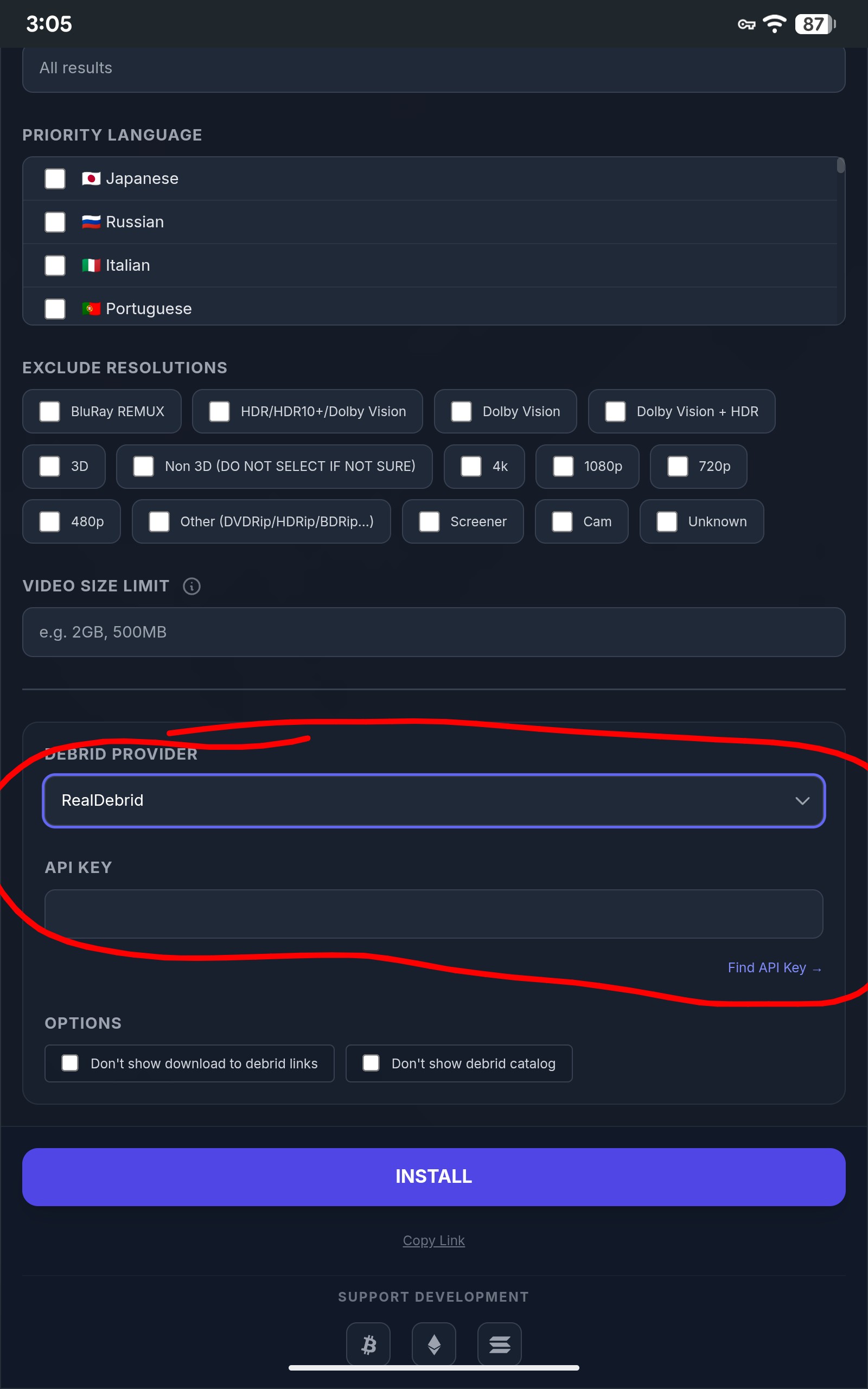
You don’t sync your debrid account or add it to Stremio, you add it in an addon that you configure. The following is for Torrentio.
1 Like
Yes- I did that then clicked find API Key and it generated the key but I didnt get an install message
You install the key. Copy the key then paste it in the line that says API Key. Once the rest of the addon is configured to your liking simply click the Huge white INSTALL button. Also just to clarify, you don’t generate a key, that is your Real Debrid API key for all addons you are using, in any app, that you add Real Debrid to, and it’s in your Real Debrid panel.
2 Likes
Thanks Miki - just tried it again, No luck. I’m going to go back and watch Troys videos again and do this step by step.
1 Like
Not sure what you are missing. It is so simple. Click the find api key and it takes you directly to your Real Debrid account panel and the Key. Highlight the key and copy it, then you can close that page, then install it in the API KEY line. Then click install and now go back into Stremio and click on the little puzzle piece to open your addons, scroll down and Torrentio will be at the bottom as it’s the last one you added and it will read Torrentio(RD+)
1 Like
When you click ‘Find API Key’ it will take you to Real-Debrid: All-in-one solution (Assuming you are already logged in to your Real Debrid account). You will need to copy the key, then paste into ‘API Key’ field. It doesn’t fill it in for you.
Hi dogg5150 - yes, I did that.
1 Like
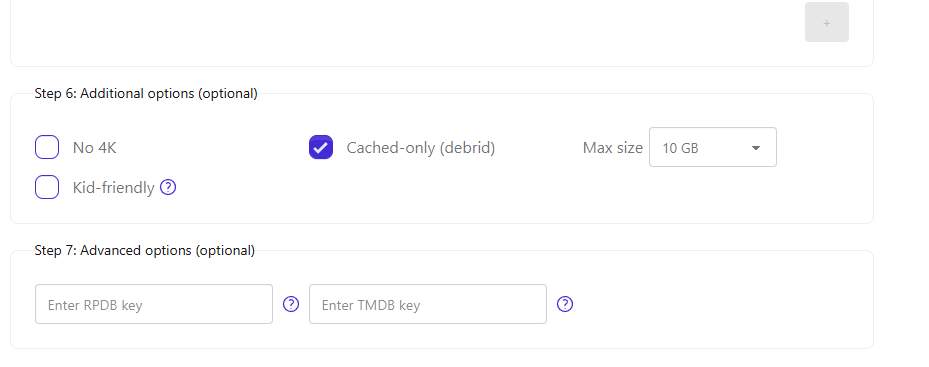
Have you tried the Bootstrapper site? https://bootstrapper.stremaddon.net/. Just make sure you select these settings for optimal streaming.
1 Like
The past three days I have had issues with Stremio. TV shows stop playing; no RD options but my account is valid until April; error messages stating the exo player not working to try VLC but when you click on it, another error appears. Anyone have similar issues? Any fixes other than uninstalling and reinstalling with troypoint setup guide?