Originally published at: How to Install Red Light Addon on Kodi (Premium FEN Clone)
The following tutorial shows how to install the Red Light Addon on the latest version of Kodi. Red Light is a brand new Kodi add-on from The Repo Repo and a clone of FEN Light, which has had several issues recently. This option does require a premium debrid service and the installation of external scrapers…
It’s interesting that in this Red Wizard Repo, they have the FenLight AM UNOFFICIAL add on, Gears and this new Red Light Add on. Gears and Red Light look to be exactly the same.
Thank you for pointing out the difference in scrapers (CoCo vs. Gears). So you can have both CoCo and Gears scrapers available hence you can use both add ons.
I’ve not looked but can you have BOTH CoCo and Gears scrapers together in any of these 3 add ons? Appears NO but I thought I’d throw it out there.
Thank you..
Yea The Gears scraper was impressive!
A great addon
i have just downloaded the new adams build on kodi but when i go on movies and change the view too lists i can’t set it for all how do i do this so i don’t have to keep going into view options and select it on each page
Hi phil75! I know, so well, how annoying it is to try and get the views that you want. I hate Poster view. Anyhow…
for Red Light:
- select “Tools”
- About 4 or 5 lines down you should see “Set Views”
- We can set up several things here. But I just set the views for Movies and TV. So I select Movies, then I hit the left arrow on the remote to cycle through the options. I always select Wide List. Then press the right arrow and tab down to “Set view and then Click Here”.
Your selection should stick.
NOTE: I need to add..to select which view you want, hit the OK center button on your remote. The option that you selected will slide away to the left. This is when you will tab down to the “Set view and click here” option.
Kodi is playing through the app installed directly on my new TCLTV Smart tv and I’m getting this error message when I play a movie link in red light addon.
This link could not be played. It may be expired, removed, not cached on your debrid (cache check was off), or unsupported on this device.
The sources account is set to gear scrapers and paired with real debrid. These are the other settings in there. Is something incorrect? Why am I getting the error message?
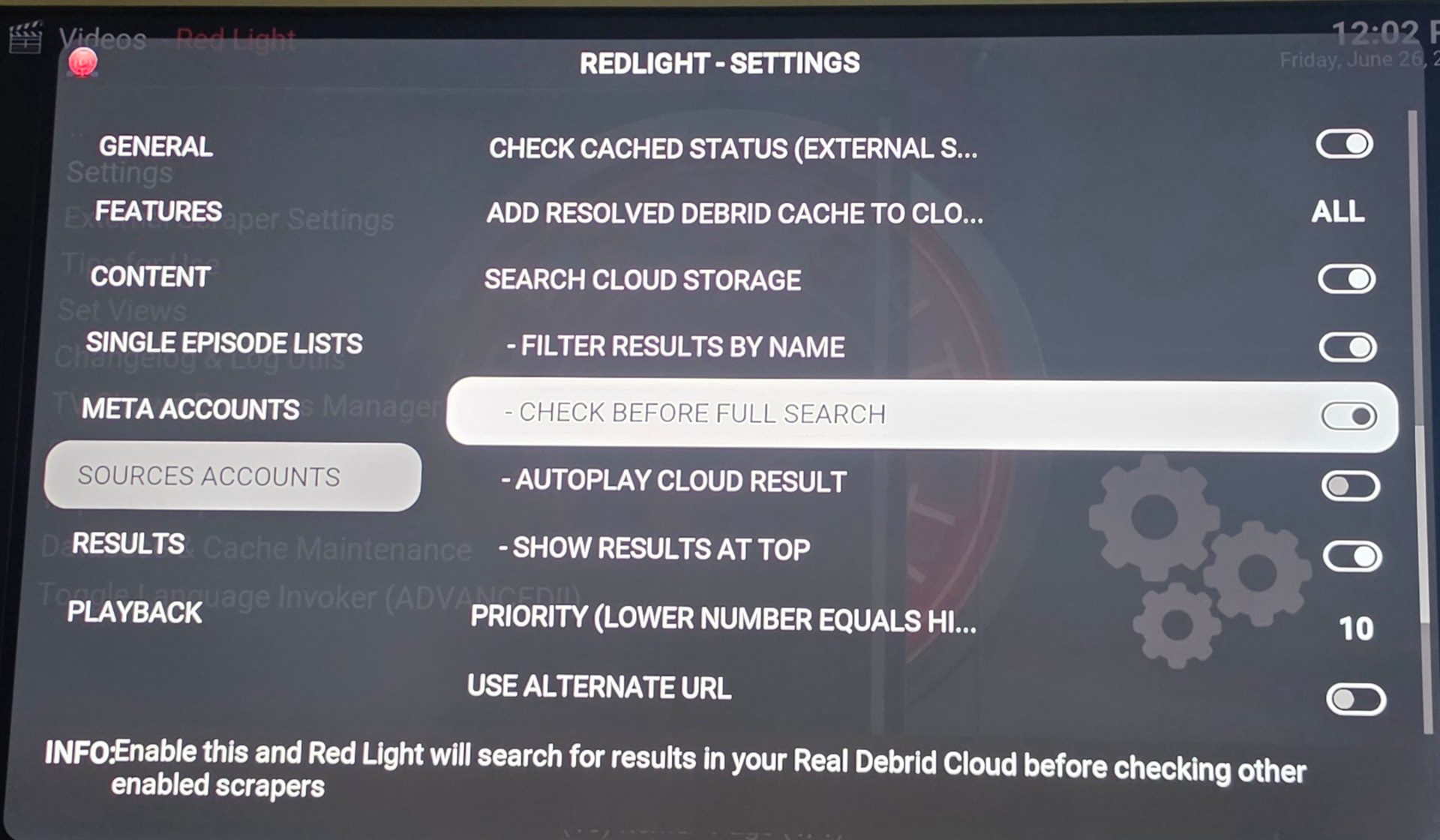
@Amellom, I’ve received that error message also. I don’t recall if it was Red Light but most likely it was. It seemed that if the first link failed to generate anything, then this would pop up.
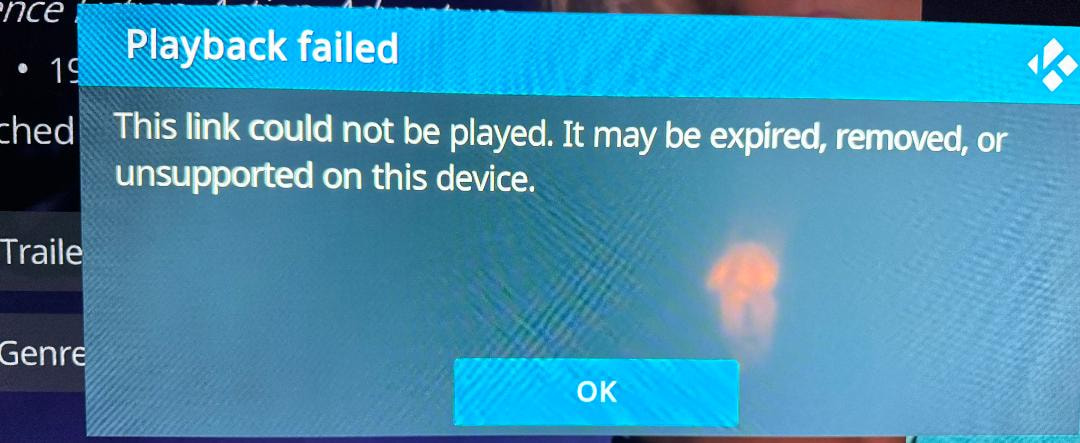
When you see this error, it usually means your debrid provider failed to fetch or generate the streaming link. This can happen if the link was removed due to a copyright strike, the original torrent lost all its seeders, or your debrid service is having trouble pulling it.
The thing that surprised me is that failed to cycle through the other stream options. In my case it was RD. I do have PM and Torbox but RD was the first link in the line up.
@JerryJ I’m hooked on Nuvio lately and added Debridio for $9.99 to both Nuvio and Stremio and I’m El Feugo  !
!
I am using a Formuler Z11 pro using the red light i go into search then search tv shows the problem is sometimes I misspell the title an don’t know how to get rid of that misspelled one anyone know how to get rid of it
Hold down on the misspelled name until pop up and it should have option to delete it (, select button)
When you are typing in the name of the show you are searching, on the keyboard that shows up where you are typing, there is an “x” with a box around it that is shaped like a home plate in baseball, but sideways. It allows you to erase each letter from where you ended until you reach the spot of your mistake and then re-type it correctly. I have never heard of Paddyboy’s way of doing it. I am sure he would not post it if it didn’t work. I just posted what I do to fix it. I will try Paddyboy’s way though just to see it.
Ok thanks will try when I near my tv again
And will let you know what one works
Don’t have Redlight but the solution Paddtboy gave works with most addons. Go to the one you want deleted and long press the enter button and should get an option to delete
Yes Paddyboy solution works thanks everyone for your help
If I misspell a word, I just go to the bottom of the keyboard to the left < or right > arrows and tab over to the wrong letter. I then use Dminor9’s method to erase the incorrect letter or even to add a space. Then use the directional arrow to move off of the word. This should work on all of the Kodi addons.