I took a quick glance at what you sent me, and I appreciate it greatly! I wouldn’t know where to begin to try to put a previous version on my fire stick. I’ll just stick with umbrella it’s never failed me. I was just looking for a backup. And something with an interface like Cinema which I don’t have with umbrella. Thanks a million. I won’t lose a single second of sleep if I’m not able to put this app on my fire stick. I appreciate everybody’s patience and kindness for those of us that are Tech dummies!
Would love to try but my phone or something won’t get the QR code to work. Not sure if there is something I’m doing wrong. I use my camera, and it shows login approval but the app shows nothing about what I installed. keps saying invalid QR code on the TV
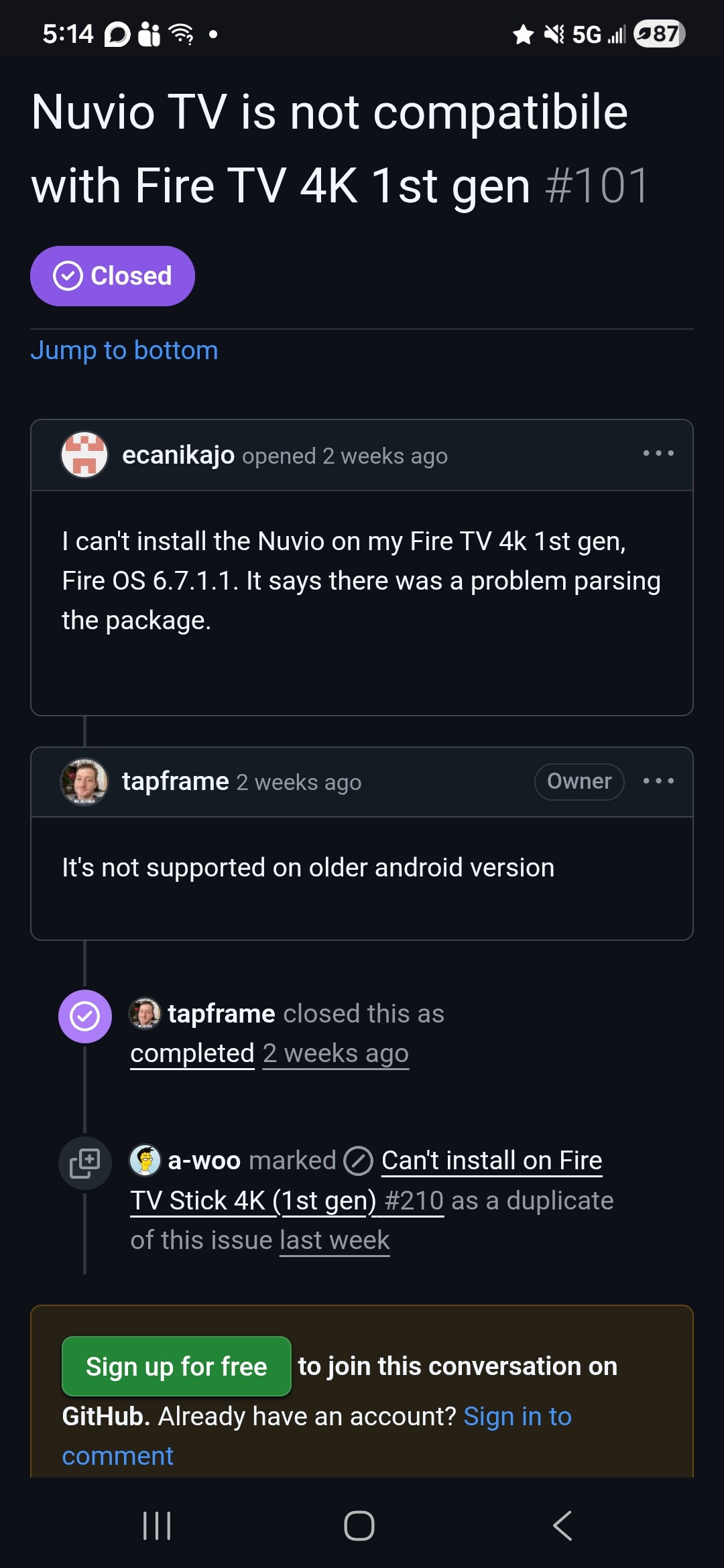
Thank you. I don’t even have a 4K fire stick mine is the version before that. So you are exactly right it is probably not compatible with my older fire stick. Thanks a million! Now I just have to keep my dog from trying to eat my new couch!
I went through the setup including setting up Torrentio and USA TV. They both show on the Nuvio account as addons however the Nuvio on my TV only has the USA TV. No clue why Torrentio isn’t there. Is it just me or is anyone else having an issue when clicking on a show or movie getting a result like “No Info”. So why when the movie/show is listed as popular etc. it isn’t available? Thanks
I got Nuvio configured on my PC with Torrentio/TB and Torrentio/PM and USA Channels. Then installed Nuvio on my Shield. USA Channels showed up on the Shield but Torrentio neither one showed up in the addons menu. Any suggestions?
I wish I could understand how to get the apk. Adding add ons to Kodi, is about my limit!
Doesn’t work on older Fire sticks like the 4k stick
Me too, getting a headache just reading the setup conversations. This app just might be over my technical skill set. Maybe, the TP video guide will give me confidence to take the plunge
Hi how do I add premiumize to nuvio? Think I am missing something. Thanks
Use your phone.
Basically copy the manifest url and paste in an email to yourself. Then open your TV App and go to “Manage from Phone”. Then scan the QR code and paste the manifest url on your phone. Click “ADD” and “SAVE”. Then click confirm on your TV app.
I used the Stremio webpage when I did this. I just open my account and went to “Installed Addons. Then clicked on “Share” and copied the manifest url.
On my browser it shows all that I have done including an account. All is good, except QR code doesn’t work. Any help? Thanks
Setting everything up on a PC including account creation was a breeze. Then just install Nuvio from Troy’s Toolbox to your streaming device, log into your account on your phone then use the QR code on the app on your box to log in.
As mentioned a number of times, you add your debrid service in the add-ons you install, not in Nuvio itself.
Nah, you can do it. However, be advised this is still in beta. There is no stable atm. So, expect some glitches.
have you downloaded the latest v0.4.6
It’s not that difficult. Follow Troy’s video and it explains it all. If you have addons configured in Stremio, open it go to addons, choose the addon you want like comet, hit the gear icon for the configure. Scroll to the bottom click the copy link, then open Nuvio go to settings> Content & Discovery click arrow on the right> then click the addons arrow also on the right, then paste what you got from the copy link into the line that says Addon URL and click the add addon and wait for it to install. Easy peasy done. First addon installed.
QR code fails. That’s the problem. My account I setup per Troy’s instruction, very easy