Originally published at: How to Increase VPN Speed on Firestick/Fire TV and any Device in 2021
This tutorial will show you how to improve VPN speed on Firestick, Fire TV, and Android TV Boxes. There are a few tips that can be used to ensure we are getting maximum download speeds when our VPN is active. Prior to diving into the tutorial, it is important for you to know how a…
I’m glad you brought thia up. Recently I have noticed that IP Vanish has been more and more unstable in regards of getting a decent connection. I live in the Chicago are and have 64 servers to chooses from which is nice, but over the past few weeks they seem to get overloaded on weekends and weekday evenings. So much so that I recently had to connect to Canada to get a decent connection. Before it used to happen only occasionally, but has gotten so bad recently I was going to check out other VPN’s. Has anyone else noticed this?
I am in the western New York area.
Toronto Canada servers have been very spotty at best for a month or more, often can’t connect to any of them and even if you do connect the connection is repeatedly dropped. Very important reason to have the kill switch activated! Interestingly, when I was unable to connect to Toronto I was able to get a decent connection in Chicago. Occasionally I get good results from New York city servers. Hard to say how much of the trouble is network or server related, I do routinely restart all my devices/router/modem as well as clear the caches.
If it was my routers then it wouldn’t clear up by itself in 2 or 3 hours. I believe it must be overloading on their servers or in the network somewhere. When I have problems the ping will increase from my usual of 15 to 30 msec I usually have to over 100 msec…just my take on it.
Good point about checking ping on servers for a selected city. I’m in Texas and usually connect to Dallas servers which are pretty reliable, but a few times IPVanish was hanging up and when I eventually looked at the server list, everything was over 100 as opposed to the usual 18-24. Switched cities, problem resolved.
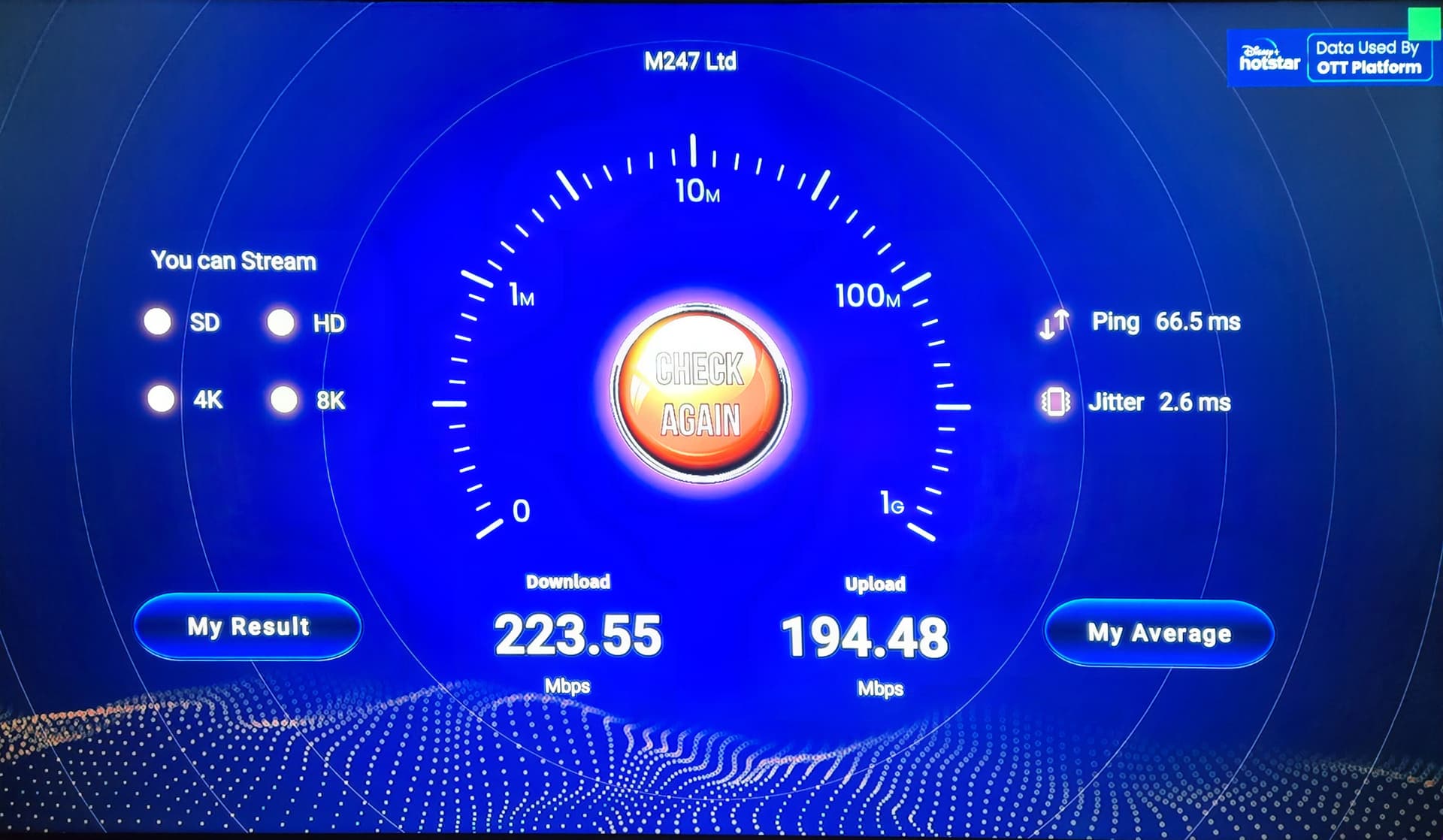
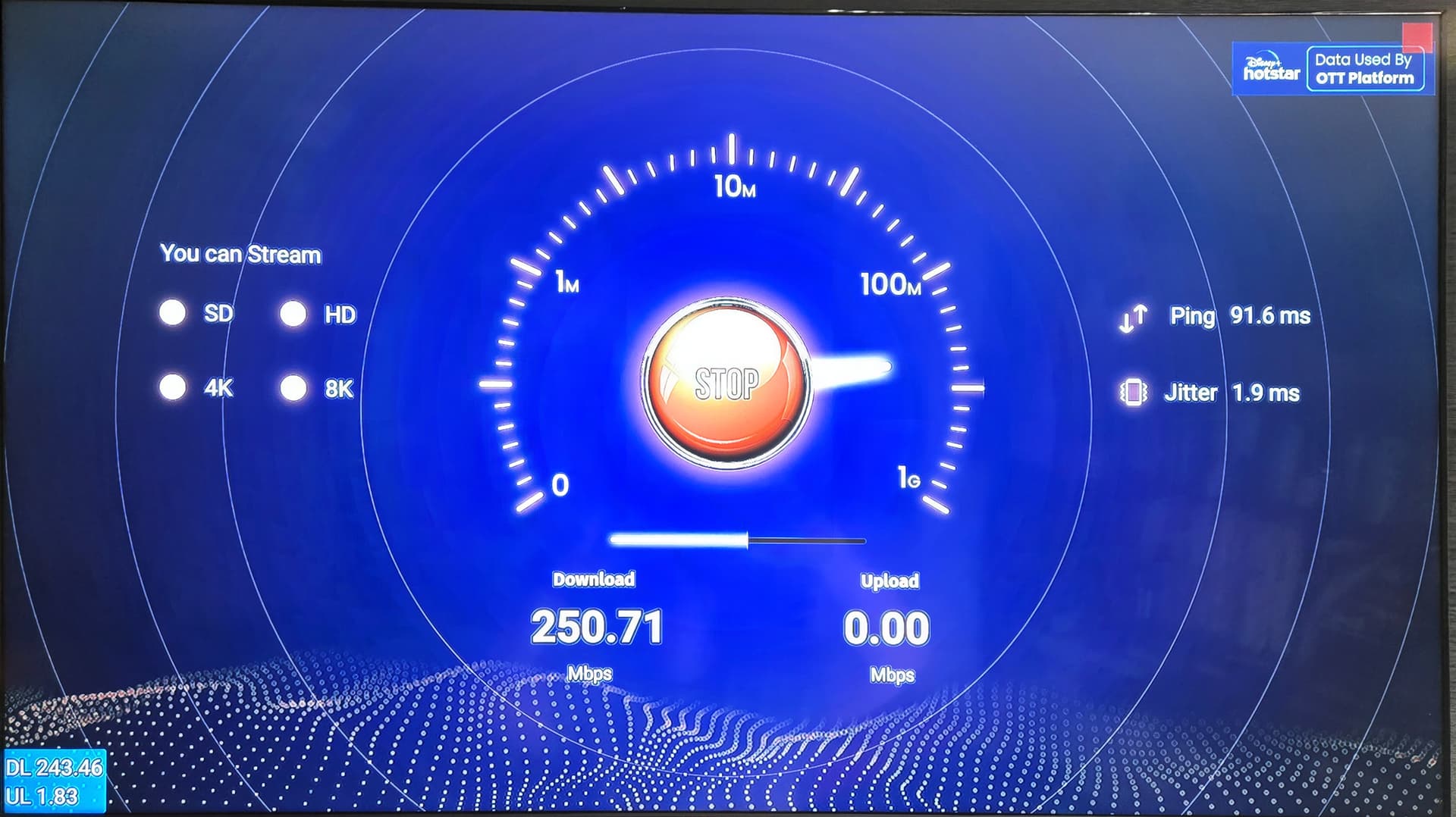
You know I got to thinking about your mentioning the VPN speeds being slow for you. I do not have any explanation of why but my data speeds using a VPN has been excellent. I am using Surfshark. I can even double VPN & get very good speeds. I am running a Cudy AX3000 wifi 6 router which is super sweet to be able to quickly & easily install/change the VPN or to change the locations inside the router without any headaches at all. I highly recommend this little beast to anyone that wants a great little router that is very solid, broadcasts well & gets great speeds. I have 300mpbs AT&T fiber here at my house which nominally I get about 350-370 for speed. With just solo VPN from router I get 260-300 consistently & here is a shot of double VPN speed. This I was router VPN’d, then using the Surfshark app I was using one of the Static IP’s from NYC. I have never had any issues with data speeds other than on rare occasion the particular location I am connected to getting slow. I was hooked up to Buffalo last week & caught it getting slow & switched the router over to Bend, Or. & speeds were right back up to normal. There are some occasional falloffs of speeds on some locations with Surfshark but is more rare than common, & quickly fixable. I generated key pairs from Surfshark’s website for every USA location, transferred them to my phone & can change locations in my router right from my recliner with my phone. I can’t say if my router is my savior on data speeds, but it is solid. I also found a very reliable speed test that is proven to be very accurate. Some are not including that analiti one I have tried. I use an app called real time internet speed meter which puts in overlay the data speeds & checks it each 1/2 second so I can see in real time what the box is drawing in data speed. I put it in the launcher so it loads up every time upon boot up & with real mouse I moved it to bottom left corner out of the way. When you watch this along with the speed tests by law of averages you can see it’s accurate what the speed test is showing me. It was interesting that this speed test app won’t work in the Z12, but I found another that looks to be an identical clone for the Z12. As you can see in this photo my VPN dot is green. It won’t be with using the VPN from the router as it won’t see the VPN from it. I am in Florida, this was on the Bend, Or. on the router, then one of the Static IP’s from NYC in the app. This test was done with my Kinhank G1 box but both it & the Formuler boxes are the same getting speeds. This shot with the Formuler Z11 Pro Max I just took while it was running you can see how the real time internet speed meter captures the speeds while testing. It ended up getting 267 when done testing which is in line.