Originally published at: How to Create a Nuvio "Build" with TVFlix Builder
In this tutorial, we will use the Nuvio TVFlix Builder to create a Nuvio-style “Build” for an all-encompassing media platform. If you use the Nuvio Application, you are aware of the versatility this app provides for delivering and playing high-definition content on any device. Most use the app by installing 3rd party addons or Plugins…
After clicking configuration and loading my file file at aio, I don’t get the 3 checks  ; only MDBList says configured. TMDB and TVDB are not configured.
What did I do wrong? I went step by step…
Hi, I hope that you are well.
When attempting to save the configuration of the AIOStreams add on near the bottom of the tutorial I get an error saying that “Preset realdebrid not found”.
Any ideas on this please?
Hey, getting the same error at the same step of the process. Have you happened to fix this?
After clicking configuration and loading my file file at aio, I don’t get the 3 checks ; only MDBList says configured. TMDB and TVDB are not configured. and can’t save the configuration
I’ve got the same problem as Sisz13
I’m getting this as well. Hopefully the developer creates a fix for this.
Hi Friends!
So after a bit of tinkering for my devices I was able to figure out the check mark issue.
The URL provided for Step 2 is what is causing the issue. When you use the URL in the guide;" aiometadatafortheweak.nhyira.dev/configure/" it doesn’t check the TVDB or TMDB boxes.
The good news is after you configure Nuvio via “nuvio. tvflix. co. uk” and download the files there is a link to AIOMetaData Which is “https:// aiometadata. viren070 .me/configure/” in Section A:
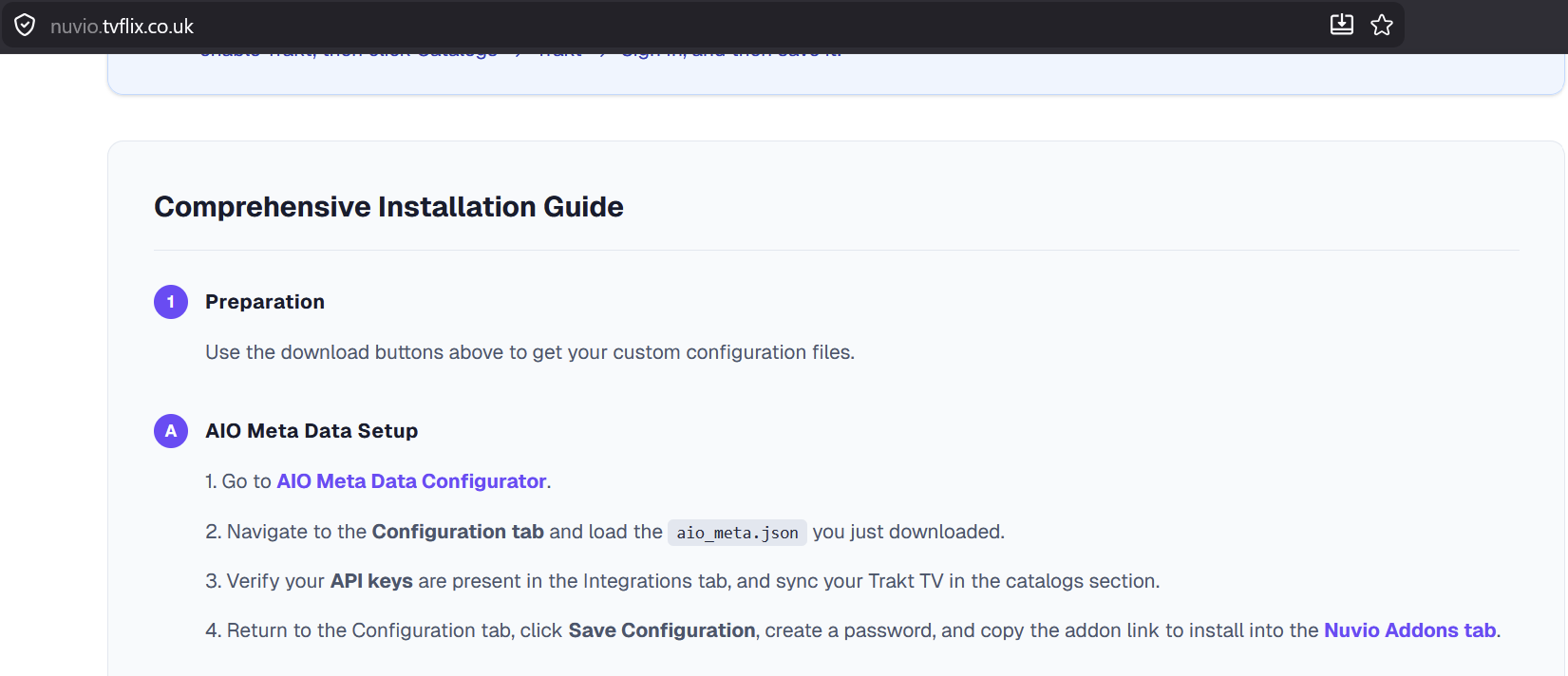
When I select this link the check marks come in and I can resume the steps in the guide as instructed. Hope this helps!
P.S. I also figured out how to get this to work if you prefer to use the original link provided with a few tweaks. Just message me if you need more details or if you want me to make a more detailed guide on the AIO configuration.