Originally published at: How to Configure & Install TorBox Stremio Addon (Video Guide)
Learn How to Configure & Install the TorBox Stremio Addon using our step by step guide below. We provide a screenshot tutorial to follow along with as well as a video guide that has important details regarding this addon that you should know. The TorBox addon works directly with the TorBox Service which is a…
4 Likes
I have not yet set up Torbox but, was planning to.
I went to the site, created an account, and then went to pay for the $3 a month option as outlined in Troy’s video. In the listing of payment methods I saw the crypto option but, when selected, you are prompted to put in credit card information. I backed out, confirmed my option of choosing the link for crypto but, I was once again prompted for credit card information.
Has anyone else tried this? I don’t really like the idea of putting in my visa card information into this service.
Hey there I just went through the process and ran into this as well. I would try reaching out to their support team for assistance.
1 Like
Sign up for Privacy.com. When paying with virtual credit card from Privacy.com you can put bogus name and address in. You can also setup max amount on that virtual credit card.
2 Likes
Thanks.
The other issue is that you cannot run your VPN when trying to make a purchase. There is an error something to the effect of “…your IP address…blah blah blah.”
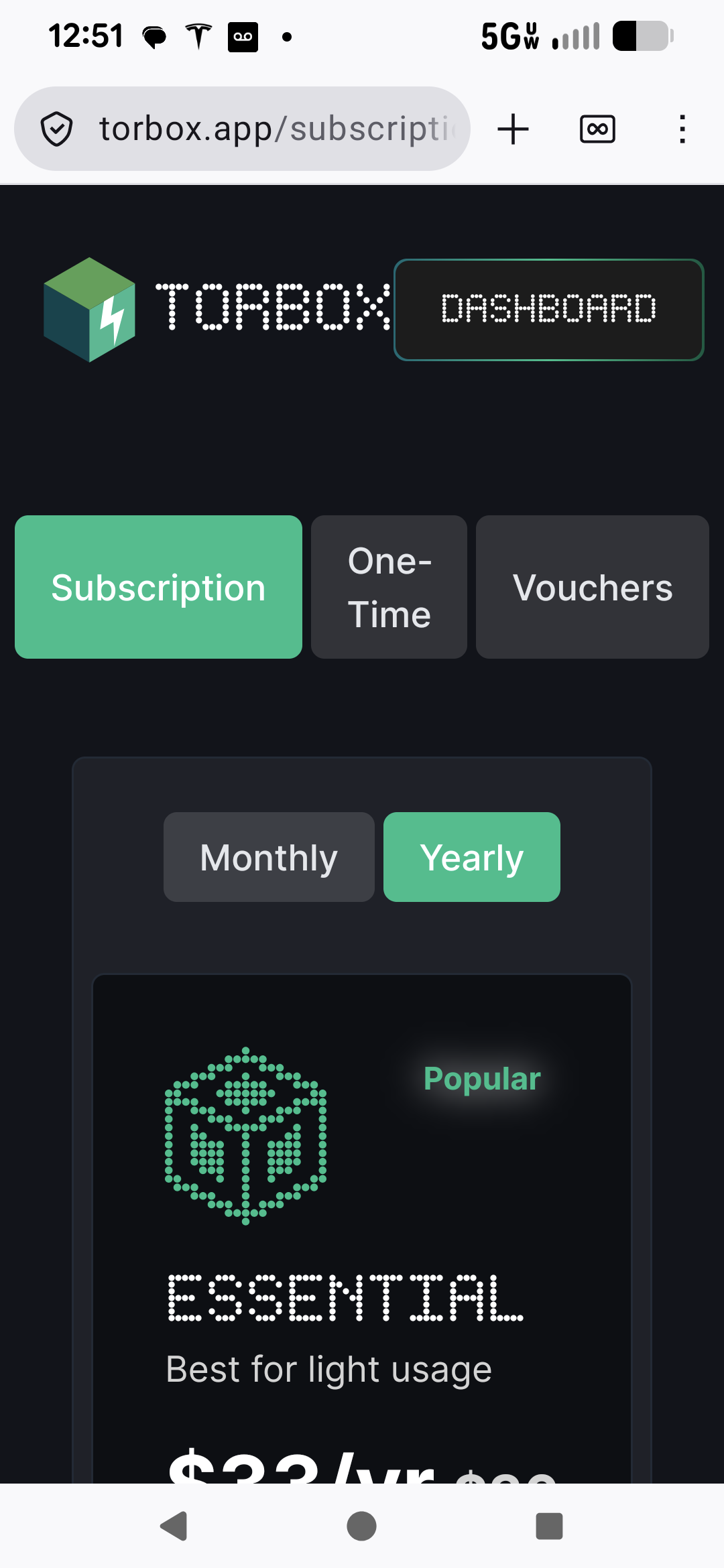
Change from Monthly option to Yearly and crypto will work. They only accept crypto for long term plan.
3 Likes
The only way Crypto seems to work is if you choose ‘One Time’ which is slightly more for one-year.
This allowed me to use BTC for payment.
Tab at top allows you to toggle between the two. You may need to also switch to one-time option as well. I went through same problem when I ordered mine.
1 Like
Yes, I went back and saw the yearly option (missed it before) which comes to $33 a year.
I once again tried the crypto selection and it still reverted to only a credit card option or, directly from a bank.
Sorry i meant Privacy.com. LOL
1 Like
Np. I am trying to be a good boy these days! Hehe
1 Like
See second sentence in my post above. Switch to one time payment and it will work.
1 Like
10-4. I got it, thanks.
Also, you did another great, well-detailed video tutorial, Troy.
1 Like
Followed the easy tutorial and synced TorBox to my Stremio running on my Nvidia Shield Pro. It was there but when going into my Library, nothing was there. I get a msg saying “No information found about this” on EVERYTHING. Now I’m currently running with Real-Debrid. As it is, I uninstalled TorBox and now I’m back to RD. From this conflict of Debrid providers, I’m believing that only one can be running at once. If I’m wrong, then please tell me how to get around this. Homer
Send a screenshot of the current addons installed. If you want to install another Debrid service you will need to go to the configuration page of what addon you want to install. I highly recommend AioStreams or Duck Streams if you want to use 2 different Debrid Services. Duck Streams would be easiest to setup. If you go this route I suggest you delete all the addons that Bootstrapper installed except AIOMetadata.
I set up my Torbox with Surfshark on. I had already hit the free pro trial. Instead of free trial. I hit upgrade and it takes me to the subscription screen. I don’t see pay with crypto on that page. I went back and tried it straight from subscription and hit one time with year and with the coupon code for yearly but It just say subscription. No pay with crypto. It then take me to the payment page. I don’t see Coinbase icon under crypto section. What am I doing wrong. Also can I have premiuize and Torbox in stremio and Kodi and nuvio logged in for more links hopefully?
But how do I pay if Pay with crypto doesn’t come up. I didn’t see Coinbase icon otherwise.
Crisro, you have to choose One-Time Payment and the Yearly plan to purchase with crypto.
1 Like