Originally published at: How to Configure & Install Sootio Stremio Addon (VOD)
Learn How to configure and install the Sootio Stremio Addon on any device with our instructional guide below. Sootio is a VOD or Video on Demand addon that functions as a “multi-source” streaming engine to provide HD media links for your Stremio setup. It works in conjunction with your preferred Debrid Provider(s), torrent sources, and…
Won’t open Stremio to install and the manifest URL can’t be fetched. Probably to many ppl trying. Looks encouraging.
I was able to install the addon by itself and through AioStreams. You should be able also install through your current Duck Streams configuration too.
Oh ya. I just wanted to do an independent install for comparison and independent testing but thx for the suggestion. Good morning and I hope your having a buffer free day. The one thing I am not liking about Duck Streams is the limited optional choices like resolution ability. When adding sootio, for example, I cannot choose say only 4K, 1080 HDR etc. I cannot choose just English and so on, whereas you can as an independent addon. I am finding Duck and AIO to be far to restrictive in my configuration choices making them unsatisfactory IMHO. In Duck stream it’s just a debrid addon and I have enough of those.
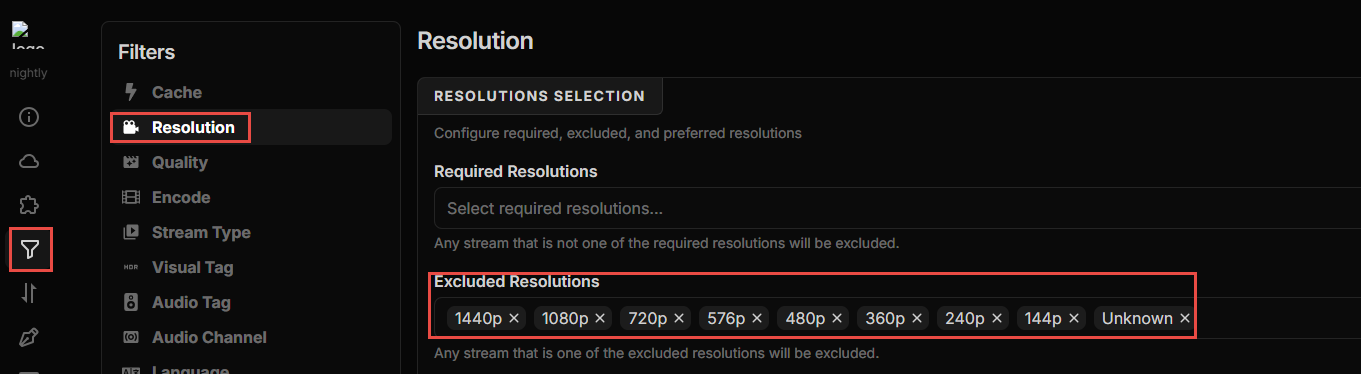
Have you tried in AIOStreams / DuckStreams to use the Filter section and excluded the resolutions or languages you specifically do not want?
Ex:
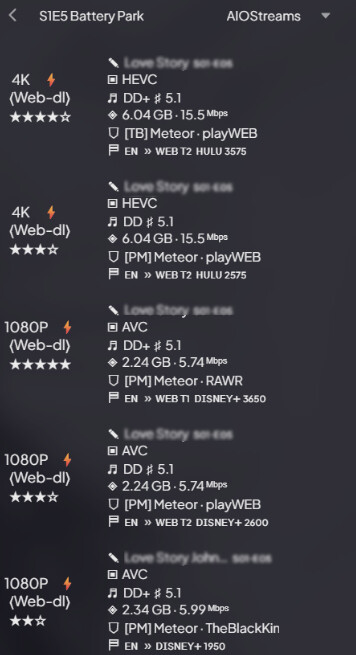
I just tested this with a new show I’m watching. Last week’s episode only has one or two cached 4K stream, and all the rest are 1080P and lower. Here’s a screenshot of my initial list of prioritized streams, prior to any filtering changes:
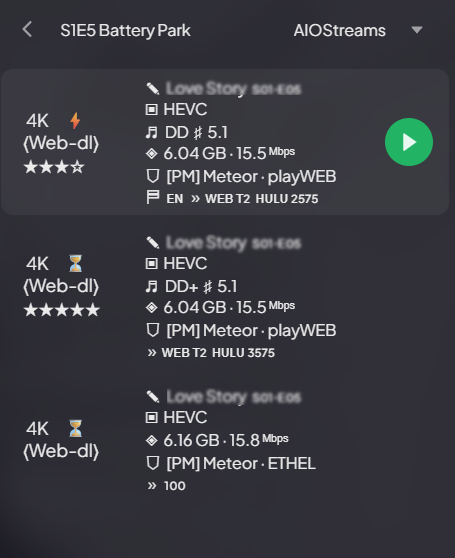
After I went into my AIOStreams config and specifically excluded all resolutions other than 4K, saved it, and then searched for the same show/episode in Stremio, it then only returned 4K results:
You can use this same filter / exclusion criteria for resolutions, languages, file sizes, and other items. Let me know if this helps, or if I misinterpreted your prior comment. Thanks
Yes but what good is that if you can’t configure the addon to do torrents and allow scrapers? No such option for that within the addon config, the only choice is debrid and as mentioned I have so many debrid addons it’s crazy and a waste of time. Yes it returned only 4K in your second example from an addon you can completely configure. Now turn off that addon and only enable sootio, do you then get the 4K? All I see is meteor. No sootio at all.
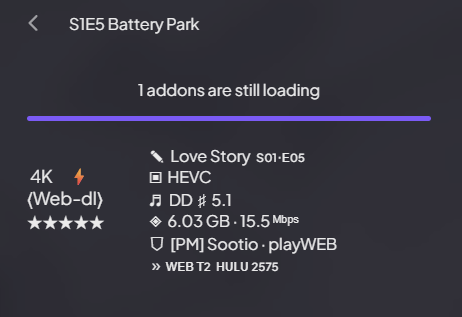
With that same config (only 4K resolution allowed) and all addons beside Sootio disabled, I do still get a 4K result. I think that Sootio was previously not showing up due to the deduplicator aspect of AIOStreams. I believe that Meteor provided the quickest response, and that’s why it was the first to show (duplicate results by Sootio, Torrentio, and others were filtered out). If I disable all addons other than Sootio, and search again, AIOStreams still returns that 4K result but via Sootio. From what I can see, it’s doing what it’s supposed to.
There’s certainly no problem with adding all the scrapers independently. I just think that for a lot of people, having a single AIOStreams configuration provides 99% of what you need and also cleans up your addons screen quite a bit. For my Stremio, STRMR, and Nuvio builds, I only need two addons: AIOMetadata & AIOStreams, and I always get quality results that can play my intended media. Due to this, I’ve removed all my “duplicate” scraper addons. Good to have options though. This is just my personal experience. 
How exactly, were you able to get results in sootio other than debrid? Mine won’t. No P2P or torrents. Now I’ll have to remove all debrids and see if it does find streams without that enabled.
So in fact it does now return 2160 and 1080 sources. Just had to remove all debrid services and select all http in its config. Ok tx for your help. Have a buffer free day.
Thank you for this, you have saved me valuable time.
https://stremio-addons.netlify.app/
this link not working that simplifies stremio addon installs says not found?
Old link.