Silly question but the author of the epgtop says to right click on the download icon and paste the url.
I read in this thread about “tiny url” so I assume I need to install this via downloader?
I am very new to this but I would think rt clicking on the download icon and pasting in what I assume would be my Tivimate would be pretty much streamlined but I am obviously missing something.
I am not sure if he is referring to his EPG app settings or Tivimate.
It is difficult to copy/paste on most devices. Often you simply have to type it into the settings area I described for Tivimate. Settings>EPG>EPG sources>scroll down ans click ADD source and if you have a clipboard app on your device and know how to copy something to it then you will have the option to “Paste from clipboard”.
I agree. With the BuzzTV app you can have a URL on say your phone and generate a code to scan and then transfer to the BuzzTV app, but it’s not easy. I wish that devs and box makers would just add a simple way to copy/paste.
Oh and btw you aren’t an idiot. There is a ton of learning that goes with this hobby and that’s why the insider is here, to help. So don’t be jard on yourself, you have started your journey and many insiders are here to support and advice you. Just don’t be afraid to ask and pm me when you truly get stuck. The site search is great to help as well.
WOW. Wife(and myself) was a bit disappointed in the Strong 8K EPG compared to primary IPTV service. Purchased My EPG for $7 and it is great. Thanks for the wonderful recommendation. All is well now at home.
Message below has been pinned on the myepg.top Telegram channel - I’ve had confirmation that it only affects you if you paid by credit card, if you paid by any other method you’re golden…
Hi,
Over the past few days, Gumroad and Ruul have decided to no longer accept credit card payments for my epg and to automatically refund all orders placed.
You should have already received the refund on the credit card you used. I’m sorry for the inconvenience ; this situation is completely outside my control.
To avoid losing your EPG privileges, I recommend placing a new order using a different payment method.
Currently, you can use:
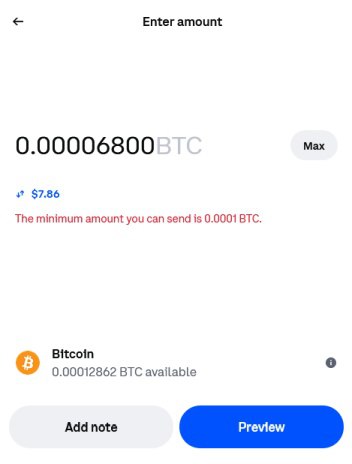
Crypto (recommended)
Bank transfer (bank accounts are available for the following countries: United States, Canada, Australia, United Kingdom, Europe)
Wise
Skrill
Revolut
All refunded orders will be automatically canceled on Sunday, November 30.
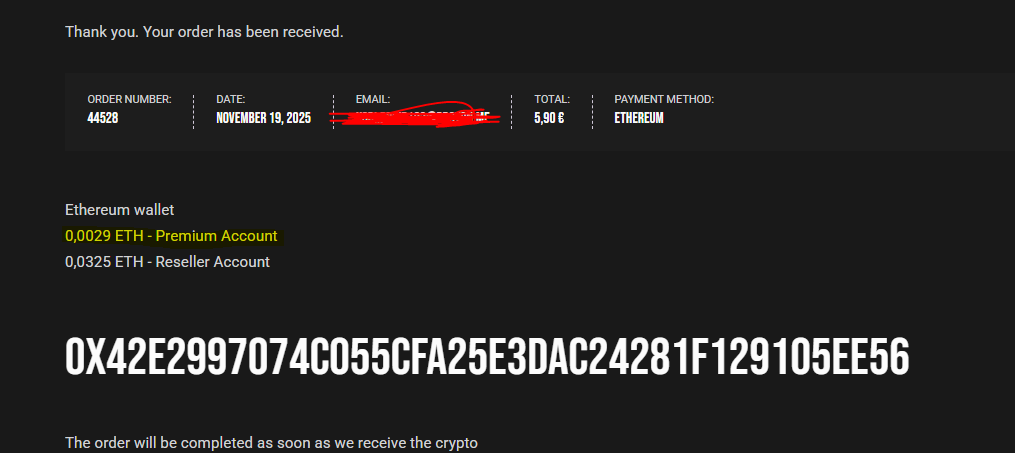
I paid with Ethereum. The amount on the website is incorrect (See Screenshot below). Convert 5.90E to Ethereum using this website ETH to EUR - Ethereum to Euro | Paybis and pay that amount in Ethereum.
Hi! I just purchased Amberbaby service. The epg has a lot of no information. Amber gave me 2 epg links to install. I’ve installed them and in the playlist it shows 3 sources. I go to the epg, long press, and the window opens on the right. I’ve looked through the list but all I see is the primary list. How do I use the other 2 sources? I’m new to assigning epg manually.
Is this in Tivimate? If so, settings>playlist>click on the playlist of your choice>EPG sources>Assigned sources and Unassigned sources. Enable or disable as you like.
If Tivimate under epg click epg sources and at bottom add source and add the 2 you have. Then go to the playlist and epg sources and add the 2 sources to the playlist .
I’ve added the 2 links to my playlist. They show up in the playlist under sources. When I go to assign epg to a no information channel, I don’t see the 2 links in the list to pick from.
In playlist epg sources you add it to the playlist not just an individual channel . You can add as many epg sources to a playlist as you want it’s self and it will work from there.
Once you assigning it in the playlist it will work along with your org epg already assigned. after assigning it in the playlist refresh the epg and it should fill those channels if they are in the new sources . You can unassign your org playlist and just have the 2 new ones working .