changing from NY to Chicago worked for me
1 Like
I have 4 subs and none work.
1 Like
I’ll give that a try when I get back on. Was too frustrated, so went to Netflix.
Not a Tivimate issue I have Proton VPN and my playlists and EPG update just fine on the schedule I’ve set.m
I would also ask your suppliers to make sure that your playlist are set on the their panels to allow VPN to use all locations.
First & most important ensure your wifi signal where you are using your firestick is good strength. Using a wifi 6 router to access is best for the data throughput. You are not stating if your VPN’ing on your router or not, but assuming that your only using the Surfshark app on your Firestick the first thing I would try is the Static IP NYC connections. Not only are these good for decent data speeds & always use Wireguard w/small packets enabled which Surfshark uses by default this may remedy your issue. Test your speeds your getting now first using the Firestick in it’s settings as it’s accurate to tell you your speeds are good getting to the device. Depending on the distance I what your modem/router has built in to it (wifi 5 or 6) you might have trouble with the distance. If your indeed getting decent speeds to your Firestick then you will need to try other locations. I had dropouts from the Bend, OR location so I quit using that one, but may not be the case for you depending on your actual location. Change locations/check speeds 2 or 3 times to see how the location you switch to does to ensure it will work well for you.
Many IPTV services will act up on many locations & changing the location usually fixes the buffering problems. This isn’t anything to do with TiviMate Or Surfshark, but rather the services themselves. To better identify this problem to see if your IPTV service is causing it, add TV Pass to your playlist. If it rolls fine without buffering then you have your answer as it being the service causing your problem because of the VPN location. I do highly recommend the Static IP NYC locations as they will prevent apps from seeing the VPN (Amazon Prime/Paramount Plus, ect…) so I would give that a try. TV Pass is free & does have some nice channels. Enter this URL - https://tvpass.org/playlist/m3u - Using the M3U playlist add, then add the epg URL. Put in the same thing from that URL then After the slash after org, instead enter epg.xml - & all the channels will have the guide. Sorry had to separate it as it put another link that didn’t belong in this. For you and all the other peeps out there - YOUR WELCOME!
2 Likes
Indeed. Using the Static NYC locations stopped the usual buffering during my baseball games. Like night and day. But it seems they are getting crowded of late. #3 used to always be at half capacity…now it’s often full. But one of the 6 are usually not busy.
where is the capacity shown?
Inside the circle located next to the server name in SurfShark. Half full circle means about half capacity. Full circle means it’s a busy server.
Edit: the circle shows up on SS app for Android/Google in streaming device, but it’s not there for my SS in Windows (11).
1 Like
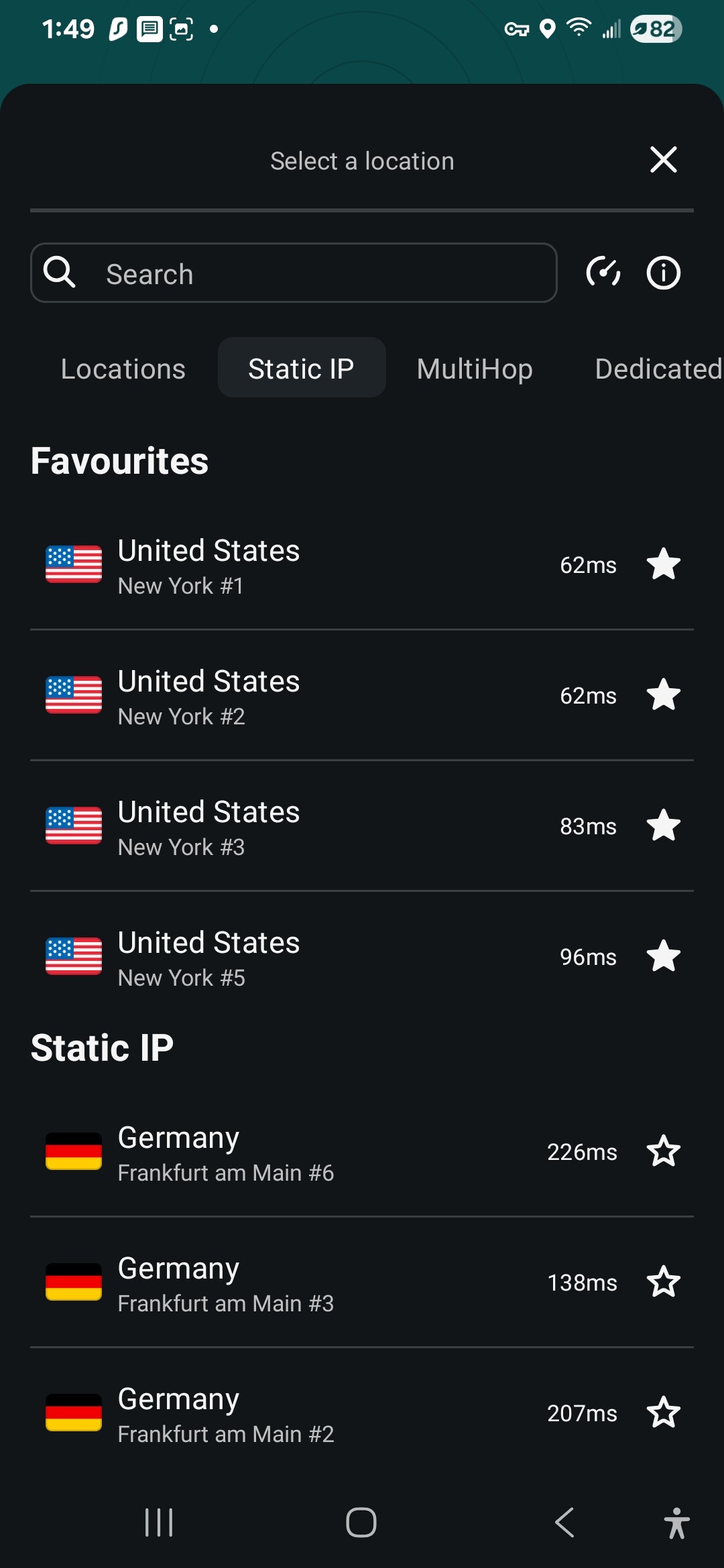
My app shows where it says “New York #1” the circle is where it says “62ms”. There is probably some correlation. Someone with more knowledge may chime in, but I suspect the lower “ms”, the more free is the server.
1 Like
I have discovered the Static IP’s for Surfshark are excellent to work when other won’t. I do believe it helps hide the VPN from the supply source. I also discovered you can simply download Sling, Amazon Prime, & Paramount Plus to watch your service if you subscribe to it using any of these apps connecting to a NYC Static VPN. For any of you that are like me and want to do all you want to do with your whatever android tv device & stay away from that blocked stupid Roku this is a great option! I only wish I could generate the Wireguard files for my router for these so I wouldn’t have to use the app. I have learned NOT to trust Surfshark’s VPN app as it will allow internet through it sometimes even with kill switch turned on failing to safeguard the box. The router is way better & can’t fail with installed VPN file. The Cudy AX3000 I purchased is so freaking user friendly too & cheap to purchase it is a great investment. It also has WIFI 6!
mine either, no ms just circle.
1 Like
I have noticed that it depends on where I have Surf connected. Anything in the US and the playlist doesnt update, but as soon as I connect to Bahamas the playlist updates and all channels play. Hope that helps.
1 Like
I’ve been using tvpass for a few days I have the premium package but I only receive a few stations I’ve tried all I know but nothing Works when you get in touch with them they won’t respond it also buffer’s