Going to get a tv to use when I visit my daughter. I’ll take one of my Shields along with me to stream. Is there anything I should know before I purchase it during the Prime days this week? Thanks guys and gals.
I wouldn’t personally buy a Fire TV. Especially not with all the latest restrictions that Amazon is forcing on the public.
I just stayed at a resort that had one of those freezing pieces of junk. I had to turn it off several times to reset it and had to unplug the thing 3 times in less than a week when turning it off did not work. That was just about every night and I was barely in the room. The next time I travel I’ll take my onn4k. The sub sucked at the resort too.
Not sure where to post this as this my first post but is anyone having issues with ***** IPTV. Their website and channels are all down right now. It’s been that way for about an hour
Please read the site rules . We cannot post unverified iptv issues in open forum and you are not a Patron yet, so you don’t have access to the locked IPTV category. Patron signups are presently closed.
If you’re going to take your Shield and not use the Fire OS for little more than booting up and getting to the HDMI port, I don’t see any reason not to buy one. I have a cheapie Fire TV that I use for the same purpose as yours.
Same could be said regarding the Roku TV.
It comes down which opening screen is least offensive to you.
“It comes down which opening screen is least offensive to you”
lol, I like that answer. Personally I’d avoid Fire and Roku tvs. Don’t think those tv processers are very powerful to start with so why gunk them up? I like the Best Buy “Dynex” brand if you want a cheap unfettered 4k tv.
Dynex TVs are no longer being offered by Best Buy.
Insignia has replaced them on BB’s shelves, and they utilize the Fire OS.
I guess I knew of the BB brand change and it was somewhere in my addled brain. Had a rarely used small Dynex in the kitchen that was bought from BB so that’s the brand I checked. But the Insignias are ALL Fire OS? I had heard from reputable sources that the BB brands were great values – and I concur from those I’ve purchased. And I get the BB “deal of the day” emails and come to think of it, they do seem to have Fire OS; but all of them?
IDK for sure if all are Fire or not.
It was all that I’ve seen.
Thanks to all. I went with a 55" with Google
I know I’m late but I would go roku. Amazon is slowly becoming Roku and Roku TVs already have it figured out. They just work.
I recently bought a new TV…Qled, Dolby Vision, Dolby Atmos, HDR10+, AI upscale, etc. But I bought it just before the Amazon OS debacle. So I tried to kick myself in the butt but that didn’t work.
Anyhow, I realized that because I am plugging my Shield into an HDMI port, so I am pretty much not really dealing with the native Amazon OS. In reality, I am just simply using the TV as a monitor. And I’m thinking that no matter what, I shouldn’t have to be concerned about anything going on with the native OS. Is there something that I am missing?
You are spot on @JerryJ . Doesn’t make a difference if it’s Roku or Samsung or any other hi end TV. Your streamer is the source of the picture and the TV is nothing more than a big ole monitor. With any device I’ve ever used, including the 4K Max, I have only gone into the devices settings to configure everything from the picture to the sound to adding apps. I wouldn’t even know where the settings are for the Samsung TV who’s OS is Tizen. Now there is one small drawback and that is that the Tizen OS can’t play Dolby Video just the DD Atmos sound. Not a biggy for me as the HDR 10 and 10+ provides an amazing picture that is all we need. Have a good night my friend.
Beauty! Thank you for confirming, Miki.
I’ve found that to start everything up, I just hit the power button on the Shield remote and it open on the Shield home screen. But since Amazon loves to load up all kinds of junk stuff I’ll probably have to go into the TV portion and clear internal memory occasionally.
What ever is loaded on the TV doesn’t matter as you are using an HDMI input, preferably the eARC one. That then becomes the source of your picture, sound etc as the CPU and GPU are providing all the display functions. That will be independent of what ever your TV has on it. I don’t ever even use the TV remote. I just hit the red TV button on my Buzz remote and that starts everything. Now I have my system setup to start tivimate when my system boots up. So I see the TV’S home screen for about a minute then the system sees the buzz has started and automatically switches to it’s hdmi input. From that point on I watch my subs or Stremio.
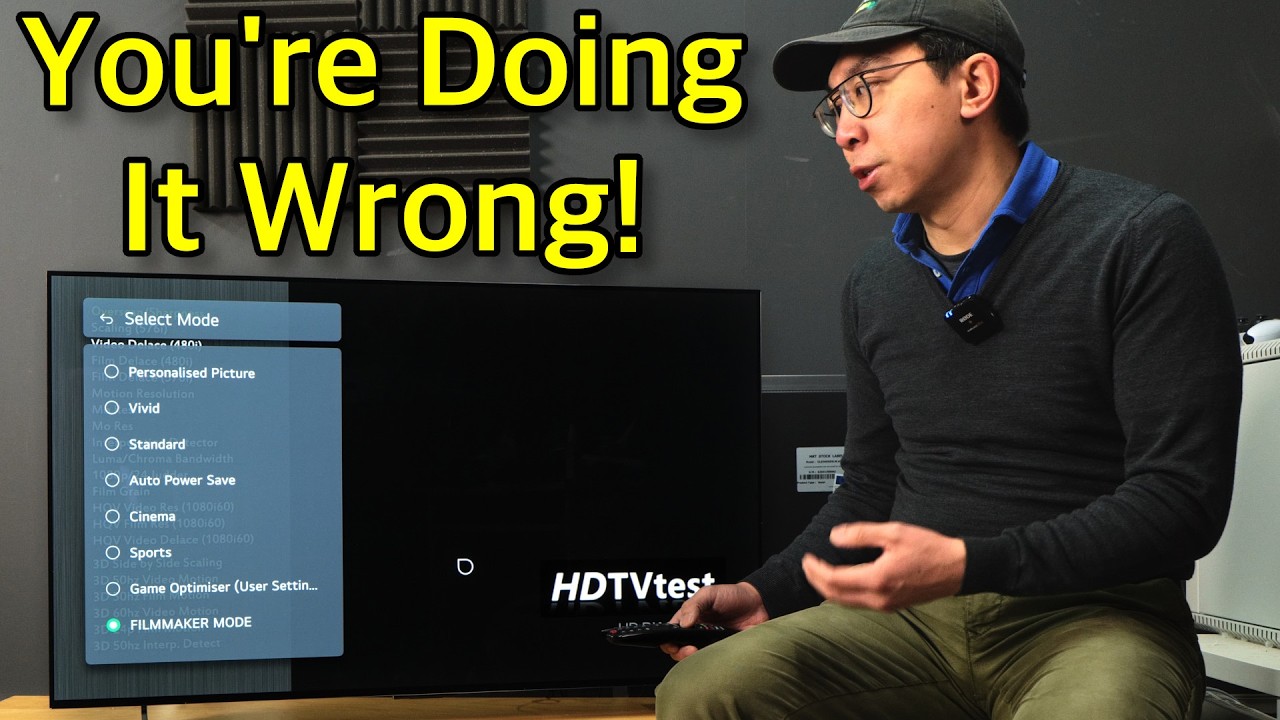
I always use the TV image settings as they should be setup for each HDMI input if you are using more than one.
Also if you are using internal apps and internal Tuner on the TV you will need to set the image on those also.
You will need to set image on each dynamic range for SDR, HDR and DV.
This video explains the process for LG TVs but will be similar on other brands.
I must have been lucky. No matter the hdmi port I use on both the one connect box or my soundbar or the TV I always get an amazing picture Samsung TV and Soundbar. I am being sincere when I say I have never gone into the TV settings, just used the Shield pro, SK1 or Buzz P6L.
Excellent vid @Avid08 That will help a lot of ppl.
If you are happy with out of the box settings then all good.
I just prefer to set them myself with recommended settings and then adjust to my liking.
Oh of course. I understand completely. I am uber fussy when it comes to picture quality and sound. The picture straight out of the box was absolutely perfect. Small adjustments with the attached streamers settings and the picture is so lifelike you’d swear you’re looking at it in real life. Had I ever needed to change any settings on my Samsung then you can rest assured I would have learned how.
Have fun and stream on.