If you like and use ‘Home Page’ stuff a lot of the times. Then I would strongly suggest installing either the Projectivy or Wolf Launchers. I have both and like both. Imho, the Wolf is better if you want to get into detailing customization. Projectivy is ideal if you want a simple, clean, organized Home Page. Both launchers will eliminate the intrusive Amazon and Google brow beating adverts.
Amazon and Google should just go ahead and sell a device that only does commercials and ads! Oh, wait, they already do that via the boxes we have already bought!
Exactly the point I was referencing earlier. For those people who DO have ads popping up on your home screen, the way to eliminate this is with a custom launcher. For years I have used nothing but Wolf launchers on every box I’ve programmed or owned. Amazon has effectively blocked Firesticks and Cubes from the ability to easily replace the stock launcher anymore, but you can still utilize one with a manual start or by remapping a button on your remote. Any other box is still a breeze and always the very first thing I change after installing Downloader.
Good luck with your new ONN box. They are more submissive than Firesticks, but can be a little gripy at times. Make sure you set it in a cool place and not on top of a vcr or some other device that emits heat. They are good little boxes for the price. You will have fun noticing all the differences and options.
You delete your ad profile. I did mine by going into the Amazon account registered to the firestick. Been a long time. I’d have to hook one back up and test, but it would be the older 4k Max.
Hope I don’t encounter any of the problems that have been mentioned in our forum. I didn’t have any problems setting up my two firesticks. I just wanted to try the ONN box since it wad so cheap. Got my figures crossed.
For more control ppl need to realize that they can do so by accessing their account, that the stick is registered to, on line and making changes to that account and then syncing it.
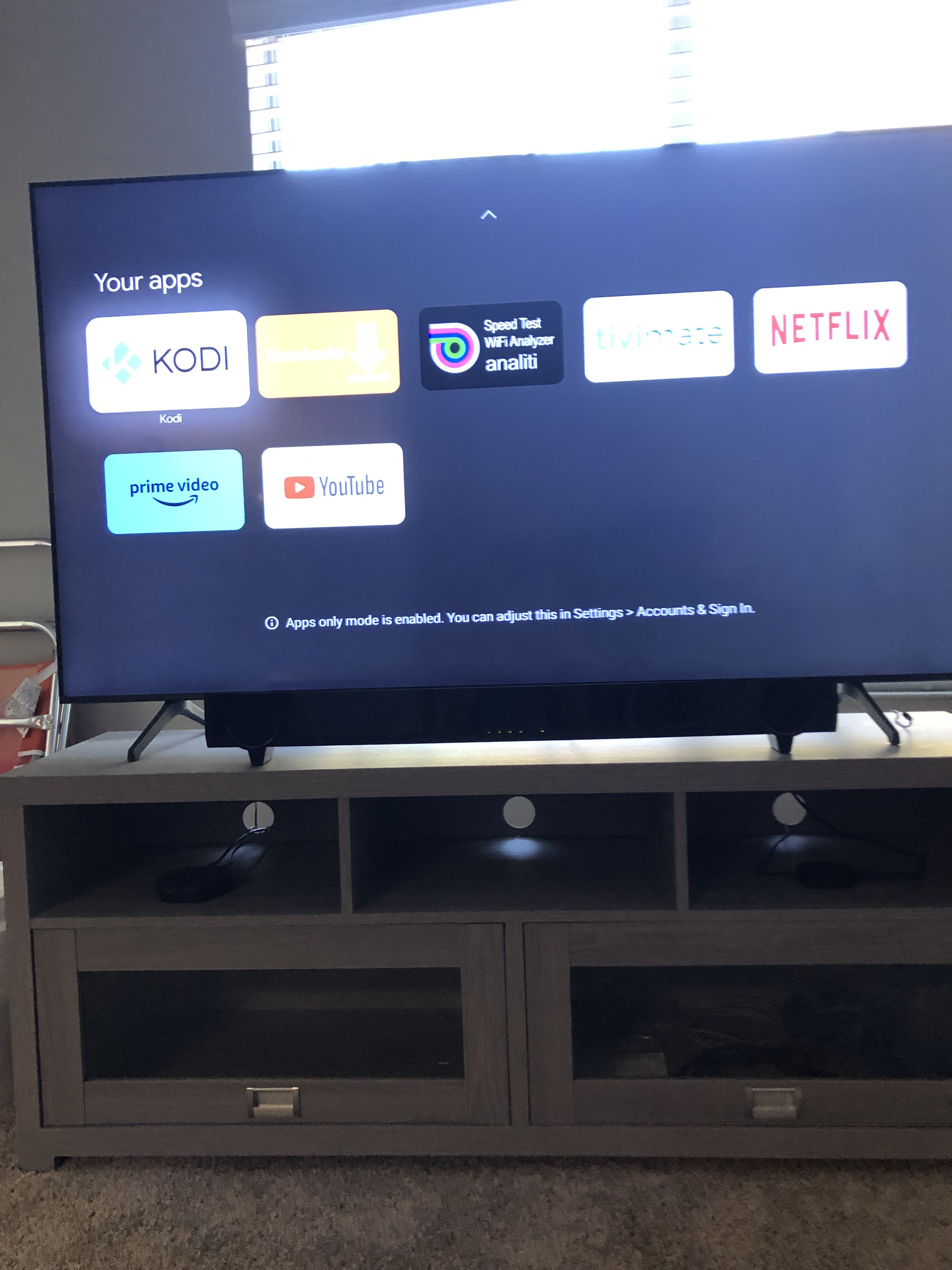
The Onn Box and KODI will give you an AdFree experience. Just make sure you change the setting in the ONN Box to “Apps Mode” That will do away with any of the recommendations and will provide you an interface with ONLY your apps and accesss to your settings. sort of like a Launcher but it won’t crash your Box like Wolf
I’ll never understand this issue. Boot, enable TiViMate start on boot choose your playlist/channel, no ads no home screen and right into the superior picture provided by the 4K Max. Oh and Stremio for VOD doesn’t have any ads and is free.
There are plenty of YouTube videos that suggest all the Settings you should be turning ‘OFF’ (if you value your privacy and Amazon taking your usage data, etc).
I’m not home right now (so can’t verify the specific path), but two of those to toggle off are the ‘video’ and ‘audio’ that PLAY those ads at the top of the homescreen.
I think it’s under ‘Permissions/Featured Content’, but don’t hold me to that.
“Doc Squiffy” and “TechDoctorUK” are just two of the YT’ers who do quick vids on all the stuff you should be toggling off!
Anyway, turn those off and you won’t get the annoying ‘active’ ad playing … it’ll be static … but you do still need to hit your ‘down’ directional ring to get back on the main functions row.
My very first reply was that I’m getting this big ass surfshark ad on my tablet. Point of being the tablet not the homepage of my streaming app. I never stay on the homepage of my shield.
Google launched Apps only mode as a kind of alternative to guest mode, wherein your content recommendations won’t appear, but people can continue to access videos via individual apps. Other features like Assistant and search are also missing in this view. This is a godsend for households where the television is shared and you’re not comfortable with your personal content recommendations appearing for everybody. Ads and other promotional content will continue to appear, however, so there’s no escaping that.
I just did this last week. Faster than the firestick. Kodi works great. If you backup kodi on firestick to a network drive you can restore it on onn box.
Yes I accidentally did the update which I knew I should have done oh my gosh what a pain in the hiney it takes up the whole screen I’m constantly clicking all over SOS to everyone once you do this update I don’t know if anybody else has had the same problem but it immediately makes it so you can only use one fire stick for your television the minute I did this update I had no volume on either of my Fire Sticks I spent 2 hours on tech support whom were practically brain dead only at the end of the last 2 hours was I finally told that it was the update after they had me reboot my TV 25 times so once you do this update if any of you all have more than one remote in the living room it’s impossible unless Troy can come up with a workaround the only way to do it is to just use Alexa voice to raise and lower the volume which is a pain because she only does it in increments that you set and all the channels have different sounds SOS Troy maybe you can figure this out or we can go backwards