I had the same issue today out of nowhere. I applied a new URL from AB and it was corrected easy peasy.
I did finally get it sorted.
Thanks for asking.
Have a good day
In Tivimate
- Settings
- Playlists
- Select the playlist that need to be updated
- scroll down till you see “Update playlist” and click on it.
- Now the system will update your your playlist.
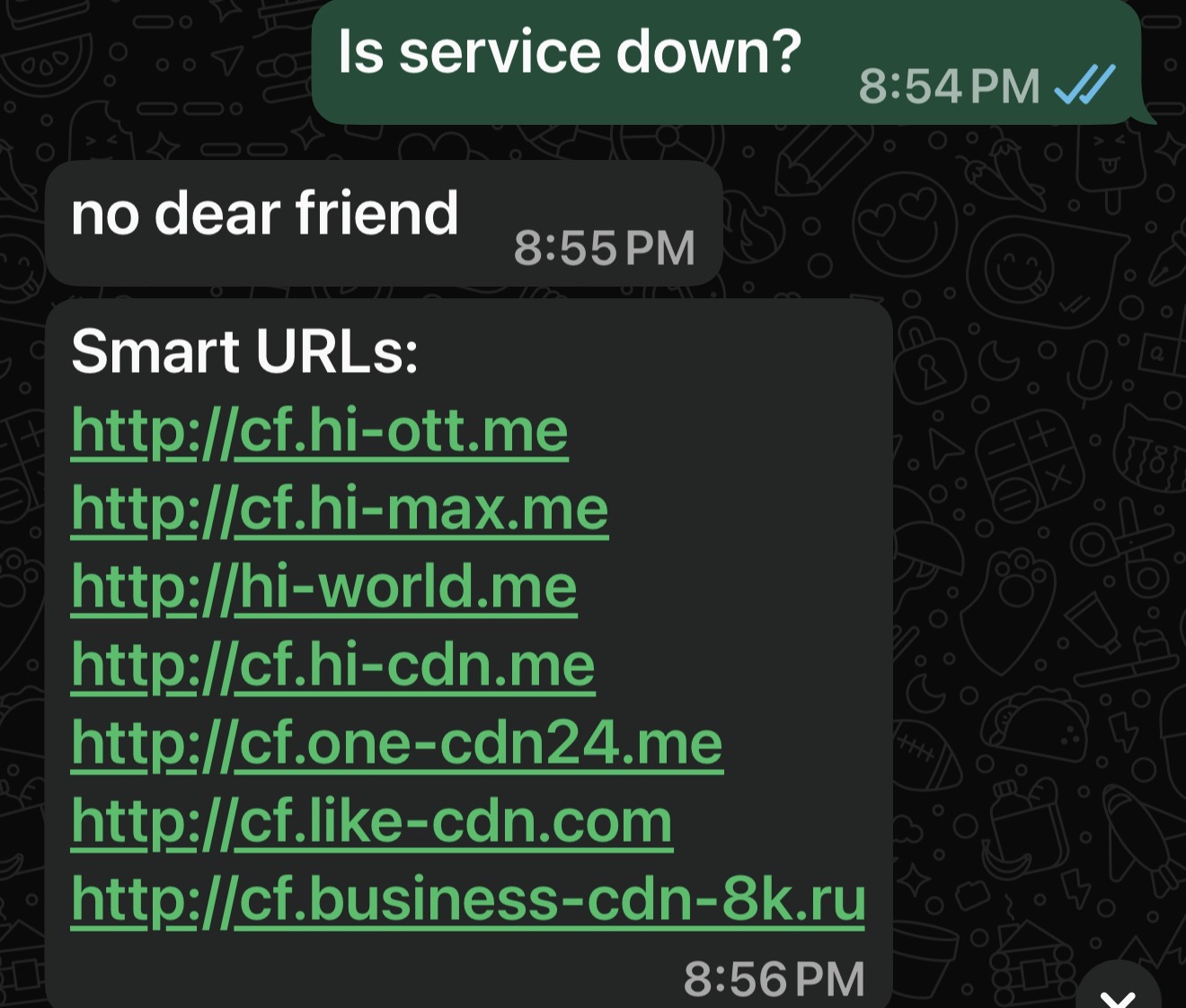
I asked AB for a new URL 2 weeks ago. Now I have the Cloudfare notice on all channels. I have asked for another URL from AB. The published URLs all failed to update on Tivimate. This may be the cheapest service but it’s becoming a pain in the butt
I’m viewing Strong currently on one of the published URLs.
What exactly do you mean by: “The published URLs all failed to update on Tivimate.”
I tried them on Tivimate without success. AB gave me this URL and it works
I use Tivimate and had to create a new playlist in order for the new url to work. I could not just change the url and update the playlist. I tried with several of the different URL’s and it did not work. I contacted AB and she gave me 1 that is in this thread and a different one. Neither worked until I deleted my data/cache and created a new playlist.
Yeah. I don’t know. There is no “apply changes” in my Tivimate. Just “Update Playlist” It accepted the new url and updated the channels but it gave me the same cloudflair warning when I tried to view a channel.
Ok. Found that. I tried changing it in Playlist, which it did. It changed to the new url. But I see now you can also do it under XTREME CODES PARAMETERS which has “apply changes” That makes sense now.
What is the new url ? Is something AB provides?
Yes
Simple question….. why do some get the Cloudflare security breach flag and others using the same service do not? What is the trigger?
Depends on the server location that is hosting the service I believe.
where the server is cannot be it if two parties access it and only one gets restricted.
I guess I have asked a question no one knows the answer to. Interesting to say the least.
Yes I’m getting the same warning. I tried to reach out to Amber baby but my login did not work. Let me know what you guys think.

2 Likes
Thanks